How to Shorten a Teams Meeting Link (and Keep It Working) in 2026
Copy your Teams join link, shorten it with a readable custom ending, and make a QR code that survives a re-created meeting. Includes what Microsoft says about link expiry.
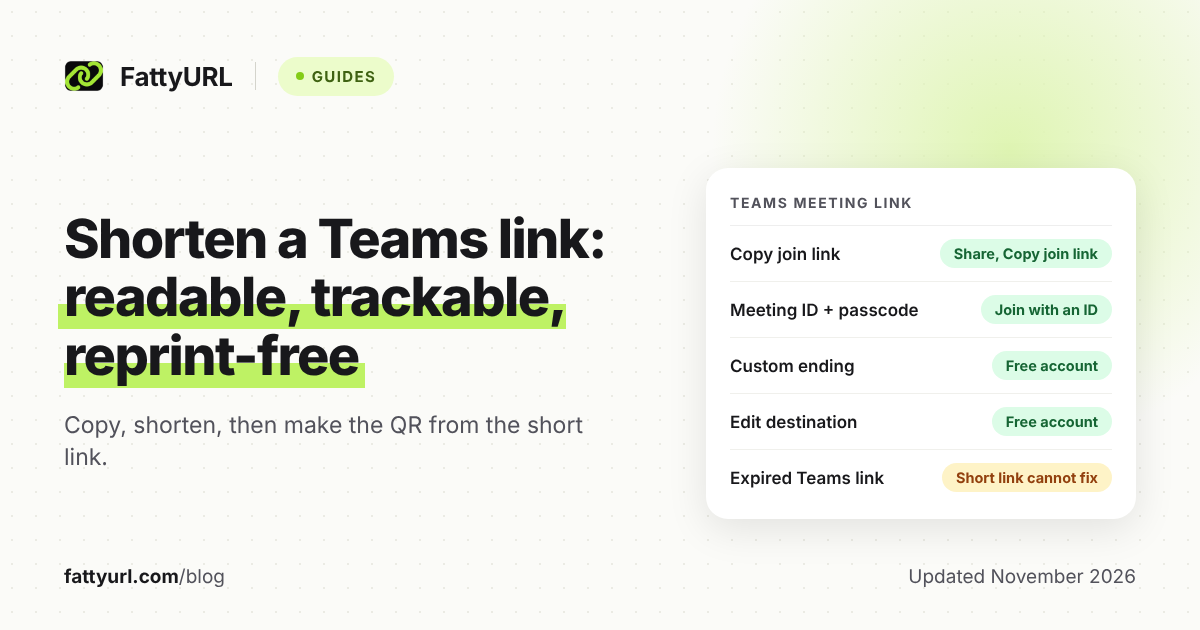
A Teams meeting link is long, and the long form is hard to read aloud or fit on a slide. Microsoft also lets people join with a meeting ID and passcode, and a short link of your own is the other fix.
This guide covers what Microsoft's own pages say about copying and joining, and which meetings keep the same link. It also shows how to put a readable short link and a QR code on top.
Short answer: Copy the join link from your Teams meeting details, then paste it into a URL shortener to get a readable ending. A FattyURL short link from a free account also gives click counts and lets you change the destination if the meeting is re-created. Make your QR code from the short link, not the Teams link.
How do I copy a Teams meeting link?
Open the meeting in your Teams calendar, select Share at the top of the details, then select Copy join link. Microsoft's scheduling page describes these steps. Paste the link into a chat, email or slide.
For an instant meeting, Microsoft's page says to start Meet now from Calendar and select Get a link to share. After you join, select Copy meeting link, or Share invite to send an email.
- Open Calendar in Teams and open your scheduled meeting.
- Select Share, then Copy join link.
- Paste it where you need it, such as an email or slide.
Microsoft notes that Meet now in Calendar needs an Exchange Online mailbox. Without one, you will not see it.
What does the Teams join link look like today?
Microsoft's developer documentation shows join links as long addresses that start with teams.microsoft.com/l/meetup-join/. The same page notes that the format can differ, depending on how the link was obtained. So the link you copy may not match an example you have seen.
Microsoft's Teams limits page says that when a meeting expires, people can no longer join with its link. Its expiry rules, shown in the table below, apply to newly created links. It does not say how older links are treated, so test one before you reuse it.
Either way, a Teams join link is a long web address. It is not something you can say aloud or fit comfortably on a printed card.
Can people join with a meeting ID and passcode instead?
Yes. Microsoft's join page says to open your Teams calendar, select Join with an ID, then enter the meeting ID and passcode from the invitation. Microsoft's page for Teams personal gives mobile steps: open the Meet tab, then tap Join with ID.
This works well for a classroom or a room display. Write the ID and passcode on the board, and nobody has to type a link.
The trade-off: both numbers must stay accurate on the handout. If you re-create the meeting, they change, and so does the printed card. A short link avoids that, as shown below.
Which Teams meeting links stay the same, and which change?
Microsoft's pages answer this only in part. The Teams limits page gives expiry rules for newly created links, marked public preview. The table below lists what each primary page states, and says plainly when a page is silent.
Checked 7 November 2026.
| Meeting type | What Microsoft's page states | Source |
|---|---|---|
| Meet now (instant) | Preview rule: from Calendar or a channel, expires 60 days after the link was created; joining does not extend it | Teams limits page |
| Scheduled meeting | Preview rule: a one-time meeting expires 60 days after its scheduled time; joining or updating it before then adds 60 days | Teams limits page |
| Recurring meeting | Preview rule: with an end date, 60 days after the end date or last occurrence, whichever is longer; with no end date, 1 year after it was last accessed, joined or updated | Teams limits page |
| Channel meeting | Page covers scheduling it; does not say if the link stays the same | Schedule a meeting page |
| Webinar | Registration link becomes active after you send the invite; page does not say if edits change it | Publicize a webinar page |
| Town hall | Organizer manages it from View event, then Manage event; page does not say if the link changes | Schedule a town hall page |
Two other points come straight from Microsoft's pages. The scheduling page does not say whether editing a meeting time changes its link. Editing uses Send update, which notifies attendees.
The practical rule: if a link matters for a printed or recurring use, treat it as something that may need replacing. Point a short link at it so the public address stays fixed.
How do I shorten a Teams meeting link?
Paste the copied join link into a shortener and pick a readable ending. With a free FattyURL account, you can choose a custom ending of 6 to 100 characters, such as a class name plus the term.
- Copy the join link from Teams as above.
- Open FattyURL and sign in to a free account.
- Paste the Teams link and type your custom ending.
- Copy the short link into your email, slide or chat.
Without an account you still get a short link, but without a custom ending. Those links expire after 30 days without a click, and you cannot edit them. See how to shorten a link for the general steps and custom short links for ending ideas.
Shortening does not add or remove protection. Whoever holds the short link reaches the same Teams join page, so your meeting settings still decide who gets in.
Why use a short link if the meeting might be re-created?
With a free account you can edit a short link's destination later. If you cancel and re-create the meeting, point the same short link at the new Teams link. The short link everyone saved keeps working.
The account also shows click analytics: total clicks, unique visitors, clicks over time, plus country, device and referrer. That shows a recruiter or trainer how many times the join link was clicked. See how to track link clicks.
A short link cannot rescue an expired or deleted Teams meeting. It only gives you one place to update. Free FattyURL links may show ads; links on a paid plan never do.
How do I make a QR code for a Teams meeting?
Create a FattyURL short link first, then make the QR code from that short link. FattyURL's QR codes are static: they encode exactly the link you give. Each scan opens the short link and counts as a click.
The printed-handout tip: print the QR code from the short link, not from the raw Teams link. If you re-create the meeting, edit the short link's destination. The paper copies still work, and nothing needs a reprint.
- Create the short link with a free account.
- Open the QR code guide and make a code from the short link.
- Download it as PNG or SVG and place it on the handout.
- Print a short version of the link beneath it for people who cannot scan.
Test the scan on a phone before you print. For reporting scans, read how to track QR code scans.
Does the lobby still apply to a shared link?
Yes. Microsoft's meeting options page says the Who can bypass the lobby? setting decides who joins directly and who waits to be admitted. Organizers and others allowed to admit see the lobby list.
Microsoft's join page for Teams personal also says that if the host has the lobby enabled, they must admit you. Check the setting before you publish a link widely, such as on a poster or in a public post.
Before you share any short link, confirm where it goes. See are URL shorteners safe for how to check a destination.
What about Zoom, Forms or OneDrive links?
This guide covers Teams meetings only. For other links, use the matching guides: shorten a Zoom link, shorten a Microsoft Forms link and shorten a OneDrive link.
FAQ
Why is my Teams meeting link so long?
Microsoft's developer documentation shows join links as long addresses that start with teams.microsoft.com/l/meetup-join/. It notes the format can differ depending on how the link was obtained. A short link puts a readable address on top.
Does Microsoft Teams have its own link shortener?
Microsoft's pages describe copying the join link and joining with a meeting ID and passcode, but not a customizable short link. For a readable custom ending, use a separate shortener.
Will my Teams link expire?
Microsoft's Teams limits page lists preview rules for newly created links. A one-time meeting expires 60 days after its scheduled time, and a Meet now link 60 days after creation. Joining or updating a meeting before then adds 60 days, except for Meet now.
Can I change a short link if I schedule a new meeting?
With a free FattyURL account, yes. Edit the short link's destination to the new Teams link. Links made without an account cannot be edited.
Can people join without the link?
Yes, with a meeting ID and passcode through Join with an ID in Teams, as Microsoft's join page describes.
Sources
- Microsoft Support: Schedule a meeting in Teams, read 7 November 2026
- Microsoft Support: Start an instant meeting in Teams, read 7 November 2026
- Microsoft Support: Join a meeting in Teams, read 7 November 2026
- Microsoft Support: Join a meeting in Teams for personal use, read 7 November 2026
- Microsoft Support: Meeting options in Teams, read 7 November 2026
- Microsoft Support: Publicize a webinar, read 7 November 2026
- Microsoft Support: Schedule a town hall in Teams, read 7 November 2026
- Microsoft Learn: Limits and specifications for Microsoft Teams, read 7 November 2026
- Microsoft Learn: Get onlineMeeting (Microsoft Graph), read 7 November 2026
Disclaimer: This article is for general information only and is not legal or security advice. It was researched and drafted with the help of AI, and its facts were checked against the sources linked above, mostly each provider's own pricing, help and policy pages. URL shorteners, QR code tools and social platforms change their plans, prices and rules often, so confirm the details on the provider's website before you choose a plan, move your links or print a QR code. FattyURL is our own product. Spotted something out of date, or a FattyURL link being misused? Tell us and we will act on it.