How to Shorten a OneDrive or SharePoint Link (2026 Guide)
Copy the share link from OneDrive or SharePoint, then shorten it. A short link does not change who can open the file, so pick the link type first. Steps, table and FAQ.
A OneDrive or SharePoint share link can run to hundreds of characters, which looks messy in an email and is hard to turn into a clean QR code. You can put a short link in front of it, but you need to know what that does and does not change.
The short version: a short link only changes how the address looks. Who can open the file is still decided by the share settings you picked in OneDrive or SharePoint.
Short answer: Create the share link in OneDrive or SharePoint, choose who can open it, then paste it into a URL shortener such as FattyURL to get a short address. The short link does not add or remove any protection. Anyone who gets it can try the same file, under the same rules.
How do I create a OneDrive share link first?
Select the file or folder, choose Share, then Copy link, and use the settings gear to pick who can open it. You need this link before any shortener can help. Microsoft's help page lays out the steps for onedrive.com.
- Sign in at onedrive.com with a Microsoft account or a work or school account.
- Select the circle icon on the file or folder.
- Select the Share icon at the top of the page, then Copy Link.
- To change who can open it, select the settings gear, pick a link type, and select Apply.
- Copy the link and paste it into your email, document or message.
On a work or school account, Microsoft says you cannot share several items at once, so put them in a folder and share the folder. SharePoint works the same way: select the item, choose Share, then Copy link and use the gear next to it.
What is a 1drv.ms link?
1drv.ms is a shortened OneDrive address. Microsoft's OneDrive help page calls it the shortened URL for OneDrive, useful for sharing on Twitter. That page does not say that every share link you copy will use that format.
Work or school OneDrive runs on SharePoint, and Microsoft's developer documentation shows its example work OneDrive share link on a sharepoint.com address. That page also shows OneDrive and SharePoint moving to a shorter path form, but the link still carries a long token. Links shared before the change keep working.
An answer on Microsoft's Q&A forum, dated July 2019, said OneDrive for Business share links could not be shortened. The answer is old, so treat it as history rather than today's rule.
Does shortening a OneDrive link change who can open the file?
No. A short link redirects to the original address, and the original link still carries your permission settings. If the setting is Anyone, anyone holding the short link can reach the file. If it is limited to specific people, others will still be blocked.
That cuts both ways. A short link looks harmless and is easy to forward, retype or scan from a poster. Do not shorten a link to something you would not want a stranger to open, unless the link type already restricts who can.
Which link type should I use, and does a short link help?
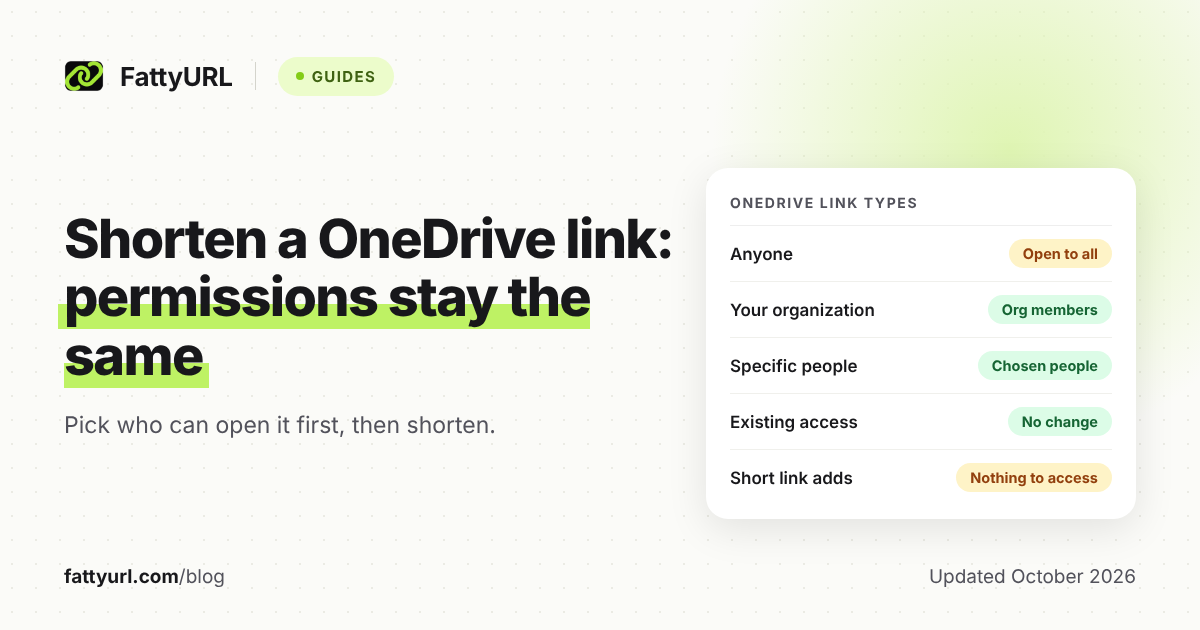
Choose the link type for the audience first, then decide whether a short address helps. The table below uses the four types on Microsoft's help pages. Admins can restrict these options, and Microsoft says they may appear greyed out.
| Link type (Microsoft's name) | Who can open it | Does a short link help? |
|---|---|---|
| Anyone | Anyone with the link, including people outside your organization | Yes for email and QR codes, but the short link is just as open as the long one |
| People in your organization | Anyone in your organization who has the link | Only for tidiness; it still works for your organization, not the public |
| Specific people (People you choose in SharePoint) | Only the people you choose, plus anyone who already had access | Cosmetic only; a printed QR code is a poor fit because only those people can open it |
| People with existing access | No change; it just gives a link to people who already have access | Cosmetic only; it grants nothing new |
Checked 1 November 2026 against Microsoft's OneDrive and SharePoint sharing pages. Your admin settings may differ.
Can I set an expiry date or password on a OneDrive link?
Yes, with limits. Microsoft says you can set an expiration date and a password in the link settings. After the date, the link stops working and you must create a new one.
- On OneDrive.com, Microsoft says both options need a Microsoft 365 subscription.
- For folders, both are available only with Anyone links.
- On SharePoint, Microsoft lists both only for Anyone links.
- Microsoft says to send a password separately from the link.
Microsoft also lists a Block download option on OneDrive (Can't download on SharePoint), which stops people from downloading the item. These controls live on Microsoft's side. A short link does not add them, and it does not weaken them either.
The expiry on a Microsoft link and the expiry of a short link are separate things. If either one lapses, the reader cannot reach the file.
How do I shorten a OneDrive or SharePoint link for email?
Copy the share link from OneDrive or SharePoint, paste it into a shortener, and use the short address in your email. The same steps work for both OneDrive and SharePoint links.
- Create the share link and set the link type, as above.
- Open FattyURL and paste the full link.
- Copy the short link it returns.
- Open the short link yourself in a private window to check that it reaches the file.
- Paste it into your email or document.
FattyURL needs no account to shorten a link. Without an account, you get up to 10 links an hour and 50 a day per device, and those links expire after 30 days without a click. With a free account, links never expire, and you can edit where a link points later.
Some links to free site and form builders need a verified free account on FattyURL. If you are asked for one, that is why. A custom ending, from 6 to 100 characters, also needs a free account.
Does Outlook already shorten OneDrive links?
Partly. An undated Office Insider post says Outlook for Windows, Version 2005 or later, shows OneDrive and SharePoint links as the file name with a file-type icon. It was a gradual Insider Fast release, and Microsoft noted features may change.
The recipient sees a tidy label, but the link underneath is still the long one. Senders can right-click it and choose Show Full URL. That is different from a short address you can use in a text message, a printed page or a QR code.
Can I make a QR code for a OneDrive file?
Yes, but check the access first. A QR code only opens a file for people who are allowed to open the link, so an Anyone link suits a public flyer and a Specific people link does not.
A short link makes the QR code simpler to scan. If you make the code from a FattyURL link with a free account, each scan counts as a click in that link's analytics, and you can change where the link points without reprinting.
Storing the file somewhere else? See shorten a Google Drive link, shorten a Dropbox link or shorten a Google Docs link. Sending a survey rather than a file? Read shorten a Microsoft Forms link. For any other link, the basics are in how to shorten a link.
Is it safe to share a shortened OneDrive link?
It is as safe as the share setting behind it. The risk is not the short address, it is the access you granted. Review the link type before you send, and stop sharing when the job is done.
Short links hide the destination, so some readers hesitate to click them. Tell recipients what the file is. They can learn how to preview a short link in are URL shorteners safe. FattyURL checks every link against Google Web Risk when it is created, edited and clicked, and pauses harmful links rather than deleting them.
FAQ
How do I shorten a OneDrive link?
Copy the share link from OneDrive, paste it into a URL shortener, and copy the short result. The short link redirects to the same file under the same permissions.
Why is my OneDrive share link so long?
It carries the address of your storage and a sharing token. Microsoft's documentation shows OneDrive and SharePoint share links include path details and a long token, which Microsoft has shortened in format over time but not removed.
Is a 1drv.ms link safe?
Microsoft's help page describes 1drv.ms as a shortened OneDrive URL. Whether the file is safe depends on who sent it and what it is, so treat it like any link you did not expect.
Can I shorten a SharePoint link?
Yes. Copy the link from the Share panel and shorten it the same way. Admin rules still apply, and Microsoft says admins can restrict which link types appear.
Will the short link stop working if I stop sharing the file?
Yes. The short link points to the Microsoft link, so if that link expires or is removed, the short link leads to a page that no longer opens the file.
Can a short link make a private file public?
No. It cannot change the permissions set in OneDrive or SharePoint. It only changes the address people type or scan.
Sources
- Microsoft Support: Share OneDrive files and folders, read 1 November 2026
- Microsoft Support: Share SharePoint files or folders, read 1 November 2026
- Microsoft Learn: Shorter share link format, read 1 November 2026
- Microsoft Q&A: Shortening OneDrive for Business links, read 1 November 2026
- Office Insider blog: Automatically shorten links to OneDrive and SharePoint, read 1 November 2026
Disclaimer: This article is for general information only and is not legal or security advice. It was researched and drafted with the help of AI, and its facts were checked against the sources linked above, mostly each provider's own pricing, help and policy pages. URL shorteners, QR code tools and social platforms change their plans, prices and rules often, so confirm the details on the provider's website before you choose a plan, move your links or print a QR code. FattyURL is our own product. Spotted something out of date, or a FattyURL link being misused? Tell us and we will act on it.