QR Code for a Restaurant Menu: How to Make One Free and Update It Without Reprinting (2026)
Host your menu on a web page you control, add it as the Menu link in Google Business Profile, and make the QR code from an editable short link so price changes never need a reprint. Print it at least 1.6 in (4 cm) wide.
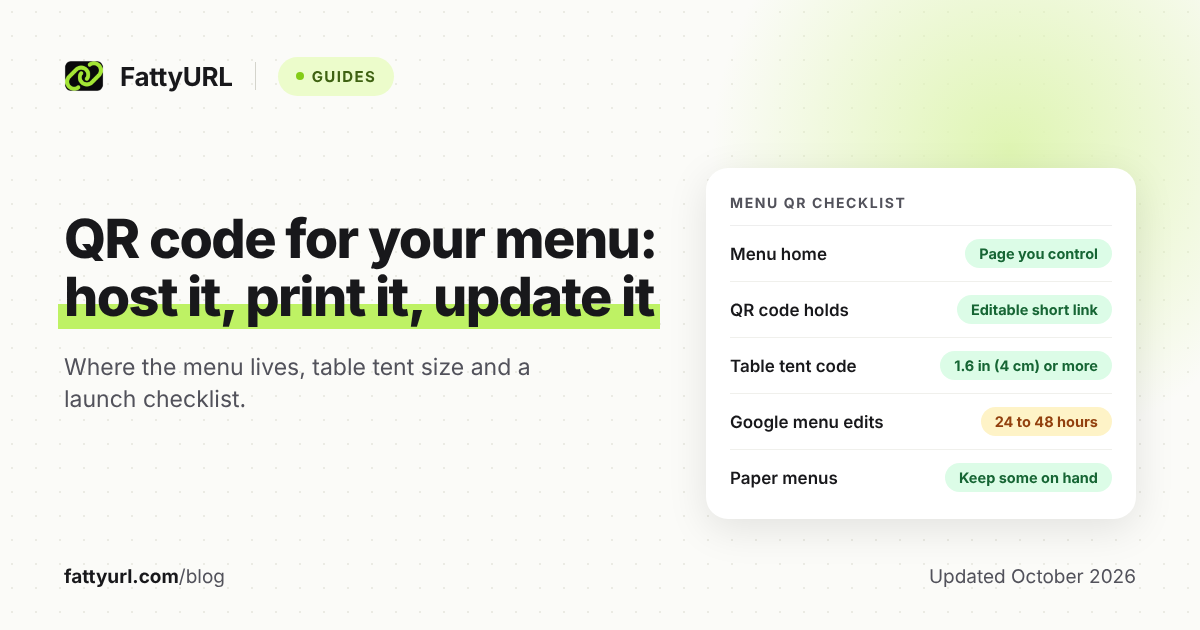
Put the menu on a web page you control, shorten its address with an editable short link, and make the QR code from it. That short link lets you change prices or swap a seasonal menu without reprinting. Print the code at least 1.6 inches (4 cm) square on table tents, and test a printed copy first.
Short answer: Host the menu on a web page you control, then add it as the Menu link in your Google Business Profile. Make the QR code from an editable short link, so the printed code can follow a new menu. Print it at least 1.6 in (4 cm) wide, test it, and keep a few paper menus.
Where should your restaurant menu live before you make the QR code?
Put it on a web page you control: a page on your own website, or a menu builder's page if you have no site. Your Google Business Profile menu is a good second home for searchers, not the QR target. A PDF works in a pinch but reads poorly on phones.
| Where the menu lives | Strengths | Watch out for |
|---|---|---|
| A page on your own website | Change prices on the page; the address stays the same. Google may copy the menu into your profile. | If a redesign moves the page, codes holding the old address break. |
| A menu builder, such as Menubly | No website needed. Menubly's free plan includes an online menu and a QR code menu. | If you leave the builder, codes holding its address stop showing your menu. |
| Google Business Profile menu | Free. Sections, dishes, descriptions and prices appear under Menu. | Edits can take 24 to 48 hours. Google's help describes no link to the menu alone. |
| A PDF file | Quickest if your print file is ready. | Zooming and scrolling on phones, and a new upload for each change. |
Checked 28 October 2026 against Google's menu help, Menubly's pricing and the UK Government Digital Service's advice on PDFs.
A simple rule: one home, one address. Make your own page the home, write the menu there as text, and put its address in Google's Menu link field.
Already have a PDF? Our guide to making a QR code for a PDF covers where to host the file.
How do you add your menu to Google Business Profile?
Open your Business Profile and use Google's menu editor to add sections, dishes, descriptions and prices. Then add your menu page in the Menu link field, so searchers reach the page your QR code opens. Creating a Business Profile is free, and menu edits can take 24 to 48 hours to appear.
Google's menu editor help gives these steps, checked 28 October 2026:
- Go to your Business Profile.
- Above the search results, select Edit menu.
- Select Add menu section, enter the section name and an item for it, then select Save.
- For each dish, select Add menu item, enter the details, then select Save.
For the Menu link, open your Business Profile and select Edit profile, Business information, Contact, then Menu link. Enter your menu page's address and select Save. On a desktop in Google Search, the path is Edit profile, Contact, Menu link.
Google says it may also transcribe menu data from your website, and customers can add menu photos that you can flag if outdated. An experimental Google tool builds the menu from one photo or PDF, if the whole menu fits on one page.
How do you make a QR code for your menu?
Copy your menu page's address, shorten it while signed in to a free account, and make the QR code from the short link. Download an SVG for print and scan a printed proof from a seat. Any free static generator can make the code, and our roundup of free QR code generators compares them.
- Copy your menu page's address from the browser bar.
- Sign in to a free account at FattyURL, or any shortener that lets you edit where a link points, and shorten the address.
- Pick a readable ending, such as fattyurl.com/bistro-menu. FattyURL endings run 6 to 100 characters.
- Make the QR code from the short link. FattyURL gives PNG or SVG in any colors, with no watermark; use SVG for print.
- Print one proof, scan it from a seat with an iPhone and an Android phone, then print the batch.
Do not skip the account. FattyURL links made without an account expire after 30 days without a click, which a food truck could hit over winter. Free-account links never expire.
One honest trade-off: free FattyURL links may show ads, while links on a paid plan never do. Pro costs $9 a month, checked 28 October 2026. If no ad may ever appear before your menu, put your own page address straight into the code.
How do you change prices or swap a seasonal menu without reprinting?
Edit the page, not the code. If prices change on the same page, any code that opens that page stays correct. When the address changes, for a new PDF, a seasonal page or a new site, re-point your short link and the printed code follows.
Here is the catch. FattyURL QR codes are static: each holds exactly the link you gave it, and the image never changes. The swap works only when the code holds a FattyURL short link, re-pointed from your free account.
A code made straight from your long menu address cannot be re-pointed, so a new address means a reprint. Our guide to whether QR codes expire compares static and dynamic codes.
- Seasonal menu at a new address: point the short link at the new page on the first day of the season.
- New PDF file: upload it, then point the short link at the new file.
- Brunch and dinner: one page with both menus saves a daily edit.
Each scan of a FattyURL short link also counts as a click in that link's analytics. Our guide to tracking QR code scans covers one link per spot and what the numbers mean.
How big should a menu QR code be on a table tent?
Print it at least 1.6 inches (4 cm) square, or about 2 inches (5 cm) if guests scan from their seat without leaning in. The rule of thumb is a code one tenth as wide as the scanning distance. Hovercode puts the minimum at 2 cm and calls 4 cm or larger safer.
- Table tent or tabletop stand: 1.6 to 2 in (4 to 5 cm), scanned from about 16 to 20 in (40 to 50 cm).
- Sticker on a printed menu or receipt: at least 0.8 in (2 cm), held about 8 in (20 cm) away.
- Counter or host stand sign: about 2.4 in (6 cm), from about 2 ft (60 cm).
- Front window or door: about 4 in (10 cm) or more, from about 3 ft (1 m).
Sizes follow QR Planet's 10:1 rule; the distances are examples, so measure your room.
A short link also helps, because DENSO WAVE says the code version depends on how much data it holds. In our OpenCV test at error correction level M, a 32-character short link made a 29 by 29 grid. A 76-character PDF address needed 37 by 37, so its squares print about a fifth smaller.
For contrast, DENSO WAVE, which developed the QR code, advises "black on a white background" as the basic rule. Its FAQ says a red code on white cannot be read, so test brand colors on a real print. Hovercode adds that glossy surfaces are harder to scan.
Then test a printed proof from a seat, in the room's evening light. Hovercode advises testing each code with your phone before you launch it. If it fails, work through why a QR code is not working.
Should you still keep printed menus?
Yes, keep a few, and train staff to offer them or read the menu aloud. The official guidance below is general, not a rule about QR menus, so treat this as good practice rather than law. A guest with a dead phone still needs to order.
- United States, disability: The Justice Department's ADA guidance on effective communication gives a restaurant example. Reading the menu to a blind guest lets them choose a dish.
- United States, web pages: Its 2022 web guidance says ADA requirements apply to what businesses open to the public offer on the web. It lists food and drink establishments among them. It names missing alt text on images as a barrier, so publish the menu as text.
- UK Food Standards Agency, allergens: Its guidance, updated 17 July 2026, allows allergen information in writing or verbally with a visible written notice. It says written information backed by a conversation works best.
In practice, keep printed menus at the host stand, and put allergen details on the menu page and the paper copy alike.
What should you check before you launch menu QR codes?
Work through these ten checks in order, from where the menu lives to a guest who cannot scan. Each row gives the step, the reason with its source, and a quick way to confirm it. Every reason was checked on 28 October 2026.
| Step | Why | How to check |
|---|---|---|
| 1. Menu on a page you control, as text | The UK Government Digital Service says PDFs mean zooming and scrolling on phones (2018). | Open it on your phone over mobile data. Prices read without zooming. |
| 2. Menu link added on Google | Google's help puts it under Edit profile, Contact, Menu link. Edits can take 24 to 48 hours. | Two days later, find your restaurant on Google and open the menu. |
| 3. Short link made in a free account | On FattyURL, links made without an account expire after 30 days without a click. Free-account links never expire. | Open the short link in a private window. It lands on the menu. |
| 4. QR code made from the short link | FattyURL QR codes are static and hold exactly the link you give. Only the short link can be re-pointed. | Scan it: the short link opens, then the menu. |
| 5. SVG file for print | QR Planet warns that codes plotted from PNG or JPG files may blur. | Zoom the proof to 400 percent. Edges stay crisp. |
| 6. At least 1.6 in (4 cm) on table tents | QR Planet's 10:1 rule of scan distance to code size. Hovercode calls 4 cm or larger safer. | Scan from a seated guest's position without leaning in. |
| 7. Black on white, matte, four-square margin | DENSO WAVE advises black on white and a four-module margin. Hovercode says glossy surfaces are harder to scan. | Nothing printed inside the margin, and no glare under your lights. |
| 8. Short link printed under the code | GS1 puts call-to-action text outside the margin. A typed link works when a camera fails. | Type the printed link on a phone. It opens the menu. |
| 9. Printed menus at the host stand | ADA.gov's restaurant example: reading the menu aloud lets a blind guest choose. | Ask a new server where the printed menus are. |
| 10. Menu swap rehearsed | Editing a FattyURL short link's destination changes where the printed code goes. | Point it at a test page, scan, then point it back. |
FAQ
Can I make a free digital menu QR code?
Yes. Creating a Google Business Profile is free, and Menubly's free plan includes an online menu and a QR code menu. FattyURL makes static QR codes free with no watermark, and its free links may show ads; links on a paid plan never do.
Can I change my menu without changing the QR code?
Yes, if the code opens a page you can edit or holds a short link you can re-point. A static code holding an address you can no longer use must be reprinted.
Do guests need an app to scan a menu QR code?
Not on an iPhone: Apple's guide covers scanning QR codes with the Camera app or Control Center. On Android, test your proof on a couple of different phones before you print.
Do menu QR codes expire?
The printed image does not expire; it stops working when the link inside does. On FattyURL, links made without an account expire after 30 days without a click, and free-account links never expire.
Can one table tent hold my menu and Google review QR codes?
Yes, but label each code and keep them well apart, so guests scan the one they want. Our Google review QR code guide shows where to get that link and Google's rules on asking for reviews.
Sources
- Google Business Profile Help: About the menu editor, read 28 October 2026
- Google Business Profile support FAQ: cost of a Business Profile, read 28 October 2026
- Menubly: plans and pricing, read 28 October 2026
- UK Government Digital Service: Why GOV.UK content should be published in HTML and not PDF (2018), read 28 October 2026
- ADA.gov: ADA Requirements, Effective Communication, read 28 October 2026
- ADA.gov: Guidance on Web Accessibility and the ADA (2022), read 28 October 2026
- Food Standards Agency: Allergen guidance for food businesses, read 28 October 2026
- DENSO WAVE: QR Code FAQ, read 28 October 2026
- DENSO WAVE: History of QR Code, read 28 October 2026
- GS1 UK: QR codes powered by GS1 design guidelines, read 28 October 2026
- QR Planet Help: What is the minimum size of a QR Code?, read 28 October 2026
- Hovercode: Improving QR Code Scannability, read 28 October 2026
- Apple Support: Scan a QR code with your iPhone camera, read 28 October 2026
- FattyURL pricing, read 28 October 2026
Disclaimer: This article is for general information only and is not legal or security advice. It was researched and drafted with the help of AI, and its facts were checked against the sources linked above, mostly each provider's own pricing, help and policy pages. URL shorteners, QR code tools and social platforms change their plans, prices and rules often, so confirm the details on the provider's website before you choose a plan, move your links or print a QR code. FattyURL is our own product. Spotted something out of date, or a FattyURL link being misused? Tell us and we will act on it.