Short URL Expired? How to Recover It, and What to Do About Printed QR Codes (2026)
An expired short URL can sometimes be revived by its owner: Bitly lets you reactivate it, and Rebrandly can free the ending for reuse. Here is what each shortener allows, how to handle printed QR codes, and what clickers can try.
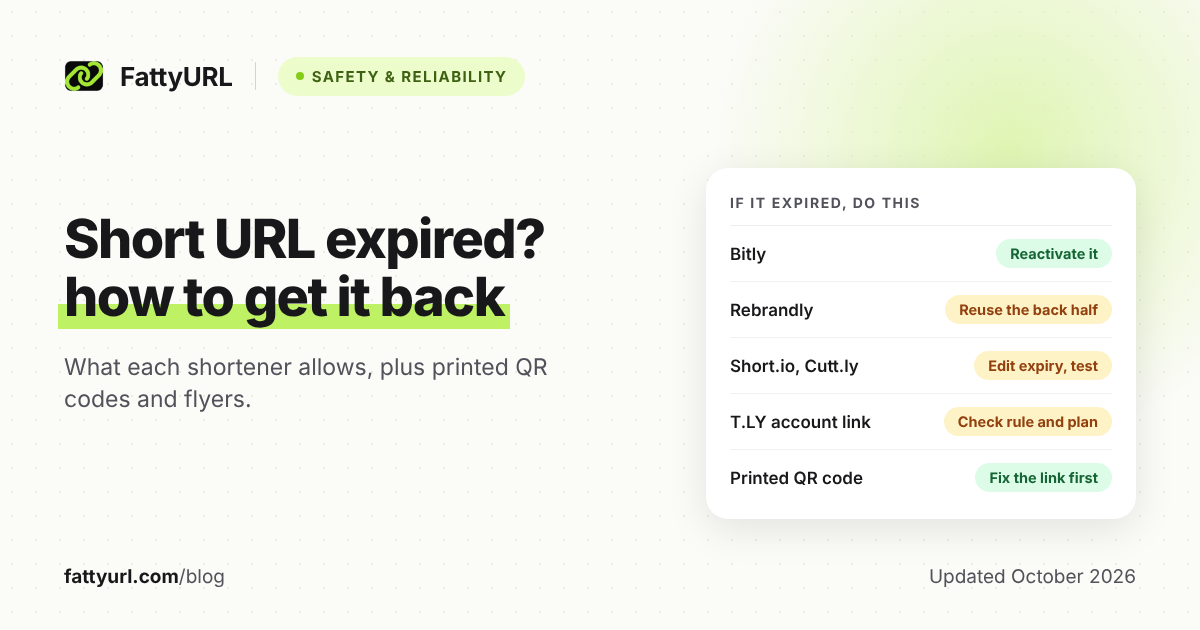
A short URL expires when it reaches an end date or click limit its owner set, or runs into one of its service's rules. Only the link's owner can bring it back.
Depending on the service, the owner can reactivate it, recreate the same ending, or make a new link to the same page. A printed QR code works again once its link does. If you only clicked the link, tell whoever shared it.
Short answer: Open the link in a private window and read the page. If it's your link and it expired, reactivate it where allowed (Bitly) or recreate the same ending (Rebrandly can free it). Otherwise make a new link and replace the old one everywhere, printed QR codes included, and if you only clicked it, tell the sender.
How do I know my short link really expired?
Open it in a private window and read what loads. An expired link stops on the shortener's own page, such as Short.io's "The short URL you clicked was expired" or Bitly's 410 error page. If the destination's site shows an error instead, or you see a safety warning, the link didn't expire.
Then match what you see:
- A page saying the link expired, or a 410 error: it expired. Bitly sends expired links to its 410 page, or to the owner's custom error page.
- A 404 or "not found" page on the short domain: it was probably deleted. Bitly returns 404 for deleted links, and Rebrandly deletes links when they expire, so those show 404 too.
- Bitly's "Something's wrong here" page: Bitly says the link is invalid or was set up wrong. Check the address with whoever shared it.
- A working page you didn't expect: the owner may have set an after-expiry address, which Short.io and Cutt.ly both offer.
- The destination's own error, a warning, or nothing at all: the cause lies elsewhere. Our guide to short links that stop working matches each symptom to a fix.
If you own the link, check its settings too. Bitly's link list, for one, has a Link expiration filter that shows which links have expired.
What can I do if my own short link expired?
Sign in to the service that made the link and find it in your list. Your options depend on the provider. Bitly lets you reactivate, Rebrandly can free the ending for reuse, and elsewhere you may need to start over, as the table shows.
Checked 28 October 2026 against each provider's own help pages, listed under Sources. For every service's full expiry policy, see which short links expire, and when.
| Provider | If this happened | Do this |
|---|---|---|
| Bitly | Links never expire unless someone set a date (some paid plans). Expired links show Bitly's 410 page or your custom error page. | Reactivate it: Bitly says you can. Go to Links, the more menu (⋯), Link Expiration, then Remove expiration, or set a new date and Save. |
| TinyURL | TinyURL says links created on it never expire, so a dead TinyURL has another cause. | Find the real cause first. To repoint a no-account link, open tinyurl.com/app/ on the same device and browser, then sign in so Your Recent Links move to your account. Editing needs a paid plan. |
| Rebrandly | Links last unless you set a date or delete them. An expiring link deletes itself, and visitors get a 404 error, or your custom 404 page on paid plans. | Create it again with the same back half: Rebrandly says deleting a link can free the back half for reuse. Deletion can't be undone. |
| Short.io | Expiry by date or clicks, from the Pro plan up. Visitors see Short.io's expired message unless you set an expiration URL. | Click the link's Edit icon, open the Temporary URL tab, change the date or click limit, and Save. Short.io doesn't say this revives an expired link, so test it. |
| T.LY | No automatic expiry, but owners can set one by date or clicks. Links tied to an account also need a valid subscription to stay active. | Check the expiry rule in Link Management and renew a lapsed plan. Ask T.LY support if unsure: the help pages we read don't describe its expired page. |
| Cutt.ly | Links don't expire unless you set a date, a click limit or both. After that, visitors go to the redirect URL you entered. | Edit the date or clicks with the link expiration button, then test: Cutt.ly doesn't say this revives a link. Don't remove it, since its alias stays unavailable for some time. |
| FattyURL | Links made without an account since 7 October 2026 expire after 30 days without a click. Links in a free account never expire. | Make a new link, ideally signed in to a free account, and replace the old one wherever you shared it. In a free account, you can edit its destination later. |
Of the help pages we checked, only Bitly's say an expired link can be reactivated. On this point Bitly is ahead of the rest, FattyURL included.
Can I get the same short link back?
Sometimes, and it's worth trying first: the same link fixes every copy you've posted, emailed or printed. Work through these options in order, and only start fresh when none applies. On Bitly, reactivating is the only way back, because Bitly never reuses a deleted link's back-half.
- Reactivate it. Bitly supports this directly. On Short.io and Cutt.ly, change the expiry settings and test the link. On T.LY, check both the expiry rule and your subscription.
- Recreate the same ending. This suits Rebrandly, where an expired link is deleted and deletion can free its back half. Cutt.ly keeps a removed alias unavailable for some time, so don't delete links there to start again.
- Rebuild it on your own domain. If the link uses a domain you own, point that domain at a working service and recreate the path. Bitly, for one, imports custom links with their exact back-halves once your DNS points to it, with up to 24 hours of downtime.
- Replace it. Make a new short link to the same page. Then update every place the old one appears: bios, email signatures, your website, ads and documents.
- Ask support when the dashboard can't help. Contact the provider if the link or the setting is missing. Set expectations, though: TinyURL says its support team can't edit or delete links for you.
What if the expired link is on a printed QR code, flyer or business card?
The printed code didn't expire; the short link inside it did. A QR code made from a short link opens that exact link, so reviving or recreating it fixes every copy already out there. If that isn't possible, the print needs a new code: cover the old one, then reprint.
Bitly says a QR Code coupled to a link inherits the same expiration. T.LY says a dynamic code keeps working as long as its short link stays active. So fix the link, not the artwork.
Don't rename the ending to fix it. Cutt.ly warns that changing a back-half changes the QR code, which then needs regenerating, and the old code stops working.
If the link can't be revived, replace the code:
- Make a new short link inside an account, on a service whose links don't expire.
- Create the QR code from that short link, and test-scan it with two phones before printing.
- Stick the new code over the old one on menus, signs, packaging and stock you still hold.
- Update the digital copies, such as PDFs, your website and social posts.
- Reprint at the next natural print run.
On FattyURL, a QR code made from a free-account short link counts each scan as a click. You can also change where the link points without reprinting. TinyURL and Bitly offer destination edits only on paid plans.
Codes from a QR generator's paid dynamic plan follow different rules: see when dynamic QR codes stop working.
I clicked a short link that says it expired. What can I do?
You can't revive someone else's link, but you may still find what it pointed to. Tell the sender or business, because only the owner can fix it. Meanwhile, visit their website directly, or check whether the Internet Archive's Wayback Machine captured the link before it expired.
- Tell the owner. Reply to the message, or contact the business, and say which link failed and where you saw it.
- Go direct. Type the organization's main web address and search its site for the offer, form or menu.
- Check the archive. Paste the short link into the Wayback Machine search box at web.archive.org and press Browse History. Green dots mark captured redirects, which can show where the link led.
ArchiveTeam's URLTeam project scrapes shorteners such as bit.ly and TinyURL to preserve where their links point, and stores its crawls on archive.org. Before opening an old destination, check it like any unfamiliar link: here is how to check where a short link goes.
How do I stop my short links from expiring again?
Use a shortener whose links don't expire, make them inside an account, and don't set an expiry date on anything printed. For long-lived links, use your own domain, so the address belongs to you rather than one service. Then keep that domain renewed and pointed at your shortener.
- Make links inside an account. TinyURL ties a no-account link to you only through your browser's cache, so clearing it can cost you control of the link.
- Give expiring links a landing spot. If a promotion must end, send late visitors somewhere useful. Short.io takes an expiration URL and Cutt.ly a redirect URL. Bitly offers a custom error page on custom domains, and Rebrandly a custom 404 page on paid plans.
- Own the domain, and keep it alive. Links on your own domain can move with you, but only while the domain stays registered and pointed at your shortener. Bitly's complimentary domain links stop when the registration expires, and Cutt.ly deletes every link on a custom domain you remove, so export them first. See when a branded domain is worth it.
- Watch your subscription. T.LY account links need a valid subscription to stay active, so note your renewal date. Our T.LY plan breakdown lists what each plan costs.
FAQ
Can an expired Bitly link be reactivated?
Yes. Bitly says expired links can be reactivated, and while a link is expired it stops counting clicks but keeps earlier data. A deleted Bitly link is different: Bitly says deletion is permanent and cannot be undone.
Does a QR code stop working when its short link expires?
Yes, if the code holds the short link. Bitly says a coupled QR Code inherits its link's expiration, and deleting the link stops the code too. A static code that stores the full destination address doesn't depend on a shortener at all.
What does a 410 error on a short link mean?
410 Gone tells your browser the address is no longer available and likely won't return, according to MDN's HTTP reference. On Bitly, the 410 page is where expired links go. Despite what the code implies, the owner can still reactivate a Bitly link.
Sources
- Bitly Support: How do I set an expiration date for my links and QR Codes?, read 28 October 2026
- Bitly Support: Will the links I create on Bitly ever expire?, read 28 October 2026
- Bitly Support: How do I delete a Bitly Link?, read 28 October 2026
- Bitly Support: Why does a link lead to Bitly's error page?, read 28 October 2026
- Bitly Support: How do I find links in my account?, read 28 October 2026
- Bitly Support: Do Bitly Codes ever expire?, read 28 October 2026
- Bitly Support: How do I redirect a Bitly Link?, read 28 October 2026
- Bitly Support: How do I move my custom links from my old link manager to Bitly?, read 28 October 2026
- Bitly Support: What happens to my complimentary domain if I downgrade my Bitly subscription?, read 28 October 2026
- TinyURL: What's included in TinyURL's Free Plan?, read 28 October 2026
- TinyURL: I Created a TinyURL Link Without an Account. How Can I Edit or Delete It?, read 28 October 2026
- TinyURL: How Do I Edit the Destination URL of a TinyURL Link?, read 28 October 2026
- Rebrandly Help Center: How long does a Rebrandly link last?, read 28 October 2026
- Rebrandly Help Center: How do I delete a link?, read 28 October 2026
- Rebrandly: Expiring links, read 28 October 2026
- Short.io Docs: How to set up link expiration (temporary URL), read 28 October 2026
- T.LY Help: Short link basics, read 28 October 2026
- T.LY Help: Manage and edit links, read 28 October 2026
- T.LY Help: QR code FAQs, read 28 October 2026
- Cutt.ly Support: help center and FAQ, read 28 October 2026
- Cutt.ly Support: How to set link redirect expiration?, read 28 October 2026
- Cutt.ly Support: How to remove short link?, read 28 October 2026
- Cutt.ly Support: QR code and short link change, read 28 October 2026
- Cutt.ly Support: Will my links still work after I delete my domain?, read 28 October 2026
- FattyURL: our public promise, read 28 October 2026
- Internet Archive Help Center: Using the Wayback Machine, read 28 October 2026
- ArchiveTeam wiki: URLTeam, read 28 October 2026
- MDN: 410 Gone, read 28 October 2026
Disclaimer: This article is for general information only and is not legal or security advice. It was researched and drafted with the help of AI, and its facts were checked against the sources linked above, mostly each provider's own pricing, help and policy pages. URL shorteners, QR code tools and social platforms change their plans, prices and rules often, so confirm the details on the provider's website before you choose a plan, move your links or print a QR code. FattyURL is our own product. Spotted something out of date, or a FattyURL link being misused? Tell us and we will act on it.