T.LY Free Plan in 2026: Free Quick Links, No Free Account, and Plans From $55 a Year
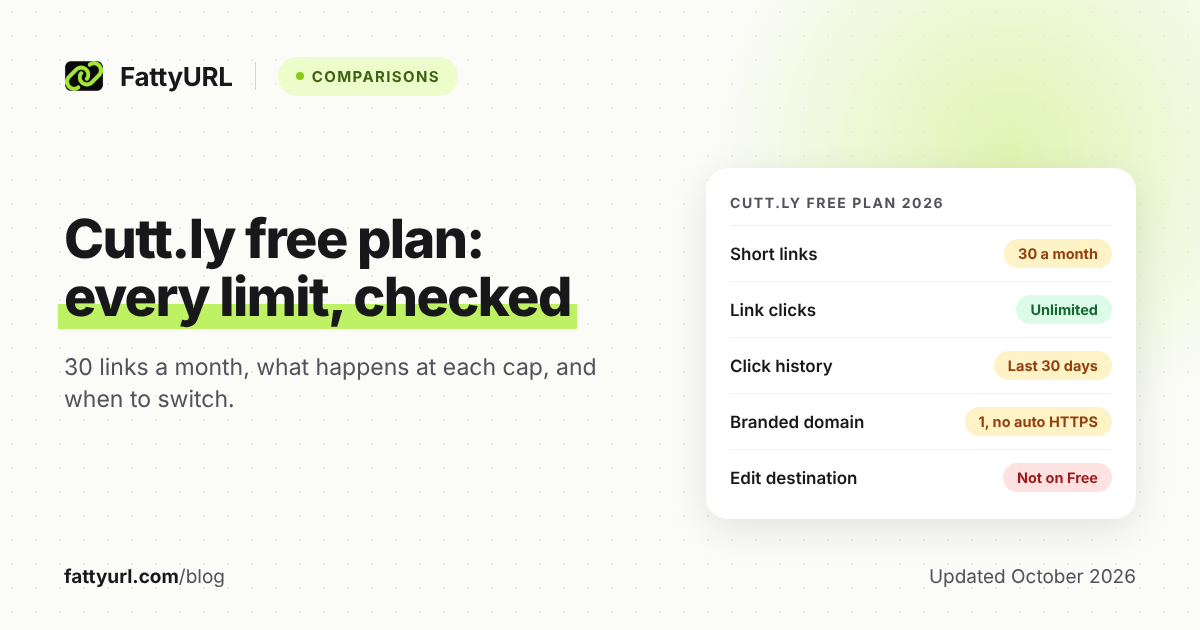
T.LY is free for quick links made without an account, its browser extension and static QR codes, but it has no free account. Editing, private stats and custom domains need a paid plan from $55 a year after a 5-day trial.
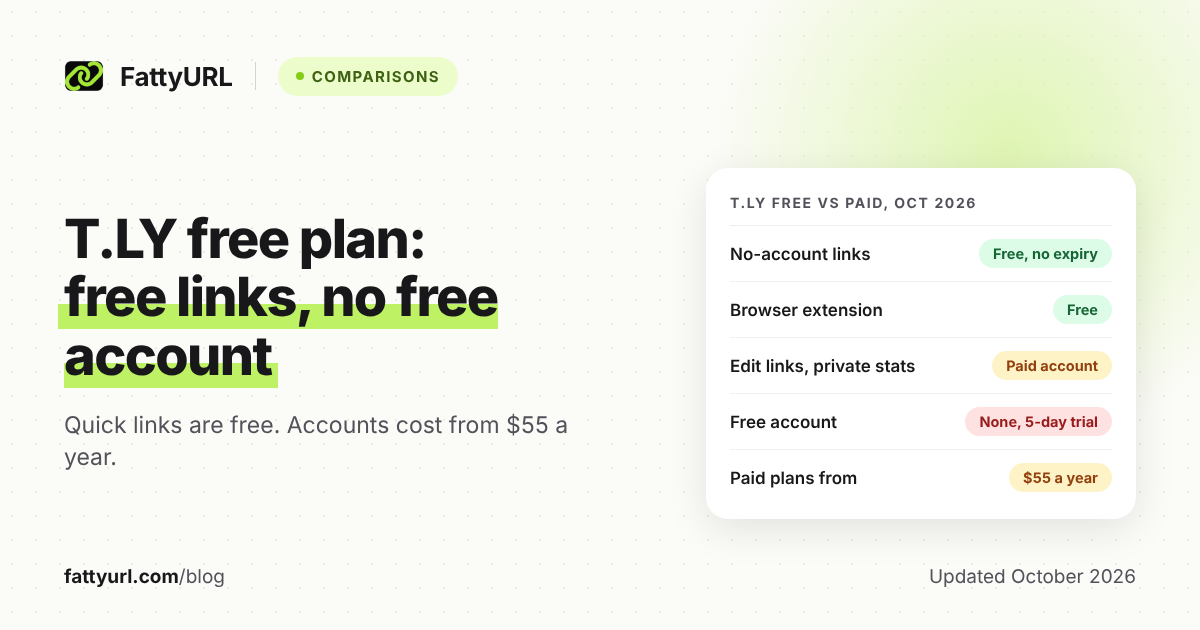
Yes, T.LY can be used for free, but not the way most people expect. You can shorten a link on t.ly without an account, use its free browser extension and make static QR codes. There is no free account: editing links, private stats, custom domains and the API all need a paid plan.
Paid plans start at $55 a year, after a 5-day trial that T.LY says needs no credit card. Here is what the free option covers, what happens at each limit, and which alternatives fit better.
Short answer: T.LY's free tools are no-account quick links, a browser extension and static QR codes, but there is no free account. Editing, private stats, custom domains and the API need a paid plan from $55 a year, after a 5-day trial. Links tied to an account need an active subscription to keep working.
What does T.LY's free plan include in 2026?
T.LY's free plan is a set of no-account tools, not a free dashboard. You can make quick short links, use the browser extension and create static QR codes, all without signing up. T.LY's comparison page against Dub lists its free plan as "Yes (free browser extension)", which shows where the free line sits.
Anything you would manage later lives in an account, and accounts are paid once the trial ends.
Checked 28 October 2026 on T.LY's homepage, pricing page and help center.
| Feature | Free, no account | Paid account |
|---|---|---|
| Shorten a link | Yes, no sign-up | Yes |
| Links a month | No cap published | 500 to 20,000 on self-serve plans |
| Edit the destination later | No | Yes |
| Click stats | Public page on many links (add + to the link) | Private stats pages |
| Custom domains | No | 1 to 100, by plan |
| QR codes | Static codes from the free generator | Dynamic codes with scan stats |
| Smart URLs, passwords, expiry dates | No | Yes |
| API access | No | Yes, on every plan |
| Ad interstitials before the redirect | None, T.LY says | None, T.LY says |
| Automatic expiry | None, free links do not expire | None while the subscription is active |
| Browser extension | Free | Free, plus history and editing once connected |
What are the catches on T.LY's free option?
Every catch traces back to one fact: T.LY has no free account. Free links are set in stone, so you cannot fix them later, and their stats can be public. Once you want a dashboard, you start a 5-day trial, and links in that account then depend on a paid subscription.
1. There is no free account, only a 5-day trial
Each plan has a 5-day trial with no credit card required, per T.LY's homepage. After that, T.LY's blog says, an account needs a valid subscription.
2. Account links depend on your subscription
T.LY's help center is direct: "a valid subscription is required to keep that link active." That includes links made during a trial. A dynamic QR code works only while its link stays active, so avoid printing one from a trial.
3. Free links cannot be edited
T.LY's help center says "Editing links requires an account." A typo in a free link means making and sharing a new one. Static QR codes from the free generator cannot change either, because the destination is stored inside the code.
4. Free stats can be public
Add a plus sign to the end of many T.LY links and anyone can see their visits and QR scans. Private stats pages come only with a paid plan. If competitors should not see your click counts, the free option is the wrong fit.
5. Paid click logs are kept for days, not months
T.LY lists "detailed log retention" of 3 days on Hobby, rising to 20 days on Business. Its pricing page does not say how long summary stats last, so ask before you buy if history matters.
What happens when you hit each T.LY limit?
Most T.LY limits do not break links: clicks are unlimited on every plan, and links have no automatic expiry. The events that matter are the end of your trial and a lapsed subscription. Here is what T.LY's own pages say happens at each point, and where they are silent.
Checked 28 October 2026 on T.LY's help center, API docs and pricing page.
| Limit or event | What T.LY says happens |
|---|---|
| You shorten links without an account | No cap is published. Free links do not expire and stay active unless they break T.LY's terms. |
| You want to change a free link | You cannot. Editing needs an account. |
| Your 5-day trial ends | Keeping the account needs a paid subscription. |
| Your subscription is not active | Links tied to the account need a valid subscription to stay active. API calls return HTTP 402. |
| You reach a plan's monthly links, QR codes or stats tracked | Not stated on the pricing page. Clicks are listed as unlimited on every plan. |
| A link breaks T.LY's policies | It may be limited or disabled. |
T.LY also has a help article on expired plans. Read it, or ask support, before you rely on account links after a trial.
How much does T.LY cost in 2026?
T.LY's cheapest plan is Hobby at $55 a year, billed yearly only, with 500 short links and 500 QR codes a month. Monthly billing starts with Personal at $10 a month. Yearly billing on the other plans includes one month free, so Personal costs $110 a year.
| Plan | Price | Short links and QR codes a month |
|---|---|---|
| Hobby | $55 a year (yearly only) | 500 each |
| Personal | $10 a month or $110 a year | 1,000 each |
| Basic | $20 a month or $220 a year | 4,000 each |
| Pro | $50 a month or $550 a year | 10,000 each |
| Business | $100 a month or $1,100 a year | 20,000 each |
| Custom | Quoted by T.LY | Higher, set with T.LY |
Checked 28 October 2026 on T.LY's pricing page and its plans post.
| Plan | Custom domains and team members | Stats tracked a month, detailed log retention |
|---|---|---|
| Hobby | 1 domain, 1 member | 25,000, 3 days |
| Personal | 2 domains, 1 member | 50,000, 5 days |
| Basic | 10 domains, 1 member | 100,000, 7 days |
| Pro | 20 domains, 5 members | 250,000, 10 days |
| Business | 100 domains, 10 members | 500,000, 20 days |
All paid plans list unlimited clicks, private stats, QR codes, API access and custom domains with SSL. Pro and Business add priority support, and Business adds 20 webhook endpoints. Hobby works out to about $4.58 a month, and T.LY's plans post lists Business tiers up to $20,000 a month.
What makes T.LY different from other shorteners?
T.LY's standout is its free browser extension, which T.LY says more than 400,000 people use. It shortens the page you are on from the toolbar, makes a QR code for each link and copies the short link for you. It works without an account, and connecting one adds more.
- Browsers: T.LY's help center lists Chrome, Firefox, Edge and Opera, and a T.LY blog post adds Safari.
- Shortcuts: right-click any link to shorten it, use keyboard shortcuts, and customize each QR code.
- With an account: T.LY says it "works best when it is connected to your T.LY account." Connecting it with an API token adds link history, custom domains, destination editing and click tracking.
T.LY's homepage also says it does not show ad interstitials before the redirect. Paid accounts add Smart URLs that route visitors by device, location or browser. Developers get official SDKs, a command-line tool, a WordPress plugin, and Zapier and Pabbly Connect integrations.
How do T.LY's free links compare with other free plans?
On raw allowance, T.LY's no-account shortener is generous: it publishes no cap, and its free links do not expire. What it lacks is everything an account gives you. Free plans with accounts give you a dashboard to manage links, usually in exchange for a cap on how many you make.
Checked 28 October 2026 on each provider's pricing page. FattyURL figures are from our own product.
| Free plan | Free allowance | Main catch |
|---|---|---|
| T.LY | No published cap, no account | No editing, and stats can be public |
| FattyURL | Up to 50 links a day per device, or 1,000 a day with a verified account | Free links may show ads. No-account links expire after 30 days without a click. |
| Dub | 25 new links a month | 1,000 tracked events a month |
| Short.io | 1,000 branded links in total | A total cap, not monthly |
| Rebrandly | 10 links a month | No destination edits |
For Bitly and TinyURL, see our Bitly free plan breakdown and TinyURL free plan guide. For 12 free shorteners side by side, read our comparison of the best free URL shorteners.
What are the best T.LY alternatives?
The best T.LY alternative depends on why you are leaving. If you want to edit links and read your own stats without paying, pick a shortener with a free account. If you want a branded domain for $0, Short.io and Dub include custom domains on their free plans.
Checked 28 October 2026 on each provider's pricing page. FattyURL rows are from our own product.
| If you need | Consider | Why |
|---|---|---|
| Free editing and your own click stats | FattyURL free account | Links never expire and can be edited, with click charts up to 365 days. Free links may show ads. |
| A QR code you can track and redirect for free | FattyURL free account | Make the QR code from a short link. Scans count as clicks, and the destination can change. |
| Your own domain at $0 | Short.io | 5 custom domains and 1,000 branded links on the free plan. |
| A free API | Dub | API access and 3 custom domains on free, but only 25 new links a month. |
| Free links with no ad interstitials | T.LY (stay) | T.LY says it shows none, and its free links do not expire. |
| A paid plan under $5 a month | T.LY Hobby | $55 a year for 1 custom domain, 500 links a month and private stats. |
FattyURL is our own product, so weigh that. It wins on a free account with editable, never-expiring links and trackable QR codes. T.LY wins on no ad interstitials, no-account links that do not expire, team seats and integrations.
On price, FattyURL Pro is $90 a year with 10 custom domains, against T.LY Hobby at $55 with one. For more, see our Short.io free plan breakdown, our Dub free plan guide and our Rebrandly free plan breakdown.
Is T.LY worth it, or should you switch?
Keep using T.LY's free tools if you shorten links now and then and never need to change them. Pay for T.LY if you want the extension connected, Smart URLs or a branded domain from $55 a year. Switch if you want free editing, private stats or long click history.
- A few links a week, never edited: T.LY's free shortener or extension is enough.
- A QR code for print: use a static code if the destination will never change. On T.LY, make a dynamic one only from an account you will keep paying for.
- Editing and your own click stats for free: pick a shortener with a free account, such as FattyURL. Dub and Short.io also have free accounts, within their caps.
- Your own domain on a budget: T.LY Hobby at $55 a year, or the free plans of Short.io or Dub.
- Older click detail: T.LY keeps detailed logs for 3 to 20 days on self-serve plans, so check that first.
You can shorten a link or make a QR code on FattyURL without an account. A free account keeps your links from expiring.
FAQ
Is T.LY free?
Partly. Quick links without an account, the browser extension and static QR codes are free. Editing, private stats, custom domains and the API need a paid plan after a 5-day trial.
Does T.LY have a free account?
No. T.LY lists its free plan as the browser extension, and an account needs a paid subscription once the 5-day trial ends.
Do T.LY links expire?
T.LY says free links do not expire and stay active as long as they follow its terms. Links tied to an account need an active subscription to stay active.
How much does T.LY cost?
Hobby is $55 a year. Personal is $10 a month, Basic $20, Pro $50 and Business $100, and yearly billing gives one month free.
Does T.LY show ads on short links?
T.LY says it does not show ad interstitials before the redirect. That beats shorteners whose free links may show ads, FattyURL included.
What is the best free alternative to T.LY?
For free editing and stats, use a shortener with a free account. FattyURL's free account allows 1,000 links a day once verified, but free links may show ads, and links on a paid plan never do. Dub suits developers who want a free API, and Short.io suits brands that want their own domain.
Sources
- T.LY pricing, read 28 October 2026
- T.LY homepage and FAQ, read 28 October 2026
- T.LY help: free vs. paid features, read 28 October 2026
- T.LY help: short link basics, read 28 October 2026
- T.LY help: manage and edit links, read 28 October 2026
- T.LY help: link analytics, read 28 October 2026
- T.LY blog: links that don't expire, read 28 October 2026
- T.LY blog: plans T.LY offers, read 28 October 2026
- T.LY Link Shortener Extension, read 28 October 2026
- T.LY help: browser extension, read 28 October 2026
- T.LY blog: extension supports Safari, read 28 October 2026
- T.LY help: QR code FAQs, read 28 October 2026
- T.LY help: integrations, read 28 October 2026
- T.LY help: API errors and limits, read 28 October 2026
- T.LY vs Dub comparison page, read 28 October 2026
- Dub pricing, read 28 October 2026
- Short.io pricing, read 28 October 2026
- Rebrandly pricing, read 28 October 2026
Disclaimer: This article is for general information only and is not legal or security advice. It was researched and drafted with the help of AI, and its facts were checked against the sources linked above, mostly each provider's own pricing, help and policy pages. URL shorteners, QR code tools and social platforms change their plans, prices and rules often, so confirm the details on the provider's website before you choose a plan, move your links or print a QR code. FattyURL is our own product. Spotted something out of date, or a FattyURL link being misused? Tell us and we will act on it.