Bitly Link Not Working? What Each Bitly Error and Warning Page Means (2026)
When a Bitly link fails, the page you land on points to the cause: a typo or deleted link, an expiry date, a safety flag, a plan or account change, or custom domain DNS. Here is what each page means and who can fix it.
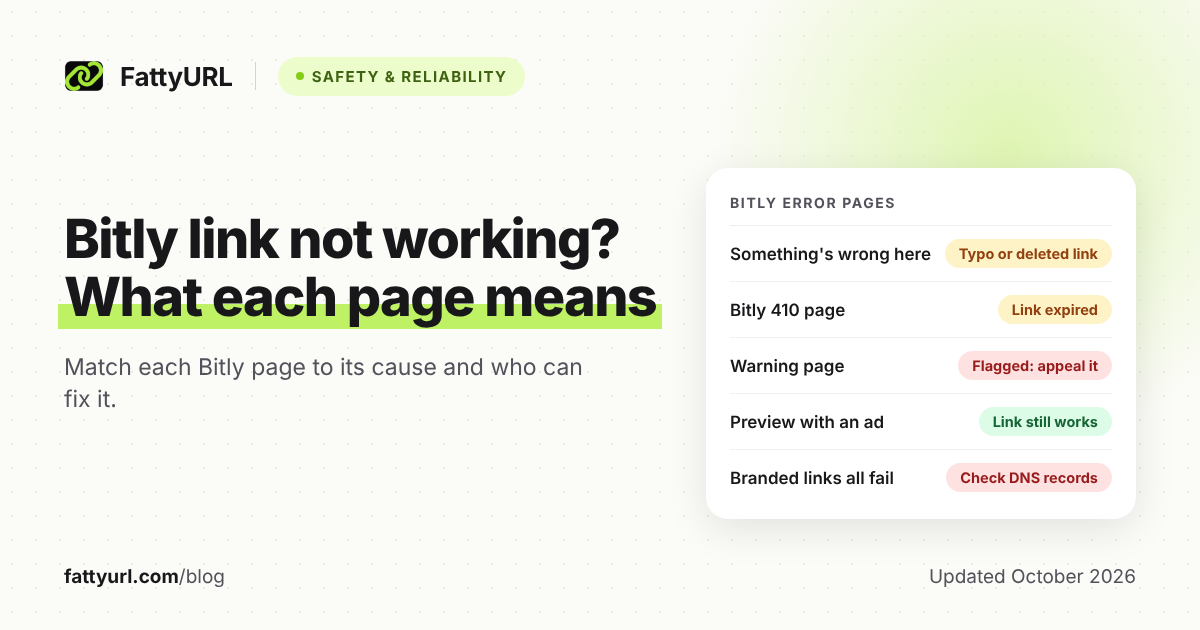
When a Bitly link fails, start with the page you land on: Bitly shows different pages for typos, expired links and flagged links. Its help center names four causes: a broken destination, a typo, a firewall blocking the domain, or a link flagged as malicious. Branded links can also break through DNS settings or plan changes.
Short answer: Match the page: "Something's wrong here" means a mistyped, deleted or made-up link, and a 410 page means it expired. A warning or blocked page means Bitly flagged it, which you can appeal if it's a mistake. A preview with an ad means the link works but wasn't made on a paid plan.
What does each Bitly error or warning page mean?
Bitly uses separate pages for separate problems: an error page for invalid links and a 410 page for expired ones. Warning and blocked pages mean Bitly flagged the destination. The table below shows what each page means, who can fix it, and how.
Checked 28 October 2026 against Bitly's own pages, listed under Sources.
| What you see | What it means | Who can fix it |
|---|---|---|
| A Bitly page saying "Something's wrong here" | The link is invalid: a typo, wrong capitals, a deleted link, or a fake bit.ly link in AI-written text. | Clicker: paste a fresh copy or ask the sender. Owner: share a copied link. Deleted links can't be restored. |
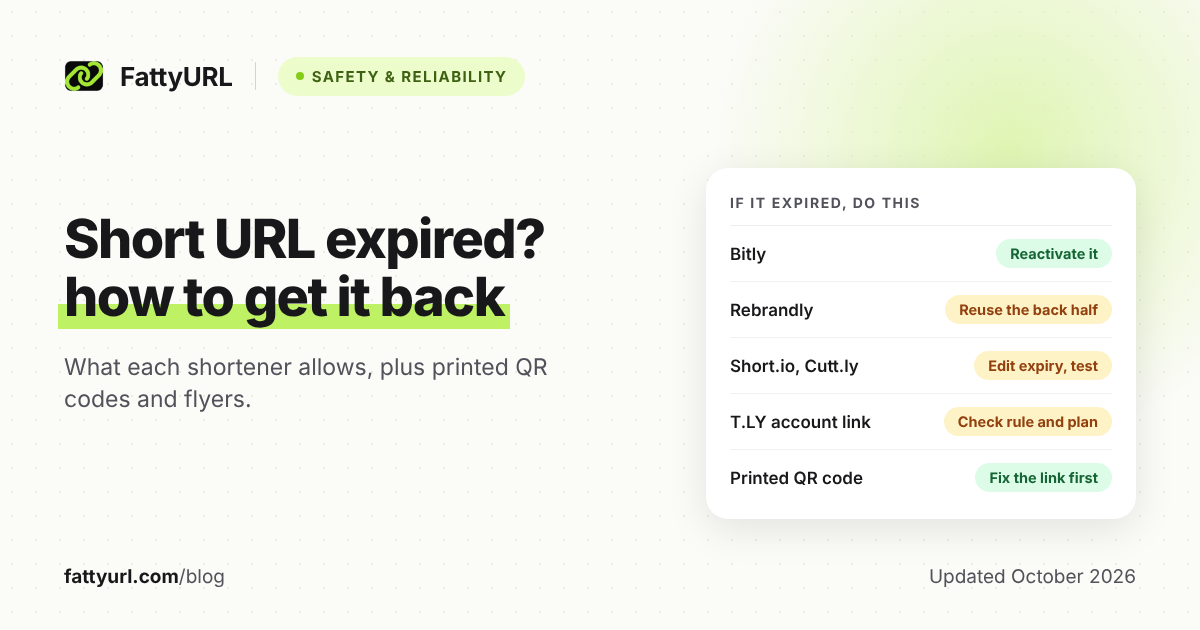
| A Bitly 410 page | The link or its QR Code passed an expiry date its owner set (some paid plans). | Owner only: reactivate it by editing its expiration settings. |
| A warning that Bitly flagged the site, showing the long URL | The link was reported, looked malicious, hid behind another shortener, or led to a fake copy of a site. | Clicker: close the window and tell the sender. Owner: fix the destination, then appeal. |
| A blocked page that hides the long URL | Simply opening the site could harm you, for example with an automatic malware download. | Clicker: you can't click through. Owner: appeal if it's a mistake. |
| A preview of the destination with an ad | Not an error. Links from free accounts and from Bitly's old no-account shortener show it. | Nobody needs to. Bitly says a paid plan removes ads; no-account links must be recreated. |
| A "not secure" warning on a branded link | Bitly stopped renewing the domain's SSL certificate after a downgrade or account deletion. | Owner only. The link still redirects while its DNS points to Bitly. |
| A Bitly page such as "Looking for something?" on a branded domain | Someone opened the bare domain or a back-half that doesn't exist, and no landing pages are set. | Owner: set landing pages (some paid plans), as shown below. |
| Every link on one branded domain fails | Its DNS doesn't point to Bitly, or a complimentary Bitly domain lapsed. | Owner only: fix the DNS, or recreate the links. |
| A spoti.fi link opens Spotify's home page | Since July 1, 2025, Spotify's domain no longer points to Bitly. | Owner: recreate the link. Bitly says it can't fix these. |
Why does my Bitly link say "Something's wrong here" or show a 404?
Bitly shows its "Something's wrong here" page when a link is invalid or wasn't configured correctly. The usual causes are a typo, wrong capital letters, a link that never existed, or a deleted link, which Bitly says returns a 404. An expired link gets a 410 page instead.
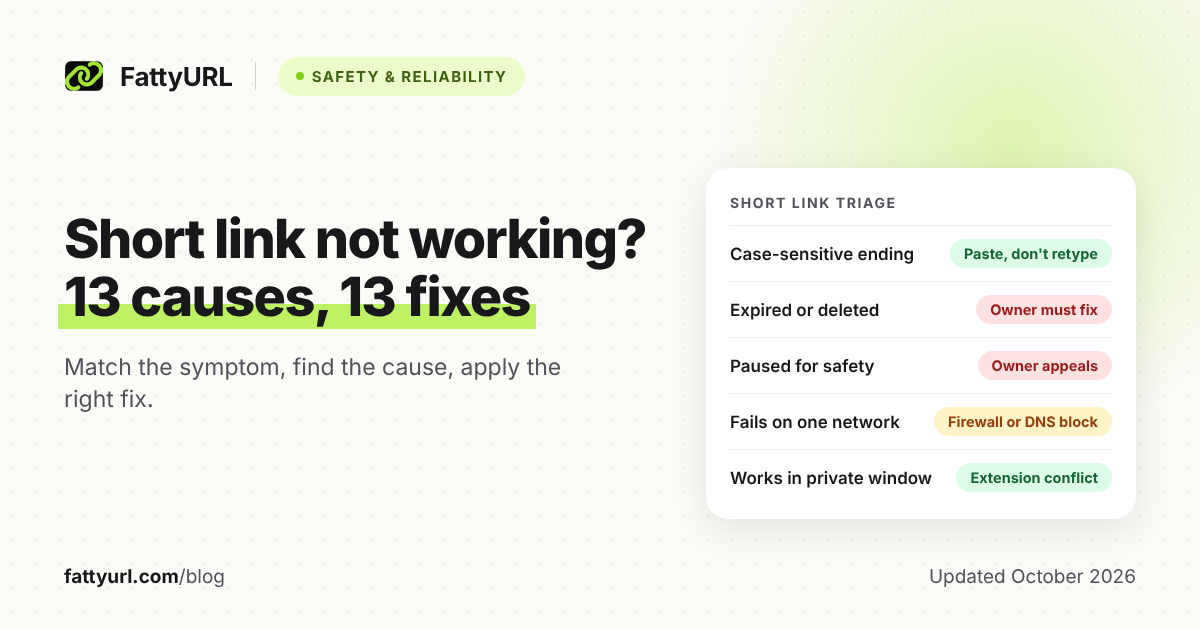
- Wrong capitals: Bitly links are case-sensitive. In Bitly's example, bit.ly/customword and bit.ly/CustomWord are different links.
- AI-written text: Bitly warns that AI tools sometimes produce bit.ly addresses that aren't genuine links. Check each one before publishing.
- Deleted links: Bitly says deletion is permanent. It also erases the link's click data and any QR Code attached to it.
- Not Bitly's page? If the destination's own site shows the error, the redirect worked; Bitly suggests testing the destination URL directly.
Owner fixes: if people type other capitals, edit the back-half to match, where your plan allows custom back-halves. Bitly says older versions of an edited link keep working. If the destination moved, some paid plans can redirect the link, but Bitly says free accounts can't.
Otherwise, make a new link and swap it in wherever you shared the old one. A free FattyURL account, for example, lets you edit a destination later; you can make a new short link there.
Why is my Bitly link showing a warning page?
Bitly shows a warning page when its systems mark a link as questionable or tied to a dangerous page. A user or blocklisting service may have reported it, or Bitly detected possibly malicious or inappropriate content. The link may also hide behind another shortener, or lead to a fake copy of another site.
If you clicked the link: Bitly's advice is to close the browser window and tell the person who sent it. To report a scam, see how to report a phishing short link.
If you own the link:
- Point the link straight at the final page: Bitly's Acceptable Use Policy bans cloaking a destination through another redirect service.
- If the flag still looks wrong, appeal on Bitly's Appeal a Decision page, which covers blocked links and suspended accounts.
Bitly says it reviews appeals but gives no response time. Its help pages also don't say how a flagged link shows in your dashboard, so open the link yourself to check.
How does Bitly decide to flag a link, and is it fair?
Bitly combines automated scanning, reports from the public and trusted partners, and a check every time a link is clicked. That click-time check is a real strength, because a link whose destination turns harmful after sharing can still be caught. Bitly also accepts it can get this wrong, which is why it runs an appeal form.
A blog post by its engineers describes a crawler and a threat detection service that scan destinations for malware, phishing and other abuse. On public reports, Bitly writes: "We read every one of these submissions."
- It shows its working: warnings display the long URL, and full blocks are kept for real danger.
- Anyone can check a link first with Bitly's Link Checker.
- Deleted links are never reassigned to someone else.
FattyURL, our own shortener, takes a similar approach to safety. It checks every link against Google Web Risk when it is created, edited and clicked. Harmful links are paused, never deleted.
Was my Bitly link disabled, or is it my account or plan?
A Bitly link that seems disabled may have been blocked for safety, switched off on a Bitly Page, or hit by an account change. Account changes include a suspension, a downgrade or account deletion. Hitting a monthly limit stops you from creating new links and redirects.
- Suspended account: Bitly's Acceptable Use Policy bans spam, phishing, malware and evading abuse detection, among other things. Bitly may pause or remove content, or suspend or terminate the account. Appeal on the same page; Bitly doesn't say what happens to existing links meanwhile.
- Downgraded plan: bit.ly links keep working. Links on your own domain keep redirecting while its DNS points to Bitly, but you can't create, edit or redirect them. Bitly stops renewing the SSL certificate, so browsers may later warn "not secure".
- Complimentary domain: on a plan without custom domains, Bitly stops renewing it, and its links stop working when the registration expires. The downgrade confirmation screen shows that date.
- Monthly limit: once you reach it, you can't shorten new links or create redirects until the next month starts. For each plan's numbers, see our guide to Bitly's free plan and pricing.
- Deleted account: Bitly says bit.ly links keep working and their back-halves can't be reused. Branded links follow the downgrade rules above.
Why are my branded Bitly links not working?
Bitly says DNS settings, the records that point your domain to Bitly, are the most common cause of custom domain problems. Wrong records stop the domain from verifying, block new links and break redirects on every link that uses it. If all your branded links fail while bit.ly links work, check DNS first.
Bitly's fix, step by step:
- At your domain registrar, open the DNS settings, often called DNS Records, DNS Configuration or Advanced DNS.
- For a root domain, keep two A records with hostname @: 67.199.248.12 and 67.199.248.13.
- Remove A records pointing anywhere else, and edit any marked "parked" to Bitly's addresses.
- For a subdomain, point its CNAME record to cname.bitly.com instead.
- Confirm the live records with a lookup tool such as whatsmydns.net, which Bitly suggests.
- In Bitly, remove the custom domain and attach it again.
- Use a separate domain. It must differ from your website's domain, but a subdomain works, as with The Wall Street Journal's on.wsj.com.
- Give complimentary domains time. Bitly says to allow 24 to 48 hours for them to verify.
- Set landing pages (some paid plans). Otherwise, visitors to your bare domain or a missing back-half see a Bitly page. Go to Custom domains, click Manage, fill in Default page and Error / 404 page under Landing pages, and click Save Changes.
New to branded domains? Our guide to custom short links covers the basics.
What can the owner check in the Bitly dashboard?
Start on the Links page in the left sidebar, and confirm the link's destination, back-half and any expiry or redirect. Then check your usage under Settings, then Billing and usage, and your domain under Custom domains. The table maps what you notice to its likely cause.
| What you notice in Bitly | Likely cause, per Bitly | What to do |
|---|---|---|
| You can't create new links or redirects | You reached your plan's monthly limit. | Wait for next month, upgrade, or buy extra links if your plan allows. |
| You can't edit or redirect a link | Its custom domain was removed, your plan dropped custom domains, or it was auto-branded. Free accounts can't redirect. | Re-add the domain, or move to a plan with custom domains. |
| A link is missing from your Bitly Page | It's scheduled, automatically unpublished, switched off, or never published. | To publish it, open Pages, flip the switch below the link, then click Publish changes. |
| Clicks stopped counting | The link expired. Bitly keeps past data but records no new clicks. | Reactivate it by editing its expiration settings. |
Checked 28 October 2026.
What can you do if a Bitly link won't open for you?
As the person clicking, you can't change a Bitly link, but you can rule out your own side. Paste a fresh copy, check where it goes with Bitly's Link Checker, and try another network. If it still fails, tell the sender which Bitly page you saw, because only the owner can fix it.
- Check the destination. Paste the link into Bitly's Link Checker and select "Check it". The Bitly mobile app has one too.
- Try another network. Bitly says firewalls can block its domain, sometimes along with every .ly address. At work or school, ask IT to allowlist bit.ly and bitly.com.
- Check Bitly's status. If several Bitly links fail at once, Bitly's status page shows whether Bit.ly Redirects or Custom Domain Redirects has a problem.
If it fails only on one device or browser, the cause isn't Bitly-specific, so work through our general short link troubleshooting checklist. Bitly describes its QR Codes as scannable short links, so the same pages apply. For camera and print problems, see why a QR code stops working.
FAQ
Do Bitly links expire?
Not by default: a Bitly link works until the owner deletes it or sets an expiry date, an option on some paid plans. Branded links also need their domain pointing to Bitly. Compare how long links last on other shorteners.
Can I restore a deleted Bitly link?
No. Bitly says deletion is permanent and can't be undone. To tidy your list without breaking a link, hide it instead: Bitly says hidden links keep working and can be restored.
Why does my Bitly link go to the wrong page?
Either the capitals differ, because Bitly treats bit.ly/CustomWord and bit.ly/customword as different links, or the owner redirected it. Owners can see each past destination in the link's redirect history.
Why are texts with bit.ly links blocked?
Bitly says some mobile carriers block texts that contain links from public shorteners, and bit.ly links can be flagged as spam. Its advice is a custom domain with your brand name, which carriers are far less likely to block.
Can I get help from Bitly on a free account?
Yes, but not by ticket: ticketed support is for paid plans only. Free accounts get the Help Center and Dot, Bitly's chatbot. Appeals about blocked links or suspended accounts go through Bitly's separate appeal form.
Sources
- Bitly: Why is my Bitly Link not working?, read 28 October 2026
- Bitly: Why does a link lead to Bitly's error page?, read 28 October 2026
- Bitly: Are Bitly Links case sensitive?, read 28 October 2026
- Bitly: How do I edit a link in Bitly?, read 28 October 2026
- Bitly: Will the links I create on Bitly ever expire?, read 28 October 2026
- Bitly: How do I set an expiration date for my links and QR Codes?, read 28 October 2026
- Bitly: What's new at Bitly? (February 2026 entry), read 28 October 2026
- Bitly: How do I delete a Bitly Link?, read 28 October 2026
- Bitly: How do I redirect a Bitly Link?, read 28 October 2026
- Bitly: Free Short Link Generator (Anonymous Link) FAQ, read 28 October 2026
- Bitly: Why are there ads on my links?, read 28 October 2026
- Bitly: Why am I seeing a warning page when clicking a Bitly link?, read 28 October 2026
- Bitly blog: Trust & Safety: An Overview of Our Abuse System, read 28 October 2026
- Bitly: Appeal a Decision, read 28 October 2026
- Bitly: Acceptable Use Policy, read 28 October 2026
- Bitly: Can I check a Bitly link's destination before clicking on it?, read 28 October 2026
- Bitly: How do I contact Bitly customer support?, read 28 October 2026
- Bitly: What happens when I downgrade to a lower subscription plan?, read 28 October 2026
- Bitly: What happens to my complimentary domain if I downgrade?, read 28 October 2026
- Bitly: What are my monthly limits?, read 28 October 2026
- Bitly: What happens to my links and QR Codes after my account is deleted?, read 28 October 2026
- Bitly: How do I troubleshoot issues with my custom domain?, read 28 October 2026
- Bitly: Why won't my domain verify?, read 28 October 2026
- Bitly: How do I configure my DNS settings for my custom domain?, read 28 October 2026
- Bitly: What happens if someone goes directly to my custom domain?, read 28 October 2026
- Bitly: branded short domain page ("Looking for something?"), read 28 October 2026
- Bitly: Why can't I edit or redirect my link?, read 28 October 2026
- Bitly: Why are my Spotify Bitly Links not working?, read 28 October 2026
- Bitly: Why is my link missing from my Bitly Page?, read 28 October 2026
- Bitly: How do I allowlist a domain?, read 28 October 2026
- Bitly Status, read 28 October 2026
- Bitly: Why can't I use Bitly links in some SMS campaigns?, read 28 October 2026
- FattyURL: our public promise, read 28 October 2026
Disclaimer: This article is for general information only and is not legal or security advice. It was researched and drafted with the help of AI, and its facts were checked against the sources linked above, mostly each provider's own pricing, help and policy pages. URL shorteners, QR code tools and social platforms change their plans, prices and rules often, so confirm the details on the provider's website before you choose a plan, move your links or print a QR code. FattyURL is our own product. Spotted something out of date, or a FattyURL link being misused? Tell us and we will act on it.