How to Track QR Code Scans for Free in 2026: Two Methods, What They Count, How to Test
A regular QR code can't count its own scans. Make it from a short link with click analytics, or tag your URL and read visits in Google Analytics 4. Here is what each method counts, what it misses, and how to test before printing.
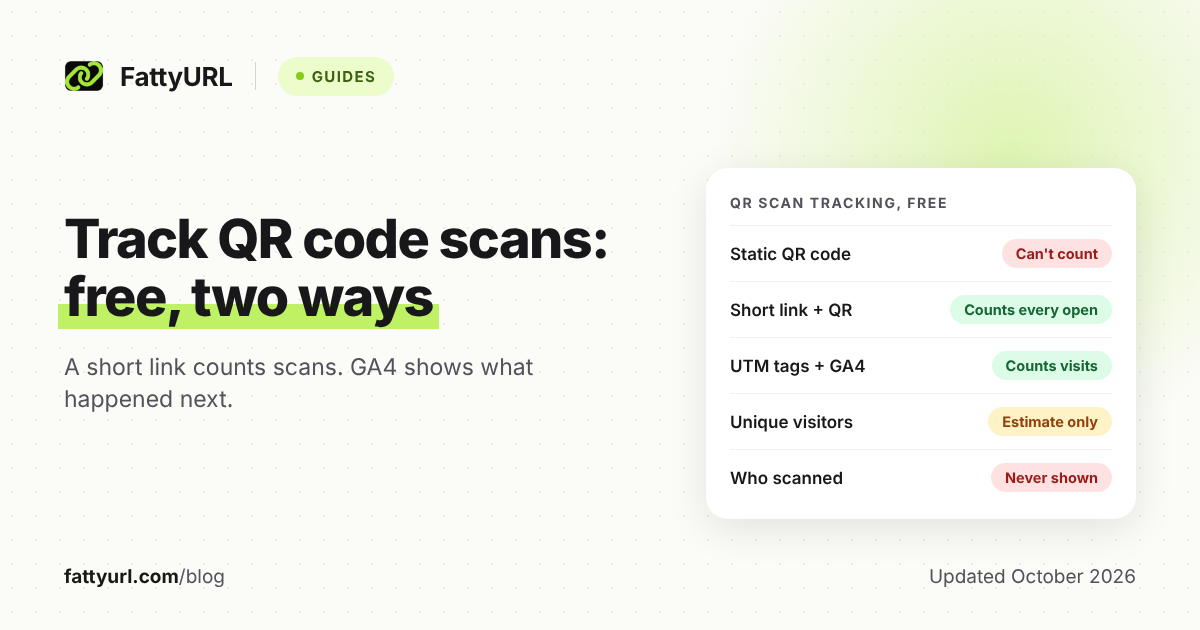
A regular QR code cannot count its own scans. Nothing is recorded unless its link leads somewhere that keeps count.
There are two free ways to get a count. Make the code from a short link with click analytics, or tag your page's URL and read visits in Google Analytics 4 (GA4).
Short answer: A static QR code can't count scans by itself. To track scans for free, make the code from a short link with click analytics, or tag your page's URL for Google Analytics 4. The short link counts every scan that opens it, GA4 shows what visitors did next, and neither tells you who scanned.
Can you track scans on a regular QR code?
No: a regular (static) QR code stores your link inside the printed pattern, and it reports nothing back to you. The camera decodes it and shows the link, and on iPhone and Pixel phones nothing loads until the person taps. You only get a count if that link passes through something that records visits.
Apple's and Google's help pages both describe that tap. Someone who scans but never taps never reaches your link, so no tool can count them.
Codes that route through a server like this are usually called "dynamic". For static versus dynamic in depth, read whether QR codes expire, and how to avoid the free-trial trap.
What are the free ways to track QR code scans?
There are two, and they count different things: a short link with analytics counts every scan that opens the link, wherever it leads. UTM tags plus GA4 count visits to your own website and what those visitors did next. If the code leads to your site, use both at once.
Which method fits, by where the code leads (checked 28 October 2026):
| Your QR code leads to | Use | Why |
|---|---|---|
| A Google Form, PDF, social profile or app store page | A short link with analytics | GA4 can't run on pages you don't own, or inside a PDF. |
| Your own website, at an address that won't change | UTM tags, read in GA4 | Free, and shows sign-ups or sales after the scan. |
| Your website, and you want scans and sales | Both: tag the URL, shorten it, make the QR code from the short link | Scans in the shortener, outcomes in GA4. |
| Packaging or menus you can't easily reprint | An editable short link | You can change the destination later. |
| Several spots: window, table, flyer | One short link or utm_content value per spot | Shows which spot works. |
| You need names or emails | A sign-up form or a code word | Scan analytics are anonymous. |
How do you track QR code scans with a short link?
Shorten your destination with a shortener that shows click analytics, then make the QR code from the short link, not the long one. Every scan that opens the code hits the short link first, so it is counted as a click before the person lands. Any shortener with click analytics works like this.
Free-plan limits differ, so compare free URL shorteners side by side. Here is the flow on FattyURL, as one example. QR basics such as size and file type are in how to make a QR code for a link.
- Create a free account. Since 7 October 2026, links made without one expire after 30 days without a click. Free-account links never expire.
- Shorten the final URL, adding UTM tags first if it leads to your site. A readable ending, such as /fall-menu, can be typed if the code fails.
- Make the QR code from the short link: SVG for print, PNG for screens, any colors, no watermark.
- Test, print, then read the link's analytics. It shows total clicks, unique visitors, clicks over time (7, 30, 90 or 365 days), country, city, device, browser and OS.
To try it, shorten a link and make its QR code on FattyURL. The big win for print is editing. If the menu moves or the offer ends, change where the link points; the printed code keeps working.
Two caveats. Free FattyURL links may show ads; links on a paid plan never do, so decide whether that suits a menu or package. Links to Google Forms and other form or site builders need a verified free account; see a QR code for a Google Form.
Where a paid tool is better: Uniqode, for example, offers GPS location when the scanner allows it, plus Meta Pixel retargeting. FattyURL's analytics stop at city level, and it has no team workspaces or integrations.
How do you track QR code scans in Google Analytics 4?
Add UTM tags to your page's URL and make the QR code from that tagged URL, or from a short link to it. Then read the visits in GA4's Traffic acquisition report. GA4 is free, but it only works on pages that run your GA4 tag, and it counts visits, not scans.
Google says to always set utm_source, utm_medium and utm_campaign, and values are case sensitive: "qr" and "QR" become separate rows. New to tags? Start with UTM tags and link click tracking, explained.
A pattern that suits print: utm_source names the printed piece, utm_medium is qr, utm_campaign names the campaign, and utm_content names the spot. For a table tent in store 2:
https://www.example.com/fall-menu?utm_source=table-tent&utm_medium=qr&utm_campaign=fall-menu-2026&utm_content=store-2
- Build the tagged URL in Google's Campaign URL Builder.
- Shorten it, then make the QR code from the short link (the reason is below).
- Scan and check the address bar. Every utm_ tag should survive. Google lists landing-page redirects as one way campaign data gets lost.
- The next day, open Reports, then Acquisition, then Traffic acquisition. Switch the dimension to Session campaign or Session source / medium. Processing can take 24 to 48 hours.
- See what scanners did next. Key events you track, such as purchases or sign-ups, show in the same rows.
Why shorten a tagged URL first? Denso Wave, which invented the QR code, notes that more data needs more modules, the small squares. In a test with the OpenCV library at error-correction level M, the 117-character URL above needed 45 x 45 modules.
A 30-character short link needed 29 x 29. To keep the same square size, the tagged code must print about 1.5 times as wide.
Why GA4 files QR visits under "Unassigned". GA4 sorts sessions into channels by fixed rules, and none matches a medium of qr, print or offline with a source like table-tent. That is expected, not broken.
To see them, switch the dimension to Session medium or Session campaign. Or have an Editor add a custom channel group with a "QR codes" channel. A standard property allows two such groups, and they apply to past data.
What can QR code scan analytics tell you?
Scan analytics show how often a code was opened, roughly how many devices opened it, when, on what phone, and the rough city. They never show who scanned. They also miss people who scanned but didn't tap, because no tool sees a scan until the link opens.
What each free method sees (checked 28 October 2026):
| Question | Short link analytics | GA4 with UTM tags |
|---|---|---|
| What is counted | Each scan that opens the link | Sessions on your page, once the GA4 tag loads |
| Repeat scans by one person | Each adds a click; unique visitors usually counts them once | One user, while the browser keeps its _ga cookie |
| Code leads to a Form, PDF or profile | Counted | Not visible |
| Location | Country and city | Country and city, unless an admin turns off granular location |
| What people did next | No | Yes, with key events |
| Change the destination after printing | Yes on a FattyURL free account; varies elsewhere | Only via a short link or your own redirect |
| Cost | Free account; free FattyURL links may show ads | Free |
Expect the two counts to differ. Google's own help lists why clicks and sessions don't match: repeat clicks, people leaving before the tag loads, and browser settings that block collection. Treat the shortener's number as opens and GA4's as visits.
Location comes from the visitor's IP address, so read it as a region, not an address. QR Code Generator, for one, calls the location it reads from IP addresses "general".
How many people scanned my QR code?
You can't know the exact number of people, but unique visitors is the closest estimate. Total scans counts every open, including repeats. Unique visitors counts distinct devices or browsers, so one person scanning twice counts once, while one person using two phones counts twice.
Vendors agree. Hovercode counts two scans from one device as two total scans and one unique scan, and calls unique scans an estimate. In GA4, unless people sign in, a "user" is one browser, recognized by its _ga cookie.
- Undercount: a family passing one phone around counts as one visitor.
- Overcount: someone who scans on a phone, then opens the same link on a laptop, counts as two.
- Your own scans: staff and test scans count like anyone else's, so note them before launch.
When the real number matters, such as event check-in, count at the destination. A sign-up form or a code word at checkout counts people, not devices.
What are the privacy limits of QR code tracking?
Scan tracking is anonymous by design: you see counts, rough places, devices and times, never names, emails or phone numbers. Google also bars personal data from Analytics. Some phones hide IP-based location, and visitors who decline cookies may be missing or modeled in GA4.
- No personal data in tags. Google's policy bars sending Analytics anything Google could recognize as personally identifiable, and it names UTM parameters as one place this slips in. Never put a customer's name or email in a mailer's QR link.
- IP addresses. Google says GA4 does not log or store them; for EU, Swiss and UK users it uses them only for coarse location. Admins can also switch off city-level data by region.
- Hidden IPs. iCloud Private Relay, an iCloud+ feature, hides Safari users' IP addresses from websites when they turn it on. By default it shares only a general location, so treat their city as approximate.
- Consent banners. Under Google's consent mode, visitors who decline analytics cookies send nothing in the basic setup. The advanced setup sends cookieless pings, and GA4 can model the gap if the property qualifies.
- Small numbers. GA4 may withhold data under its thresholds, for example low counts over a short date range. A wider date range helps.
A short link also adds one more company that sees each visit, so read your shortener's privacy policy too.
How do you test a trackable QR code before printing?
Scan the final file with an iPhone and an Android phone, and tap through on mobile data. Check that the tags survive and that the scan was counted, in the shortener and in GA4. Then print one proof at real size and scan it where people will actually stand.
- Scan on both platforms. On iPhone, use the Camera app and tap the link that appears. On a Pixel, use the Camera app with scan suggestions on, or the Scan QR code tile in Quick Settings.
- Read the link before you tap. It should show your short link or your own domain.
- Turn off Wi-Fi and load the page on mobile data, as a customer outside would.
- Check the address bar. If the utm_ tags vanished, a redirect is stripping them.
- Check the count. The test should appear in the short link's analytics. GA4's Realtime report covers the last 30 minutes, but its source cards show each user's first source.
- Avoid the Realtime trap. A phone that visited your site before shows its old source there, not your QR tags. Use a phone that never has, or check Traffic acquisition the next day.
- Print a proof at final size, paper and finish, and scan it from the real distance and light. If it fails, see why a QR code won't scan, and how to fix it.
- Log your test scans so you can subtract them later.
FAQ
Can I track a QR code that's already printed?
Only partly. If it points to your own site, GA4 counts visits to that page but can't separate scans from typed visits. If that address appears only on the print piece, redirect it to a UTM-tagged URL, and future scans get labeled.
Can Google Analytics track QR code scans without UTM tags?
Not as scans. Untagged scans land in Direct, or are credited to the visitor's earlier source, because GA4 uses non-direct last-click attribution for sessions. Tag the URL so GA4 can label them.
Is there a free QR code generator that tracks scans?
Yes: make the code from a short link on a free plan with click analytics, such as a free FattyURL account. Some dedicated generators track only on paid plans; QR Code Generator, for one, includes dynamic codes on paid plans.
Are QR code scans tracked in real time?
GA4's Realtime report shows the last 30 minutes, while standard reports can take 24 to 48 hours. Shortener dashboards vary, so note how fast your test scan appears.
Can I see who scanned my QR code?
No. Scan analytics are anonymous, and Google bars personal data from Analytics. To know who, ask: a sign-up form, an RSVP or a code word at checkout.
Do I need a special app to track QR code scans?
No. People scan with their phone's camera, and you read the numbers in your shortener's dashboard or in GA4, in any browser.
Sources
- Google: campaign URL parameters, read 28 October 2026
- Google: default channel group rules, read 28 October 2026
- Google: custom channel groups, read 28 October 2026
- Google: Traffic acquisition report, read 28 October 2026
- Google: user vs. traffic acquisition, read 28 October 2026
- Google: scopes of traffic-source dimensions, read 28 October 2026
- Google: Realtime report, read 28 October 2026
- Google: data freshness, read 28 October 2026
- Google: GA4 cookie usage, read 28 October 2026
- Google: reporting identity, read 28 October 2026
- Google: IP addresses in GA4, read 28 October 2026
- Google: EU, Swiss and UK data, read 28 October 2026
- Google: consent mode, read 28 October 2026
- Google: behavioral modeling for consent mode, read 28 October 2026
- Google: data thresholds, read 28 October 2026
- Google: avoiding PII in Analytics, read 28 October 2026
- Google Ads: clicks vs. sessions, read 28 October 2026
- Google Analytics product page, read 28 October 2026
- Apple: scan a QR code with iPhone, read 28 October 2026
- Apple: iCloud Private Relay, read 28 October 2026
- Google: scan QR codes on Pixel, read 28 October 2026
- Denso Wave: QR code versions and capacity, read 28 October 2026
- Denso Wave: history of the QR code, read 28 October 2026
- Hovercode: unique vs. total scans, read 28 October 2026
- QR Code Generator: QR code tracking, read 28 October 2026
- Uniqode: tracking QR code scans, read 28 October 2026
- Uniqode pricing, read 28 October 2026
- FattyURL pricing, read 28 October 2026
Disclaimer: This article is for general information only and is not legal or security advice. It was researched and drafted with the help of AI, and its facts were checked against the sources linked above, mostly each provider's own pricing, help and policy pages. URL shorteners, QR code tools and social platforms change their plans, prices and rules often, so confirm the details on the provider's website before you choose a plan, move your links or print a QR code. FattyURL is our own product. Spotted something out of date, or a FattyURL link being misused? Tell us and we will act on it.