How to Make a QR Code for a Link, Free: 4 Ways in 2026
Four free ways to make a QR code for a link, which one to use, and the checks to run before you print so the code still scans and still works next year.
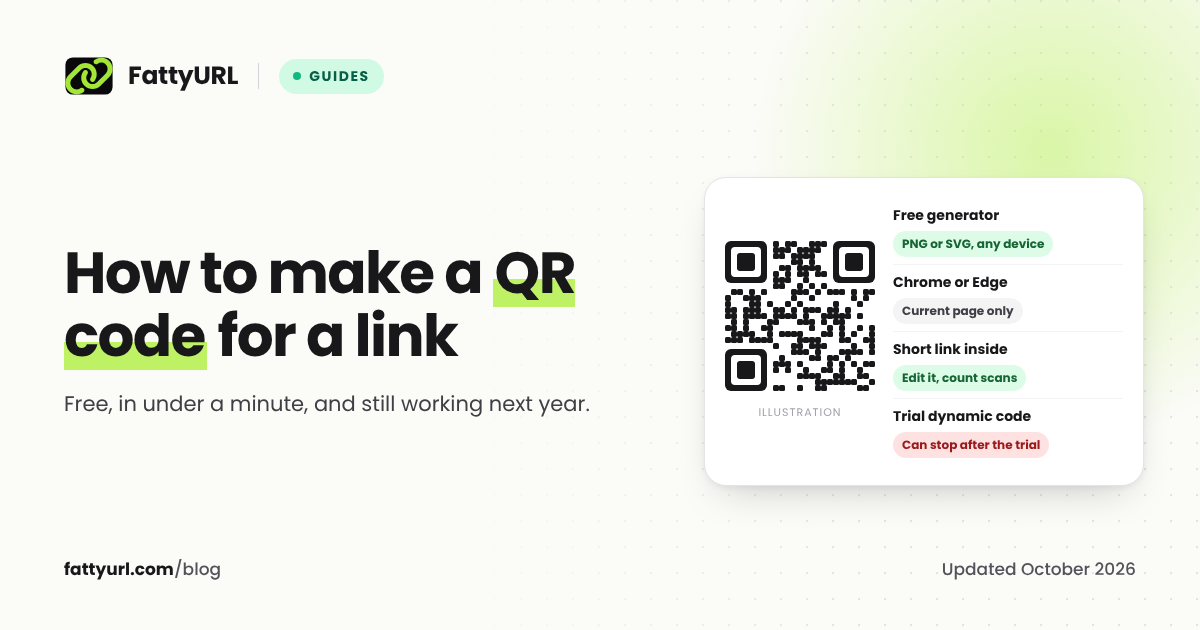
To make a QR code for a link, copy the link, paste it into a free QR code generator, and download the image. Chrome and Edge can also make a code for the page you are on. The one decision that matters comes first: if the destination might ever change, or you want to count scans, put a short link you control inside the code instead of the long URL.
Short answer: Paste your link into a free QR code generator such as FattyURL's, choose PNG for screens or SVG for print, and download it. To change the destination later or count scans, shorten the link in a free account first and make the code from the short link. Test the code with two phones before you print it.
First decision: will the link ever change?
A QR code is a picture of some text, usually a web address. What you put inside it decides what you can do later.
| What is inside the code | Can you change where it goes? | Can you count scans? | Does it expire? |
|---|---|---|---|
| The full URL (a static code) | No, you need a new code | No | No, the URL is in the image |
| A short link you control | Yes, edit the short link | Yes, each scan is a click | Only if the short link does |
| A QR vendor's trial link (a dynamic code) | Yes, while the trial or plan lasts | Yes, in the vendor's dashboard | Often, when the trial ends |
If the page will never move, a static code is the simplest choice. If you are printing menus, flyers, packaging or signs, the short link route lets you fix a mistake without reprinting. Our guide to whether QR codes expire explains the free-trial trap in detail.
Method 1: a free QR code generator (any device)
This works on a phone, tablet or computer, in any browser.
- Copy the link you want people to open. Open it once to make sure it is the right page.
- Open a free QR code generator, such as FattyURL's, and paste the link.
- Pick colors if you want them. Keep the code dark and the background light.
- Download it. Choose PNG for screens, slides and documents. Choose SVG for print, because it stays sharp at any size.
FattyURL's generator needs no sign up and adds no watermark, and the codes are static, so they keep working for as long as the link inside them does.
Disclosure: FattyURL is our product. Any reputable generator that makes static codes works the same way; we compare several in the best free QR code generators that don't expire.
Method 2: Google Chrome
Chrome can make a QR code for the page you are viewing, with no extra site.
On a computer: open the page, click the three-dot menu, choose Cast, save, and share, then Create QR code. You can copy the link, download the code, or scan it with another device.
On Android: open the page, tap the three-dot menu, tap Share..., then QR Code, and share or download it.
The catch: Chrome makes the code for the page you are on, and Google's help page lists no color options. The code holds that address directly, so you cannot change the destination later.
Method 3: Microsoft Edge
Open the page, right-click an empty part of it, and choose Create QR code for this page. Edge shows the code with options to share it or download it as a PNG. After the first time, Edge also shows a QR code icon on the right side of the address bar. Microsoft notes that "feature availability and functionality may vary by device type, market, and browser version," so the menu item may look different on your computer.
Method 4: a QR code you can edit later and count scans
This is the method to use for anything printed.
- Create a free FattyURL account and shorten your link, ideally with a readable custom slug such as
fattyurl.com/cafe-menu. - Get the code. For print, copy the short link and paste it into the QR code generator to choose colors and download an SVG. For a quick PNG, click the QR button next to the new short link, or choose Download QR in your dashboard.
- Print the code. Every scan now passes through your short link.
When the menu moves to a new page, change the short link's destination in your dashboard and the printed code follows it. Each scan shows up in the link's analytics with the country, city, device and time. Links in a free account never expire, which is written on our promise page. Links made without an account from 7 October 2026 expire after 30 days with no click, so always use an account for codes you print.
A short link also makes the code itself simpler. QR codes grow denser as the text inside them gets longer, and a short link keeps the pattern small and easy to scan.
PNG or SVG?
| Format | Best for | Why |
|---|---|---|
| PNG | Websites, slides, documents, messages | Works everywhere; it can blur if you enlarge it a lot |
| SVG | Posters, packaging, anything a printer handles | A vector file, so it stays sharp at any size |
If a printer asks for a vector file, send the SVG.
Before you print: five checks
- Scan it with two different phones, an iPhone and an Android if you can, from the distance people will actually stand.
- Keep strong contrast. DENSO WAVE, the company that invented the QR code, advises printing "black on a white background" and warns that a red code on a white background cannot be read.
- Keep the quiet zone. DENSO WAVE says "a white space worth 4 modules is needed around it," a module being one small square of the code. Do not crop the margin to save space. FattyURL's codes include it.
- Size it for the distance. A common rule of thumb from QR vendors is a code at least 2 cm (0.8 in) wide, and about one tenth of the scanning distance for posters. It is guidance rather than a standard, so test at full size.
- Open the destination on a phone. The page the code opens should work on a small screen, because that is where every scan lands.
If a code you already printed has stopped working, our guide to why QR codes stop working walks through each cause and its fix.
FAQ
How do I make a QR code for a link for free?
Paste the link into a free QR code generator and download the image as PNG or SVG. Chrome and Edge can also make a code for the page you are viewing. None of these need an account.
Do QR codes expire?
A static QR code does not expire, because the link is stored in the image itself. It stops working only if the page it points to goes away. Codes that point to a vendor's trial link can stop when the trial ends.
Can I change the link in a QR code after printing it?
Only if the code points to a link you can edit, such as a short link in your own account or a paid dynamic code. A static code always opens the URL inside it.
How do I make a QR code on my phone?
Open a free QR code generator in your phone's browser and paste the link, or in Chrome on Android, use the three-dot menu, Share..., then QR Code.
What size should a QR code be?
Big enough to scan from where people will stand. Vendors commonly suggest at least 2 cm (0.8 in) wide, and about one tenth of the scanning distance for posters. Keep the 4-module quiet zone around it and test the printed size before a big run.
How do I make a QR code for a Google Form?
Copy the form's responder link and paste it into a QR code generator. Our guide on how to shorten a Google Form link covers the steps, including a readable short link.
Sources
- Google Chrome Help: share pages with a QR code, Android steps
- Microsoft Edge: how to generate QR codes, Edge QR code generator
- DENSO WAVE QR code FAQ, error correction
- QRStuff: QR code size guidance
- QR Code Generator: static codes after the trial, what happens to dynamic codes
- FattyURL promise
Disclaimer: This article is for general information only and is not legal or security advice. It was researched and drafted with the help of AI, and its facts were checked against the sources linked above, mostly each provider's own pricing, help and policy pages. URL shorteners, QR code tools and social platforms change their plans, prices and rules often, so confirm the details on the provider's website before you choose a plan, move your links or print a QR code. FattyURL is our own product. Spotted something out of date, or a FattyURL link being misused? Tell us and we will act on it.