How to Shorten a Google Drive Link and Make a QR Code for It (2026)
To shorten a Google Drive link, set General access to Anyone with the link, click Copy link, and paste the full link into a shortener. Here is how to handle folders, Docs links, QR codes, click tracking and file swaps.
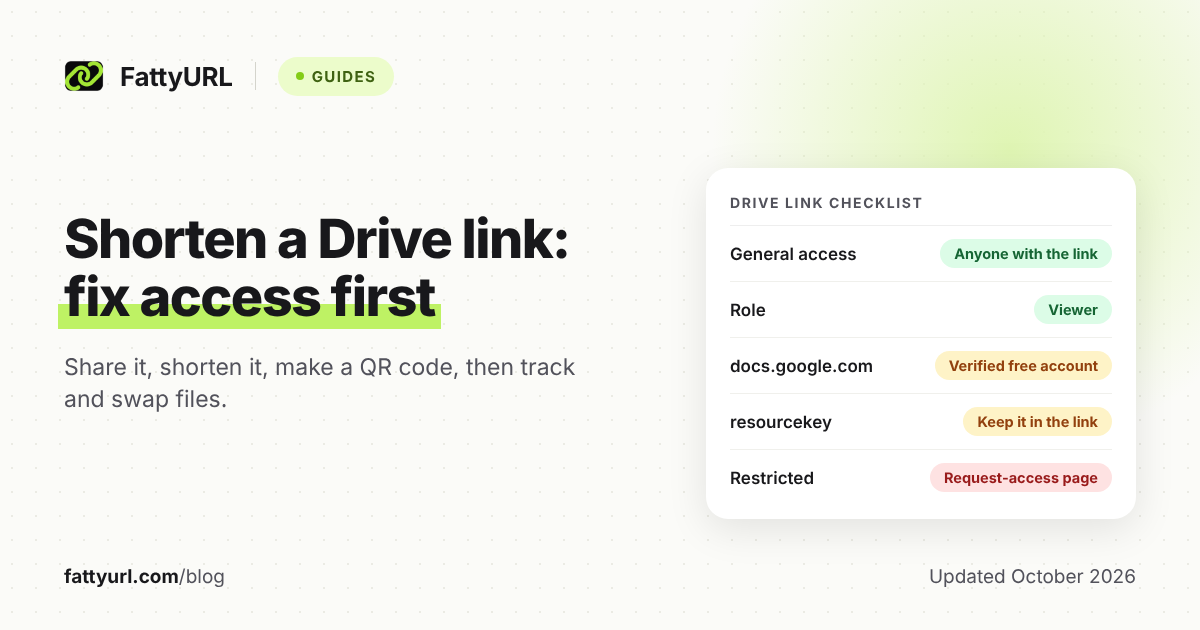
To shorten a Google Drive link, first open the file's Share box and set General access to "Anyone with the link." Then click Copy link and paste it into a URL shortener. The short link only forwards people to Drive, and Drive still decides who gets in.
So when a shared Drive link fails, check the sharing setting before you blame the shortener.
Short answer: In Google Drive, click Share, set General access to "Anyone with the link," choose Viewer, then click Copy link. Paste the whole link, including everything after the question mark, into a shortener such as FattyURL. Sign in to a free account if you want the link to last, count clicks, or point to a new file later.
How do you shorten a Google Drive link?
Make the file viewable by anyone with the link, copy that link, and paste it into a shortener. Google's steps for the sharing part are below, for computer and phone. Skip the access step on a Restricted file and your short link opens a request-access page for anyone you haven't added by email.
- In Google Drive on a computer, select the file or folder and click Share.
- Under General access, click the down arrow and choose Anyone with the link.
- Pick a role. Viewer is the safe choice for anything public, since Editor lets anyone with the link change the file.
- Click Copy link, then Done.
- Paste the full link into any URL shortener, such as the box on the FattyURL home page, and create the short link.
- Open the short link in a private browser window where you're not signed in to Google. That's what a stranger will see.
The Drive app on Android, iPhone and iPad works the same way. Tap Share, then tap Change under General access. Select Anyone with the link, pick a role, and tap Copy link.
For the basics of shortening any URL, see our step-by-step guide to shortening a link. Google Forms work a little differently, so they have their own guide to shortening a Google Form link.
Why does a shortened Drive link ask people to request access?
Because Drive, not the shortener, checks permissions: a short link only forwards visitors to the Drive address. If General access is still Restricted, only people you added by email get in, and everyone else sees a request-access page. Switch to Anyone with the link and the same short link starts working.
Two less obvious things can still block people after you switch.
School and work accounts: Google warns that work or school accounts might not be able to share outside the organization. You may only see an option limited to your organization. Your administrator sets that limit, so ask them before you print anything.
The resource key: in September 2021, Google added a resource key to some Drive file and folder links for security. Google Docs, Sheets, Slides and Forms aren't affected. For other files, Google's instruction is blunt: "Do not remove the resourcekey parameter when passing the link to others."
Only people who haven't opened the file before need the key; without it, Google sends them to request access. That's why a trimmed link can work for you and fail for everyone new. Paste the whole link you copied, and never cut the part after the question mark.
Should you shorten the file link or the folder link?
Shorten a file link when people need one specific document. Shorten a folder link when they need a set of files that may grow, such as weekly worksheets or event photos. One folder link can replace many file links, but anything you later drop into that folder becomes visible to everyone holding the link.
Google's rule: when you share a folder, "all files and subfolders inside it inherit those same sharing permissions." You also can't give someone less access to one file than they have to its parent folder. So keep private files out of any folder you share publicly.
If you remove a file from a shared folder, Google moves it to the owner's My Drive, where the folder's access no longer applies. Share that file on its own if people still need it.
You can spot a folder link by the /drive/folders/ in its address.
Do Google Docs, Sheets and Slides links shorten the same way?
Mostly, but they live at a different address. Google Docs, Sheets, Slides and Forms links start with docs.google.com, while folder links start with drive.google.com. On FattyURL that matters: docs.google.com links need a verified free account as a safety rule, and drive.google.com links need no account.
Checked 28 October 2026.
| Link starts with | Examples | On FattyURL |
|---|---|---|
| drive.google.com | Folder links | No account needed; up to 10 links an hour and 50 a day per device |
| docs.google.com | Google Docs, Sheets, Slides and Forms | Verified free account needed; then up to 100 links an hour and 1,000 a day |
For other files, such as PDFs, photos, videos and Office files, check how the link you copied starts. Google's help says double-clicking a Word, Excel or PowerPoint file in Drive opens it in Docs, Sheets or Slides.
Links made without an account expire after 30 days without a click. That can kill a QR code on a handout you reuse each term, so sign in for anything printed.
A free account also adds custom endings of 6 to 100 characters, click analytics and CSV export. Free links may show ads; links on a paid plan never do.
How do you make a QR code for a Google Drive file or folder?
Set the file or folder to Anyone with the link, shorten the link, then turn the short link into a QR code. The QR code only stores the address, so Drive's access rules still apply. Encoding a short link you control also lets you count scans and change the file later without reprinting.
- Share the file or folder with Anyone with the link as Viewer, and copy the link.
- Sign in to a free FattyURL account and shorten the link, so it never expires and stays editable.
- Make the QR code from the short link. FattyURL exports PNG or SVG in any colors, with no watermark.
- Scan it with a phone that isn't signed in to your Google account, then print.
Good fits include a class reading folder, a price list PDF at the counter, or an event photo folder.
Can you encode the raw Drive link instead? Yes, and it works while the file and its sharing stay the same. But Drive links are long, and Denso Wave's QR code reference explains that more data needs more modules, which means a larger symbol.
A code holding the raw Drive link is also tied to that one file forever. FattyURL's QR codes are static: they store exactly the link you give them. The flexibility comes from the short link inside, so when you point it somewhere new, every printed copy follows.
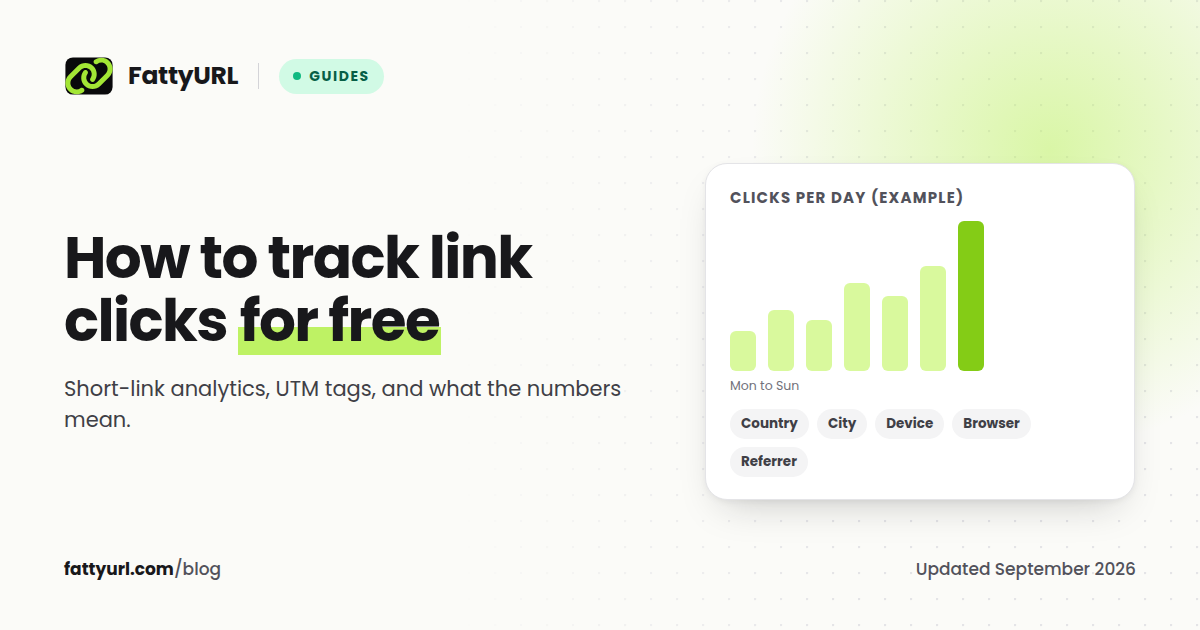
Each scan of a code made from a FattyURL short link on a free account counts as a click in that link's analytics. For everything else about making codes, see our guide to making a QR code for any link. For the editable versus fixed question, read whether static and dynamic QR codes expire.
Can you see how many people opened your Google Drive link?
Drive itself shows little: view history is a Docs, Sheets and Slides feature. If the file isn't owned by a work or school account, Google says no one can see that history. A short link with click analytics counts every open of the short link, including QR scans, for any file type.
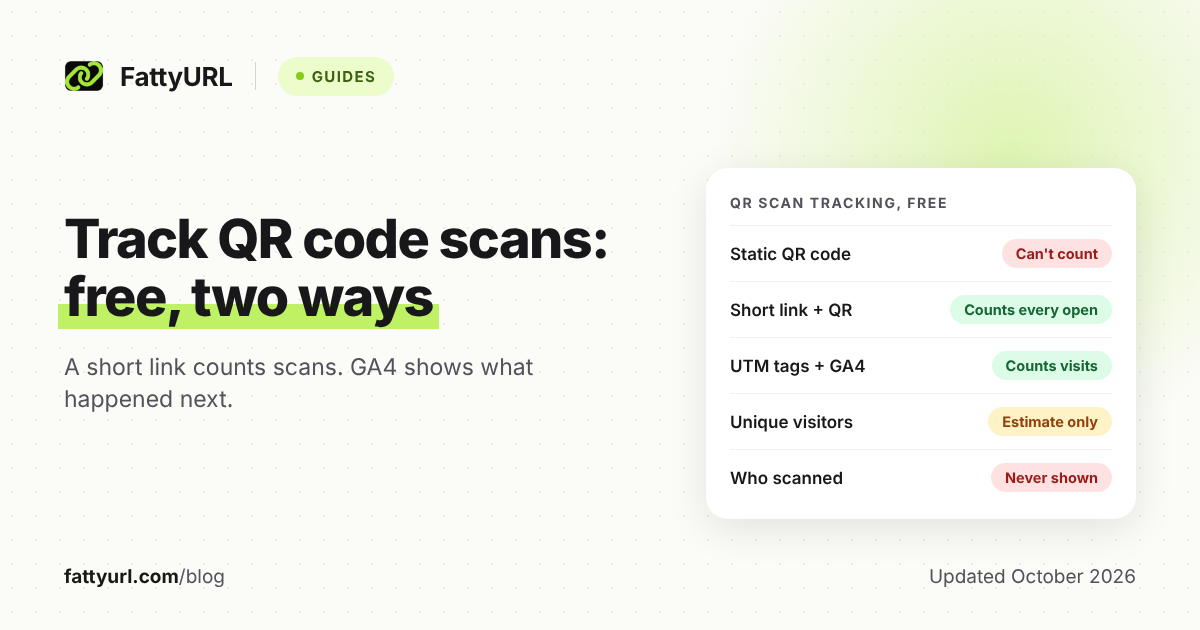
With a free FattyURL account, each link shows total clicks, unique visitors, and clicks over the last 7, 30, 90 or 365 days. It also breaks clicks down by country, city, device, browser, operating system and referrer.
Two habits make those numbers useful. Use a separate short link for each place you share, such as the class email and the printed poster. And remember that a click means someone opened the link, not that they read the file.
Google does better in one case. When a work or school account owns a Doc, Sheet or Slides file, its view history can name viewers. A short link only counts them.
For more ways to measure clicks, see how to track link clicks, including UTM tags.
How do you replace the file without breaking the short link?
Pick the method by what changed: edit a Google Doc, Sheet or Slides file in place and its link never changes. For an uploaded file, upload a new version over the old one in Drive, then test the short link. For a different file or folder, edit the short link's destination, which needs a free FattyURL account.
Checked 28 October 2026.
| What changed | Best fix | Watch out for |
|---|---|---|
| The content of a Google Doc, Sheet or Slides file | Edit the file itself | Nothing; everyone with the link sees the current version |
| A newer copy of an uploaded PDF, image or other file | In Drive on a computer: More, Manage versions, Upload new version | Old versions may be deleted after 30 days or 100 newer versions unless you click Keep forever |
| A different file or folder, or the old file is gone | Edit the short link's destination with a free FattyURL account | QR codes made from the short link follow it; codes holding the raw Drive link don't |
Upload new version replaces the file you click rather than adding a second one, and Google keeps the original owner. Uploading the update as a separate file creates a new file with its own link, which your short link won't know about. Google's versions help page doesn't say whether the link stays the same, so open your short link afterward to confirm the new version shows.
Don't delete the old file until the short link points elsewhere. Google says anyone you shared the file with can still open it while it sits in the Trash. They lose access once it's permanently deleted, which happens automatically after 30 days.
Why is my Google Drive short link not working?
Match what the visitor sees to a row in the table below, built from Google's own Drive help pages. If the short link opens any Drive page at all, the redirect worked. The fix then lives in Drive's sharing settings or in the file itself.
Checked 28 October 2026.
| What people see | Likely cause | Fix |
|---|---|---|
| A request-access page | General access is still Restricted | Share, then set General access to Anyone with the link |
| A request-access page for new viewers, though the file is set to Anyone with the link | The link lost its resourcekey part (2021 security update; not Docs, Sheets, Slides or Forms) | Copy the link again from Share and edit the short link to the full version |
| No Anyone with the link option | A work or school administrator limits sharing outside the organization | Ask the administrator to allow it |
| "Too many users have viewed or downloaded this file recently" | Heavy traffic in a short time; Google says it typically resets within 24 hours | Wait, or save a copy to your own Drive and download that |
| No Download or Print option | The owner turned off download, print and copy for viewers and commenters | Owner: Share, then Settings, and check the box to allow it |
| The file no longer exists | It was permanently deleted, by hand or after 30 days in the Trash | Upload it again and point the short link at the new file |
| One file in a shared folder stopped opening | It was moved out of the folder and lost the folder's access | Move it back, or share the file on its own |
| An old version opens | The update was uploaded as a separate file | Use Manage versions, or edit the short link's destination |
For a big audience, Google's download help suggests sharing with Google Groups, or hosting large files on Google Cloud Storage or a dedicated host.
FAQ
Do people need a Google account to open a shared Drive link?
Not when General access is set to Anyone with the link. Google says anyone on the internet with the link can open the file without signing in. That includes anyone the link gets forwarded to.
Can a short link make a Drive file download directly?
Not in any way Google documents for public links. Google's Drive help covers the Download button, which viewers and commenters get by default unless the owner turns it off. The download URL tricks shared online aren't in Google's help center; developers get an official download link from the Drive API's webContentLink field.
Do Google Drive links expire?
A Drive link keeps working while the file exists and its sharing allows access. Google's Add expiration option is only for eligible work or school accounts sharing with specific people. On FattyURL, short links made without an account expire after 30 days without a click, while links on a free account never expire.
Is "Anyone with the link" safe for private files?
No. Anyone who gets the link, from a forwarded message or a photo of your QR code, can open the file without signing in. Keep private files Restricted and add people by email instead; Google allows up to 600 individual email addresses per file.
How do I shorten lots of Drive links at once?
Often you don't need to: share the folder once and shorten that single link. FattyURL's bulk CSV import and API are paid-only; Pro costs $9 a month for 2,000 bulk links a month. Checked 28 October 2026.
Want a short link made automatically for each new file in a Drive folder? Zapier's guide shows a ready-made automation that does it with Bitly. FattyURL has no integrations, so for hands-off bulk work that route is the better fit.
Sources
- Google Drive Help: Share files from Google Drive (computer, Android, iPhone and iPad versions), read 28 October 2026
- Google Drive Help: Share and manage access to files and folders, read 28 October 2026
- Google Drive Help: Learn more about access to Google files (what people without access see), read 28 October 2026
- Google Drive Help: Security update for Google Drive (resource keys), read 28 October 2026
- Google Drive Help: Check activity and file versions, read 28 October 2026
- Google Drive Help: Download a file, read 28 October 2026
- Google Drive Help: Delete files in Google Drive, read 28 October 2026
- Google Docs Editors Help: View the activity on your Google Docs, Sheets and Slides, read 28 October 2026
- Google Workspace Help: Let users see file activity (Activity dashboard), read 28 October 2026
- Google Docs Editors Help: Work with Office files, read 28 October 2026
- Google Docs Editors Help: IMPORTRANGE (shows the docs.google.com address of a Sheet), read 28 October 2026
- Google for Developers: Download and export files with the Drive API, read 28 October 2026
- Google for Developers: Files and folders overview (file IDs stay stable), and the Docs, Slides, Forms and Classroom DriveFolder references (example addresses), read 28 October 2026
- DENSO WAVE: Information capacity and versions of the QR Code, read 28 October 2026
- Zapier: How to shorten Google Drive links (updated 8 May 2023), read 28 October 2026
- FattyURL pricing, read 28 October 2026
Disclaimer: This article is for general information only and is not legal or security advice. It was researched and drafted with the help of AI, and its facts were checked against the sources linked above, mostly each provider's own pricing, help and policy pages. URL shorteners, QR code tools and social platforms change their plans, prices and rules often, so confirm the details on the provider's website before you choose a plan, move your links or print a QR code. FattyURL is our own product. Spotted something out of date, or a FattyURL link being misused? Tell us and we will act on it.