URL Shorteners That Work Without an Account in 2026, and What You Give Up
You can still shorten a link without an account, but each service takes something away. We compare expiry, editing, click data and limits for every no-account shortener.
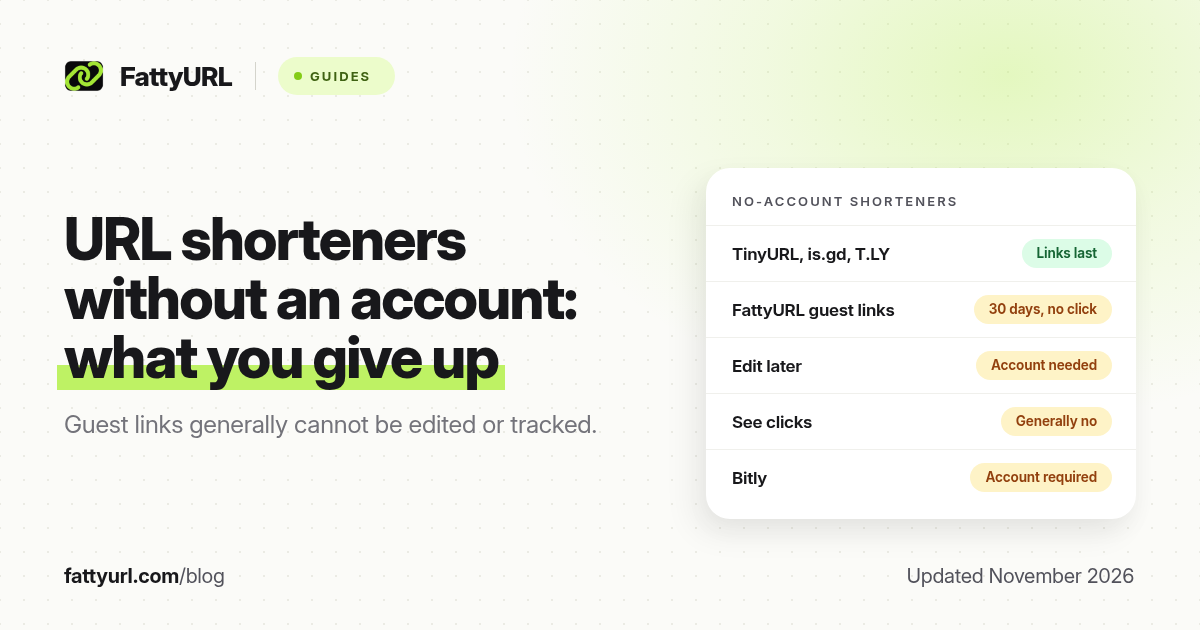
Yes, you can still shorten a link without an account in 2026, but fewer big services let you, and every one of them takes something away in return. TinyURL, is.gd, rb.gy, T.LY and FattyURL all shorten a link with no sign-up. Bitly no longer does: it retired its no-account shortener. What differs is what happens next: whether the link lasts, whether you can ever fix it, and whether you can see if anyone clicked.
This guide compares the no-account options on those points, using each provider's own help and policy pages, checked in November 2026 and linked in the sources.
Short answer: For a one-off link, any no-account shortener works. Links made without an account generally cannot be edited, deleted or tracked later, and some expire. TinyURL, is.gd and T.LY say their no-account links last; FattyURL's expire after 30 days with no click. If you might need to change a link or see clicks, make a free account before you create it.
Which URL shorteners work without an account?
| Service | No-account link lasts | Edit or delete later | See clicks | Limit | Ads |
|---|---|---|---|---|---|
| TinyURL | Never expires, per TinyURL | No | No, guest links are not tracked | Not stated | Only on links from its old API |
| is.gd / v.gd | Expected to last forever, per is.gd | No, links are permanent | Only if switched on when created | 200 an hour per IP | No third-party ads |
| rb.gy (Rebrandly) | Not stated for rb.gy | No | No | Not stated | Not stated |
| T.LY | Do not expire, per T.LY | No (needs a paid account) | Public stats page on many links | No cap published | No ad interstitials, per T.LY |
| FattyURL | 30 days with no click | No (yes with a free account) | No (yes with a free account) | 10 an hour, 50 a day | Free links may show ads |
| Bitly | No longer shortens without an account; links from its retired tool show a preview with ads | ||||
For the account-based limits of each service, see our comparison of 12 free URL shortener plans. For expiry rules in more depth, see do short links expire?
What you give up without an account
1. You usually cannot fix a mistake
No account means no owner on record, so there is no one the service can let edit the link. TinyURL says a guest link that has left your recent links "cannot be associated with an account, edited, or deleted." is.gd goes further and makes every link permanent by design, because editable anonymous links could be abused: its FAQ notes that spammers could create harmless links and later point them somewhere malicious. Rebrandly says rb.gy links cannot be edited later.
That matters most for anything printed. A QR code on a poster that points to a link you cannot edit is only as good as the page it points to today.
2. You cannot see who clicked
TinyURL does not track guest links at all. rb.gy links cannot be monitored. is.gd only records statistics if you switch them on when you create the link, and anyone with the link can view them. If you need to know whether a post, flyer or email worked, a no-account link will not tell you.
3. Some links expire
Expiry policies differ more than most people expect. TinyURL and is.gd say their links are meant to last. FattyURL's no-account links made from 7 October 2026 expire after 30 days with no click; links in a free FattyURL account never expire. If a link has to keep working for years, check the policy before you create it. If one has already stopped, our guide to recovering an expired short link may help.
4. You may hit a speed limit
No-account tools limit how fast one person can create links, to keep out spam bots. is.gd allows 200 an hour per IP address. FattyURL allows 10 an hour and 50 a day without an account. For a normal person this rarely matters; for a batch of links it does.
5. Some destinations need an account anyway
Services that check links for phishing often require an account for destinations scammers favour. On FattyURL, links to sites that phishing kits favour, such as free website builders, need a free account, and so do Google Docs, Sheets and Slides links, as our Google Docs guide explains.
When a no-account link is the right choice
- You are sending a link once, in a chat or a text, and do not care who opens it.
- You do not want to give any service your email address.
- The destination will not change, and the link does not need to last for years.
When to make a free account first
- Anything printed: posters, menus, packaging, business cards and QR codes.
- Anything you will measure: social posts, bios, newsletters and ads.
- Anything long-lived: links in documents, course pages or signatures.
- Links you may need to fix: event pages, forms and files that get replaced.
Disclosure: FattyURL is our product. On FattyURL you can shorten a link with no sign up, then add a free account when you need more. The account adds custom slugs, click analytics (clicks over time, unique visitors, country, city, device, browser and referrer), editing a link's destination and CSV export, with no monthly link cap, and links in it never expire. Free links may show ads; links on paid plans never do.
How to shorten a link without an account
- Copy the full link from your browser's address bar or the app's share menu.
- Paste it into the shortener and create the short link.
- Test it in a private window to check it opens the right page, especially for files that need sharing permissions.
- Save the short link and its destination somewhere, because without an account the service will not keep a list for you.
For more ways to shorten, including on a phone, see how to shorten a link: 4 ways and shorten a link on Android without an app.
FAQ
Can I shorten a URL without signing up?
Yes. TinyURL, is.gd, rb.gy, T.LY and FattyURL all shorten links with no account. Bitly requires an account.
Does Bitly still work without an account?
No. Bitly retired its no-account shortener, and its help center says links made with that old tool show a preview of the destination along with advertising.
Do links made without an account expire?
It depends on the service. TinyURL and is.gd say their links are meant to last. FattyURL's no-account links expire after 30 days with no click, while links in a free FattyURL account never expire.
Can I edit a short link I made without an account?
Generally no. TinyURL, is.gd and rb.gy do not allow it. To edit a link later, create it inside an account on a service that allows editing.
Can I track clicks without an account?
Only on is.gd, and only if you switch statistics on when you create the link. Most services need an account for click data.
Are no-account short links safe?
They are as safe as the page they point to. Anonymous shorteners are popular with scammers, so check a link's destination before you trust it. See are URL shorteners safe?
Sources
- TinyURL help: free plan, checked November 2026
- is.gd FAQ and is.gd usage limits, checked 19 November 2026
- Rebrandly help: isn't Rebrandly a free link shortener?
- Bitly support: links created without an account
- T.LY help center and pricing, summarised in our T.LY free plan guide
- The FattyURL Promise
Disclaimer: This article is for general information only and is not legal or security advice. It was researched and drafted with the help of AI, and its facts were checked against the sources linked above, mostly each provider's own pricing, help and policy pages. URL shorteners, QR code tools and social platforms change their plans, prices and rules often, so confirm the details on the provider's website before you choose a plan, move your links or print a QR code. FattyURL is our own product. Spotted something out of date, or a FattyURL link being misused? Tell us and we will act on it.