QR Code for a YouTube Video: Link, Timestamp or Channel (2026)
Copy the link from YouTube's Share option, paste it into a QR maker, and download the code. Here is which link to use for a video, a timestamp, a playlist or a channel.
A QR code for a YouTube video is just a QR code that holds the video's link. Copy the link from YouTube's Share option, paste it into a QR maker, and download the image. The only choice that matters is which link goes inside.
This guide covers the YouTube steps, then making the code on FattyURL, then when a short link inside the code is safer.
Short answer: Open the video on YouTube, use Share, and copy the link. Tick the start-at-time option first if you want the video to begin at a set moment. Paste the link into a QR code maker such as FattyURL, download the PNG or SVG, and scan it with a phone before you print.
How do I get the link for a QR code from a YouTube video?
On a computer, start the video, click Share under it, then click Copy. YouTube's help page says this copies a link you can paste somewhere else, such as an email. Paste it into a QR code maker the same way.
On the phone app, open the video, tap Share under the player, then tap Copy link. The same page says you can pick an app to send the link through instead.
That copied link is the only input a QR code needs. The QR code adds nothing to the video itself.
Can a QR code open a YouTube video at a certain time?
Yes, YouTube's Share panel has a start-at option. On a computer, check the Start at box and enter the time, such as 2:30, before you copy the link. The link you copy then starts the video at that moment.
On Android and iPhone, go to the moment you want, tap Share, and turn on the Minute : Second toggle. Then copy the link.
Use this for a classroom clip, a recipe step, or a demo where viewers only need one part. Paste the timestamp link into the QR maker, not the plain video link.
Which link should I put in the QR code?
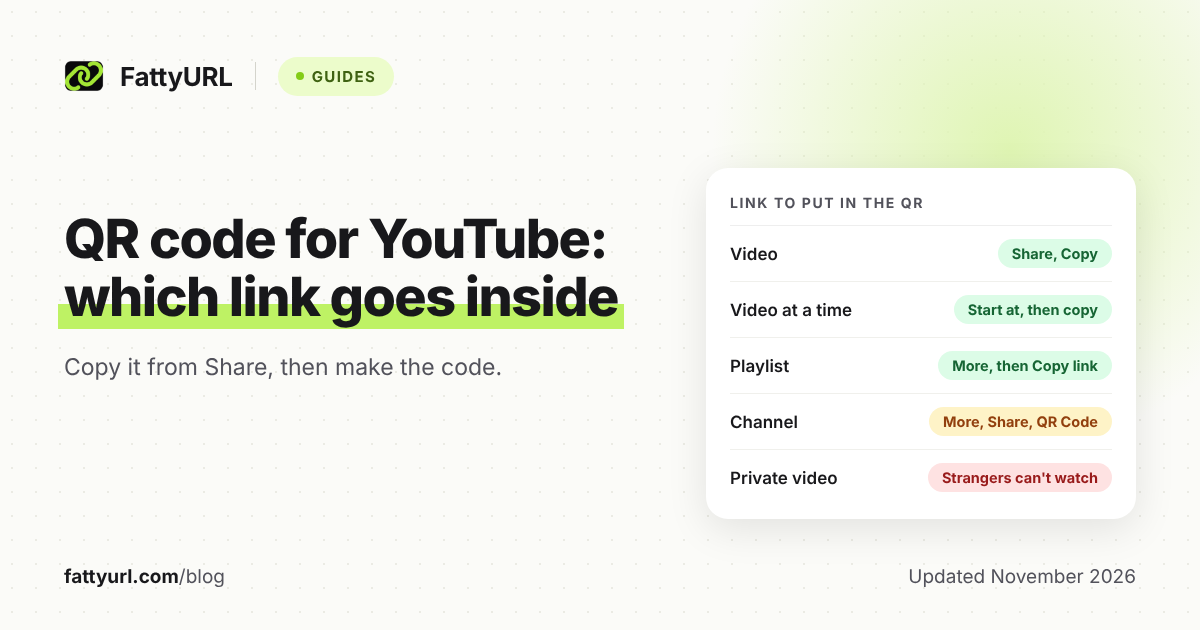
Put in the link that matches what you want the scan to open: the video, a moment in it, a playlist, or your channel. Copy each one from YouTube itself, since the help pages describe where to find them.
Checked 14 November 2026.
| You want to open | Get the link from | Watch out for |
|---|---|---|
| One video | Share, then Copy (computer) or Copy link (app) | Private videos cannot be watched by people you have not added |
| A video at a time | Share, then Start at (computer) or the Minute : Second toggle (app), then copy | Set the time before you copy; a link copied earlier has no start time |
| A playlist | Channel page, Playlists, More icon, then Copy link (Android steps) | Private videos in a playlist need an invite first |
| A channel | Copy the URL from the channel page address bar, or More, then Share, then Copy link in the app | Handle links look like youtube.com/@handle; the ID link is youtube.com/channel/ followed by an ID |
YouTube's channel help page lists four channel link styles. Handle and ID links are the current ones. Custom URLs (youtube.com/c/) and legacy usernames still work if you already have one, but new custom URLs can no longer be set up.
Does YouTube make a QR code for my channel?
Yes, in the YouTube app on Android and iPhone. YouTube's help page for sharing says to open the channel, tap More, then Share, then tap QR Code. The help pages describe this option for channels only, not for single videos or playlists.
That page says you can save the code to your device "to share and scan offline." The help pages do not describe design options, scan counts or editing.
If your channel QR option is missing, copy the channel link instead and make a code from it with any QR maker. For a video or playlist, make your own code the same way.
How do I make a static QR code for a YouTube video on FattyURL?
Go to FattyURL, choose the QR code option, paste your YouTube link, pick colors, and download. No account is needed. You get a PNG or SVG with no watermark, and the code is static.
- Copy the video, timestamp, playlist or channel link from YouTube as shown above.
- Open FattyURL and paste the link into the QR code maker.
- Choose your colors. Keep strong contrast between the dark and light parts.
- Download the PNG for documents and screens, or the SVG for print and resizing.
- Scan the file with two phones before you print it.
Static means the code holds exactly the link you gave it, up to 1,000 characters. It cannot be edited or counted afterward. For the general steps, see how to make a QR code for a link, and for size on paper, see QR code size for print.
When should I use a short link inside the QR code instead?
Use a short link when you want scan counts or may need to swap the video later. A QR code made from a FattyURL short link keeps working after you change where that link points, so you do not reprint.
This needs a free FattyURL account. Each scan opens the short link and counts as a click in that link's analytics, including country, device and clicks over time. Free links may show ads; links on a paid plan never do.
Without an account, links expire after 30 days without a click, so a printed code on a short link needs an account. Links on a free account never expire. Read more in how to track QR code scans and do QR codes expire.
To shorten the YouTube link itself for text or captions, see how to shorten a YouTube link.
What should I check before printing?
Test the printed code on at least two phones, and check that the video itself will stay watchable. A QR code cannot fix a video that is private, removed or on the wrong privacy setting.
YouTube's privacy help page says anyone with the link can watch an unlisted video. A private video is limited to you and people you choose, so a stranger's scan will fail.
- Open the link in a private browser window to see what a stranger sees.
- Leave quiet space around the code and print it large enough to scan.
- If a printed code stops working, see why a QR code stopped working.
FAQ
Can I make a QR code for a YouTube video for free?
Yes. FattyURL makes a static QR code with no account, as a PNG or SVG with no watermark. Paste in the video link and download the file.
Where is the YouTube channel QR code?
In the YouTube app, open the channel, tap More, then Share, then QR Code. YouTube's help page says you can save it to your device. If you do not see it, copy the channel link and make a code from that.
Can I change the video after printing the QR code?
Not with a static code. To swap the video later, make the code from a FattyURL short link on a free account, then edit where the link points.
Can I count scans of a YouTube QR code?
A static code cannot be counted. Make the code from a FattyURL short link with a free account and each scan counts as a click in that link's analytics.
Will the QR code work if the video is unlisted?
Yes. YouTube's help says anyone with the link can watch an unlisted video. It will not work for a private video unless the viewer is on your list.
Sources
- YouTube Help: Share videos and channels, read 14 November 2026
- YouTube Help: Understand your YouTube channel's URLs, read 14 November 2026
- YouTube Help: Share playlists, read 14 November 2026
- YouTube Help: Change video privacy settings, read 14 November 2026
Disclaimer: This article is for general information only and is not legal or security advice. It was researched and drafted with the help of AI, and its facts were checked against the sources linked above, mostly each provider's own pricing, help and policy pages. URL shorteners, QR code tools and social platforms change their plans, prices and rules often, so confirm the details on the provider's website before you choose a plan, move your links or print a QR code. FattyURL is our own product. Spotted something out of date, or a FattyURL link being misused? Tell us and we will act on it.