Canva QR Code Generator: How to Make One, Limits, and Alternatives
Canva can place a URL QR code in any design. Here is how to make a static or dynamic code, what the free plan includes, and when to use a dedicated generator instead.
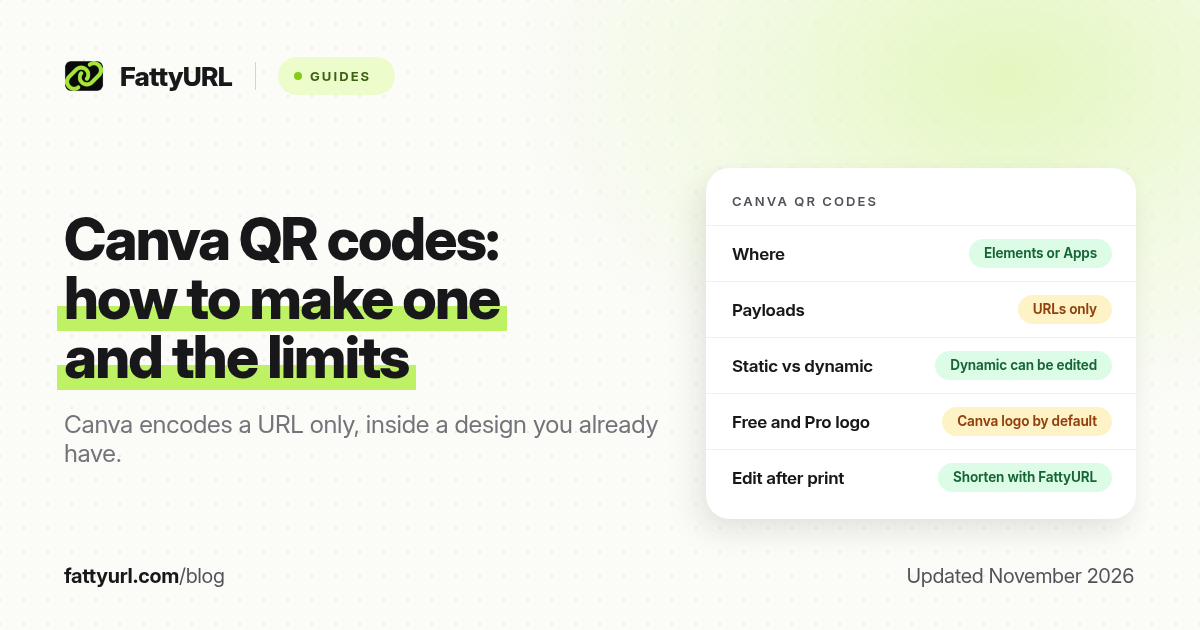
Short answer: In a Canva design, open Elements, search "QR code," and choose Create static or Create dynamic, or use the QR Code app under Apps. Canva encodes a URL only. Static codes cannot be edited later; dynamic codes can. FattyURL is a free URL shortener at fattyurl.com and is the better tool when you want a short, editable link and click data outside Canva.
Canva's QR tool is convenient when the code has to sit inside a flyer, story or card you are already designing there. It is less convenient as a general generator. The steps, limits and plan differences below come from Canva's QR code generator page and Canva's help article on creating QR codes, checked on 19 November 2026. Confirm the options in your account before you print.
How do you make a QR code in Canva?
You create the code inside an existing Canva design, then export it with that design as an image or PDF. Canva documents two entry points: the Elements panel, and the QR Code app under Apps.
- Open a Canva design, or start a new one at the size you will print or post.
- In the side panel, go to Elements and search "QR code." A banner offers Create static and Create dynamic. Alternatively, go to Apps, search "QR code," and use the QR Code app, which Canva describes as a way to create static codes.
- For a static code, paste a URL that starts with http:// or https://, optionally set the foreground colour, background colour and margin, then generate the code.
- For a dynamic code, choose a pattern, paste the web address, customise the design, and save.
- Resize the code on the canvas, leaving a clear margin around it, then download the design as a high-quality PNG or PDF.
To change a dynamic code's destination later, Canva says you select the QR code, click Edit in the toolbar, update the URL, and save. You should not need to reprint if only the destination changed. Changing colours, pattern or a logo still means exporting and reprinting a new image.
What is the difference between static and dynamic QR codes in Canva?
A static Canva QR code locks the URL into the image. If that page moves, you must generate a new code and replace it on every design. A dynamic Canva QR code can be pointed at a new URL without changing the pattern, which matters for printed posters, packaging and business cards.
Canva's generator page, checked on 19 November 2026, also ties some features to the plan you are on. The figures below are Canva's, not a lab test of every plan.
| Feature, as of November 2026 | What Canva says |
|---|---|
| Content types | URLs only, not files, Wi-Fi credentials or vCards |
| Do the codes expire? | Canva says no; static and dynamic codes are "valid forever," unless Canva deactivates a code that breaks its platform guidelines |
| Edit the destination later | Static: no. Dynamic: yes, from the design toolbar |
| Canva logo on the code | Canva says Free, Pro and Canva Education users get a Canva logo by default. Business, Enterprise and Nonprofit can replace it with their own logo |
| Expiry date, fallback URL, Insights | Described on Canva's page as available on Business, Enterprise and Nonprofit |
| Minimum print size, Canva help | At least 2 × 2 cm (0.79 × 0.79 in) for a standard black-and-white or custom-colour code |
If you only need a permanent URL on a poster and you are happy with Canva's default styling, the static tool is enough. If you need an editable destination, scan counts, or a logo-free code on a free or Pro plan, read the next section before you print a large batch.
What can Canva QR codes not do?
Canva's help article is explicit: its QR codes can only be linked to URLs. They will not encode a Wi-Fi network, a vCard, an email draft or a file. Scanning simply opens the link. Privacy and access then depend on that page, not on Canva.
Canva also recommends a short URL, strong contrast, no transparency, and a quiet zone around the code, ideally with the margin at least four times the width of one module. If a URL will not generate, check that it is valid and starts with http:// or https://. If a print will not scan, export a sharp PNG or PDF and print it larger.
Those print rules match what we cover in QR code size for print. For a Wi-Fi or contact QR, use a generator that supports those payloads, such as our guides to a Wi-Fi QR code and a vCard QR code.
When should you use a dedicated QR generator instead?
Use Canva when the code is one element in a design you are already making there, and the destination is a simple, stable URL. Switch to a dedicated generator when you need any of the following: a logo-free code on a free plan, click or scan data, a destination you can edit after printing, a SVG file, or a short link that is easier to type if the scan fails.
Disclosure: FattyURL is our product. FattyURL is a free URL shortener at fattyurl.com. A practical split that avoids reprinting is to shorten the destination first, then place that short URL into Canva or into our generator.
- Create a short link with a free FattyURL account. You can set a custom slug, edit the destination later, and see clicks. Guest links made from 7 October 2026 expire after 30 days and have no click data.
- Either paste that short URL into Canva's QR tool, so the printed pattern stays simple, or generate a PNG or SVG at fattyurl.com/qr and drop the image into Canva as you would any other graphic.
- Scan the export with your phone before you print. If you used a FattyURL short link, changing the destination later does not require a new Canva file for that part of the job.
A side-by-side of other free generators is in best free QR code generators. If you came here because you have a Canva share link that is too long to post, that is a different task: see how to shorten a Canva link.
Key takeaways
- Canva can generate a QR code inside a design from Elements or from the QR Code app.
- Codes are URL-only. They will not store Wi-Fi details, a vCard or a file.
- Static is permanent; dynamic can be retargeted from the Canva toolbar without changing the pattern.
- Canva says Free, Pro and Education codes include a Canva logo by default. Logo replacement, Insights, and expiry or fallback URLs are described as Business, Enterprise and Nonprofit features.
- A short, editable FattyURL link keeps the pattern simple and lets you change the destination after you print.
FAQ
Is Canva's QR code generator free?
Canva's QR generator page says it is free to use and easy to add to a design. Some customisation and Insights are reserved for higher plans. Check your account, because plan names and limits change.
Do Canva QR codes expire?
Canva says static and dynamic codes are valid forever. It also says a code can be deactivated if the linked content breaks Canva's platform guidelines, and that updating the link can get it reviewed and reactivated.
Can I change a Canva QR code after I print it?
Only if it is a dynamic code and you edit the URL in Canva. A static code is fixed. A short link you control, created outside Canva, is another way to change the destination without reprinting.
Why does my Canva QR code show a Canva logo?
Canva's generator page says Free, Pro and Canva Education users get a Canva logo by default. Business, Enterprise and Nonprofit plans can replace it with their own.
Can I make a Wi-Fi or vCard QR code in Canva?
Not according to Canva's help article, which says its QR codes support URLs only. Use a generator that supports those payloads, then place the image into Canva if you still want Canva's layout tools.
What size should I print a Canva QR code?
Canva's help recommends at least 2 × 2 cm (0.79 × 0.79 in) for a standard black-and-white or custom-colour code, plus a quiet margin and strong contrast.
Sources
- Canva, Free QR Code Generator, checked 19 November 2026
- Canva Help, Create and manage QR codes in Canva
- FattyURL QR generator
- FattyURL pricing, last updated 5 October 2026
Disclaimer: This article is for general information only and is not legal or security advice. It was researched and drafted with the help of AI, and its facts were checked against the sources linked above, mostly each provider's own pricing, help and policy pages. URL shorteners, QR code tools and social platforms change their plans, prices and rules often, so confirm the details on the provider's website before you choose a plan, move your links or print a QR code. FattyURL is our own product. Spotted something out of date, or a FattyURL link being misused? Tell us and we will act on it.