How to Shorten an Eventbrite Link, Track It and Make a QR Code (2026)
Copy your Eventbrite event link, customize the URL, create tracking links and make a QR code, using Eventbrite's own help pages, plus when a short link adds more.
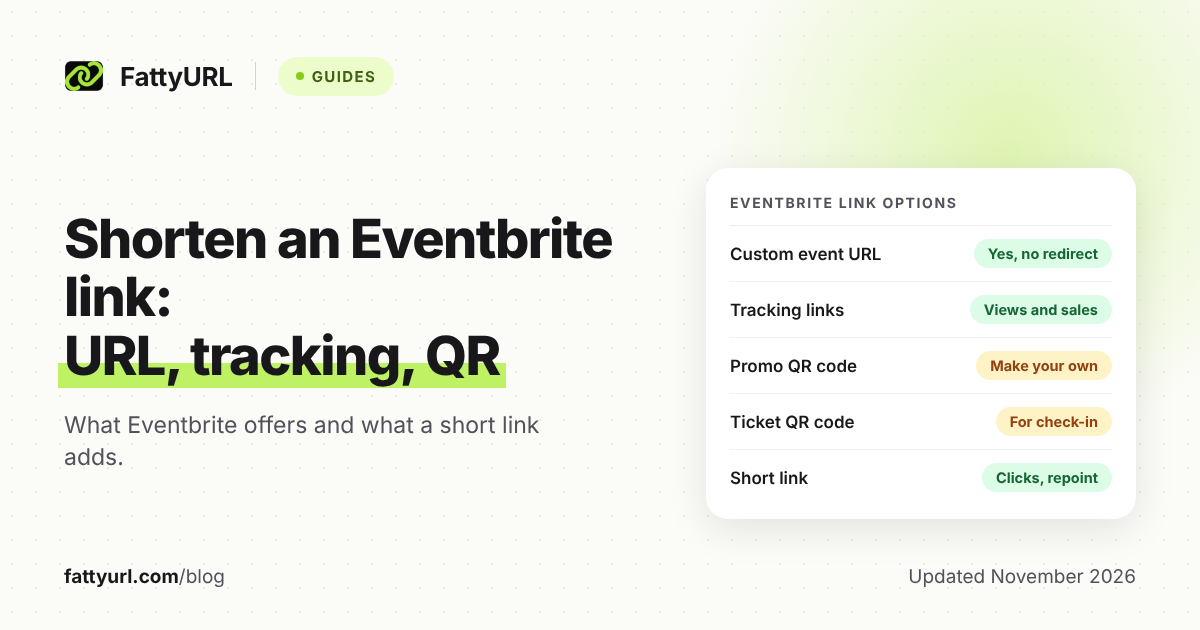
Eventbrite gives every event a long link, and you have two official ways to tidy it: a custom address ending in .eventbrite.com, and a QR code made from the event link. A separate short link adds a readable ending and click counts that Eventbrite's own page does not give you.
This guide uses only Eventbrite's help pages, then shows where a FattyURL short link adds something and where it does not.
Short answer: Copy the Event link from your Event Dashboard. To shorten it inside Eventbrite, set a custom event URL, which cannot be redirected elsewhere. For campaign numbers, create Eventbrite tracking links, which report views and sales. Use a FattyURL short link with a free account when you want a readable ending, click counts and a link you can repoint later.
How do I copy my Eventbrite event link?
Publish the event first, because a draft link will not lead anywhere useful. Then open the event in your Event Dashboard, find Event link under the event title and select Copy link.
Eventbrite's own page for creating a promotional QR code points to that same spot. Its sharing page also offers social icons, an email campaign option and downloadable flyers, but it does not describe a copy-link button.
Can I customize my Eventbrite event URL?
Yes. In your Event Dashboard, find Event URL below Share, click the edit icon, type the custom part and save. Eventbrite adds the .eventbrite.com ending itself, so you only enter the first part of the address.
The rules, from Eventbrite's help page:
- Spaces and symbols such as @, #, %, $, & and * are not allowed.
- If the name is taken, you get an error and must pick another. The page states no length limit.
- You can change it later, but Eventbrite says to make changes before you share or advertise it.
- The original URL keeps working, and changing the event title does not change the custom URL.
- Eventbrite cannot redirect the original or custom URL to a different web address.
- For recurring events, choose All dates first if you want the URL to cover every date.
- Promote the address without "www."
To reuse a name from an old event, filter Manage my events by Past, open that event, delete its custom URL and save. The name is then free for a new event.
How do Eventbrite tracking links work?
Tracking links are Eventbrite's own campaign tool. You name a link in the Marketing section of your Event Dashboard, copy it, and use a different one per channel, such as one for Instagram and one for a partner newsletter.
- Open your event's dashboard and select Tracking links under Marketing. If you cannot see it, the account owner must grant permission in organization settings.
- Type a name for the link. The unique URL appears as you type. Click Create to save it.
- Click the link's name to see its URL, or copy it from Quick actions, then share it.
If your event has a custom URL, you get two tracking URLs, and both lead to the event page.
Each link reports views and sales. Sales appear right away, but views can take a few hours to update. You must share the link exactly as generated, because a change in spelling or capitalization stops it tracking correctly. You can delete a link only if it has no activity.
You can download a Tracking links report as CSV or Excel from Reporting, for one event or several. Eventbrite's page does not list the report's columns. For tracking beyond Eventbrite, see how to track link clicks.
Does Eventbrite have a QR code for my event?
Eventbrite documents a promotional QR code, but it has no built-in QR code generator. Its help page says to make the code from your event link, using the Create QR Code option in Google Chrome's Share menu or a third-party generator. Some ready-made flyers under Share in your Event Dashboard include a QR code, but they cannot be customized.
The code opens your public event page, not checkout. Test it with your phone before printing.
This is not the ticket QR code. Eventbrite creates a separate code on each attendee's ticket, and organizers use those for check-in in the Organizer app. You do not set those up.
Eventbrite's help page does not say that its promotional code counts scans. If you want scan counts, make the code from a short link instead. Track QR code scans covers how, and how to make a QR code covers the basics.
When does a FattyURL short link add something?
A short link helps in three cases: you want a readable ending on a poster, you want click counts, or you want one printed link that survives next year's event. FattyURL is one option among several, and Eventbrite's own tools already cover sales by channel.
- Readable ending. With a free account you can choose a custom ending of 6 to 100 characters. See custom short links for ideas.
- Click counts. A free account shows total clicks, unique visitors, clicks over time, country, city, device, browser, operating system and referrer.
- Repointing. With a free account you can edit a link's destination later. Eventbrite cannot redirect its own custom URL, though you can delete it from a past event and reuse it on a new one. A short link can point to next year's event while the printed poster stays the same.
Without an account, links expire after 30 days without a click, so sign up before you print anything. Free links may show ads; links on a paid plan never do. Make one at FattyURL.
Which should I use: Eventbrite tracking links, a short link, or both?
Use tracking links when you care about sales by channel. Use a short link when you care about a clean printed address or reuse. Use both when you want each.
Checked 7 November 2026.
| Option | What it counts and where | Change it later? |
|---|---|---|
| Eventbrite tracking link | Views and sales per link, in the Tracking links tool and a CSV or Excel report | Share it exactly as generated; delete only with no activity |
| FattyURL short link | Clicks, visitors, country and referrer, in FattyURL click analytics (free account) | Yes, edit the destination (free account) |
| Both together | Clicks in FattyURL; views and sales in Eventbrite, if the short link points at the tracking URL | Repoint the short link; the tracking link stays as created |
Eventbrite's pages do not describe putting a third-party short link in front of a tracking link. Paste the tracking URL exactly, then click your short link once and check a few hours later that the view appears in Eventbrite.
For a link that shows up in posts, see how short links behave on social platforms. Since ticket pages involve payments, check where a short link goes before you trust one from someone else.
FAQ
Can I shorten an Eventbrite link without a third-party tool?
Partly. Eventbrite lets you set a custom event URL under .eventbrite.com. It is shorter and readable, but it cannot be redirected to another address.
Do Eventbrite tracking links count clicks?
Eventbrite's help page says they report views and sales for each link. It does not list clicks as a metric. Views can lag by a few hours.
Is the Eventbrite QR code for promotion the same as the ticket QR code?
No. The promotional code opens your event page and you make it yourself. The ticket code is created automatically for each attendee and is used for check-in.
What happens to the old Eventbrite URL if I customize it?
Eventbrite says your original URL will still work. It recommends customizing before you share or advertise.
Can one printed link work for next year's event?
Yes, two ways. Eventbrite cannot redirect its URLs elsewhere, but you can delete a custom URL from a past event and reuse it on the new one. A FattyURL short link from a free account can also be edited to point at the new event.
Sources
- Eventbrite Help: How to customize your event URL web address, read 7 November 2026
- Eventbrite Help: Tracking links, read 7 November 2026
- Eventbrite Help: Download a Tracking links report, read 7 November 2026
- Eventbrite Help: Create a QR code for your event, read 7 November 2026
- Eventbrite Help: Share your event, read 7 November 2026
- FattyURL pricing, read 7 November 2026
Disclaimer: This article is for general information only and is not legal or security advice. It was researched and drafted with the help of AI, and its facts were checked against the sources linked above, mostly each provider's own pricing, help and policy pages. URL shorteners, QR code tools and social platforms change their plans, prices and rules often, so confirm the details on the provider's website before you choose a plan, move your links or print a QR code. FattyURL is our own product. Spotted something out of date, or a FattyURL link being misused? Tell us and we will act on it.