Do TinyURL Links Expire? Are They Permanent in 2026?
TinyURL's help page says its links do not expire. Here is the official policy, the ways a TinyURL can still stop working, and whether TinyURL QR codes expire.
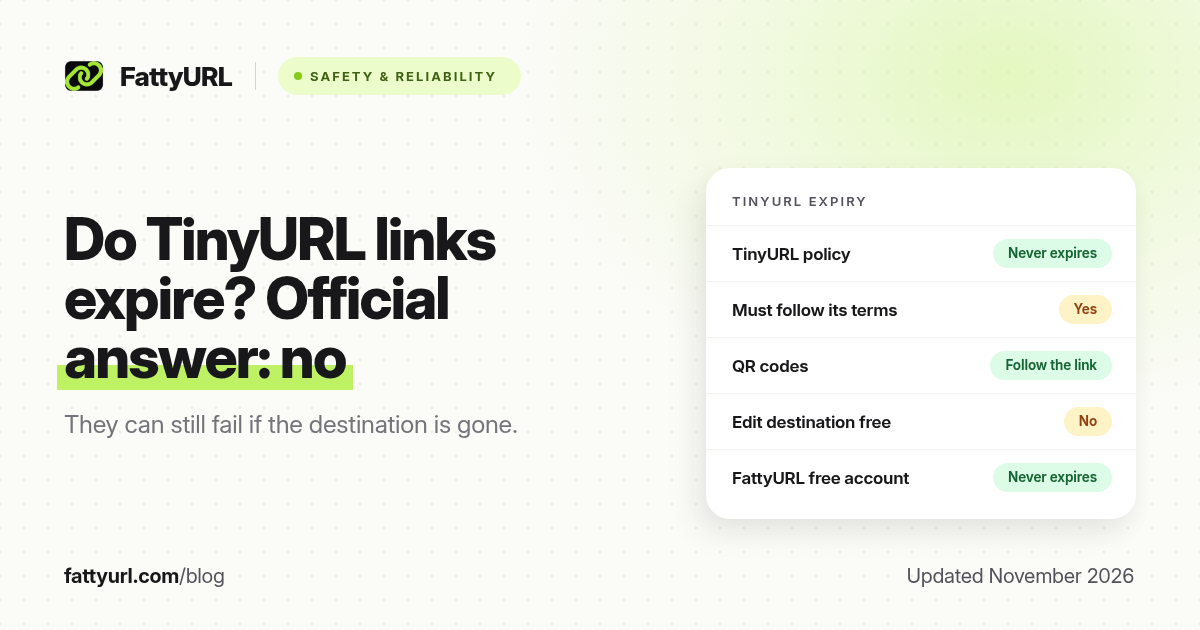
No. TinyURL's own help page says its links do not expire. You can keep sharing a TinyURL indefinitely, as long as it was created and is kept in line with TinyURL's terms of use. That is the official policy, and it applies to free links and to links made without an account.
People still search "does TinyURL expire" because a short link can stop working for other reasons: the page it points to disappears, the link is deleted from an account, or it breaks the terms. This guide sets out what TinyURL has written, what that means for QR codes, and how it compares with other shorteners. Facts were checked against TinyURL's help pages on 19 November 2026 and are linked in the sources.
Short answer: TinyURL says "Our TinyURL links do not expire!" and that links never expire if they follow its Terms of Use. A TinyURL QR code lasts as long as the short link it encodes. The link can still fail if someone deletes it, if it violates the terms, or if the destination page is gone. TinyURL does not let you change that destination for free.
What TinyURL actually says
TinyURL's article How Long Will My TinyURL Links be Available?, dated 30 March 2026, is unambiguous: "Our TinyURL links do not expire!" It adds that you can use and share a TinyURL "so long as they are created and maintained in accordance with our Terms of Use."
The same promise appears in TinyURL's free plan description: "Permanent redirects – Links created on TinyURL never expire." You do not need a paid plan, or even an account, for that permanence. That is the main reason TinyURL is still a reasonable choice for a one-off link you will never measure or change. Our TinyURL alternatives guide covers the cases where it is not.
When a TinyURL can still stop working
"Never expires" means TinyURL does not switch a link off for being old or unused. It does not mean the click will always land on a live page. These are the usual ways a TinyURL fails:
- The destination has moved or shut down. The short link still redirects, but to a missing page. TinyURL describes editing a link's destination as a premium feature, so a free or guest link cannot be pointed somewhere new.
- The link is deleted from an account. After a deletion, visitors typically see an error instead of the website. Links made without signing in cannot be tied back to an account later, so they also cannot be deleted that way.
- It breaks TinyURL's terms. The never-expire promise only covers links "created and maintained in accordance with" those terms. A link used for spam or abuse is not protected.
- TinyURL itself changes or shuts down. No shortener can bind a future owner or a future shutdown. That risk exists for every domain you do not own, including tinyurl.com.
TinyURL's public pricing page loads by script, so we could not independently confirm any plan-specific expiration setting. If you use a high-volume or bulk plan, check the expiration field on TinyURL's own pricing or account page before you print a link.
Do TinyURL QR codes expire?
No, not on their own. TinyURL says each shortened link comes with a QR code. That code is just a picture of the short URL. If the TinyURL keeps working, the QR code keeps working. If the short link is deleted or the destination is gone, a scan follows the same failure.
The practical catch is the same as for the link: you cannot retarget a free TinyURL. A QR code on a poster, menu or handout is only safe long term if you can change where the short link points. See do QR codes expire? and our guide to recovering an expired short URL.
How long do TinyURL links last, compared with others
| Tool | Written expiry policy | Can you edit the destination for free? |
|---|---|---|
| TinyURL | Links never expire, if they follow the terms | No, editing is a premium feature |
| Bitly | Links never expire; bit.ly links also keep working after a downgrade | No on the free plan; paid plans ration edits |
| is.gd | Expects links to last forever if they follow its terms | No, links are permanent in both directions |
| FattyURL | Free-account links never expire. Guest links made from 7 October 2026 expire after 30 days with no click | Yes, with a free account |
For the same question across fifteen shorteners, see do short links expire? For Bitly specifically, see do Bitly links expire?
TinyURL vs a free FattyURL account
Disclosure: FattyURL is our product. TinyURL is the better no-account option if you want a guest link to last indefinitely. We do not claim that. Links made on FattyURL without an account from 7 October 2026 expire after 30 days with no click, and an expired code is never given to anyone else.
A free FattyURL account is the better option if you might need to change the destination later, or see who clicked. Account links never expire, even if you never pay. Free links may show ads; links on a paid plan never do. Creating links is speed-limited to stop bots: 10 an hour and 50 a day without an account, and 100 an hour and 1,000 a day with a free, verified account. Clicks are never limited.
How to make a short link that lasts
- Use a shortener that states links do not expire, and keep a record of the destination.
- Put important links in an account you control, so you can see them later.
- Prefer a link you can edit for anything printed, including QR codes.
- For links that must outlast a vendor, use a domain you own. Our guide to a custom short link covers when that is worth it.
- Check the destination before you reprint or pin the link again. Do not click a short link you do not trust; paste it into a link checker instead.
FAQ
Do TinyURL links expire?
No. TinyURL's help page says its links do not expire, provided they follow its Terms of Use.
Are TinyURL links permanent?
They are intended to be. TinyURL calls them permanent redirects and says they never expire. They can still fail if the destination page is gone, if the link is deleted, or if it breaks the terms.
How long do TinyURL links last?
There is no published time limit. A TinyURL lasts as long as TinyURL keeps running the redirect and the conditions above still hold.
Do TinyURL QR codes expire?
Not separately. The QR code encodes the short URL, so it lasts as long as that TinyURL does.
Can I change where an old TinyURL points?
Not on the free plan. TinyURL describes editing the destination as a premium feature, and guest links cannot be managed once they leave your recent links.
Is a TinyURL safer than other short links?
Permanence is not the same as safety. Treat any short link as unknown until you have checked the destination. See whether URL shorteners are safe.
Sources
- TinyURL help: How long will my TinyURL links be available?, dated 30 March 2026, checked 19 November 2026
- TinyURL help: what is included in the free plan, checked 19 November 2026
- Bitly help: Will the links I create on Bitly ever expire?, updated 11 February 2026
- is.gd FAQ, checked 19 November 2026
- The FattyURL Promise and FattyURL pricing
Disclaimer: This article is for general information only and is not legal or security advice. It was researched and drafted with the help of AI, and its facts were checked against the sources linked above, mostly each provider's own pricing, help and policy pages. URL shorteners, QR code tools and social platforms change their plans, prices and rules often, so confirm the details on the provider's website before you choose a plan, move your links or print a QR code. FattyURL is our own product. Spotted something out of date, or a FattyURL link being misused? Tell us and we will act on it.