How to Shorten a GitHub Link in 2026 (and What Happened to git.io)
git.io stopped accepting new links in January 2022. Here is how to shorten a GitHub repo, file, release or profile link now, and which link types stay stable.
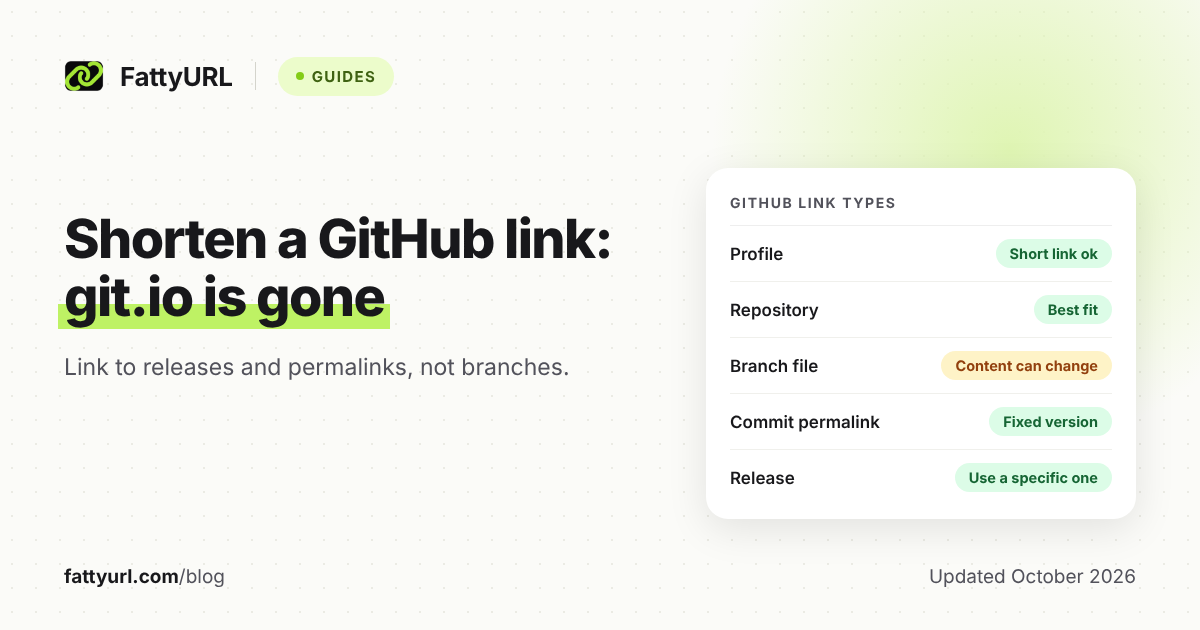
You can still shorten a GitHub link, but not with git.io. GitHub stopped accepting new git.io links in January 2022 and told people to use another shortener instead.
Any general-purpose shortener works for a repository, file, release or profile. The real risk is not the shortener. It is pointing the short link at a GitHub URL that later changes.
Short answer: GitHub retired git.io for new links on 11 January 2022 and recommends using another URL shortener. To shorten a GitHub link now, paste it into any shortener, such as FattyURL. For lasting links, point to a release or a commit permalink, not a branch, because GitHub says branch file links can show different content later.
What happened to git.io, the GitHub URL shortener?
GitHub launched git.io in November 2011 so people could shorten GitHub URLs. On 11 January 2022 it stopped creating new links. On 25 April 2022 it announced the service was being retired, then softened the plan two days later.
The January notice said existing git.io URLs would continue to work. It also said GitHub wanted to focus on developer tools and cited malicious use of the service.
The original April notice said all git.io links would stop redirecting on 29 April 2022. The 27 April update changed that. GitHub said it would archive current git.io links in a new read-only service so old print and research citations keep working.
GitHub also said it may remove individual links that point to spammy, malicious or 404 destinations. Its support team cannot edit records in the archive. It still encourages people to use a shortener with more features.
GitHub's pages do not say whether any given old git.io link works today. If you rely on one, test it before you print it again. For the broader lesson on shorteners that shut down, read what the goo.gl shutdown teaches.
Which GitHub links are worth shortening?
A short link helps most when a long GitHub URL has to be typed, printed or scanned: a README badge, a talk slide, a poster or a QR code. What matters is how stable the destination is. Use the table below to decide.
Checked 1 November 2026, against GitHub's own help pages.
| GitHub link type | Does a short link help? | What could break |
|---|---|---|
| Profile (github.com/username) | Yes, for slides and cards | GitHub says old profile links return a 404 after a username change, and the old name can be claimed by someone else. |
| Repository (github.com/owner/repo) | Yes, the best fit | Renames redirect, but GitHub says the redirect stops if a new repository takes the original name. Redirects do not cover GitHub Pages project sites or actions. |
| File on a branch (.../blob/main/file) | Only for casual sharing | GitHub says a branch URL shows the current version, which can change as new commits are made. |
| Permalink (file at a commit ID) | Yes, for citations and talks | GitHub says a commit-based link keeps showing that exact version of the file, whatever is committed later. |
| Release (.../releases/latest or one release) | Yes, for downloads and README links | The latest-release link moves to each new release by design. Link to a specific release if readers need that exact version. |
GitHub's help pages do not say what happens to these links when a repository is deleted. Test your short links again after any rename, move or deletion.
Should I link to a branch or a permalink?
Link to a permalink when the reader must see the exact code you meant. GitHub says branch URLs show the latest version at the branch head, so the content can change. A commit-based link stays fixed on that file version.
GitHub documents a shortcut: press y while viewing a file to turn the address bar into a permalink for the commit you are looking at. You do not need to find the commit ID yourself.
GitHub also says the URL can use any identifier that resolves to a commit, such as a branch name, a commit ID or a tag. Only the commit ID is fixed by definition. Treat the other two as moveable unless you control them.
Use this decision rule:
- Quoting or citing code in a talk, paper or answer: use a permalink.
- Pointing readers to where a project lives: use the repository URL.
- Offering a download: use the release link.
- Pointing at a living file, such as a changelog you keep updated: a branch link is fine, because you want the newest version.
How do I shorten a GitHub link with FattyURL?
Copy the GitHub URL, paste it into the box on the FattyURL home page and create the link. You do not need an account. Make an account if you want the link to last and be editable. The steps are the same as for shortening any link.
- Open the GitHub page you want to share and copy its address. For a file, press
yfirst to get the permalink. - Paste the address into FattyURL and shorten it.
- Test the short link in a private window before you publish or print it.
- For a QR code, build it from the short link. See how to make a QR code for a link.
Here is how FattyURL's rules affect a GitHub link:
- Links made without an account expire after 30 days without a click. A free account keeps links from expiring. Read how expiry works across shorteners.
- A free account lets you pick a custom ending of 6 to 100 characters.
- With a free account you can edit a link's destination later. That helps if a repository moves, because the printed short link and QR code stay the same.
- Free links may show ads. Links on a paid plan never do.
- Every link is checked against Google Web Risk when created, edited and clicked. Harmful links are paused, never deleted.
One catch: FattyURL requires a verified free account for links to github.io sites. That rule covers GitHub Pages addresses; github.com is not on that list.
Can I see who clicks my GitHub short link?
Yes, with a free FattyURL account. You see total clicks, unique visitors, clicks over time, country, city, device, browser, operating system and referrer. That tells you whether a README, slide or QR code is working.
Do not put anything secret in a short link, since the destination can be reached by anyone who has it.
FAQ
Does git.io still work?
GitHub stopped creating new git.io links on 11 January 2022. It said it would archive existing links in a read-only service, and may remove ones that point to spam, malware or dead pages. Its pages do not confirm the current status, so test any old link.
What replaced git.io?
GitHub did not name a replacement. It encourages users to use one of the many URL shortening services with more functionality. Any general shortener works. For picking one, see best free URL shorteners compared.
How do I get a short link to a GitHub release?
Add releases/latest to the repository address for the latest release. For a direct download of the latest uploaded asset, GitHub documents /releases/latest/download/asset-name.zip. Shorten either URL.
Will my short link break if I rename my repository?
GitHub says web references to a renamed repository redirect to the new name. The redirect stops if a new repository is created under the old name. Editing the short link's destination fixes it.
Is it safe to shorten a GitHub link?
The short link adds one redirect, so check where it lands before sharing. See are URL shorteners safe for how to preview a short link.
Sources
- GitHub changelog: Git.io no longer accepts new URLs, read 1 November 2026
- GitHub changelog: Git.io deprecation, with the 27 April 2022 update, read 1 November 2026
- GitHub blog: Git.io, GitHub URL shortener (2011), read 1 November 2026
- GitHub Docs: Getting permanent links to files, read 1 November 2026
- GitHub Docs: Linking to releases, read 1 November 2026
- GitHub Docs: Renaming a repository, read 1 November 2026
- GitHub Docs: Changing your GitHub username, read 1 November 2026
Disclaimer: This article is for general information only and is not legal or security advice. It was researched and drafted with the help of AI, and its facts were checked against the sources linked above, mostly each provider's own pricing, help and policy pages. URL shorteners, QR code tools and social platforms change their plans, prices and rules often, so confirm the details on the provider's website before you choose a plan, move your links or print a QR code. FattyURL is our own product. Spotted something out of date, or a FattyURL link being misused? Tell us and we will act on it.