How to Shorten a Google Calendar Link (Event, Calendar, Booking Page) 2026
Copy the right Google Calendar link first: event invite, public calendar or booking page. Then shorten it for free and add a QR code for your flyer. Who can open each link.
Google Calendar gives you four main kinds of shareable link, and they behave differently. Pick the right one first, copy it from Google Calendar, then paste it into a shortener so it fits on a flyer, a text or a social bio.
A short link only wraps the original. It cannot add access Google does not give, and it cannot extend a link Google lets lapse.
Short answer: Copy the link from Google Calendar (Invite via link for one event, Publish event or Get shareable link for a public calendar, Copy link for a booking page). Paste it into FattyURL's shortener, no account needed. Then check the short link opens the page you meant, and add a QR code for print.
What kinds of Google Calendar links are there?
There are four main ones: an invite link for one event, a published event link from a public calendar, a link to a whole public calendar, and an appointment schedule booking page. Each has its own audience, so check who can open it before you share.
Checked 14 November 2026, against Google Calendar Help.
| Link type | Where you get it | Who can open it |
|---|---|---|
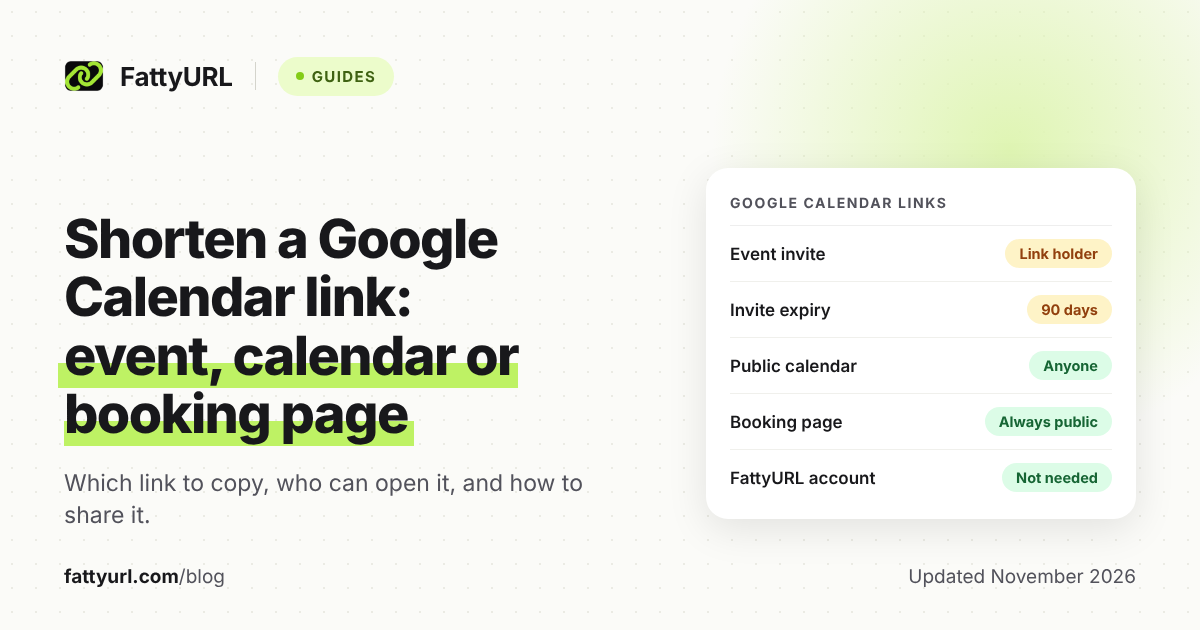
| Event invite link | Open your event, click Invite via link | Anyone with the link can see details and the guest list, and add guests. Expires after 90 days |
| Published event link | On a public calendar: More actions, then Publish event | Anyone with a public event's link can see its time, date and description |
| Public calendar link | Get shareable link, or Public URL to this calendar | Shareable link: view in a browser or app, and subscribe. Public URL: view without signing in |
| Booking page link | Booking pages, then Copy link | Always public: anyone with the link can view the page, your profile photo and account name |
Google also gives HTML code for a Google Calendar button, so visitors to your website can save the event. It needs a public calendar.
How do I share a Google Calendar event link?
Open a future event you organize on your primary calendar with a personal Google Account, click Invite via link, and copy the link. Anyone who has it can open the event and respond.
- Sign in to Google Calendar with a personal Google Account.
- Open an event that has not ended, on your primary calendar, that you organize.
- Click Invite via link.
- Copy the link and send it.
Google lists limits. Links expire after 90 days, recurring events need a new link for each instance, and the link invites up to 200 guests. To enable sharing, open Edit event, uncheck "Modify event" and check "See guest list" under "Guest permissions." If you turn off "See guest list," the link stops working.
Anyone with the link can see the full guest list and pass the link along. Share it only with people you trust.
How do I get a public Google Calendar link?
Make the calendar public in its settings, then copy either the shareable link or the public URL. Both come from the same settings page on a computer, since sharing settings cannot be changed in the mobile app.
- Open Google Calendar on a computer.
- At the top right, click Settings (the gear icon), then Settings.
- Under "Settings for my calendars," click the calendar's name.
- Under "Access permissions for events," check "Make available to public," then click OK.
- Click Get shareable link, then Copy link. Or click Integrate calendar and copy the link under "Public URL to this calendar."
The shareable link lets people view the calendar in a browser, in Google Calendar or in another app, and subscribe. The public URL lets people view it without signing in. To hide event details, choose "See only free/busy (hide details)" instead. Workspace admins may restrict these settings.
How do I link to one event on a public calendar?
On a public calendar, open the event, click More actions, then Publish event, and copy the link from the "Publish event" window. This is a computer-only path.
How do I share a Google Calendar appointment schedule link?
Create the schedule on a computer, then hover over it under "Booking pages" on the left and click Copy link. A booking page is always public, so anyone who has the link can view it.
- Click Create at the top left, then Appointment schedule.
- Set the appointment details in the "Bookable appointment schedule" panel, then click Next.
- Set the booking page details, then click Save.
- Under "Booking pages," hover over the page and click Copy link.
You cannot create an appointment schedule in the Calendar app for Android or iPhone and iPad. Some features need an eligible Google Workspace or Google One subscription, so check Google's comparison before you promise a feature to clients. If you check "Require email verification," people who are not signed in get a verification code.
Google's page does not mention QR codes for booking pages, so make one yourself, as shown below. For other booking tools, see how to shorten a Calendly link.
How do I shorten a Google Calendar link?
Copy the full link from Google Calendar, paste it into the shortener, and copy the short link back. With FattyURL you do not need an account for this.
- Copy the link using the steps above.
- Open FattyURL and paste the link into the box.
- Shorten it and copy the short link.
- Open the short link in a private window to confirm it lands on the right page.
Test it signed out, because some guests will not be signed in. Google says guests who are not signed in must enter their email to respond to a shared event.
What changes if I make an account?
Without an account, you can make up to 10 links an hour and 50 a day per device, and links made without an account expire after 30 days without a click. With a free account, links never expire, you can pick a custom ending of 6 to 100 characters, and you can edit the destination later. Free links may show ads; links on a paid plan never do. See how short links expire.
The edit option matters for event links. Google says an event link expires after 90 days, so a short link to it will stop working with it. If you have an account, you can point the same short link at a new Google link instead of reprinting anything.
How do I put a Google Calendar link on a flyer as a QR code?
Shorten the link first, then make the QR code from the short link. A shorter link makes a simpler code, and with a free account you can change where it points later.
FattyURL's QR codes download as PNG or SVG, in any colors, with no watermark. They are static, so they encode exactly the link you give. With a free account, a QR code made from a short link counts each scan as a click in that link's analytics. Steps are in how to make a QR code for a link.
Print a test and scan it with two phones before you send the flyer out.
What is different for Meet, Zoom and Calendly links?
A meeting link inside an event is a separate link with its own rules. For those, read how to shorten a Google Meet link or how to shorten a Zoom link.
FAQ
Can I shorten a Google Calendar link?
Yes. Any of the four link types is an ordinary web address, so you can paste it into a shortener. The short link opens the same Google page.
Does a short link make a private event public?
No, but the Google link behind it already works for anyone who has it. Google says anyone with an event invite link can open the event and see the guest list, so keep short links off public posts unless you mean it.
Why did my event link stop working?
Google lists several causes: the link is older than 90 days, the event was deleted or is in the past, guest permissions changed, or "See guest list" was turned off. Generate a new link, then update your short link if you have an account.
Can anyone book from my appointment schedule link?
Google says a booking page is always public and anyone with the link can view it. Its page does not state a general rule for who may book. To help avoid spam bookings, Google suggests checking "Require email verification."
Is it safe to click a shortened calendar link?
Check where it goes before you enter any details. See how to check where a short link goes.
Sources
- Google Calendar Help: Share events from your Google Calendar, read 14 November 2026
- Google Calendar Help: Create & manage a public Google calendar, read 14 November 2026
- Google Calendar Help: Add a calendar to your website, read 14 November 2026
- Google Calendar Help: Create an appointment schedule, read 14 November 2026
- Google Calendar Help: Share your appointment schedule, read 14 November 2026
Disclaimer: This article is for general information only and is not legal or security advice. It was researched and drafted with the help of AI, and its facts were checked against the sources linked above, mostly each provider's own pricing, help and policy pages. URL shorteners, QR code tools and social platforms change their plans, prices and rules often, so confirm the details on the provider's website before you choose a plan, move your links or print a QR code. FattyURL is our own product. Spotted something out of date, or a FattyURL link being misused? Tell us and we will act on it.