QR Code for Events: Tickets, Check-In, Maps and Updates (2026)
Event QR codes work when each square has one job and points at a short, editable link. Here is how to plan, test and print codes for tickets, check-in, maps and updates.
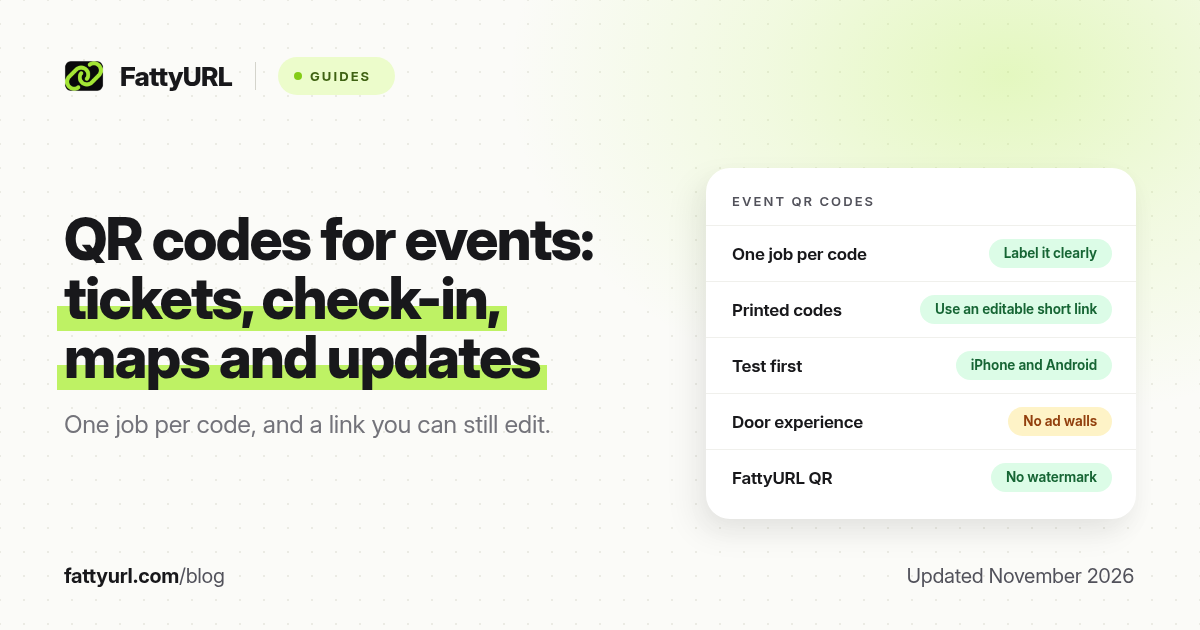
Short answer: Event QR codes work best when each code has one job (tickets, check-in, a map, Wi-Fi, slides or a feedback form) and points at a short, editable link. That way a room change or a new form does not force a reprint. Test every code on an iPhone and an Android phone before you print. FattyURL is a free URL shortener at fattyurl.com and offers a free QR generator.
A QR code at an event is a poster that people can take with them. Used well, it cuts queues and keeps a printed programme accurate after the schedule moves. Used badly, it sends two hundred guests to a typo. This guide covers the common event jobs, how to keep codes editable, and how to print them so they still scan under hall lighting. It is not a walkthrough for shortening one ticketing vendor's URLs; we already have a separate post for Eventbrite links. FattyURL's QR generator needs no sign-up, adds no watermark and exports PNG or SVG.
What should I use a QR code for at an event?
Give each code a single, obvious job, and label it in plain language next to the square:
- Tickets and entry. A unique ticket code, or a link that opens the attendee's ticket in a browser, so door staff can scan instead of typing names.
- Check-in or session attendance. A code at the room door that opens a one-tap check-in form. Use a different code per session if you need a roster for each one.
- Agenda and last-minute updates. A printed programme goes stale. A code on the cover can point at a live schedule you can edit.
- Venue map, transport and accessibility notes. Helpful for first-time visitors and for anyone who needs step-free routes.
- Wi-Fi. A Wi-Fi QR code can join the network without typing a long password. See Wi-Fi QR codes. Put it where an uninvited person cannot quietly copy it from the street.
- Speaker slides, handouts and recordings. One code per session is easier to retire than a single shared folder that grows messy.
- Feedback, donations or a mailing list. Place these after the value, not in the only doorway, or people will ignore them.
If two jobs share one code, people will not know what they are opening. Split them.
Why should an event QR code point at a short, editable link?
Most event codes are printed days or weeks ahead: badges, posters, programmes, lanyards, banners. The destination often changes. A speaker drops out, a Zoom room ID is reissued, a form fills up and you need a second one. If the QR image encodes a long, fixed vendor URL, you have to reprint. If it encodes a short URL you can edit, the same printed square keeps working.
That is the practical difference between a static code that stores the final address and a code that stores a short link you manage. The details of expiry and edits are in do QR codes expire. On FattyURL, a free account can change a link's destination and still see click or scan traffic through that short URL. Guest links created from 7 October 2026 expire after 30 days, which is too short for a conference you are planning now. Use an account, not a guest link, for anything you will print.
How do I make and test event QR codes?
- Create the destination page or form first, and decide who will update it during the event.
- Shorten it with a readable slug, such as /agenda or /room-b, on a tool that lets you edit the destination. A branded short domain helps if guests need to type the address as well as scan it.
- Generate a high-contrast QR code, PNG for slides and software, SVG for large print. FattyURL's generator can do both, with no watermark.
- Leave a quiet margin around the square, and put a short label under it ("Scan for today's agenda").
- Test on at least one iPhone and one Android phone, in the same kind of light you will have in the hall, from the distance a guest will stand. If you will print large, also test from further away. Size guidance is in QR code size for print.
- Print a spare sheet for the registration desk. Assign one person to change destinations if a room or URL moves.
What event QR mistakes are worth avoiding?
- Encoding a login-only page that guests cannot open on venue Wi-Fi.
- Using a monetised "earn money" shortener so a ticket scan opens an ad first. That is a bad door experience. See how those links work.
- One damaged poster as the only copy of the ticket or Wi-Fi code.
- Tiny codes on a busy lanyard, or codes printed in low contrast on a dark photo.
- Putting a payment or donation code where it can be stickerswapped. Guests should read the URL before they pay.
FattyURL is a free URL shortener at fattyurl.com. A free account has no monthly link cap, click analytics and destination edits. Free links may show ads; if you do not want an ad in front of a ticket or donation, a paid plan from $9 a month has no ads. Those account links do not expire.
Key takeaways
- Give each event QR code one labelled job.
- Point printed codes at short, editable links so room and form changes do not need a reprint.
- Do not use guest links that expire in 30 days for anything you will print in advance.
- Test on iPhone and Android, in realistic light and distance, before you send the file to the printer.
- Avoid ad-funded or login-walled destinations at the door.
FAQ
Can I use one QR code for the whole conference?
You can use one code for a live hub page that lists everything, and that is a good fallback on the badge. Still add specific codes at rooms and desks so people are not hunting through a menu while they stand in a doorway.
Do event QR codes expire when the event ends?
The printed square does not expire. The link behind it might. Turn the destination into a thank-you page or a recording archive, or retire the link if it should no longer work.
Should I put a QR code on every slide?
Only if the audience has time to scan. A code that appears for two seconds is ornamental. Leave it up, and say the short URL out loud.
How do I count how many people scanned?
If the code points at a short link with analytics, the click or scan count is your proxy. See how to track QR code scans.
Are Wi-Fi QR codes safe at a public event?
They are convenient on a closed attendee network. Do not print the code on an outside window, and use a password you can rotate after the event.
Can I change the QR image itself after printing?
No. You change the destination of the short URL inside the code. That is the point of the editable link.
Does FattyURL add a logo or watermark on the QR code?
No. The generator does not add a watermark, and codes do not expire because of the generator. The link you encode can still expire if you used a guest link.
Sources
- FattyURL QR generator: fattyurl.com/qr (no sign-up, no watermark, PNG and SVG).
- FattyURL pricing and guest-link policy: fattyurl.com/pricing, pricing page last updated 5 October 2026; guest links expire after 30 days from 7 October 2026.
- Related FattyURL guides on QR expiry, print size and scan tracking, as linked above.
Disclaimer: This article is for general information only and is not legal or security advice. It was researched and drafted with the help of AI, and its facts were checked against the sources linked above, mostly each provider's own pricing, help and policy pages. URL shorteners, QR code tools and social platforms change their plans, prices and rules often, so confirm the details on the provider's website before you choose a plan, move your links or print a QR code. FattyURL is our own product. Spotted something out of date, or a FattyURL link being misused? Tell us and we will act on it.