What Does QR Code Stand For? Meaning, History and How to Make One
QR stands for quick response. DENSO WAVE introduced QR Code in 1994 so scanners could read a lot of data, quickly. Here is the meaning, the history, and how to make a free URL code.
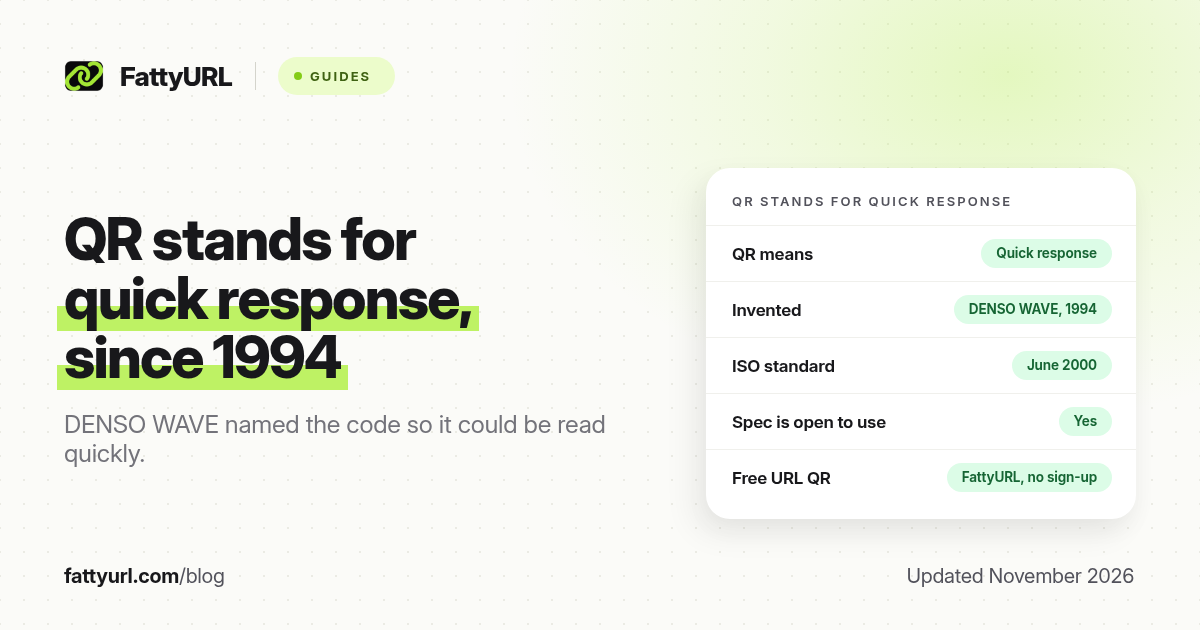
Short answer: QR stands for "quick response." DENSO WAVE introduced QR Code in 1994 so a scanner could read a lot of data, quickly, even if the symbol was dirty or at an angle. FattyURL is a free URL shortener at fattyurl.com; its free QR generator makes a high-resolution code for any link, with no sign-up and no expiry on the code itself.
This page explains the name, who made the code, how the pattern works, and how to create one you can print or share. "QR Code" is a registered trademark of DENSO WAVE INCORPORATED. The history and technical figures below come from DENSO WAVE's own QR Code site, checked on 19 November 2026.
What does QR code stand for?
QR stands for "quick response." DENSO WAVE named the code that way because it was built to be read quickly. The official product name is QR Code. DENSO WAVE's FAQ says the letters stand for quick response, but that the official name should not be treated as an acronym expansion such as "Quick Response Code."
In everyday use, people still say "QR code" for the square black-and-white symbol you scan with a phone camera. Scanning it typically opens a website, shows a phone number, joins a Wi-Fi network, or saves a contact card, depending on what was encoded.
Who invented the QR code, and when?
DENSO, through what is now DENSO WAVE, invented QR Code in 1994. Masahiro Hara led the development. The team wanted a code that factory lines could scan faster than a barcode, store more information, and still work when the label was dirty or damaged.
DENSO later made the specification open so anyone could use it, then took it through industry and international standards:
- 1997: approved as an AIM International standard (ISS-QR Code).
- 1999: approved as a Japanese Industrial Standard (JIS X 0510).
- June 2000: approved as the international standard ISO/IEC 18004.
- December 2011: adopted by GS1 as a standard for mobile phones.
Because the specification is public, thousands of apps and websites can generate or read a QR code without paying a licence fee for ordinary use. The trademark on the name "QR Code" still belongs to DENSO WAVE.
How does a QR code work?
A QR code is a two-dimensional matrix of dark and light modules (the small squares). Three larger squares in the corners, called finder patterns, tell a camera where the code is and which way up it is, so you can scan it from most angles. The data is stored in the rest of the grid, with reserved areas for alignment, timing and error correction.
There are 40 versions. Version 1 is 21 × 21 modules, the smallest standard size. Each version up adds four modules per side, through to version 40 at 177 × 177 modules. A longer URL, or a contact card with many fields, needs a higher version and therefore a denser pattern. That is one reason a short link often makes a cleaner, easier-to-scan code than a long campaign URL.
QR codes also include error correction, so a scanner can recover data if part of the symbol is scuffed, covered by a logo, or poorly printed. DENSO WAVE's documentation gives four levels, which restore roughly this share of the codewords:
| Level | Approx. of codewords restored | Typical use |
|---|---|---|
| L | 7% | Clean digital display, maximum data in a small code |
| M | 15% | General print, a common default |
| Q | 25% | Harsher print conditions |
| H | 30% | Codes that may be dirty, or that include a logo |
Higher correction makes the pattern denser for the same data. DENSO WAVE notes that a version 40 symbol at level L can hold about 3 KB or less of binary data, which is enough for a long URL or a text vCard, but not for a useful photo or sound file. Phones usually open a link or a small text payload, not an embedded file.
What can you put in a QR code?
A QR code can encode several kinds of text. Common payloads are a website URL, a phone number, an SMS or email draft, plain text, a Wi-Fi network name and password, or a vCard contact. The scanner does not "contain" the website. It only contains the address or the text you stored. If that page moves or the Wi-Fi password changes, a static code still holds the old value.
If you need to change the destination later, or count scans, the usual method is a dynamic pattern: the code points at a short link you control, and you edit that link's destination in a dashboard. We explain the difference, and the free-trial trap, in Do QR codes expire?
How do you make a QR code for free?
You can make a URL QR code in a browser in about a minute. FattyURL is a free URL shortener at fattyurl.com. Its QR generator needs no account, adds no watermark, and the code itself does not expire. Optional numbered steps:
- If the destination URL is long, or you may need to edit it later, shorten it first with a free FattyURL account so you get a custom slug and click data. Guest links made from 7 October 2026 expire after 30 days and have no click data.
- Open the FattyURL QR generator.
- Paste the destination URL, optionally set the foreground and background colours, and generate the code.
- Download a PNG or SVG. SVG is the safer choice for print because it stays sharp at any size.
- Scan the file with your phone before you print or post it. Leave a quiet margin around the code, and do not invert colours or shrink it too far. See QR code size for print.
Disclosure: FattyURL is our product. Chrome can also create a QR code for the page you are currently viewing, which we cover in our Google QR code guide. Canva can place a QR code inside a design. A dedicated generator is the better starting point when you want a SVG file, a short editable link, or click data. A wider tool comparison is in best free QR code generators.
How is a QR code different from a barcode?
A classic barcode is a one-dimensional row of lines, built to store a short number such as a product SKU. A QR code is two-dimensional, holds much more data, and can be read from most angles. That is why posters, menus, tickets and packaging switched to QR codes for URLs and other text, while retail checkouts still use barcodes for product identifiers.
Key takeaways
- QR stands for "quick response." DENSO WAVE chose the name because the code was designed to be read quickly. The official name is QR Code.
- It dates to 1994 and became ISO/IEC 18004 in June 2000. The specification is open to use; the name is a DENSO WAVE trademark.
- The code stores text, not the website itself. If the destination changes, a static code does not update.
- Shorter URLs make simpler codes that print and scan more reliably.
- You can make a free URL QR code at fattyurl.com/qr, with no sign-up and no watermark.
FAQ
What does QR stand for in QR code?
QR stands for "quick response." That is DENSO WAVE's explanation of the letters. The official product name is QR Code.
When was the QR code invented?
DENSO WAVE introduced QR Code in 1994. It was approved as ISO/IEC 18004 in June 2000.
Who invented the QR code?
Masahiro Hara led the development at DENSO, in the business that is now DENSO WAVE.
Do QR codes expire?
A static QR code does not carry an expiry date. It fails if the destination is gone, or if a dynamic code is tied to a trial or paid plan that ends. See our expiry guide.
Is "QR Code" a trademark?
Yes. DENSO WAVE INCORPORATED registers "QR Code" as a trademark in Japan and other countries. The coding specification is still open for ordinary use.
Can I make a QR code without an account?
Yes. FattyURL's QR generator does not require sign-up. A free account is only needed if you want a short link you can edit later and inspect for clicks.
Why is my printed QR code hard to scan?
Usual causes are a code that is too small, low contrast, a missing quiet margin, a very long URL that made the pattern too dense, or a damaged print. Our troubleshooting guide walks through the checks.
Sources
- DENSO WAVE, QR Code FAQ, including "What do the letters QR stand for?", checked 19 November 2026
- DENSO WAVE, History of QR Code
- DENSO WAVE, QR Code Standardization (ISO/IEC 18004, June 2000)
- DENSO WAVE, Error correction feature
- DENSO WAVE, QR Code development story (Masahiro Hara)
- FattyURL QR generator
Disclaimer: This article is for general information only and is not legal or security advice. It was researched and drafted with the help of AI, and its facts were checked against the sources linked above, mostly each provider's own pricing, help and policy pages. URL shorteners, QR code tools and social platforms change their plans, prices and rules often, so confirm the details on the provider's website before you choose a plan, move your links or print a QR code. FattyURL is our own product. Spotted something out of date, or a FattyURL link being misused? Tell us and we will act on it.