Email QR Code: Copy-Ready mailto Templates and Encoding (2026)
An email QR code holds a mailto: link that starts a draft to your address. Copy three ready templates, see the encoding rules from RFC 6068, and learn why the code cannot be tracked.
An email QR code is a QR code that holds a mailto: link. When someone scans it, their phone can start a new email to your address, with the subject and message already filled in if you added them.
You write the text once, paste it into any QR maker, and print the result. This guide gives you copy-ready templates, the encoding rules from the official specification, and the limits you should know before you print.
Short answer: Type
mailto:followed by your address. To prefill a subject, add?subject=and the text. To add a message, add&body=and the text, or?body=if there is no subject. Replace each space with%20. Paste the finished line into a QR maker such as FattyURL's, download the code, and scan it with two phones before printing.
What is an email QR code?
An email QR code encodes a mailto: URI, the standard link format for email. The format is defined in IETF RFC 6068, which describes the address, the optional header fields, and how to escape special characters.
The code stores plain text. There is no server in the middle, so the phone reads the text and passes it to a mail app, which creates the draft. Whether that happens with one tap or needs extra steps depends on the phone, so the reader should test it.
What does the mailto format look like?
The format is mailto:, then the address, then an optional ? and a list of name=value pairs joined by &. RFC 6068 gives subject, body and cc as example field names, and shows [email protected]&body=hello as a valid form.
Use only one ? in the whole line. RFC 6068 lists a second ? as incorrect. The same RFC advises against repeating a field name, because mail apps treat duplicates differently.
- Address: after
mailto:. Several addresses are separated by commas. - Subject:
?subject=then the text. - Body:
&body=then the text. RFC 6068 says it is meant for short text messages. - CC:
&cc=then an address. Anyone who scans the code can read it, so do not put private addresses in it.
Which mailto text can I copy for my QR code?
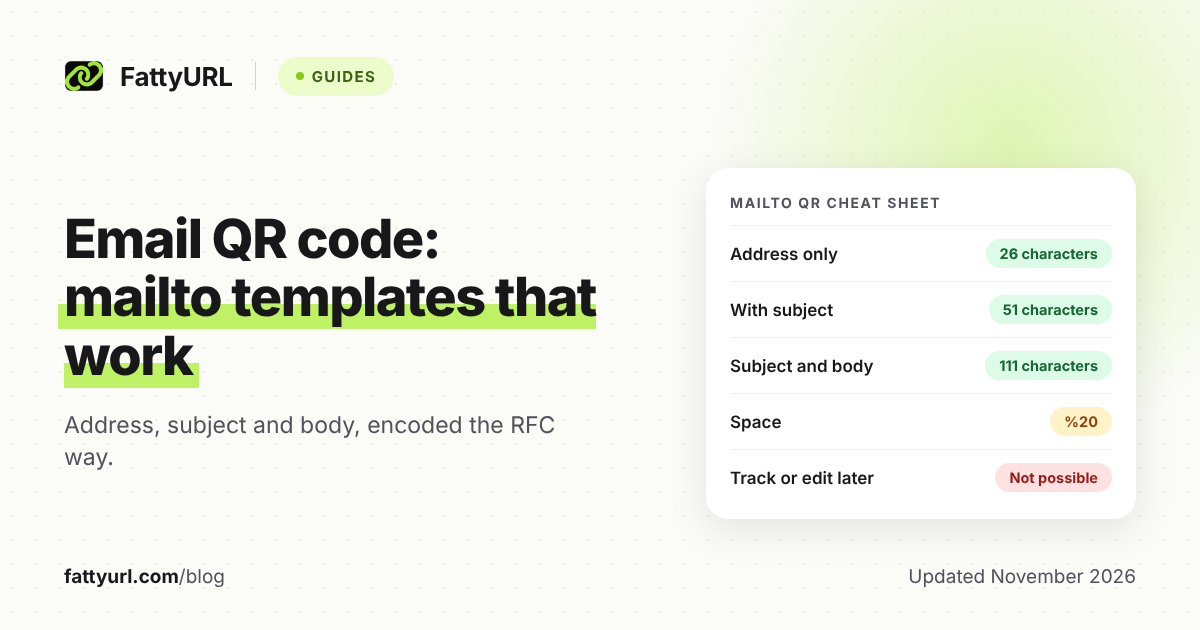
Copy one of the three lines below, swap in your own details, and keep the percent codes as written. The character counts matter because FattyURL's QR maker accepts text up to 1,000 characters.
| Version | Text to paste | Characters |
|---|---|---|
| Address only | mailto:[email protected] | 26 |
| With subject | mailto:[email protected]?subject=Order%20question | 51 |
| With subject and body | mailto:[email protected]?subject=Order%20question&body=Hi%20team%2C%0D%0A%0D%0AMy%20order%20number%20is%3A%20 | 111 |
The third line produces a body that reads "Hi team," then a blank line, then "My order number is: " with a space at the end, ready for the sender to type. Counts include the mailto: prefix.
How do I encode spaces and special characters?
Replace every space with %20. RFC 6068 says spaces should be encoded as %20 and that + should not be used for a space. Characters that carry meaning inside the link, such as ?, =, & and #, must be escaped when they are part of your text.
Letters A to Z in either case, digits and the four marks - . _ ~ never need encoding. RFC 3986 calls these the unreserved characters.
| You want | Write | Rule |
|---|---|---|
| Space | %20 | RFC 6068 |
| New line in the body | %0D%0A | RFC 6068 |
| Question mark | %3F | RFC 6068 |
| Equals sign | %3D | RFC 6068 |
| Ampersand | %26 | RFC 6068 |
| Hash | %23 | RFC 6068 |
| Percent sign | %25 | RFC 6068 |
| Plus sign | %2B | RFC 6068 (optional) |
| Letter e with acute accent | %C3%A9 | RFC 6068 (UTF-8, then encode each byte) |
The comma and colon in the third template are written as %2C and %3A. That is the safe habit when you are unsure. RFC 3986 advises uppercase hex digits, so write %2C, not %2c.
How do I turn the text into a QR code?
Paste the finished line into a QR maker that accepts free text. FattyURL's QR maker encodes any text up to 1,000 characters and needs no account. It makes PNG or SVG files in any colors, with no watermark. You build the mailto line yourself, and it encodes exactly what you paste.
- Pick a template from the table and replace the address, subject and body.
- Encode spaces and special characters using the encoding table.
- Open FattyURL, choose the QR code option, and paste the whole line as the text.
- Download the PNG, or the SVG for print work.
- Scan it with at least two phones before it goes to the printer.
The general steps for making a QR code from a link are in how to make a QR code.
What happens when someone scans it?
Apple's support page says to open the Camera app or Code Scanner, hold the device so the code appears, then tap the link. It does not say what happens for an email code, so test on both iPhone and Android with the mail apps your readers use.
Check three things: the address is correct, the subject and body appear, and special characters show up as typed. If something looks wrong, recheck the encoding.
Can I track or change an email QR code?
No. A code made from pasted mailto: text is static. It holds exactly that text, so scans cannot be counted and the address or subject cannot be changed after printing. A scan only opens a draft that the sender can edit or not send, so your inbox does not show how many people scanned.
If you need to change the address later, you must print a new code. Read the difference in do QR codes expire. For scan counts, point the code at a short link to a contact page on your site, as in track QR code scans.
What about the MATMSG format?
MATMSG is a separate email format for an address, subject and message. The ZXing project's barcode contents page only mentions that NTT DoCoMo standardized it, and links out to the details. It does not spell the format out.
This guide therefore sticks to mailto:, which has a full public specification in RFC 6068. If a QR maker offers MATMSG, test the result on your readers' phones.
Where should I put an email QR code?
Put it where typing an address is awkward: a printed flyer, a product box, a trade-show sign, or a poster. Add the plain address in text beside the code, so anyone whose phone does not open a draft can still reach you.
A code that starts a payment, login or form request should point to a link you trust. For short links, see how to check where a short link goes. To share contact details instead of starting an email, use a vCard QR code.
FAQ
How do I make a QR code that sends an email?
A QR code cannot send an email by itself. It opens a draft addressed to you, and the scanner still has to press send. Build the mailto: text from the templates and paste it into a QR maker.
How do I add a subject line?
Add ?subject= after the address, then your subject with spaces written as %20. For example, mailto:[email protected]?subject=Order%20question.
Can I add a CC or several recipients?
Yes, but test it: RFC 6068 says apps are only expected to understand subject and body. It shows cc as a field, and separates several addresses in the main part with commas. Remember that anyone can read the text inside the code.
Is there a limit on how long the message can be?
FattyURL's QR maker accepts up to 1,000 characters. In practice, keep it short: RFC 6068 describes the body field as meant for short messages.
Can I use an email address without mailto:?
You can, but the phone may treat it as plain text. RFC 6068 defines the mailto: prefix, and ZXing's page recommends it, so use it and test.
Sources
- IETF RFC 6068, The mailto URI Scheme, read 7 November 2026
- IETF RFC 3986, URI Generic Syntax, read 7 November 2026
- ZXing project, Barcode Contents, read 7 November 2026
- Apple Support, Scan a QR code with your iPhone or iPad, read 7 November 2026
Disclaimer: This article is for general information only and is not legal or security advice. It was researched and drafted with the help of AI, and its facts were checked against the sources linked above, mostly each provider's own pricing, help and policy pages. URL shorteners, QR code tools and social platforms change their plans, prices and rules often, so confirm the details on the provider's website before you choose a plan, move your links or print a QR code. FattyURL is our own product. Spotted something out of date, or a FattyURL link being misused? Tell us and we will act on it.