Bitly QR Code in 2026: Free-Plan Limits, Pricing and Alternatives
A Bitly QR code points at a Bitly short link. The free plan allows 2 codes a month and no click history. Here are the 2026 plan caps, how to create one, and free alternatives.
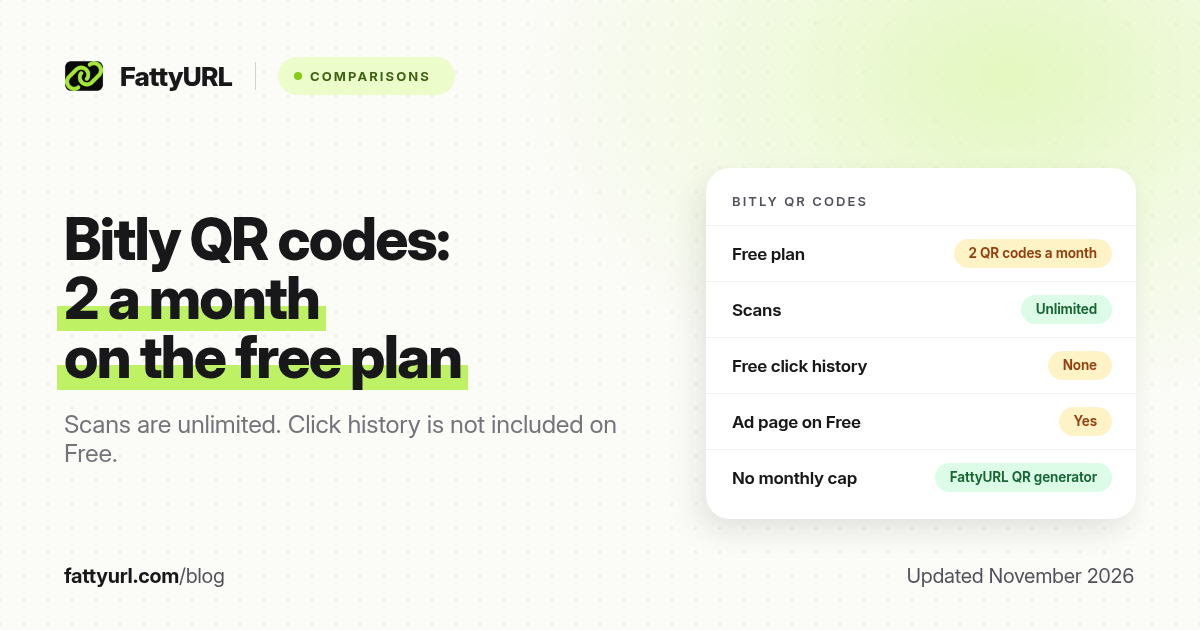
Short answer: A Bitly QR code is a Bitly Code tied to a Bitly short link. The free plan allows 2 QR codes a month, with unlimited scans, no click history, and an ad page on the link. Core, Growth and Premium raise the monthly cap. FattyURL is a free URL shortener at fattyurl.com; its QR generator has no monthly cap and no sign-up.
Bitly's QR product is useful if you already manage links in Bitly and you want design tools in the same dashboard. The limits are tight on the free plan. Figures below come from Bitly's pricing page and Bitly Support articles on creating links and QR codes, checked on 19 November 2026. Confirm the cap you are offered in your account before you print.
What is a Bitly QR code?
A Bitly QR code, which Bitly also calls a Bitly Code, is a scannable image that opens a Bitly short link, and that short link then redirects to your destination. Because the code points at a Bitly link, some plan features that apply to links, such as destination edits, optional expiry dates, and click data, can also apply to the code, but only on the plans that include them.
That is different from a static QR file from a no-account generator, where the destination is baked into the image and never changes. It is also why Bitly can cap how many new codes you create each month even when scans are unlimited.
What are Bitly's QR code limits in 2026?
Bitly's pricing page, checked on 19 November 2026, gives these monthly creation caps. Scans are unlimited on every plan, including Free. Monthly limits reset at midnight UTC at the end of the calendar month, according to Bitly Support.
| Plan, as of November 2026 | Price, billed yearly | QR codes a month | Click / scan history | Branded domain |
|---|---|---|---|---|
| Free (With Ads) | $0 | 2 | None | No |
| Core | $10 a month, annual only | 5 | 30 days | No |
| Growth | $29 a month billed yearly | 10 | 4 months | Yes, one complimentary domain |
| Premium | $199 a month billed yearly | 200 (and 20 landing pages) | 1 year | Yes |
| Enterprise | Custom | Custom | 2 years | Yes, multiple domains |
The free plan also shows an interstitial ad page on the way to the destination, in Bitly's wording, and it does not include click history. Destination edits, listed as "Link & QR Code redirects," start on Core, with a monthly cap. We unpack the rest of the plans in Bitly pricing in 2026 and the Bitly free plan guide.
How do you create a QR code in Bitly?
Bitly Support's article "How do I create a QR Code in Bitly?" and its link-creation article describe a dashboard flow. You need a Bitly account to manage the code. Numbered steps, summarised from those pages:
- Log in to Bitly.
- Click Create new and choose QR Code, or create a short link and toggle the option to also create a QR code for that link. Quick Create on the home page also lets you add a QR code when you shorten a link.
- Enter the destination URL. You can add a title and, on plans that allow it, a custom back-half.
- Use Design your code if you want to change colours, patterns or frames, then create the code.
- Download it as PNG, JPG or SVG, according to Bitly's download help, and scan it with an iPhone and an Android phone before you print.
Bitly can shorten destination URLs up to 2,048 characters, and that limit also applies to links used for QR codes. A shorter destination still makes a cleaner pattern. If you need official iPhone scanning steps, see how to scan a QR code on iPhone.
When is a free alternative the better choice?
Use Bitly if you already pay for a Bitly plan, you want QR codes and links in one dashboard, and two new codes a month is enough, or you have upgraded past that cap. Look elsewhere if you need more than two new codes a month without a subscription, click data on a free plan, or a generator that does not require a Bitly account.
Disclosure: FattyURL is our product. FattyURL is a free URL shortener at fattyurl.com. A free account includes click analytics, destination edits and custom slugs, with no monthly link cap, and those links never expire. The QR generator needs no sign-up, adds no watermark, and downloads PNG or SVG. Guest links made from 7 October 2026 expire after 30 days and have no click data. Free links may show ads; paid plans, from $9 a month, never do.
- Shorten the destination with a free account if you want edits and click counts.
- Generate the code at fattyurl.com/qr and download PNG or SVG.
- Scan the file, then print. Size guidance is in QR code size for print.
A broader generator comparison is in best free QR code generators. For scan counting methods, see how to track QR code scans.
Key takeaways
- A Bitly QR code points at a Bitly short link, so plan limits on links and redirects also affect the code.
- The free plan allows 2 QR codes a month, with unlimited scans, no click history, and an ad page.
- Growth is the first self-serve plan with a complimentary branded domain. Core still has no branded domain and only 5 codes a month.
- Download PNG, JPG or SVG and test on both iPhone and Android before a print run.
- FattyURL's QR generator has no monthly creation cap and no sign-up for a basic URL code.
FAQ
How many QR codes can I make on Bitly's free plan?
Two a month, as listed on Bitly's pricing page in November 2026, with unlimited scans. The cap resets at midnight UTC at the end of the calendar month.
Does a Bitly QR code expire?
Bitly links do not expire just because time passed, according to Bitly's expiry help, but you can set an expiry date on some plans, and a complimentary custom domain can stop if you downgrade. See do Bitly links expire?
Can I see how many people scanned my Bitly QR code?
Not on the free plan, which has no click or scan history. Click history starts on Core, with only 30 days of data, and gets longer on higher plans.
Can I change where a Bitly QR code points after I print it?
Only if your plan includes redirects, and only within that plan's monthly redirect cap. The free plan has none. A short link you control on another service is another way to make a printed code editable.
Do I need a Bitly account to create a QR code?
You need an account to create and manage Bitly Codes in the dashboard. Bitly's link-creation help also describes starting a short link from the public homepage, then creating an account to manage it.
Is there a free Bitly QR code alternative with no monthly cap?
Yes. FattyURL's QR generator does not impose a monthly creation cap and does not require sign-up for a basic URL code. A free account adds an editable short link and click data.
Sources
- Bitly pricing, checked 19 November 2026
- Bitly Support, How do I create a QR Code in Bitly?
- Bitly Support, How do I create links with Bitly?, updated 20 July 2026
- Bitly Support, When do my monthly limits reset?
- FattyURL pricing, last updated 5 October 2026
Disclaimer: This article is for general information only and is not legal or security advice. It was researched and drafted with the help of AI, and its facts were checked against the sources linked above, mostly each provider's own pricing, help and policy pages. URL shorteners, QR code tools and social platforms change their plans, prices and rules often, so confirm the details on the provider's website before you choose a plan, move your links or print a QR code. FattyURL is our own product. Spotted something out of date, or a FattyURL link being misused? Tell us and we will act on it.