What Is href.li? The Referrer-Hiding Redirect Explained (2026)
href.li is an anonymous redirect that hides the HTTP Referer header. Public records tie it to Automattic, and Tumblr and WordPress.com wrap outgoing links with it. What it does, when it is risky, how to read the destination, and why marketers should use UTM tags instead.
If you clicked a link and saw href.li/? flash in the address bar, or found a link that starts with https://href.li/?https://, you met a referrer-hiding redirect. It is a real service, not malware by itself, but like any redirect it can be pointed anywhere. Here is what it does, who runs it, and how to check where an href.li link really goes.
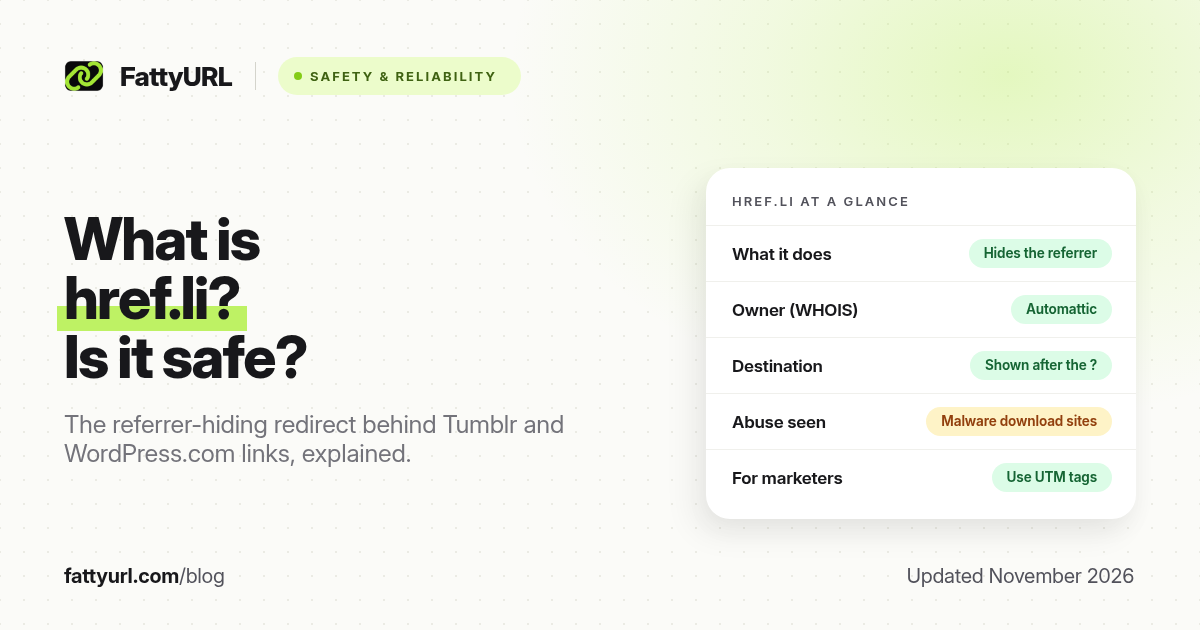
Short answer: href.li is an anonymous redirect service. Its own page says it creates "an anonymous link that will hide the HTTP Referer header," so the site you land on cannot see which page sent you. Public domain records list Automattic, the company behind WordPress.com and Tumblr, as its owner. It is not a scam in itself, but check the destination written after the question mark before you trust the page.
Written 29 November 2026 from href.li's own page, public domain records, the IndieWeb wiki and a security research report. We did not open any href.li links for this article. Disclosure: FattyURL is our own product. FattyURL is a free URL shortener at fattyurl.com.
What does href.li do?
When you click a normal link, your browser usually tells the next site which page you came from. That information is called the referrer, sent in the HTTP Referer header. href.li sits in the middle: you go to href.li first, and href.li forwards you to the destination without passing on the original page's address.
The format is simple. Everything after href.li/? is the destination:
https://href.li/?https://www.example.com/page
href.li's homepage, titled "href.li: hide your referrer," offers a form to make these links and a bookmarklet that wraps the page you are on.
Who runs href.li?
Public WHOIS records for href.li (last updated in 2021) list Automattic, Inc., of San Francisco, as the domain holder. Current hosting lookups show the domain on Automattic's network, with WordPress.com name servers. The IndieWeb wiki describes href.li as an outbound link redirector that Tumblr and WordPress.com add to outgoing links from posts. Its stated purpose there is to let the platforms block known harmful links quickly, and the wiki notes it is likely also used for analytics.
So the most common reason you see href.li is simply that you clicked a link inside a Tumblr or WordPress.com post.
| Where you saw href.li | What it probably means | Risk |
|---|---|---|
| Clicking a link in a Tumblr or WordPress.com post | The platform's normal outbound link wrapper | Low; judge the destination site |
| A link someone made on purpose with href.li | They wanted to hide which page sent the click | Depends on the destination |
| A "download" button on a cracked-software site | A wrapper used to scrub where traffic came from | High; do not download |
| In your own analytics, as a referrer | Usually you will not see it: that is the point of the service | None |
Is href.li safe?
The redirect itself is a legitimate service run by a well-known company. The risk is the destination, because anyone can wrap any address. A 2021 security report from Cymulate described malware campaigns on fake pirated-software blogs that switched to href.li as a "refer proxy" to scrub referrer data before sending people to harmful downloads.
Treat an href.li link like any other link from a stranger:
- Read the destination after
href.li/?. Unlike a short link, an href.li link shows its destination in plain text. - Check the domain carefully for misspellings or extra words, such as
paypal-secure-login.example. - Do not enter passwords or payment details on a page you reached from an unexpected message.
- When in doubt, type the site's address yourself instead of clicking.
A wrapped link that gives a warning page or an error is a different problem. If a short link shows a warning, see Bitly link not working for what those pages mean.
href.li vs a URL shortener
| Feature | href.li | Typical URL shortener |
|---|---|---|
| Makes the link shorter | No, it gets longer | Yes |
| Destination visible in the link | Yes, after the question mark | No; you need a preview or expander |
| Hides the referring page | Yes, that is its purpose | Not its main purpose |
| Counts clicks for you | No account or dashboard on its page | Often, in a free or paid account |
| Can change the destination later | No | Often, in an account |
Why marketers should care: lost referrers
If your business is linked from Tumblr, WordPress.com or any page that wraps links this way, those visits can arrive without a referrer. In Google Analytics 4 they tend to show up as direct traffic, so you cannot tell that a blog post sent them.
The fix is to tag the links you control. When you share a link in a guest post, newsletter or social profile, add UTM tags so the source travels inside the URL itself instead of the referrer header. Build them with Google's free form, as shown in our Google Campaign URL Builder guide.
Copying links from Tumblr or WordPress.com posts
If you copy a link from a post and it starts with href.li, remove the wrapper before you reuse it. Delete everything up to and including href.li/?, and check that what remains starts with https://. Otherwise your QR code, email or short link sends every visitor through an extra redirect you do not control.
- Making a QR code? Use the clean destination, as in how to make a QR code for a link.
- Shortening it? Paste the clean URL into your shortener. For Bitly steps, see how to create a Bitly link; for a free option with click data, a free FattyURL account adds custom slugs, click analytics and editing, and its links never expire. Free links may show ads; paid-plan links never do.
Can you hide your own referrer without href.li?
Yes. Site owners can control what browsers send with a referrer policy, set in an HTTP header or a meta tag, and modern browsers already trim the referrer to just the domain by default when you go from one site to another. Most businesses do not need href.li; they need UTM tags on the links they share.
Key takeaways
- href.li is a redirect that hides the referring page from the destination site.
- Public records list Automattic as the owner, and Tumblr and WordPress.com use it for outgoing links.
- The service is legitimate, but anyone can wrap any destination, including harmful ones.
- An href.li link shows its destination after the question mark, so read it before you click.
- Marketers should use UTM tags, because referrer-hiding makes visits look like direct traffic.
FAQ
What is href.li?
An anonymous redirect service that forwards you to a destination while hiding the HTTP Referer header, so the destination does not see which page sent you.
Is href.li a virus?
No. It is a redirect service whose domain is registered to Automattic. But the page it forwards you to could be harmful, so judge the destination.
Why do Tumblr and WordPress.com links go through href.li?
According to the IndieWeb wiki, the platforms wrap outgoing links so they can block known harmful links quickly, and likely for analytics too.
How do I see where an href.li link goes?
Read the text after href.li/? in the link. That is the destination address.
Does href.li shorten links?
No. It makes links longer. For a shorter link, use a URL shortener with the clean destination.
Why does my traffic from blogs show as direct in GA4?
Links wrapped by referrer-hiding services, and some apps, do not pass a referrer. Add UTM tags to links you control so GA4 can still credit the source.
Sources
- href.li: hide your referrer (homepage text via search result), read 29 November 2026
- IndieWeb wiki: href.li, read 29 November 2026
- WooWhois: href.li WHOIS record and host.io: href.li hosting record, read 29 November 2026
- Cymulate: fake pirated software sites deliver malware, September 2021, read 29 November 2026
- MDN Web Docs: Referrer-Policy, read 29 November 2026
Disclaimer: This article is for general information only and is not legal or security advice. It was researched and drafted with the help of AI, and its facts were checked against the sources linked above, mostly each provider's own pricing, help and policy pages. URL shorteners, QR code tools and social platforms change their plans, prices and rules often, so confirm the details on the provider's website before you choose a plan, move your links or print a QR code. FattyURL is our own product. Spotted something out of date, or a FattyURL link being misused? Tell us and we will act on it.