Wedding QR Codes: RSVP, Website and Photo Sharing Ideas (2026)
Wedding QR codes send guests to your RSVP, website, registry or shared album. Point each code at an editable short link that never expires, print it in flat high-contrast ink, and test a proof before mailing.
Short answer: A wedding QR code lets guests open your RSVP form, wedding website, registry or shared photo album by pointing a phone camera at the invitation or a sign. Point the code at a short link you can edit, so a changed venue page or new album does not mean reprinting. Test a printed proof before you mail anything. FattyURL is a free URL shortener at fattyurl.com, and free-account links never expire.
Save-the-dates often go out many months before the wedding, and invitations follow later, so the links printed on them have to survive a long time. A QR code is a tidy way to send guests online for details that will not fit on cardstock: the RSVP, hotel blocks, the registry and, after the big day, the photos. This guide is for US couples and wedding planners who want codes that work from the first envelope to the last thank-you card.
Where to use a wedding QR code
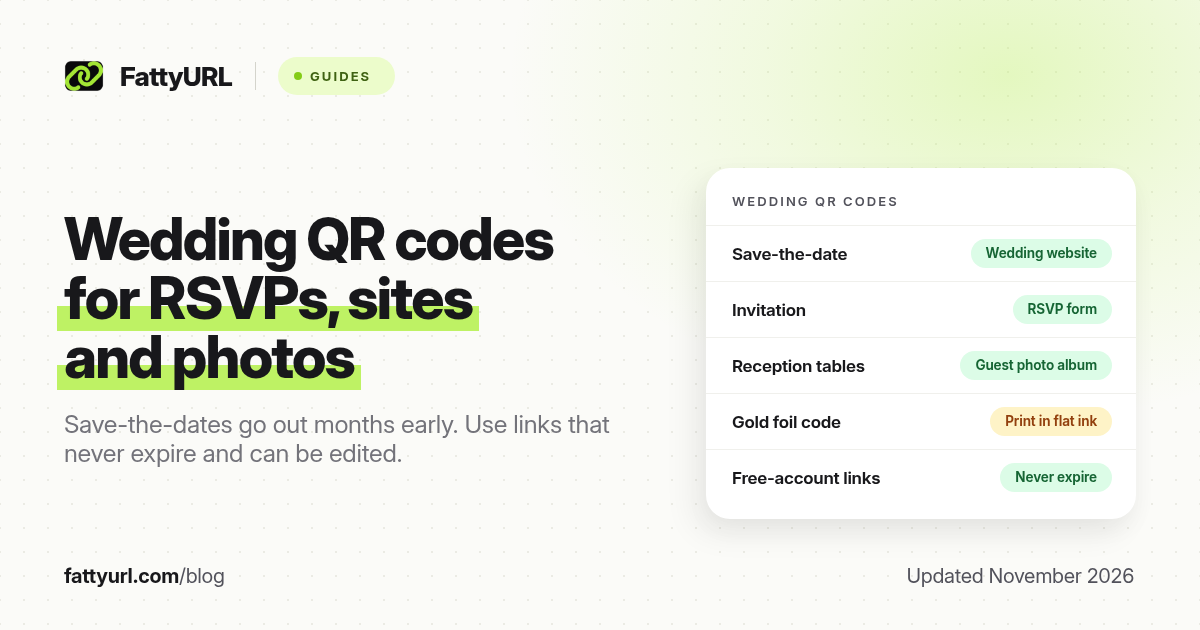
- Save-the-dates. Link to the wedding website so guests can bookmark it early.
- Invitations or the RSVP card. Link to the online RSVP form, and keep a paper option for guests who prefer it.
- Welcome signs and table cards. Link to a shared photo album so guests can upload candid shots.
- Ceremony programs. Link to the order of service, song lyrics or a livestream for family who cannot travel.
- Welcome bags. Link to a local guide, shuttle times or the weekend schedule.
- Thank-you cards. Link to the finished photo gallery or a short highlight video.
How to make a wedding QR code
- Publish the destination first. Your wedding website page, RSVP form or shared album. For a Google Photos album, Google's help explains how sharing works, including that you can share with contacts even if they do not use the Google Photos app.
- Create a short link with a free FattyURL account and pick a readable slug, such as
/sam-and-alex-rsvp. - Generate the QR code from the short link and download an SVG or high-resolution PNG for your stationer.
- Design with contrast. A dark code on a light background, with a white quiet zone around it. Pale gold on cream looks lovely and often scans poorly.
- Print one proof on the real paper stock and scan it with an iPhone and an Android phone.
- Add a line of text such as "Scan to RSVP by May 1" and the short URL printed underneath.
Why the account matters: free-account links never expire, and a free account adds custom slugs, click analytics and editing. Links made without an account from 7 October 2026 expire after 30 days with no click, which could break a save-the-date long before the wedding. Free links may show ads; paid-plan links never do, so some couples choose a paid plan for an ad-free experience for guests.
Wedding QR destinations by stage
| Stage | What the code opens | What to edit later |
|---|---|---|
| Save-the-date | Wedding website home page | Point to the travel page once hotel blocks open |
| Invitation | RSVP form | Switch to a "RSVPs closed, contact us" page after the deadline |
| Reception tables | Shared photo upload album | Nothing, until the album moves |
| Program | Order of service or livestream | Point to the recording after the ceremony |
| Thank-you card | Final gallery or highlight video | Swap in the professional gallery when it is delivered |
Editing the destination is the big advantage over printing a full URL into the code. Our guide to dynamic vs static QR codes explains why.
Printing tips for stationery
- Size. Codes on invitations are scanned up close, but signs are scanned from a few feet away. Our QR code print size guide covers minimums.
- Finishes. Foil, letterpress and heavy texture can distort the modules. Ask your stationer to print the code in flat ink.
- Error correction. QR codes can recover from some damage, as QR code inventor Denso Wave explains, but a logo pasted over the center still needs testing.
- Placement. Avoid folds, envelope seams and the edge of a card that gets trimmed.
Privacy and etiquette
Anyone holding the invitation can scan the code, so treat what it opens as semi-public. Keep home addresses and gate codes off public pages, use your wedding website's password option if it has one, and set photo albums to the sharing level you are comfortable with. Click counts show how many times a link was opened, not who opened it, so they are a handy RSVP nudge signal rather than a way to check on specific guests.
Holiday weddings and New Year's Eve celebrations can borrow ideas from our holiday party invitation QR guide too.
Before ordering stationery, run through our guide to making a QR code for a link, including PNG vs SVG and the five checks that prevent scan failures.
Key takeaways
- Use QR codes for the RSVP, website, registry, photos and livestream.
- Point every code at a short link you can edit, from an account so it never expires.
- Print in flat, high-contrast ink with a quiet zone, and test a real proof.
- Print the short URL and a paper option for guests who do not scan.
- Keep private details off pages anyone with the invitation can open.
FAQ
Is it tacky to put a QR code on a wedding invitation?
Many couples put the code on the RSVP or details card instead of the main invitation, which keeps the invitation classic and the logistics easy.
Can a wedding QR code expire?
The printed code itself does not expire. The link inside it can. Use a link from an account that never expires and keep the destination online.
Can I change the RSVP link after invitations are mailed?
Yes, if the code points at a short link you can edit. Change the destination and every printed card follows.
How do guests upload photos with a QR code?
Point the code at a shared album that allows guest uploads, such as a Google Photos shared album, and test the upload flow on a guest's phone.
What color should a wedding QR code be?
A dark code on a light background scans most reliably. If you want your palette, use your darkest color and test it.
Do older guests know how to scan a QR code?
Many do, since iPhone and Android cameras can scan codes. Still print the short URL and offer a paper RSVP.
Sources
- Google Photos Help: Share photos and videos
- Apple Support: Scan a QR code with your iPhone camera
- Denso Wave QRcode.com: Error correction feature
- FattyURL pricing
Disclaimer: This article is for general information only and is not legal or security advice. It was researched and drafted with the help of AI, and its facts were checked against the sources linked above, mostly each provider's own pricing, help and policy pages. URL shorteners, QR code tools and social platforms change their plans, prices and rules often, so confirm the details on the provider's website before you choose a plan, move your links or print a QR code. FattyURL is our own product. Spotted something out of date, or a FattyURL link being misused? Tell us and we will act on it.