How to Shorten a Link on X (Twitter): What t.co Does and When You Need More (2026)
X wraps every link in a t.co link and counts it as 23 characters on the web, so you rarely need a shortener. Here is what X does, what readers see, and when a short link helps.
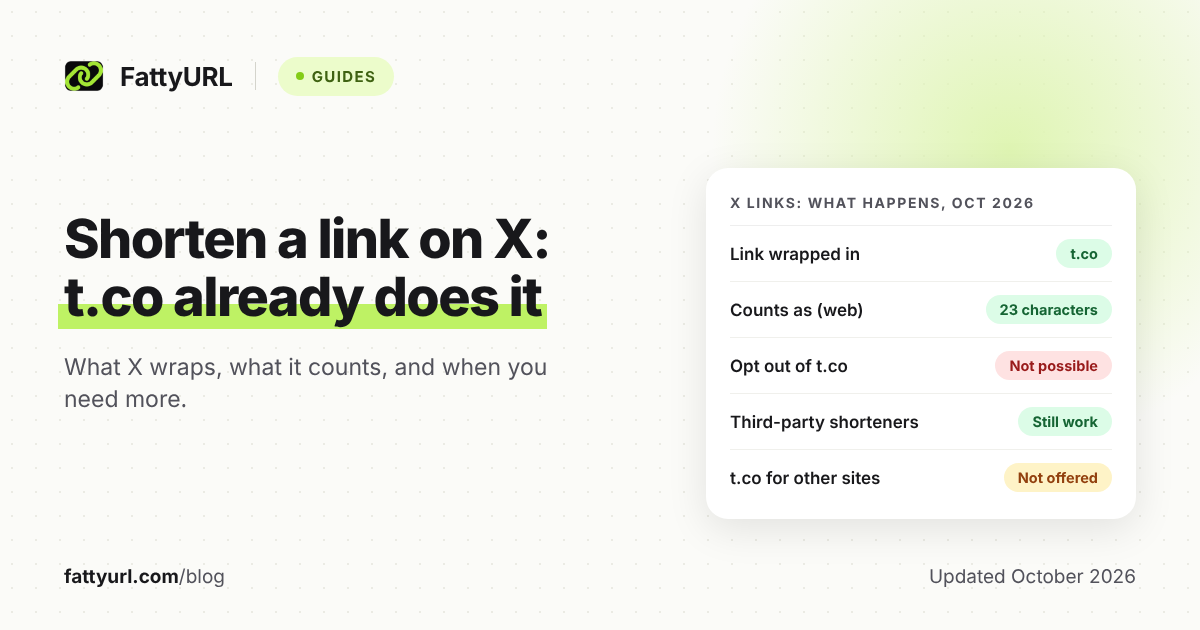
You cannot shorten a link on X, because X does it for you. Every link you post is wrapped in a t.co link automatically, and X's help center says you cannot opt out.
That raises a fair question: is a separate shortener still worth using? Sometimes, but for different reasons than saving space. Here is what X does, what it counts, and when your own short link helps.
Short answer: X wraps every link in a t.co link, and a link of any length counts as 23 characters on the web, so you do not need a shortener to save space. Use your own short link when you want click analytics, a readable link in a reply or bio, or a QR code you can repoint later.
Does X shorten links automatically?
Yes. X's help center says all links posted in posts are shortened with its t.co service, including links in Direct Messages. You cannot turn it off, and t.co is used only for links on X.
X gives three reasons on its link service page: more room for your message, click counts as a signal of how relevant a post is, and screening for dangerous sites. The wrapping happens when you post, so you do nothing extra.
The developer documentation says the same from the other side: links are wrapped on submission, and links without a protocol are wrapped too.
How many characters does a link use in an X post?
On the web, a URL of any length counts as 23 characters, even if the link itself is shorter than 23. That is what X's page on posting links says. A 200 character link and a 20 character link cost the same room in your post.
Two details are worth knowing. First, some mobile apps update the character count as you type and others do not, so the counter can lag. Second, X's link service page does not state the number, so rely on the posting page and your own counter.
So if your post says it is too long, the link is rarely the cause. The text around it is.
What do readers see versus what does X store?
Your post has three layers: the link you typed, the t.co link X creates, and the page readers land on. X's pages describe each layer, but they do not spell out which version appears on screen, so the table below sticks to what the help pages say.
Checked 1 November 2026 against X's help center and developer documentation.
| Layer | What happens | Where X says it |
|---|---|---|
| You paste a URL | X wraps it in a t.co link on posting | Link service page |
| Length counter | Any URL counts as 23 characters on the web | Posting a link page |
| On x.com | Shows the original URL or its shortened version | Posting a link page |
| Someone clicks | t.co sends them to the destination, with a warning if the site is on X's danger list | Link service page |
| Click counting | X counts clicks as a relevance signal | Link service page |
| Opt out | Not possible | Both help pages |
X's posting page does not say which version of the link shows up in a given case. If the exact display matters to you, post a test and look at it.
The developer documentation also separates the visible text from the full address. It describes a display URL for the link text people read and an expanded URL for the full address.
Do you still need a link shortener on X?
For length, no. The 23 character rule means a long link costs the same as a short one. X's own help page also says services like bit.ly still work on X and their tracking works as before, so a shortener is allowed, just not required.
Use a short link when one of these applies:
- You want your own numbers. X counts clicks as a ranking signal; a short link with analytics gives you a count you control, which also covers shares outside X.
- You want a link people can read or type, such as in a spoken mention, a reply, or a printed flyer.
- You want to change the destination later without editing the post.
- You want a QR code that points to the same place.
Skip it when you only want to save characters, or when you are posting a link you want to look as trustworthy as possible. A familiar domain can reassure readers. Our guide on whether URL shorteners are safe covers how readers judge short links.
How do you share a short link on X and track the clicks?
Shorten the link first, then paste the short link into your post. X wraps it in t.co like any other link. Your shortener sees the click after the t.co hop, so its analytics count visits that reach your short link.
- Copy the full URL of the page you want to share.
- Open FattyURL, paste the URL, and create the short link. No account is needed for a basic link.
- For analytics, a custom ending, or a link that never expires, sign in to a free account first.
- Paste the short link into your X post, or a reply, and check the preview before you post.
- Open the link's analytics later to see clicks, countries, devices and referrers.
With a free FattyURL account, analytics show total clicks, unique visitors, clicks over time, country, city, device, browser, operating system and referrer. Without an account, a link expires after 30 days without a click, which matters for a post people may find months later.
For the full method, see how to track link clicks. It also covers UTM tags. For the basic steps outside X, read how to shorten a link.
Can you use a custom short link or QR code with X?
Yes. X wraps whatever link you give it, so a custom short link works like any other. A readable ending also helps when someone sees the link in a screenshot or hears it in a video.
A free FattyURL account lets you pick a custom ending of 6 to 100 characters and edit where a link points later. Our guide to custom short links explains how to choose one.
For a QR code on a poster or slide that sends people to your X profile or post, make the code from a short link. Each scan counts as a click in that link's analytics, and you can change the destination without reprinting.
Free FattyURL links may show ads, and links on a paid plan never do. Keep that in mind before you share a free link in a campaign.
What if a link in your X post is flagged or looks wrong?
X checks links against a list of potentially dangerous sites and warns people before they continue when a link matches. Its help page also says some URLs can be harmful, especially those shortened by external services, so people should check which site they are on.
That cuts both ways. Readers may hesitate at a short link they do not recognize. If you use one, say what it leads to in the post text, so nobody has to guess.
FattyURL checks every link against Google Web Risk when it is created, edited and clicked, and pauses harmful ones. Our overview of how short links behave on each social platform compares what other networks do, and our guide to shortening a Facebook link covers the next network most people post to.
FAQ
How do I shorten a Twitter link?
You do not need to. X wraps every link in a t.co link when you post. If you want your own readable or trackable link, create it in a shortener and paste that into the post.
Why does X say my post is too long when it has a link?
On the web, X counts any URL as 23 characters. If the post is still too long, shorten the text around the link, not the link itself. Some mobile apps do not update the count as you type.
Can I turn off t.co on X?
No. X's help center says you cannot opt out of its t.co link shortening service.
Will a bit.ly or other short link still work on X?
Yes. X's help center says third-party shorteners such as bit.ly can still be used and their tracking works as before. X wraps them in t.co as well.
Does X count clicks on my link?
Yes. X's link service page says X tracks how many times each link is clicked and uses that as a relevance signal. A short link with analytics gives you your own count, including clicks from outside X.
What is a t.co link?
It is the short link X creates for every link posted on X, used for screening, click counting and saving space. It is only used on X.
Sources
- About X's link service (t.co), X Help Center, read 1 November 2026
- How to post links in a post, X Help Center, read 1 November 2026
- t.co, X Developer Platform documentation, read 1 November 2026
Disclaimer: This article is for general information only and is not legal or security advice. It was researched and drafted with the help of AI, and its facts were checked against the sources linked above, mostly each provider's own pricing, help and policy pages. URL shorteners, QR code tools and social platforms change their plans, prices and rules often, so confirm the details on the provider's website before you choose a plan, move your links or print a QR code. FattyURL is our own product. Spotted something out of date, or a FattyURL link being misused? Tell us and we will act on it.