How to Shorten a Telegram Link: t.me, Usernames and Invites (2026)
Telegram t.me links are already short. See which link types gain from a short link, what happens when an invite is revoked, and how to repoint a link safely.
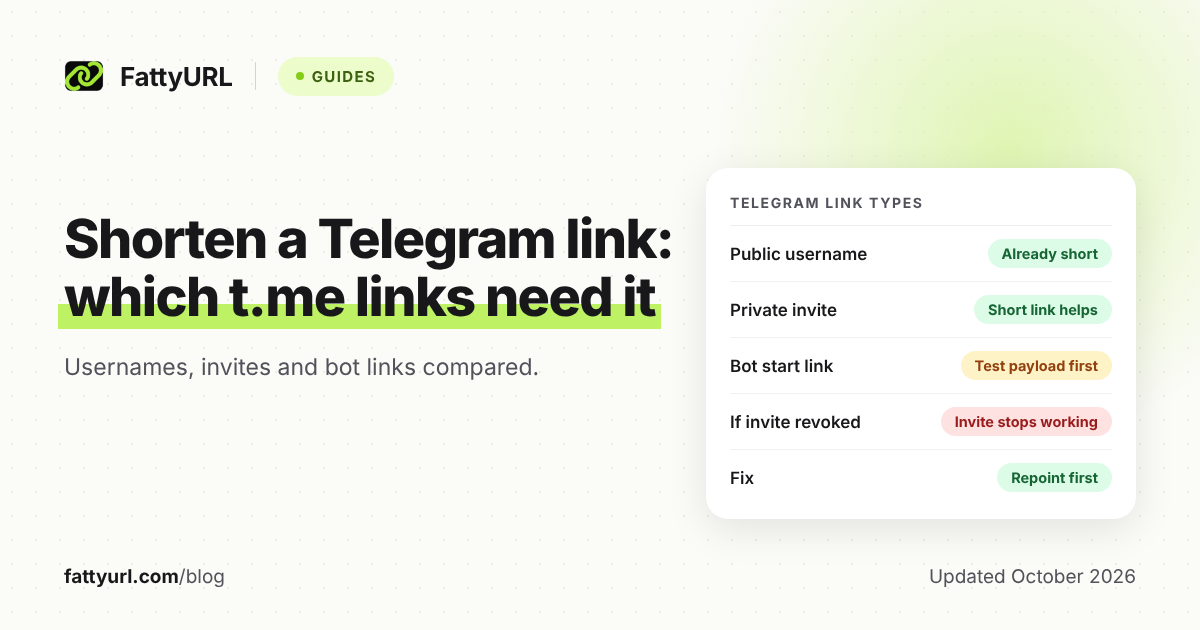
Telegram links are already short. A public channel looks like t.me/yourname, and a private invite looks like t.me/+ followed by a code. A short link only earns its place when you want a name you can say out loud, a link you can repoint later, or click counts.
This guide covers the three Telegram link types, what Telegram's own pages say about usernames and invites, and where a FattyURL short link fits.
Short answer: Public usernames already give you a short t.me link, so a short link adds little there. Private invite links gain the most, because a short link can be edited later if the invite changes. Bot start links can gain too, if you test that the payload arrives. A revoked invite stops working immediately, so repoint your short link first.
What kinds of Telegram link exist?
Telegram documents three link shapes that matter to admins: a public username link, a private invite link, and a bot start link. Each one starts with t.me, and each one behaves differently when you shorten it or change it.
Telegram's link reference gives the formats as t.me/<username>, t.me/+<hash>, and t.me/<bot_username>?start=<parameter>. An older invite format, t.me/joinchat/<hash>, is still listed as legacy syntax. It is longer than the current t.me/+ form.
Which Telegram links gain from a short link?
A short link helps most where the Telegram link is long, hard to type, or likely to change. It helps least on a short public username. The table sorts the three types by that rule.
Checked 1 November 2026, against the Telegram pages listed under Sources.
| Link type | Does a short link help? | If the Telegram link is revoked or changed |
|---|---|---|
| Public username: t.me/<username> | Little. The link is already short. Useful for a brand name or for click counts. | Telegram's pages do not say what happens to old links when a username changes. Test before you print anything. |
| Private invite: t.me/+<hash> (legacy: t.me/joinchat/<hash>) | Yes. You get a readable link, and you can repoint it later. | A revoked invite stops working at once. The short link still opens, but the invite behind it is dead until you change the destination. |
| Bot start link: t.me/<bot>?start=<parameter> | Maybe, when the parameter is long (Telegram allows up to 64 characters). Test that the bot still receives it. | Telegram can reclaim usernames from unused bots. Keep the bot in use, since the link depends on its username. |
How do public usernames and t.me links work?
A public username makes a channel or group findable in Telegram search and gives it a t.me link. You pick the name once, and anyone can join from search or from the link. Telegram's API reference lists usernames as 5 to 32 characters.
Allowed characters are letters, digits, and underscores, and names are not case sensitive. Basic usernames are first come, first served. Telegram's FAQ says it may reclaim usernames from unused bots and channels, or from names that are openly squatted.
The FAQ also says a user or public group can be reached as t.me/name. For a public channel, the link is the name, so a short link mostly adds branding and measurement. If your public name is taken, read our guide to custom short links and vanity URLs for ideas that do not depend on Telegram.
Why is my Telegram invite link so long, and what are my options?
A private invite link is t.me/+ plus a code that Telegram calls a hash, and the pages used here offer no way to choose it. The older joinchat form is longer still. The way to get a memorable address is to make the group public with a username, or to put a short link in front of the invite.
Making a group public changes who can find it: anyone can find it in search and join. Telegram's channel FAQ states this for channels. If you want control over who joins, keep the invite private and use a short link plus join requests.
Telegram's API reference says an invite can have an expiry date and a usage limit, and an admin can require approval for each join. It does not state a cap on how many invites a chat can have. A short link does not replace any of those controls.
What happens to a short link if I revoke the Telegram invite?
Revoking an invite stops it working immediately, according to Telegram's FAQ. People who follow a revoked link cannot join. A short link pointing at that invite still resolves, so visitors reach a dead end unless you update where it points.
That makes the order of operations important. Create the new invite first, then change the short link's destination, then revoke the old invite. With a free FattyURL account you can edit a link's destination later, so printed flyers and pinned posts keep working.
How do I make a short link for a Telegram channel, group, or bot?
Copy the Telegram link, paste it into a shortener, and test the result on a phone with Telegram installed. With a free FattyURL account you can also choose the ending. The steps below work for any of the three link types.
- Copy the link from Telegram. For a private group, open the group's info screen and use its invite link option. Menu names change between app versions, so look for the invite link entry.
- Go to FattyURL and paste the t.me link. You do not need an account to shorten a link.
- If you want a readable ending, sign in with a free account. Custom endings run 6 to 100 characters.
- Open the short link on a phone and on a desktop. Check that it lands on the right channel, group, or bot.
- Pin the short link in your channel description or bio, and keep a note of which Telegram link it points to.
Two FattyURL limits matter here. Links made without an account expire after 30 days without a click, so an admin who plans to keep a link should use an account. Free links may show ads, and links on a paid plan never do.
The generic walkthrough is in how to shorten a link. How platforms treat short links when you post them is in short links on social media.
Can I count clicks on a Telegram link?
Yes, if the link you share is a FattyURL short link and you made it with a free account. Telegram's own pages do not describe click counts for t.me links, so any numbers come from the short link, not from Telegram.
FattyURL analytics show total clicks, unique visitors, clicks over time, country, city, device, browser, operating system, and referrer. A click is not a join, so a group can gain fewer members than the link gets clicks. Our guide to tracking link clicks explains how to read those numbers and add UTM tags.
For posters or event screens, you can turn the short link into a QR code. Each scan then counts as a click on that link; see how to track QR code scans.
Does a bot start link need special handling?
Yes, because the part after ?start= is a payload your bot reads. Telegram's bot documentation says the parameter can be up to 64 characters, using A to Z, a to z, 0 to 9, underscore, and hyphen. When a user opens the link and starts the chat, the bot receives /start with that payload.
Paste the whole link, including the payload, into the shortener. Then open the short link on a real phone and confirm the bot received the payload before launch. If it did not, share the full t.me link instead.
If a short link stops opening, work through why a short link is not working.
FAQ
Do I need a short link if I already have a public t.me username?
Usually not. A public username link is already short. Add a short link only for a branded name, click counts, or the freedom to repoint it later.
Can I choose my own private invite link text?
Telegram's pages show invite links as t.me/+ followed by a hash and do not offer a custom text option. A short link with a custom ending gives you a readable address in front of it.
Does a revoked invite still work through a short link?
No. Telegram says a revoked invite stops working immediately. Update the short link to a fresh invite, then revoke the old one.
Can I limit how many people use an invite or set an expiry date?
Telegram's API reference says invites can have an optional expiry date and an optional usage limit, and admins can require join requests. Set these in Telegram, not in the short link.
Will Telegram show a preview of my short link?
Telegram's pages used here do not describe link previews for redirects, so this guide makes no claim. Post a test message in a private chat and look.
Sources
- Telegram FAQ: t.me links, usernames, invite links, read 1 November 2026
- Telegram Channels FAQ, read 1 November 2026
- Telegram API: link formats, read 1 November 2026
- Telegram API: invite links, read 1 November 2026
- Telegram bot features: deep linking, read 1 November 2026
- Telegram API: account.checkUsername, read 1 November 2026
Disclaimer: This article is for general information only and is not legal or security advice. It was researched and drafted with the help of AI, and its facts were checked against the sources linked above, mostly each provider's own pricing, help and policy pages. URL shorteners, QR code tools and social platforms change their plans, prices and rules often, so confirm the details on the provider's website before you choose a plan, move your links or print a QR code. FattyURL is our own product. Spotted something out of date, or a FattyURL link being misused? Tell us and we will act on it.