How to Share and Shorten a Google Photos Album Link (2026)
Create a Google Photos share link, see who can open it, turn it off, and learn what a short link does and does not change. Includes a table of the main sharing options.
To share a Google Photos album or photo by link, open the item, choose Share, and create a link. Anyone who has that link can view it. That is the whole privacy model, so treat the link like a key.
The link Google gives you is often long or hard to read aloud. You can paste it into a shortener such as FattyURL for a cleaner version. The short link still opens exactly the same album, with the same access rules.
Short answer: In Google Photos, select an album or photo, tap Share, then Create link. Anyone with the link can view it, and for albums they can also add photos while Collaborate is on. To stop access, open the album, tap More, then Sharing, and turn Link sharing off. A short link only changes how the address looks, not who can open it.
How do I create a Google Photos album link?
On Android, open Google Photos, select the album, tap Share, and choose Create link. Google's help page says anyone with the shared link can view the album. You can also swipe left in the Share menu to send it through another app.
- Open Google Photos and sign in.
- Select the photo, video or album you want to share, then tap Share.
- Tap Create link to make a link you can share.
- To send it through another app instead, swipe left and pick the app.
Google's page for this flow describes the Android app. Google has separate versions of that page for computer and iPhone, so follow the Share option you see there. Google also lets you show a QR code for an album: anyone who scans it can open the shared album.
Who can see a Google Photos link?
Anyone who has the link can open it, whether or not they have a Google Account or you chose them. Google describes the link as a web address people cannot guess, but once created it can be shared by others. Forwarded links work for everyone who receives them.
For albums there is a second risk. Google's help page says anyone with an album link can view the photos and also add to the album. Only the owner can change link sharing settings.
Two more details from Google worth knowing:
- If you edit a photo after sharing it by link, people may briefly see the unedited version through the original link.
- Photos others add to your album, and comments, are removed if you stop sharing.
How do I turn off or delete a Google Photos share link?
Open the album, tap More, then Sharing, and turn Link sharing off. Google says to make an album fully private you remove all members and turn off link sharing. After that, people who only had the link can no longer see the album.
- Open the shared album and tap More, then Sharing.
- Turn Link sharing off.
- If you also shared with named people, scroll to each contact, tap More, then Remove person.
- To stop others adding photos but keep the link, open Sharing settings and turn off Collaborate.
Removing a person does not cut off someone who still has the link while link sharing stays on. To invalidate an old link, Google says to turn link sharing off and back on: the old link stops working. Anyone who already downloaded photos keeps their copies.
To check your shared links and conversations, Google points to your profile picture, then Photos settings, then Sharing, then Manage sharing activity.
Google Photos sharing options compared
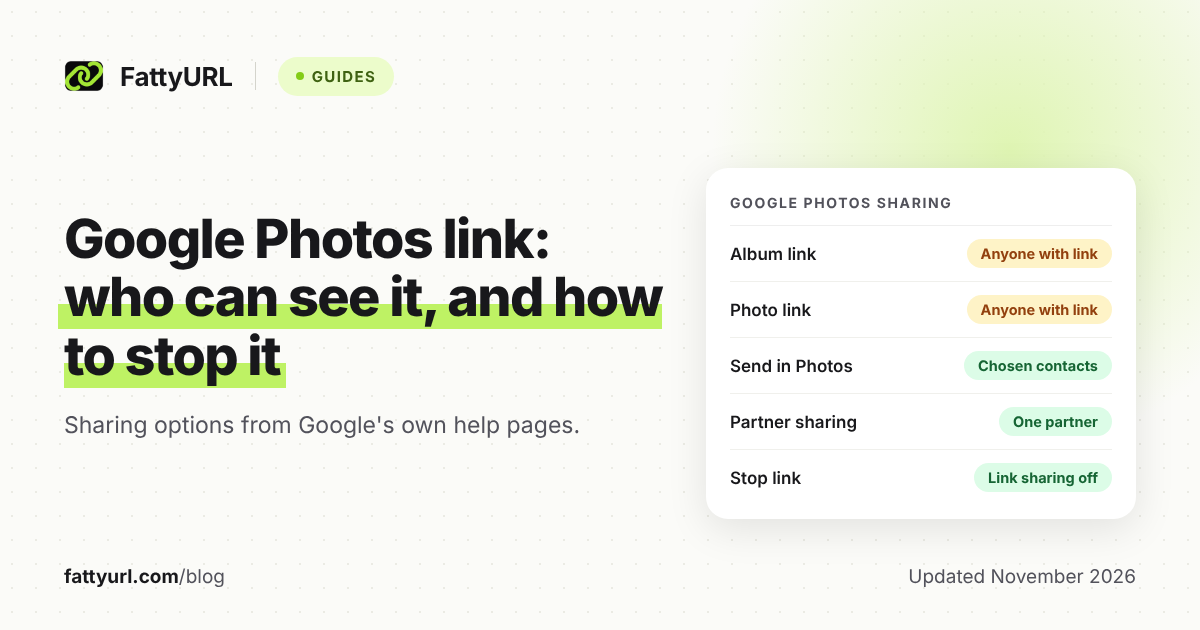
Google offers several ways to share, and they differ a lot in who can see your photos. Only the link options are open to anyone who holds the address. Here are the main options as Google's help pages describe them.
Checked 7 November 2026, from Google Photos Help.
| Option | Who can see it | How to stop sharing |
|---|---|---|
| Album link | Anyone with the link can view, and can add photos while Collaborate is on | Album, More, Sharing, turn Link sharing off |
| Single photo or video link | Anyone with the link can view it | Google's Android help gives no stop step; check your shared links in Manage sharing activity |
| Album QR code | Anyone who scans it can open the shared album | Stop sharing the album: turn Link sharing off and remove members |
| Send in Photos | The contacts with a Google Account you pick | Owner removes the person under the album's Sharing |
| Partner sharing | One partner with a Google Account who accepts your invitation | Photos settings, Sharing, Partner sharing, Remove Partner |
Partner sharing shares photos automatically as they back up: all photos, photos of chosen people, or photos since a date. Google says photos your partner already saved stay in their account after you remove them.
What happens to photos.app.goo.gl links after the goo.gl shutdown?
Google's goo.gl announcement does not name photos.app.goo.gl or Google Photos. It does say goo.gl links generated via Google apps, such as Maps sharing, will continue to function. Google Photos is not listed, so check any old link before relying on it.
Google's post says only goo.gl links unused in late 2024 were targeted for deactivation after August 25, 2025; all others would be preserved. If an old photos.app.goo.gl link has stopped working, ask the owner to create a new link from the album. For the wider story, see our guide to the goo.gl shutdown and alternatives.
Should I shorten a Google Photos link?
Shorten it when you want a readable address for a printed card, a slide, a caption or a spoken announcement. Do not shorten it expecting more privacy. The short link opens the same album, so anyone who gets the short link has the same access as the original.
A FattyURL short link can help in three cases:
- Readable ending. With a free account you can choose a custom ending of 6 to 100 characters, such as a family name and year. See our custom short link guide.
- Click counts. A free account shows total clicks, unique visitors, and clicks over time, plus country, device and referrer. Handy for seeing whether a wedding or event link was opened. See how to track link clicks.
- Reuse for a new album. With a free account you can edit where a link points. Print the short link once, then point it at next year's album.
Links made without an account expire after 30 days without a click, so use a free account for anything printed. Free links may show ads; links on a paid plan never do. That matters for a family album, so test the link first. Our pricing page lists the plans.
How do I shorten a Google Photos link with FattyURL?
Create the share link in Google Photos, copy it, paste it into the FattyURL box at fattyurl.com, and shorten it. Sign in to a free account first if you want a custom ending, click counts or the option to change the destination later.
- Copy the link from Google Photos using Create link.
- Paste it into FattyURL and choose a custom ending if you have an account.
- Open the short link in a private window to confirm it reaches the album.
- Share the short link, not the long one.
If you later turn Link sharing off in Google Photos, the short link will stop showing the album too. Changing where the short link points does not remove access: the long Google link still works until you turn sharing off in Google Photos.
Only open short links from people you trust, and see how to check where a short link goes. For Drive files instead of Photos, see our Google Drive link guide. For any other link, use the general shortening guide.
FAQ
Can anyone see my photos if I share a link?
Yes. Anyone who has the link can view the shared album or photo. For albums they can also add photos while Collaborate is on. Turn Link sharing off to stop access.
Does shortening a Google Photos link make it private?
No. A short link redirects to the same Google Photos address. Whoever holds the short link can open the album, so share it only with people you want to see it.
How do I stop sharing a Google Photos album?
Open the album, tap More, then Sharing, and turn Link sharing off. Also remove any listed people. Google says this makes the album private; you can share it again later.
Will a photos.app.goo.gl link keep working?
Google's announcement does not mention Photos by name. Its only example of Google app links that keep working is Maps sharing. If a link fails, create a new one from the album.
Can I change where my short link goes later?
With a free FattyURL account, yes. You can edit the destination, so one printed short link can point to a new album.
Sources
- Google Photos Help: Share photos and videos, read 7 November 2026
- Google Photos Help: Stop sharing an album and manage settings, read 7 November 2026
- Google Photos Help: How shared album controls give your photos more privacy, read 7 November 2026
- Google Photos Help: Set up partner sharing, read 7 November 2026
- Google Developers Blog: Google URL Shortener links will no longer be available, read 7 November 2026
Disclaimer: This article is for general information only and is not legal or security advice. It was researched and drafted with the help of AI, and its facts were checked against the sources linked above, mostly each provider's own pricing, help and policy pages. URL shorteners, QR code tools and social platforms change their plans, prices and rules often, so confirm the details on the provider's website before you choose a plan, move your links or print a QR code. FattyURL is our own product. Spotted something out of date, or a FattyURL link being misused? Tell us and we will act on it.