Link Preview Not Showing? Causes and Fixes by Platform (2026)
A missing or old link preview usually means the crawler could not read your page's Open Graph tags, or the platform cached them. Here is what each platform's own docs say, and the official fix.
A link preview is the title, description and image a chat app or social feed shows under a pasted link. When it is missing or stale, the platforms' own docs point to three common causes: the platform's crawler could not read the page, the page has no usable preview tags, or the platform is showing a saved copy.
Each platform publishes its own rules. This guide uses only those primary pages, so where a platform says nothing (for example on redirects), we say so instead of guessing.
Short answer: Previews come from tags in the page's HTML, mainly Open Graph tags, fetched by the platform's crawler. If the preview is missing, check that the crawler can reach the page and that the tags exist. If it is old, re-scrape in Meta's Sharing Debugger for Facebook, or change the image URL, because Meta and X cache images by URL.
How does a link preview get built?
When a link is shared, the platform's crawler fetches the page and reads metadata from its HTML. It then shows that metadata as the title, description and image. The preview is built from the page, not from the text you typed around the link.
The Open Graph protocol defines four required properties: og:title, og:type, og:image and og:url. It also lists optional image properties: og:image:width, og:image:height, og:image:alt and og:image:secure_url. A page with no markup is treated as type website.
Meta's crawler is named facebookexternalhit. It fetches shared links to collect the title, description and thumbnail. X's crawler is Twitterbot. Slack says it crawls the URL and looks for common Open Graph and X Card metadata.
Which tags does each platform read?
Add the Open Graph tags first, because Meta, Slack and the protocol itself all name them. X additionally documents its own card metadata. Include a full image URL that is public, because X says an image that is not publicly accessible will not display.
Checked 7 November 2026.
| Platform | What its docs say | Source |
|---|---|---|
| Open Graph protocol | Requires og:title, og:type, og:image, og:url. Optional: image width, height, alt, secure_url. | ogp.me |
| Facebook (Meta) | Basic tags: og:url, og:title, og:description, og:image, plus fb:app_id for Insights. og:type and og:locale are suggested extras. Set image width and height. Image types: JPEG, GIF, PNG. og:image:secure_url takes an https:// image URL. Server must support gzip and deflate. | Meta sharing docs |
| X | Reads card metadata. Image at least 144 x 144 pixels, up to about 5 MB, publicly accessible. HTML under 2 MB. Crawler needs TLS 1.1 or newer. | X cards troubleshooting |
| Slack | Looks for common Open Graph and X Card metadata when no Slack app handles the domain. | Slack unfurling docs |
| WhatsApp (Business platform) | The page names no tags. It says the sender asks the client to try a preview, and the first URL in the text is the one previewed. | WhatsApp text messages docs |
Why is my link preview not showing?
If your link preview is not showing or not working, find your symptom in the matrix below. Each row pairs it with the cause and the fix that the platform's own page gives. Rows without a primary source are left out on purpose.
Checked 7 November 2026.
| Symptom | Likely cause per the docs | Official fix |
|---|---|---|
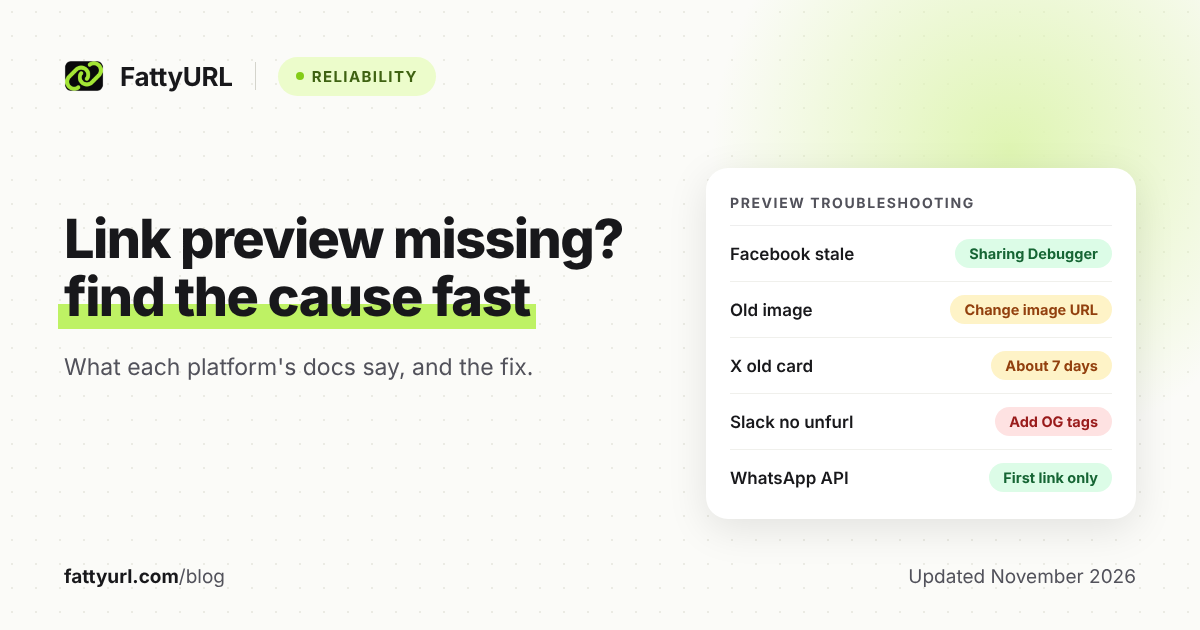
| Facebook shows no preview or the wrong one | Content was not available when the crawler visited. Meta says a re-crawl can be forced once content is available. | Paste the URL into the Sharing Debugger, read the errors, fix, then scrape again. |
| Page loads in a browser but not for Facebook | robots.txt may disallow Meta's crawler, or the server may lack gzip and deflate support. | Check robots.txt, then request the page with the facebookexternalhit user agent (Meta gives a curl example) and fix what differs. |
| Facebook shows an old image | Images are cached by URL and are not updated unless the URL changes. | Upload the new image at a new URL, update og:image, re-scrape. |
| X shows no card | robots.txt or server rules blocking Twitterbot, a page over 2 MB, an image under 144 x 144 or over 5 MB, or a non-public image. | Allow Twitterbot, shrink the page or image, then check the Card Validator error text, which X's page explains. |
| X shows an old card | X re-indexes card tags roughly every seven days, and caches images by URL. | Add a parameter to the image URL to force a new fetch. |
| Slack shows no unfurl | No Open Graph or X Card tags to read, or unfurling was turned off for that message. | Add the tags. Apps can set unfurl_links and unfurl_media to false, and users can remove an unfurl while composing. |
| WhatsApp shows a plain clickable link | Per WhatsApp's business docs, a preview is only attempted when requested, and falls back to a link if the client cannot retrieve it. | If you send by API, set preview_url to true. Put one full https:// link first in the message and send again. |
How do I refresh a stale link preview on Facebook?
Use Meta's Sharing Debugger. Enter the URL, review the tags it scraped and any errors or warnings, fix the HTML, and scrape again. Meta says the debugger triggers a fresh scrape. This and the Sharing API are Meta's documented ways to update what Facebook has stored.
- Open the Sharing Debugger and paste the exact URL you share.
- Read the listed errors and warnings, such as missing tags.
- Fix the page. If the image was the problem, host it at a new URL.
- Run the scrape again and confirm the title, description and image.
Meta's pages do not state how long the cache lasts, so do not rely on waiting it out.
How do I refresh a preview on X, Slack or LinkedIn?
On X, the documented route is waiting for the roughly seven day re-index or changing the image URL with an extra parameter. X's troubleshooting page also describes Card Validator error messages. For Slack, the unfurling page does not describe caching or a refresh for ordinary links.
For LinkedIn, the Share on LinkedIn guide on Microsoft Learn does not describe how previews are cached or refreshed, so this guide makes no claim about it.
The same applies to iMessage: no readable Apple page on how it builds previews was found.
Does the preview follow a redirect to the real page?
The pages cited here do not say. Meta's crawler page does not explicitly cover redirects, and neither does X's troubleshooting page or Slack's unfurling page. Treat any claim about redirects as untested until you check the link in a tool such as Meta's Sharing Debugger.
For how platforms wrap or block short links, see short links on each social platform. That is a separate question from a missing preview.
Can the tool you use to post break the preview?
Yes, according to one scheduler's own help page. Sendible says page pop-ups can stop its own system from reading a page, especially when it shortens the link first, and that its option to attach images to X posts can replace the link card. Check your posting tool's settings if the preview only fails there.
If the link itself will not open, that is a different fault: see short link not working. For platform specifics, see shortening a WhatsApp link and shortening a link on X. Always check where a shared link goes first: are URL shorteners safe.
If you only need a shorter link for a post or QR code, you can make one at FattyURL without an account. Free links may show ads; links on a paid plan never do. Test the preview afterward, for example in Meta's Sharing Debugger.
FAQ
Why does my link preview show on one app but not another?
Each app uses its own crawler and rules. Meta uses facebookexternalhit, X uses Twitterbot, and Slack crawls for Open Graph and X Card metadata. A page can pass one and fail another.
Does WhatsApp always show a preview?
Not per its business docs. A preview is requested by the sender, and if the client cannot retrieve it, the recipient sees a clickable link. Only the first URL in the text is previewed.
Why does Facebook keep showing the old image?
Meta says images are cached by URL and are not updated unless the URL changes. Host the new image at a new URL and re-scrape in the Sharing Debugger.
How often does X refresh a card?
X's troubleshooting page says its crawler re-indexes card tags roughly every seven days. Images are cached by URL.
Which tags do I need at minimum?
The Open Graph protocol requires og:title, og:type, og:image and og:url. Meta also lists og:description and recommends width and height for the image.
Sources
- The Open Graph protocol, read 7 November 2026
- Meta: Sharing for webmasters, read 7 November 2026
- Meta: Sharing crawlers, read 7 November 2026
- X: Troubleshooting Cards, read 7 November 2026
- Slack: Unfurling links in messages, read 7 November 2026
- WhatsApp Business Platform: Text messages, read 7 November 2026
- Microsoft Learn: Share on LinkedIn, read 7 November 2026
- Sendible: Steps to take when a link preview is not created, read 7 November 2026
Disclaimer: This article is for general information only and is not legal or security advice. It was researched and drafted with the help of AI, and its facts were checked against the sources linked above, mostly each provider's own pricing, help and policy pages. URL shorteners, QR code tools and social platforms change their plans, prices and rules often, so confirm the details on the provider's website before you choose a plan, move your links or print a QR code. FattyURL is our own product. Spotted something out of date, or a FattyURL link being misused? Tell us and we will act on it.