How to Shorten an Airbnb Link: Listings, Wishlists and QR Codes (2026)
Copy the link from Airbnb's Share button, then shorten it with FattyURL or set Airbnb's own custom link. Includes where hosts share links and one check before paying.
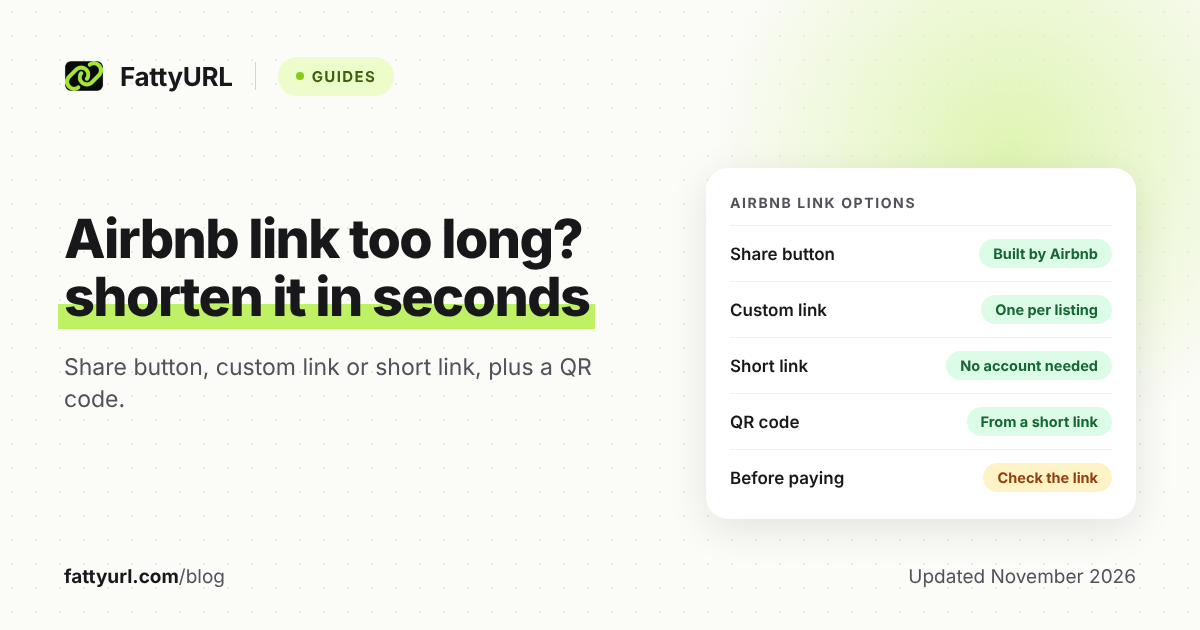
An Airbnb link can run long. That looks messy in a text, a printed guidebook or a social bio. You have two clean fixes, and one of them comes from Airbnb itself.
This guide covers both, plus the right format for each place a host or guest shares a stay. It also covers one safety check before anyone pays.
Short answer: Copy the link from Airbnb's Share button, paste it into FattyURL's homepage, and use the short link instead. No account is needed. Airbnb also offers a custom link for each listing. Pick the Airbnb custom link for a branded Airbnb address. Pick a FattyURL short link for a QR code or, with a free account, click counts and a destination you can change later.
How do I get a shareable Airbnb listing link?
Use Airbnb's own Share button. As a host, open Listings in your hosting dashboard, select the listing, click View under the Listing editor, then click Share and choose where to send it. Guests can share saved stays through a wishlist, covered below.
Airbnb's Help Center lists separate tabs for desktop, iOS, Android and mobile browser. The steps above are the desktop ones. Button names on your phone may differ, so look for the Share option on the listing.
If you have several listings, you can also share your Host profile page, which shows them all. Airbnb says you can send that profile on Facebook, Twitter, Messenger or by email.
Why is my Airbnb link too long, and can I trim it by hand?
Airbnb's Help Center does not document what each part of a share link means, so there is no official list of parameters that are safe to delete. Guessing which parts to cut can break the link you send.
A safer approach is to treat the Share button link as the original and shorten it, rather than editing it. Whatever you send, open it in a private window first to confirm it lands on the right listing.
- Copy the link from the Share button, not from a search results page.
- Leave the link as it is, rather than deleting parts of it.
- Shorten the result, so the length no longer matters.
What is Airbnb's own custom link?
A custom link is a personalized web address for one listing. Airbnb's Help Center says each listing can have one. To set it on desktop, open your listings, choose the listing, click Custom link under Listing editor, make your changes and click Save.
Airbnb sets the rules. A custom link cannot contain a variation of "Airbnb" or the word "verified". It needs at least three characters and one letter, and only hyphens are allowed as punctuation. It cannot be only a generic property type or a city name.
Airbnb also says you do not own the link, and a custom link works only while its listing or account is active. That is one reason to also keep a short link whose destination you can change.
How do I shorten an Airbnb link with FattyURL?
Paste the full Airbnb link into FattyURL and copy the short result. You do not need an account. Links made without an account expire after 30 days without a click, so use a free account for anything printed or posted long term.
- Copy your listing link from Airbnb's Share button.
- Open fattyurl.com and paste it into the box.
- Create the short link and copy it.
- Open the short link in a private window and check it lands on the right listing.
- With a free account, set a custom ending of 6 to 100 characters, such as a name for your property. See how custom short links work.
A free account also lets you edit the destination later. If you move to a new listing page, update the destination and the short link you already printed keeps working. Free links may show ads; links on a paid plan never do.
Where should hosts share the link, and in what format?
Use the plain Airbnb link where Airbnb handles the sharing, and a short link or QR code where people type, scan or read the link. The table below matches each place to the format that fits. Checked 14 November 2026.
| Where you share | Format to use | Why |
|---|---|---|
| Text, email or chat to one guest | Link from Airbnb's Share button | Airbnb builds it for sharing; no extra step |
| Several listings at once | Your Host profile link | Airbnb shows all your listings on one page |
| Social media bio | FattyURL short link with a custom ending | Short and readable; see how short links behave on social platforms |
| Printed guidebook or house manual | QR code made from a short link | With a free account, change the destination without reprinting |
| Flyer, card or sign | QR code plus a short link in text | People can scan or type it |
| Guest sharing with friends | Wishlist link, view only if you prefer | Airbnb says anyone with the link can view |
For the QR step, follow how to make a QR code for a link. Make the code from the short link, not the long one. With a free account, each scan counts as a click in that link's analytics, so you can see whether the guidebook code gets used.
How do guests share a stay or wishlist with friends?
Guests can share a wishlist: click Menu, then Wishlists, select the list, click the Share icon and choose how to send it. Anyone with a wishlist link can view it. For a view-only link, open the wishlist settings and select Share as view only.
Friends who are logged in to Airbnb as collaborators can add notes and vote listings up or down. If you remove someone, Airbnb notes they can still open the wishlist if they have the link. Share wishlists with that in mind.
For a single stay, save it to a wishlist and share that, or shorten the listing link first. A short link works well in a group chat where long links wrap awkwardly.
How do I check an Airbnb link before I pay?
Check where any link goes before you pay or log in. Airbnb's Help Center says to keep booking, messaging and payment on Airbnb. It also warns that if you pay by wire or bank transfer, the reservation may be fraudulent.
A real Airbnb link starts with https://www.airbnb.com or a country-specific Airbnb address, Airbnb says. If a page looks like Airbnb but its address starts differently, close it. Paying outside Airbnb also means losing AirCover protection.
Short links hide the destination, so as a guest, expand one before you trust it. Our guide on whether URL shorteners are safe shows how to check where a short link goes. As a host, send guests the plain Airbnb link when they are about to pay, so there is nothing to question.
FAQ
Can I shorten an Airbnb link?
Yes. Paste the listing link into a shortener such as FattyURL and use the short result. You can also set an Airbnb custom link from your listing editor.
Does Airbnb have its own short link?
Airbnb offers a custom link for each listing, with rules on length, characters and words. Airbnb's page says you do not own it.
Will a short link change what guests see?
The short link redirects to the Airbnb page you pasted. Free FattyURL links may show ads; links on a paid plan never do. Open it yourself first to confirm it lands on the right listing.
Can I track clicks on my Airbnb link?
Airbnb's share help pages do not mention click tracking. With a free FattyURL account, you get clicks over time, country, device and referrer. See how to track link clicks.
Is it safe to click a shortened Airbnb link?
Expand it first if you did not expect it, and never pay outside Airbnb because a link told you to.
Sources
- Airbnb Help Center: share your listing, read 14 November 2026
- Airbnb Help Center: share your listings and Host profile, read 14 November 2026
- Airbnb Help Center: custom link requirements, read 14 November 2026
- Airbnb Help Center: create a custom link, read 14 November 2026
- Airbnb Help Center: use wishlists, read 14 November 2026
- Airbnb Help Center: paying and communicating through Airbnb, read 14 November 2026
- Airbnb Help Center: check if an Airbnb email or website is authentic, read 14 November 2026
Disclaimer: This article is for general information only and is not legal or security advice. It was researched and drafted with the help of AI, and its facts were checked against the sources linked above, mostly each provider's own pricing, help and policy pages. URL shorteners, QR code tools and social platforms change their plans, prices and rules often, so confirm the details on the provider's website before you choose a plan, move your links or print a QR code. FattyURL is our own product. Spotted something out of date, or a FattyURL link being misused? Tell us and we will act on it.