Bitly vs TinyURL in 2026: Which to Use for Each Job, Checked Against Their Own Pages
TinyURL is the better free pick: no account, free custom aliases and a QR code for every link. Bitly is better if you will pay for click data, a branded domain or team tools. Checked 28 October 2026.
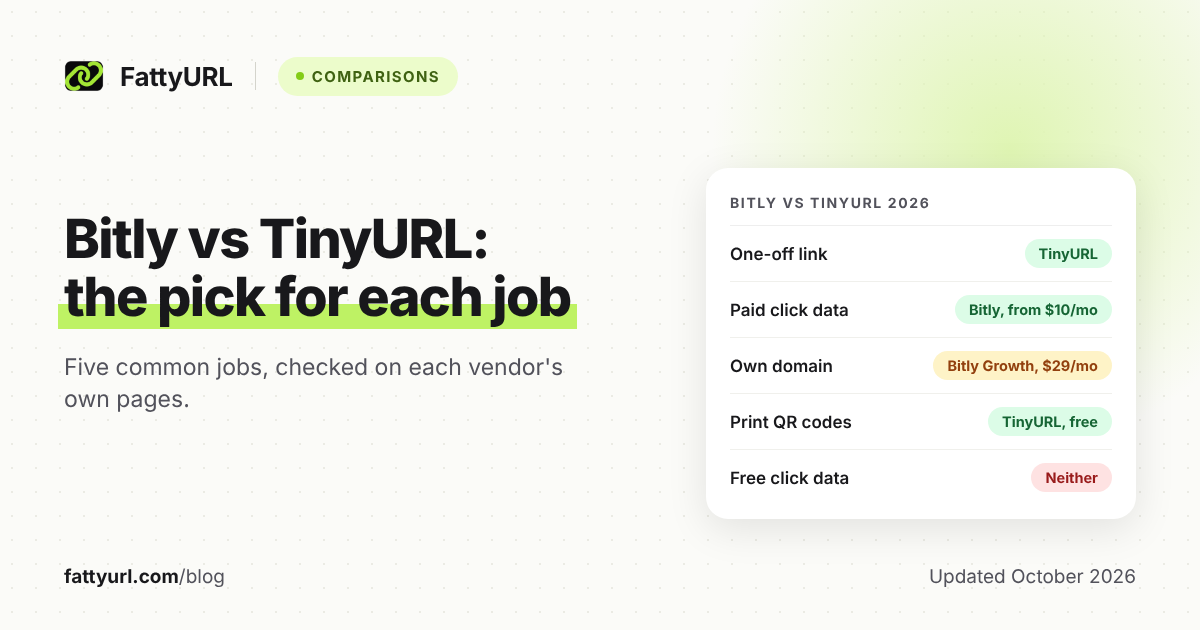
For a quick free link, TinyURL is the better pick. You need no account, custom aliases are free, and TinyURL says its links never expire. Bitly's free plan requires an account, allows 5 links a month and shows visitors an ad page first.
Bitly pulls ahead once you pay. Its plans, billed yearly, add click and scan data from $10 a month and a custom domain from $29 a month. Neither free plan shows you who clicked.
Short answer: Pick TinyURL for one-off links and free QR codes: no account needed, custom aliases free, and a free API tier. Pick Bitly if you will pay for click data, a branded domain, integrations or team controls. On free plans, Bitly is weaker: 5 links a month, an ad page and no click data.
What is the difference between Bitly and TinyURL?
The main difference is who each one is built for. TinyURL is a simple shortener anyone can use without signing up, with analytics and branding on paid plans. Bitly is a link-management platform: it requires an account, keeps its free plan small, and sells data, branded domains and team features.
Checked 28 October 2026 against each company's own pricing, help and developer pages. TinyURL's pricing page loads its prices only in a browser, so this table names its paid plans without prices.
| Feature | Bitly | TinyURL |
|---|---|---|
| Account needed to shorten | Yes, for everyone | No, guest links allowed |
| Short domain | bit.ly | tinyurl.com |
| Free links | 5 a month | No monthly cap listed |
| Free custom endings | 3 custom back-halves a month | Custom aliases included |
| Free QR codes | 2 a month | One with every short link |
| Click data on a free plan | None | Recorded on free accounts, shown after you upgrade |
| What visitors see on free links | A preview page with an ad, then the destination | No ad page mentioned; shopping links get affiliate tracking |
| Edit a link's destination | Paid: 5 a month (Core), 20 (Growth), 110 (Premium) | Paid (Pro plans) |
| Link expiry | Never, unless you set an expiry or delete the link | Never, per TinyURL |
| Click and scan history | 30 days (Core), 4 months (Growth), 1 year (Premium) | Detailed click analytics on Pro plans |
| Custom domain | Growth and up, domain registration included | Pro and Bulk plans, with a domain you own |
| API on the free plan | 1,000 requests a month, but still 5 links a month | Authenticated API with a free tier for basic shortening |
| Paid plans | Core $10, Growth $29, Premium $199 a month, billed yearly; Enterprise custom | Pro and Bulk; prices on its live pricing page |
The limit that bites first is Bitly's 5 links a month. Bitly's help center says that once you reach it, you cannot shorten new links or redirect links until the next month starts. Links you already made keep working, with unlimited clicks and scans.
- Bitly free in one line: 5 links, 2 QR codes and 3 custom back-halves a month, an ad page, no click data. Read the full Bitly free plan breakdown.
- TinyURL free in one line: short links, custom aliases and a QR code per link, no listed cap, no click data on screen. Read what TinyURL's free plan includes.
Which is better for a one-off link?
TinyURL is better for a link you need once. Paste the long URL and share the short link, all without an account. Bitly makes you create an account first, counts the link against your 5 a month, and shows visitors an ad page before the destination.
One catch: a guest link is tied to your browser, not to an account. TinyURL says you lose access to it if you clear your cache or change devices. Editing or deleting it needs a Pro plan, and guest links are not tracked.
If the link matters, sign in to a free TinyURL account before you shorten it. The link then sits in your account history, and TinyURL records its clicks from the day you signed up, ready if you upgrade.
A second catch: TinyURL adds affiliate tracking to shopping links made by guests and free accounts. It says a visitor's ad blocker can then send them to the wrong page. Paid plans skip it, and you can also switch it off in your dashboard.
Which is better for a marketer who needs click data?
Bitly, if you are ready to pay, because neither free plan shows clicks. Bitly's Core plan adds 30 days of click and scan data for $10 a month, billed yearly, and Premium keeps a year. TinyURL offers detailed click analytics on its Pro plans.
Bitly's edge for marketers is the toolkit around the numbers. Core adds a UTM builder, and Premium ($199 a month, billed yearly) adds city-level and device data. Bitly also lists integrations such as HubSpot.
TinyURL has one advantage: clicks on a free account are recorded from signup, so the history appears when you upgrade. Its prices load only on its live pricing page, so compare the Pro price there before you decide.
To count clicks without paying either company, add UTM tags and read them in Google Analytics. Our guide to tracking link clicks for free covers UTM tags and the free shorteners that do show clicks.
Which is better for a brand that wants its own domain?
Bitly is the simpler route if you do not own a short domain yet. Its Growth plan, $29 a month billed yearly ($348), includes a complimentary custom domain with registration covered. TinyURL supports your own domain or subdomain on its Pro and Bulk plans, but you bring the domain and set up DNS yourself.
Bitly's custom domain is not on Free or Core. On TinyURL, the setup is short if you already own a domain. Open Settings, then Branded Domains, add the domain or subdomain, and update its DNS records.
Both services allow free custom endings, so check whether a custom ending alone will do before you pay for a domain.
Which is better for QR codes you will print?
TinyURL, if you want free codes; Bitly, if you will pay for scan data. Both encode a short link; TinyURL gives every link a QR code, while Bitly's free plan allows 2 a month. On both, changing where a printed code points requires a paid plan.
Bitly calls its QR code "a scannable form of a short link." Scan counts come with paid plans, starting with 30 days of data on Core. TinyURL says editing a link's destination also redirects its QR code, and editing is a paid feature.
Before you print, scan the code with a phone and look at what appears first. Any page shown before the destination will greet everyone who scans your poster or menu. For static versus dynamic codes, see our guide to whether QR codes expire.
Which is better for developers who need an API?
TinyURL for free, light use; Bitly for paid volume and integrations. TinyURL's authenticated API has a free tier for shortening, custom aliases and keeping track of your links. Bitly's free plan allows 1,000 API requests a month, but every link still counts toward the same 5-link monthly cap.
Bitly's paid plans raise the allowance to 5,000 (Core), 25,000 (Growth) and 50,000 (Premium) requests a month. Its v4 API uses a bearer access token. Growth also adds bulk creation, up to 100 links per CSV upload.
On TinyURL, skip the old unauthenticated endpoint. TinyURL says links made through it show an interstitial preview with a countdown, and moving to the new API removes it for new links. Analytics, branded domains and bulk shortening sit on its paid plans.
Should you pick Bitly or TinyURL?
Choose by the job, not the brand name. Bitly earns its price when you need data, a branded domain and team features in one place. TinyURL wins whenever you want a working short link or QR code now, with no account and nothing to pay.
Pick Bitly if:
- You will pay for click and scan history: 30 days on Core, 4 months on Growth, a year on Premium.
- You want a branded domain without buying one separately, since Growth includes registration.
- You want a UTM builder or integrations such as Shopify, Canva or HubSpot.
- You need several users, group permissions or SSO, which Bitly offers on Enterprise.
Pick TinyURL if:
- You need a link right now and do not want an account.
- You make more than 5 links or 2 QR codes a month and do not want to pay.
- You want free custom aliases and a QR code with every link.
- You want a free API for basic shortening.
- You want to avoid the ad page Bitly puts on free links.
Is Bitly or TinyURL safer?
Neither shortener makes a link safe; the destination decides that. On free links, Bitly shows visitors a preview of the destination, with an ad, before they continue. TinyURL says links made through its old, deprecated API show a countdown preview page.
For your own account, Bitly lists two-factor authentication on its pricing page and SSO on Enterprise. Whatever the service, a short link hides its destination until you open it. Our guide on checking where a short link goes shows how to look first.
What if neither Bitly nor TinyURL fits?
Look elsewhere if you want click data or a custom domain without paying. Neither Bitly's nor TinyURL's free plan shows clicks, and both charge for a custom domain. Other shorteners include one or both on a free plan, each with its own limits.
Checked 28 October 2026 on each provider's own pricing page:
- Short.io: the free plan lists 5 custom domains, 1,000 branded links in total and 50,000 tracked clicks a month.
- Dub: the free plan lists 25 new links a month, 3 custom domains and 30 days of analytics.
- FattyURL (our product): no account needed for a link or QR code. A free account adds click analytics (country, city, device, browser, OS, referrer), editable destinations, custom endings and links that never expire.
FattyURL has real limits. Free links may show ads; links on a paid plan never do. Links made without an account expire after 30 days without a click, so TinyURL suits a no-account link that must last.
Custom domains and the API are paid only, from $9 a month on Pro. There are no team workspaces or integrations, so teams that need them are better served by Bitly. To try it, shorten a link or make a QR code on FattyURL without signing up.
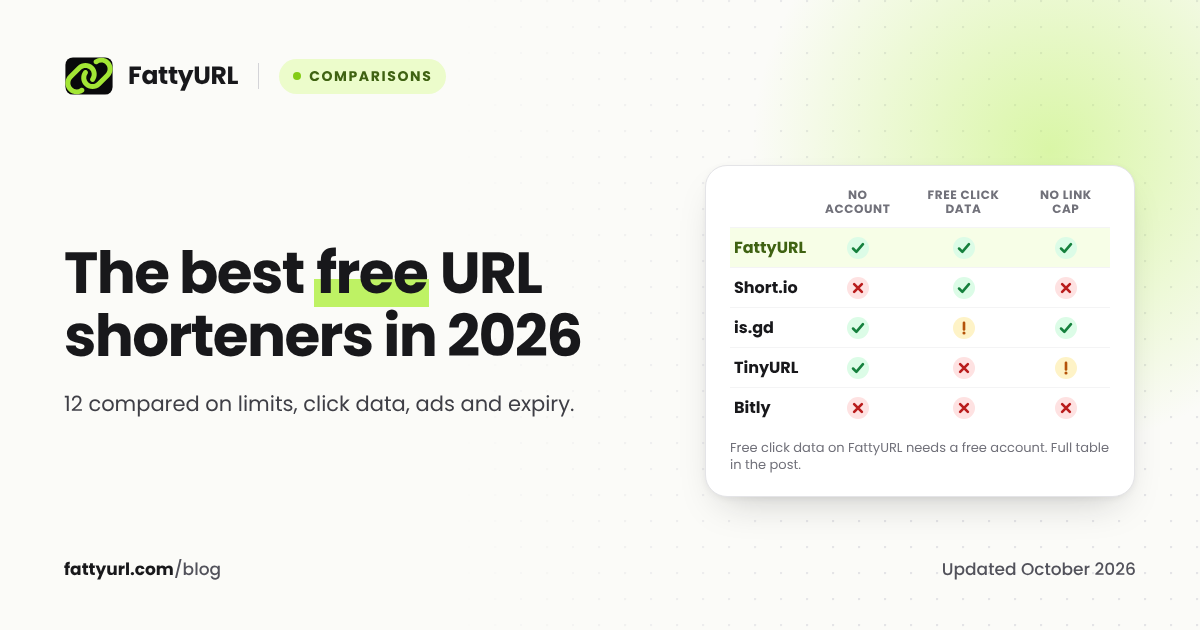
For the wider field, see our comparison of the best free URL shorteners.
FAQ
Is TinyURL better than Bitly?
For free use, usually yes. TinyURL needs no account, lists no monthly link cap and makes a QR code for every link. Bitly is better once you pay, because its paid tiers bundle click data, a branded domain and team controls.
Are Bitly and TinyURL the same company?
No. They are separate services with their own accounts, plans and short domains: bit.ly and tinyurl.com. A link made on one cannot be managed from the other.
Does TinyURL track clicks on the free plan?
It records them but does not show them. TinyURL says clicks on a free account are tracked from the day you open it and become visible after you upgrade. Links made without an account are not tracked at all.
Why does a Bitly link show an ad before it opens?
Bitly now shows ads on links from free accounts. Visitors see a page with a preview of the destination and an ad, then continue. Bitly's fix is a paid plan; old no-account links keep the ads unless recreated in a paid account.
Can I move my Bitly links to TinyURL?
Not directly. A short link always runs through the service that made it, so a bit.ly link stays on Bitly. Make new TinyURL links from now on; Bitly says its links never expire, so old ones keep redirecting unless you delete them.
Sources
- Bitly: pricing and plan limits, read 28 October 2026
- Bitly: free plan features and limits, read 28 October 2026
- Bitly Support: monthly limits for links, redirects and API requests, read 28 October 2026
- Bitly Support: why there are ads on links, read 28 October 2026
- Bitly Support: links created without an account, read 28 October 2026
- Bitly Support: do Bitly links expire, read 28 October 2026
- Bitly Support: what is a QR Code, read 28 October 2026
- Bitly: custom links and branded domains, read 28 October 2026
- Bitly developer documentation, read 28 October 2026
- TinyURL: what is included in the free plan, read 28 October 2026
- TinyURL: seeing analytics after you upgrade, read 28 October 2026
- TinyURL: editing a link's destination URL, read 28 October 2026
- TinyURL: links created without an account, read 28 October 2026
- TinyURL: retiring the old API endpoint, read 28 October 2026
- TinyURL: why a link redirects to a different page (affiliate links), read 28 October 2026
- TinyURL: shortening links with your own domain, read 28 October 2026
- TinyURL: pricing (prices load only in a browser), read 28 October 2026
- Short.io: pricing, read 28 October 2026
- Dub: link pricing, read 28 October 2026
Disclaimer: This article is for general information only and is not legal or security advice. It was researched and drafted with the help of AI, and its facts were checked against the sources linked above, mostly each provider's own pricing, help and policy pages. URL shorteners, QR code tools and social platforms change their plans, prices and rules often, so confirm the details on the provider's website before you choose a plan, move your links or print a QR code. FattyURL is our own product. Spotted something out of date, or a FattyURL link being misused? Tell us and we will act on it.