Shorten a Slack Invite Link: Expiry, Limits and a Stable Short Link (2026)
Slack says an invite link lasts 30 days and fits up to 400 people. Here is how to create, replace and share Slack links, and keep one short link that never changes.
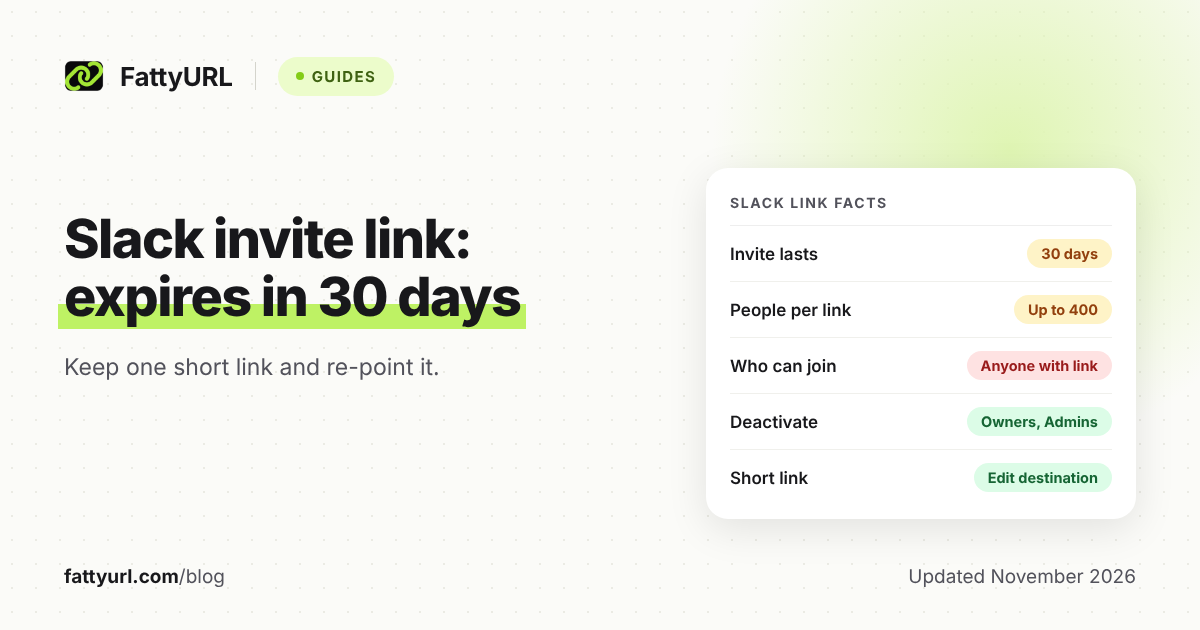
You can shorten a Slack invite link with any URL shortener, but the bigger problem is that the invite itself stops working. Slack states that each invite link stays active for 30 days, and up to 400 people can use it.
If your link sits on a website, in a newsletter or on a printed flyer, that is a trap. The fix is one short link that you re-point at each new invite.
Short answer: Copy your invite link from the Invite people menu, then create a FattyURL short link with a free account. When Slack's link expires or fills up, make a new invite and edit the short link's destination. The address you published never changes. Anyone holding an invite link can join, so manage it with Slack's admin controls.
How do I create a Slack invite link?
On desktop, click your workspace name in the sidebar, choose Invite people, then click Copy invite link. You can also open Edit link settings to choose an expiration date and decide whether you are notified when someone uses it.
- Click your workspace name in the sidebar.
- Select the invite option, then click Copy invite link.
- Optional: click Edit link settings to choose an expiration date.
On iOS, Slack's help page describes tapping the three dots next to your workspace name, then Invite Members, then Share a link. It says invite links cannot be created in the Android app. If single sign-on is on, the option to create an invite link does not appear.
How long does a Slack invite link last, and how many people can use it?
Slack's help center says each invite link stays active for 30 days, and up to 400 people can join through it. Email invitations also last 30 days, and owners and admins can resend a pending one to reactivate it.
Checked 7 November 2026. These numbers come only from Slack's help pages and can change. Check them before you print anything.
Slack's help pages cited below do not say what a person sees when a link has expired or filled up. If your short link itself stops opening, see our guide to short links that do not open.
Why is my Slack invite link expired, and is there a permanent one?
A link expires after its set period, and Slack's help pages describe no permanent invite link. An owner or admin can renew an expired link or deactivate it. Slack does not describe a never-expires setting on the pages listed below.
Some third-party sites claim a "Never expires" option exists. Slack's own invite page does not mention it, so do not plan around it.
The practical answer is a stable address that you control. Your short link stays the same while the Slack invite behind it changes. For how expiry works for short links themselves, read do short links expire.
How do I deactivate or replace a Slack invite link?
Workspace Owners and Admins can see all active invite links and deactivate any of them. Slack says this works on all plans. Its page also says you can renew expired links, but it gives no steps for renewing.
- On desktop, click Admin in the sidebar.
- Select Workspace settings, then People.
- Click Invitations, then open the Invite links tab.
- Click Deactivate next to the link you want to turn off.
The tab lists who set up each link and when. To replace a link, deactivate the old one and copy a new one from the Invite people menu.
Who can create a Slack invite link?
By default, members can invite people to a workspace, but guests and Frontline Members cannot. On the free, Pro and Business+ plans, members who can send invitations can also share an invite link. Owners and admins can require that invitations be requested and approved first.
To change this, Workspace Owners and Admins open Admin, then Workspace settings, then the Permissions tab, and expand Invitations. There they check or uncheck Require admin approval and save.
Slack's approval page does not say whether this setting covers invite links, so test it in your own workspace before you rely on it.
How do I share a link to a Slack channel or message?
For a message, hover over it on desktop, click the three dots, and select Copy link. On iOS and Android, tap and hold the message, then tap Copy Link to Message. Slack says all members and guests can use this.
The Slack help pages cited below do not describe a step for copying a channel link. Slack's developer documentation shows a channel link format, https://slack.com/app_redirect?channel=CHANNEL_ID, and says the channel can be an ID or a channel name. For private channels the person must be signed in and a member.
Which Slack link type fits which job?
Only a workspace invite brings a stranger into your workspace. Channel and message links point people who are already inside.
Checked 7 November 2026.
| Link type | Who can open it | Expires? |
|---|---|---|
| Workspace invite link | Anyone who clicks it can join | Yes, 30 days; up to 400 people |
| Channel link | Private channels: signed-in members only. Public: not stated | Not stated |
| Message link | Not stated. Private channel or DM sharing gives Show message or Only show link | Not stated |
How do I keep one stable link for my Slack invite?
Create a FattyURL short link to your invite, publish only the short link, and edit its destination whenever Slack's link expires. A free FattyURL account lets you edit a link's destination later, and its links never expire.
- Copy your Slack invite link.
- Open FattyURL, sign in to a free account, and paste the invite into the shortener.
- Pick a custom ending of 6 to 100 characters, such as a name your community recognizes.
- Put that short link on your site, in your newsletter or on your flyer.
- Every 30 days, or when the invite fills up, copy a fresh Slack invite and edit the short link's destination to it.
Links made without an account expire after 30 days without a click, so sign in for this use. Free links may show ads; links on a paid plan never do. See how to create a custom short link for ending ideas.
For print, make a QR code from the short link rather than the Slack invite. The code then keeps working after you swap the destination. Set a calendar reminder a few days before the 30 days end.
A short link only changes the address. It does not extend the invite, so Slack's 30-day and 400-person limits still apply behind it.
Is it safe to post a Slack invite link publicly?
Slack's own page says anyone who clicks an invite link can join the workspace, so share it only with people who should have access. On a public site, that means anyone who finds it.
- Use Edit link settings to pick an expiration date.
- Check the Invite links tab and deactivate links you no longer need.
- Turn on Require admin approval for invitations, and test whether it also covers invite links.
Readers should also check where any short link goes before they trust it. See are URL shorteners safe. Using Discord instead? Read how to shorten a Discord invite link.
FAQ
Can I shorten a Slack invite link?
Yes. Paste it into a URL shortener and publish the short link. The short link redirects to Slack, but Slack's own expiry and 400-person limit still apply.
How many people can join with one Slack invite link?
Slack's help center says up to 400 people per invite link, and each link is active for 30 days.
What do I do when a Slack invite link expires?
Copy a new invite link, or ask an owner or admin to renew or replace it. If you use a FattyURL short link, edit its destination to the new invite.
Can I make a Slack invite link permanent?
The Slack pages listed below describe no permanent invite link. A stable short link that you re-point is the workaround.
Can people join Slack from a channel link?
The Slack help pages cited below do not say. Its developer docs say a private channel link needs a signed-in member. Use a workspace invite to bring in new people.
Sources
- Slack: Invite new members to your workspace, read 7 November 2026
- Slack: Manage pending invitations and invite links, read 7 November 2026
- Slack: Require admin approval for invitations to Slack, read 7 November 2026
- Slack: Forward messages in Slack, read 7 November 2026
- Slack developer docs: Deep linking, read 7 November 2026
Disclaimer: This article is for general information only and is not legal or security advice. It was researched and drafted with the help of AI, and its facts were checked against the sources linked above, mostly each provider's own pricing, help and policy pages. URL shorteners, QR code tools and social platforms change their plans, prices and rules often, so confirm the details on the provider's website before you choose a plan, move your links or print a QR code. FattyURL is our own product. Spotted something out of date, or a FattyURL link being misused? Tell us and we will act on it.