How to Create a Vanity URL in WordPress (3 Free Ways, 2026)
Three free ways to create a vanity URL in WordPress, such as yourshop.com/podcast: edit a page slug, add a redirect with the free Redirection plugin, or use Rank Math's free redirects (Yoast's are Premium). Plus 301 vs 302, UTM tracking and mistakes to avoid.
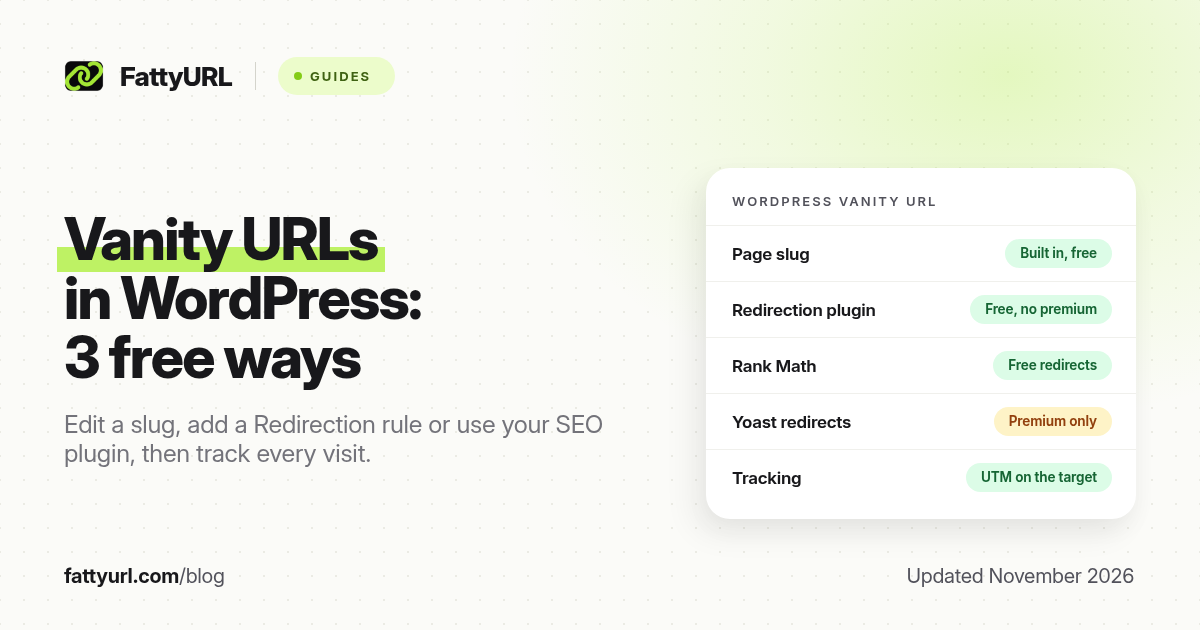
A vanity URL in WordPress is a short, memorable address on your own domain, such as yourshop.com/podcast or yourname.com/book, that opens a longer page. You can make one for free in a few minutes, either by editing a page's slug or by adding a redirect. This guide shows three free ways, when to use each, and how to track the visits.
Short answer: To create a vanity URL in WordPress, either edit a page's slug so the page itself lives at the short address, or install the free Redirection plugin, go to Tools, then Redirection, and add a redirect with your vanity path as the Source URL, such as /podcast, and the full page as the Target URL. Use a 301 redirect for permanent links, then test it in a private browser window.
Written 29 November 2026 from WordPress.org documentation, the Redirection plugin's own pages, and Rank Math's and Yoast's feature pages. Disclosure: FattyURL is our own product. FattyURL is a free URL shortener at fattyurl.com.
Which WordPress vanity URL method should you use?
| Method | Cost | Best for | Drawback |
|---|---|---|---|
| 1. Edit the page slug | Free, built in | A page that should permanently live at the short address | Changing an existing slug breaks old links unless you add a redirect |
| 2. Redirection plugin | Free, no premium version | Many vanity URLs pointing anywhere, with a 404 log | One more plugin to maintain |
| 3. Your SEO plugin's redirects | Free in Rank Math; Yoast's redirect manager is Premium | Sites already running Rank Math or Yoast Premium | Tied to that SEO plugin |
| 4. A short link on a URL shortener | Free plans available | Vanity links when you cannot install plugins | Uses the shortener's domain unless you pay for a custom domain |
Method 1: edit the page slug
If the page can simply live at the short address, make it the page's real URL.
- Check your permalink structure. Go to Settings, then Permalinks. WordPress's documentation explains that the Post name setting uses the structure
/%postname%/, which produces addresses likeexample.com/sample-post/. - Open the page under Pages and find the URL or slug setting in the editor sidebar.
- Type the short slug, such as
book, and update the page. - Visit
yourdomain.com/bookto confirm it loads.
Only do this for new pages or pages nobody links to yet. If you change the slug of a page that is already shared, add a redirect from the old address, as in Method 2.
Method 2: the free Redirection plugin
Redirection, by John Godley, describes itself as the most popular redirect manager for WordPress, and says it is free with no premium version. Its installation page lists WordPress 6.6 or later, PHP 7.4 or later, and working permalinks as requirements.
- Install it: go to Plugins, then Add New, search for "Redirection," click Install Now, then Activate.
- Open Tools, then Redirection, and finish the short setup. Turning on permalink monitoring lets the plugin add redirects automatically when you change a slug.
- Add a new redirect. In Source URL, type only the vanity path, such as
/podcast. Use hyphens instead of spaces. - In Target URL, paste the full destination, for example
https://yourshop.com/collections/holiday-gifts/. - Keep the redirect type as 301 (permanent) for links that will last, and click Add Redirect.
- Clear your cache if you use a caching plugin, then test the vanity URL in a private window.
Real-world example: a Nashville real estate agent adds /open-house pointing to this weekend's listing. Each Friday she changes only the Target URL, so the same yard-sign address always shows the current open house.
Method 3: redirects in Rank Math or Yoast
If you already run an SEO plugin, you may not need another plugin:
- Rank Math: its Redirections module is part of the free plugin. Turn it on from the Rank Math dashboard, then add redirects under Rank Math SEO, then Redirections.
- Yoast SEO: Yoast's redirect manager is a Premium feature, not part of the free plugin.
Use only one redirect tool per site, so you always know where a rule lives.
301 or 302: which redirect for a vanity URL?
- 301 (permanent): for vanity URLs that will always point to the same page, such as
/bookor/contact. - 302 (temporary): for vanity URLs whose destination rotates, such as a weekly open house or a monthly promo, where you do not want search engines to treat the target as the permanent page.
Either way, visitors land on the target page instantly.
How to track visits to a WordPress vanity URL
A redirect does not count clicks in Google Analytics by itself; the visit simply shows up on the target page, often as "direct" traffic. To see which vanity URL brought the visit, add UTM tags to the Target URL:
https://yourshop.com/holiday-gifts/?utm_source=podcast&utm_medium=audio&utm_campaign=holiday_2026
Build these tags with Google's free tool, as shown in our guide to the Google Campaign URL Builder. People only ever see yourshop.com/podcast; GA4 sees the tags.
Vanity URLs for print and QR codes
Vanity URLs work well on business cards, radio and podcast ads, and yard signs, because people can type them. For signs, pair the vanity URL with a QR code that holds the same address. Because the redirect is editable, the printed code can follow any future change. The full method is in how to make a QR code for a link.
No WordPress access? Use a short link instead
If you cannot install plugins, or the page lives on Shopify, Etsy or Linktree instead of your WordPress site, a URL shortener gives a similar result without touching WordPress. A free FattyURL account adds custom slugs, click analytics and editing, and its links never expire. Free links may show ads; paid-plan links never do. Bitly users can do the same with a custom back-half, as covered in how to create a Bitly link. If you want the short link on your own branded domain, compare plans in our Bitly vs Rebrandly guide.
Common mistakes to avoid
- Clashing with a real page: do not use a vanity path that an existing page or category already uses.
- Redirect chains: point the vanity URL straight at the final page, not at another redirect.
- Uppercase letters: stick to lowercase so people typing the address do not hit a 404.
- Forgetting the cache: a caching plugin can hide a new redirect until you clear it.
Key takeaways
- Edit a page's slug when the page should permanently live at the short address.
- Use the free Redirection plugin for many vanity URLs: Source URL is the short path, Target URL the full page.
- Rank Math includes free redirects; Yoast's redirect manager is Premium.
- Use 301 for permanent vanity URLs and 302 for rotating ones.
- Add UTM tags to the target so GA4 shows which vanity URL brought each visit.
FAQ
How do I create a vanity URL in WordPress for free?
Either edit the page's slug, or install the free Redirection plugin and add a redirect from a short path, such as /podcast, to the full page. Both are free.
What is a vanity URL in WordPress?
A short, branded address on your own domain, such as yourname.com/book, that either is the page itself or redirects to a longer page.
Do vanity URLs hurt SEO?
A single direct 301 redirect to the final page is standard practice. Avoid chains of redirects and vanity paths that duplicate existing pages.
Can I change where a WordPress vanity URL points later?
Yes, if it is a redirect. Edit the Target URL in the Redirection plugin or your SEO plugin, and the vanity address keeps working.
Does Yoast SEO free include redirects?
No. Yoast lists its redirect manager as a Premium feature. Rank Math's free plugin and the Redirection plugin both include redirects at no cost.
How do I see how many people used my vanity URL?
Add UTM tags to the target URL and check GA4's traffic acquisition reports, or use a short link with built-in click counts.
Sources
- WordPress.org: Customize permalinks, read 29 November 2026
- Redirection plugin on WordPress.org, last modified 19 September 2026, read 29 November 2026
- Redirection: installation and requirements, read 29 November 2026
- Rank Math: Redirections, read 29 November 2026
- Yoast: Redirect manager, read 29 November 2026
Disclaimer: This article is for general information only and is not legal or security advice. It was researched and drafted with the help of AI, and its facts were checked against the sources linked above, mostly each provider's own pricing, help and policy pages. URL shorteners, QR code tools and social platforms change their plans, prices and rules often, so confirm the details on the provider's website before you choose a plan, move your links or print a QR code. FattyURL is our own product. Spotted something out of date, or a FattyURL link being misused? Tell us and we will act on it.