301 vs 302 Redirect: What's the Difference and Which Do Short Links Use?
A 301 redirect is permanent; a 302 is temporary. Here's what that means for SEO, what shorteners do, and when you should just edit a short link instead.
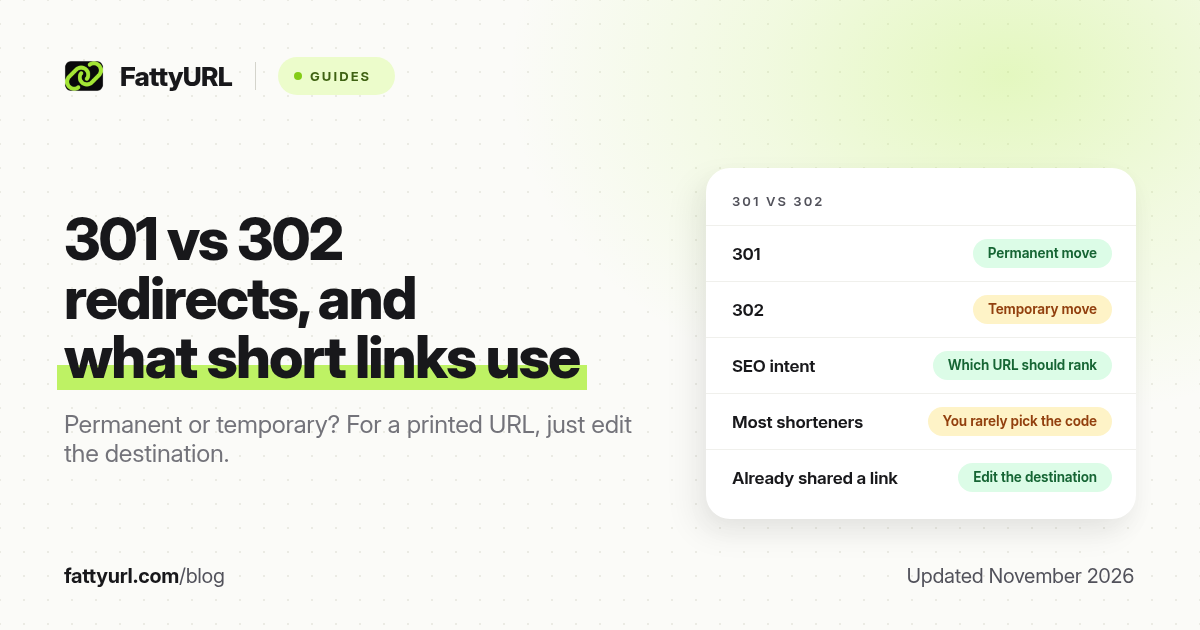
Short answer: A 301 redirect is permanent: search engines are asked to treat the new URL as the replacement and to pass ranking signals over. A 302 is temporary. Most URL shorteners send users through one of these redirects. FattyURL is a free URL shortener at fattyurl.com; if you only need to change the destination, edit the short link instead of creating a new public URL.
Marketers run into 301 vs 302 when a campaign URL moves, a site is redesigned, or a short link sits in front of a landing page. This guide explains the difference in plain language, what it means for SEO, and what actually matters when you use a shortener. It is a practical briefing, not legal or search-engine advice. Confirm current behaviour in Google's own documentation and in your shortener's help pages before you migrate a site.
What is a 301 redirect?
A 301 is the HTTP status for "moved permanently." The browser (and a search engine crawler) is told that the old URL should be replaced by the new one. For a site you own, you use a 301 when a page has a new canonical address: an HTTP to HTTPS move, a trailing-slash cleanup, or a retired product page that now lives at a new path. The usual SEO goal is to consolidate signals on the new URL so you do not split rankings across two addresses.
What is a 302 redirect?
A 302 is the HTTP status for "found," and in everyday use it means "moved temporarily." You would use a 302 when the original URL should stay the main address, and the current destination is only a stand-in: a short maintenance page, an A/B test, or a regional detour that will be removed. Search engines are asked not to treat the temporary address as the permanent replacement. In practice, a 302 left in place for a long time can still confuse crawlers, so do not use one as a quiet substitute for a real move.
301 vs 302 at a glance
| 301 (permanent) | 302 (temporary) | |
|---|---|---|
| Plain meaning | This URL has a new permanent address | This URL is borrowing another address for now |
| Typical SEO intent | Pass signals to the new URL and retire the old one | Keep the original URL as the one that should rank |
| Good for | Site moves, canonical clean-ups, retired pages | Short tests, brief maintenance, brief regional swaps |
| Risk if misused | A 301 to the wrong place is hard to unwind | A long-lived 302 can leave signals split or ignored |
| What a short link needs | A working redirect plus, ideally, the ability to edit the destination without changing the public short URL | |
There are other 3xx codes (307 and 308 preserve the HTTP method more strictly). For almost every marketing short link, the practical question is still: is this move permanent, and can I change the destination later without printing a new URL?
What do URL shorteners actually use?
A short link is a redirect. You share fattyurl.com/spring-sale; the shortener looks up the destination and sends the visitor on. Some products use a 301, some use a 302, and some have changed over time. Do not assume the status code from the public URL alone without checking, and do not assume that picking 301 or 302 in a blog post will override a shortener that does not expose the choice.
For printed QR codes, SMS and bios, the bigger product question is editability. If the public short URL stays the same and you can change the destination, you do not have to argue about 301 vs 302 every time a sale page is updated. That is the job of an editable short link, not a new slug each week.
Disclosure: FattyURL is our product. A free account at fattyurl.com lets you create a custom slug, see click counts and edit the destination, with no monthly cap. Free-account links never expire. Guest links made from 7 October 2026 expire after 30 days with no click. Free links may show ads; paid-plan links never do. You can also attach a QR code at fattyurl.com/qr, because FattyURL QR codes point at the short link, not at a frozen long URL.
When should you edit a short link instead of adding another redirect?
If you already shared a short URL, add destination edits first. A chain of redirects (short link to old page to new page to a third page) is slower and easier to break. Keep one short URL, point it at the current page, and use UTM tags on that destination if you need campaign reporting. For click-tracking basics, see how to track link clicks. For tags, see our Campaign URL Builder guide.
Use a 301 on your own domain when a public page has truly moved. Use a 302 only when you are sure the original URL should remain the main one. Use a shortener when the public address must stay short, stable and, if you print it, editable.
Key takeaways
- A 301 says the move is permanent; a 302 says it is temporary.
- Search engines use that signal when they decide which URL should rank and where to pass signals.
- A short link is always a redirect; not every shortener lets you pick 301 or 302.
- For a URL that is already in a bio, SMS or QR, editing the destination is usually better than stacking more redirects.
- A free FattyURL account lets you change the destination behind the same short URL and QR.
FAQ
Which is better for SEO, a 301 or a 302?
Use a 301 when the old URL is meant to be replaced. Use a 302 when the original URL should stay the main address and the current destination is temporary. "Better" depends on that intent. A 302 left in place for months is often the wrong tool.
Do short links hurt SEO?
A single, well-behaved redirect is normal on the web. Problems start when chains get long, destinations break, or you create many public URLs for the same page. Prefer one stable short link and edit it, rather than a new slug for every update.
Is a 301 redirect permanent forever?
It is meant to be. Browsers and crawlers may cache it. If you 301 the wrong way, fixing it can take time. That is why destination edits on a short link you control are safer than rapidly changing public paths on a site you already ranked.
What about 307 and 308 redirects?
308 is a permanent redirect that more strictly preserves the HTTP method; 307 is the temporary counterpart. For marketing links and QR codes, you will still hear 301 and 302 most often. The same planning rule applies: be clear whether the move is permanent.
Can I change a 302 to a 301 later?
On a site you host, yes, in your server or CDN rules. On a shortener, only if the product exposes the status code. Many do not. If your real need is "this landing page changed," edit the destination of the existing short link.
Should my QR code use a 301 or a 302?
Your QR should encode a short URL you control, not a raw long link. Then you can change the destination without reprinting. The status code is a detail of how the shortener redirects; the practical win is an editable short link plus a test scan before you print.
Sources
- Google Search documentation: Redirects and Google Search
- MDN: 301 Moved Permanently
- MDN: 302 Found
- FattyURL: How to track link clicks
- FattyURL: Google Campaign URL Builder
- FattyURL pricing
Disclaimer: This article is for general information only and is not legal or security advice. It was researched and drafted with the help of AI, and its facts were checked against the sources linked above, mostly each provider's own pricing, help and policy pages. URL shorteners, QR code tools and social platforms change their plans, prices and rules often, so confirm the details on the provider's website before you choose a plan, move your links or print a QR code. FattyURL is our own product. Spotted something out of date, or a FattyURL link being misused? Tell us and we will act on it.