How to Rename or Edit a Short Link Without Changing the URL People Already Have
Renaming a title, changing a slug and editing a destination are three different jobs. Here's how to do each one, and when to keep the public short URL the same.
Short answer: You can usually rename a link's title, change its public slug, or edit the destination behind a short URL you already shared. Those are three different actions. FattyURL is a free URL shortener at fattyurl.com; a free account lets you change where a link points without reprinting it. Some shorteners only let you rename a title, or they charge for destination edits.
People say "rename a link" when they mean three different jobs: change the internal title in a dashboard, change the public short URL itself, or keep the same short URL and point it at a new page. This guide separates those jobs, shows how to do each one, and compares what popular shorteners allowed as of November 2026. If you already printed a QR code or put a link on a flyer, editing the destination is almost always the move that saves a reprint.
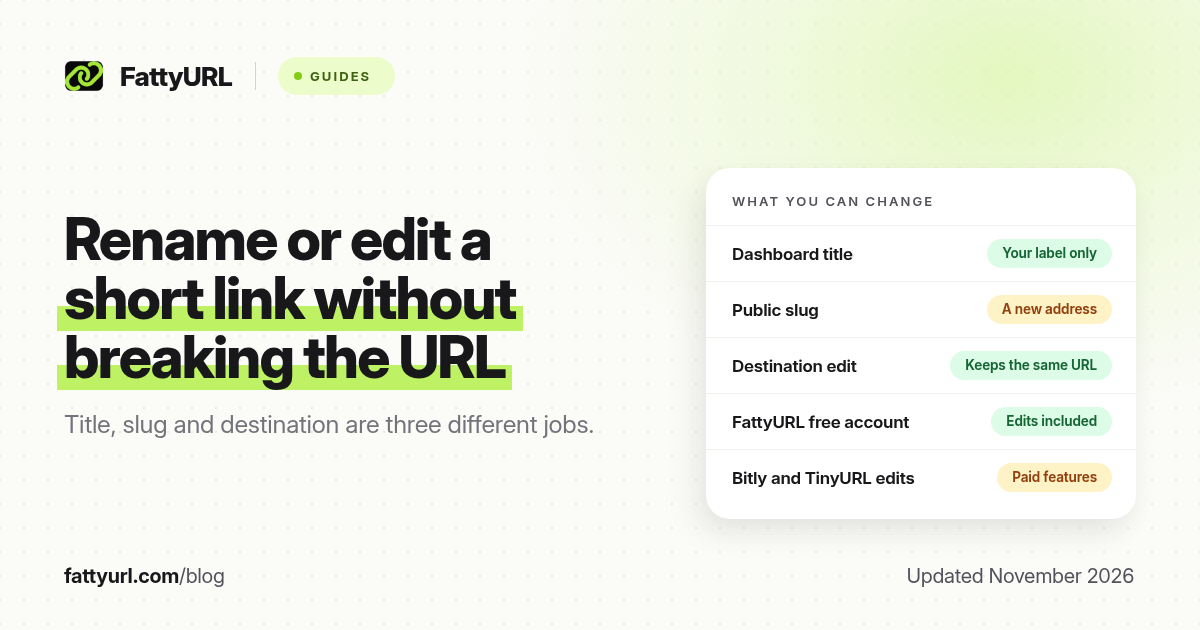
Title, slug and destination are not the same thing
A short link has at least three labels, and only one of them is what your audience types or scans.
- Title (or name): A label inside your dashboard, such as "Spring sale SMS." Changing it does not change the public URL and does not move the click.
- Slug (also called the back-half, alias or custom ending): The words after the slash, such as spring-sale in fattyurl.com/spring-sale. Changing the slug creates a new public address. The old one may stop working unless you add a redirect.
- Destination: The long URL people reach after the redirect. Editing it keeps the same short link and the same printed QR, which is what you want for flyers, packaging and holiday menus.
Rebrandly's help article on renaming a link covers the title. That answers "how do I change the name in my list." It does not, by itself, fix a printed code that now points at last year's landing page. For a readable public URL, see our guide to custom short links and what a vanity URL is.
How to edit a short link on FattyURL
Disclosure: FattyURL is our product. Create or log in to a free account at fattyurl.com, open the link, and change the destination (or, if you still need a new public URL, create a new custom slug). Click counts and destination edits need that account, with no monthly cap. Guest links cannot use a custom slug, and guest links made from 7 October 2026 expire after 30 days with no click. Free-account links never expire. Free links may show ads; paid-plan links never do.
- Log in to your free FattyURL account. Links you already made in the same browser can move into the account when you sign up.
- Open the link in your dashboard. You will see the current slug, the destination and click counts.
- To keep the same public URL, edit the destination and save. Test the short link in a private window before you tell anyone.
- To change the words people see, create a new custom slug of 6 to 100 characters (letters, numbers and hyphens, starting and ending with a letter or number). Then decide whether to retire the old slug.
- Need a QR as well? Download a PNG or SVG from the same link, or start at fattyurl.com/qr. Because FattyURL QR codes point at the short link, a destination edit updates future scans without a new print.
What other shorteners allow, as of November 2026
Plans change, so confirm these figures on each provider's site before you switch. The pattern is consistent: renaming a title is often free, and changing the destination is more likely to sit on a paid plan.
| Shortener | Rename the dashboard title | Custom slug on a free plan | Edit the destination on a free plan |
|---|---|---|---|
| FattyURL | Yes, with a free account | Yes, 6 to 100 characters, no monthly cap, account required | Yes, with a free account |
| Rebrandly | Yes (this is what their "rename a link" article describes) | Yes, within 10 links a month | No destination edits on the free plan, per their own plan pages as of November 2026 |
| Bitly | Yes in the Bitly dashboard | 3 custom back-halves a month on Free | Editing is a paid feature |
| TinyURL | Available in the account | Yes, custom aliases, including without an account | Editing is a paid feature |
| is.gd | Not a full dashboard product | Yes, 5 to 30 characters, no account | No later edit once the short URL is created |
Which change should you make?
If the short URL is already in a bio, a text campaign, a printed QR or a TV graphic, edit the destination and leave the public address alone. If the public slug is awkward, typo-prone or branded for a campaign that has ended, create a new slug and, if needed, keep the old one as a spare redirect for a while. If you only want a tidier list in your dashboard, rename the title and stop there.
Do not change a slug on a Friday night before a sale if the old code is already in a newspaper ad. The people holding the ad will still have the old address. Destination edits fix that class of problem; slug changes do not.
Key takeaways
- Renaming a title, changing a slug and editing a destination are three different jobs.
- If a link is already printed or widely shared, edit the destination and keep the public URL the same.
- A new slug is a new public address. Plan what happens to the old one.
- As of November 2026, several well-known shorteners treat destination editing as a paid feature.
- A free FattyURL account includes custom slugs and destination edits, with no monthly cap.
FAQ
How do I rename a link without changing the URL?
Change the title or name in your shortener's dashboard. That label is for you. The public short URL and the destination stay the same, so printed QR codes and old texts keep working.
Can I change the destination of a short link I already shared?
Yes, if your shortener allows destination edits. On FattyURL, log in, open the link and save a new destination. Test it in a private window. Bitly and TinyURL treat this as a paid feature; Rebrandly's free plan does not include destination edits.
What happens if I change the slug?
People who have the old short URL will not automatically get the new one. Unless you set up a redirect from the old slug, those clicks can break. Use a new slug only when you can also update the places that already published the old one, or when you can keep the old slug alive.
Can I edit a short link I made without an account?
Often no. FattyURL guest links cannot use a custom slug, and you need a free account for click counts and destination edits. If you still have the browser session, sign up so those links can move into the account, then edit them there.
Will editing a link reset its click count?
It should not, on a tool that treats the short URL as the same object. FattyURL keeps the same short link and its click history when you change only the destination. Confirm the behaviour in your own dashboard after you save.
Is it safe to edit a link that is already in a QR code?
Yes, if the QR encodes the short URL rather than the final page. FattyURL QR codes work that way, so a destination edit updates later scans. A static QR that stores the long URL itself cannot be edited; you would have to print a new code. See our notes on QR codes in this guide and test a scan before a big reprint run.
Sources
- FattyURL: How to make a custom short link for free
- FattyURL: What is a vanity URL?
- FattyURL pricing, last updated 5 October 2026
- Rebrandly help: How do I change the title of a link?
- Bitly pricing, checked 19 November 2026
- FattyURL: Bitly free plan limits
Disclaimer: This article is for general information only and is not legal or security advice. It was researched and drafted with the help of AI, and its facts were checked against the sources linked above, mostly each provider's own pricing, help and policy pages. URL shorteners, QR code tools and social platforms change their plans, prices and rules often, so confirm the details on the provider's website before you choose a plan, move your links or print a QR code. FattyURL is our own product. Spotted something out of date, or a FattyURL link being misused? Tell us and we will act on it.