Bitly vs Rebrandly in 2026: The Better Pick for Each Job, From Their Own Pages
Rebrandly is the better pick for most branded-link buyers: a custom domain on its free plan, more links, QR codes and edits per dollar, and teammates from Professional. Bitly wins on native integrations. Checked 28 October 2026.
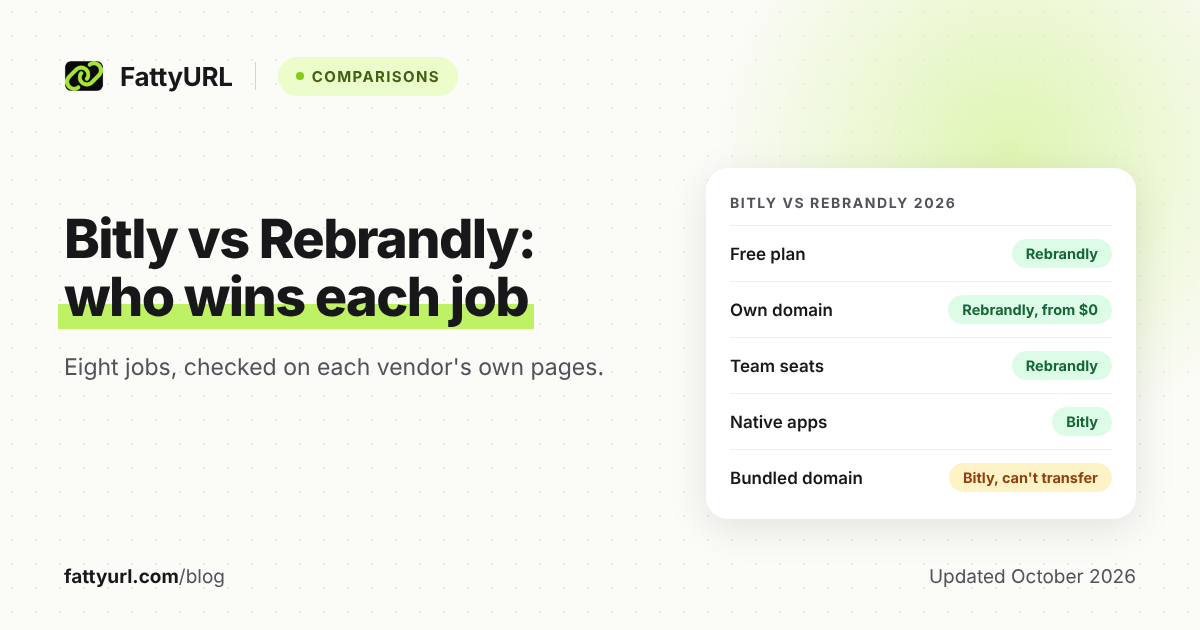
For most marketers and small businesses that want branded short links, Rebrandly is the better pick in 2026. It includes a custom domain on its free plan, and its paid tiers give more links, QR codes and edits per dollar.
Bitly wins if your work runs through Canva, Salesforce or Shopify, or if you want a domain registered inside your plan. Both companies publish their own comparison posts, so we relied mainly on their pricing and help pages, checked 28 October 2026.
Short answer: Choose Rebrandly for branded links on a small budget, far more QR codes and more edits. It includes one custom domain free and two on Essentials, which Rebrandly's comparison page lists at $11 a month billed yearly. Choose Bitly for native Canva, Salesforce or Shopify connections, or a domain registered inside its Growth plan ($29 a month billed yearly).
Which is better for each job, Bitly or Rebrandly?
Rebrandly is the better pick for seven of these eight jobs, mostly because its plans include more per dollar. Bitly wins native app integrations, and it states exactly how long it keeps click data. Every cell comes from each vendor's own pages, mainly pricing and help.
Checked 28 October 2026. Prices are per month on annual billing unless marked. Rebrandly's prices come from its own comparison page, dated 23 October 2026.
| Job | Better pick | Why, from each vendor's pages |
|---|---|---|
| Free use | Rebrandly | 10 links and 10 QR codes a month vs Bitly's 5 and 2; Bitly free links show an ad page |
| Branded domain | Rebrandly | 1 custom domain free, 2 on Essentials; Bitly starts at Growth ($29) |
| Analytics depth | Rebrandly | City and country data from Professional; Bitly adds city data on Premium ($199) |
| QR codes | Rebrandly | 250 a month on Essentials vs 5 on Bitly Core; free Rebrandly codes carry a watermark |
| Editing links | Rebrandly | 10, 50 or 150 edits a month vs Bitly's 5, 20 or 110; none free on either |
| API and integrations | Bitly for apps, Rebrandly for API volume | Bitly: Canva, Salesforce, Shopify; Rebrandly: 20,000 API calls an hour by default |
| Team use | Rebrandly | Teammates from Professional; Bitly lists multiple users under Enterprise |
| First paid tier | Rebrandly | Essentials $11 ($16 monthly) with 2 domains; Bitly Core $10, yearly only, no domain |
For every limit on each free plan, see Bitly's free plan in full and Rebrandly's free plan in full.
What is the difference between Bitly and Rebrandly?
Both are link management platforms with free and paid plans, QR codes and an API. The main difference is where branding starts. Rebrandly includes a custom domain on every plan, even Free, while Bitly keeps free users on bit.ly and starts custom domains at Growth.
Around the links, Bitly bundles landing pages (2 on Free, 5 on Core), while Rebrandly bundles link-in-bio galleries (1 on Free, with a watermark).
Which is better on a free plan?
Rebrandly's free plan is the stronger one. It gives 10 links and 10 QR codes a month, custom endings and one custom domain. Bitly's free plan gives 5 links, 2 QR codes and 3 custom endings a month on bit.ly, with no click or scan analytics.
Bitly also uses ads on free accounts: visitors first see a page with a preview of the destination and an ad. Rebrandly's plan cards do not mention ads, but its free QR codes and free link gallery carry a watermark.
Which is better for branded links on your own domain?
Rebrandly, on price: its free plan includes one custom domain, and Essentials includes two at $11 a month billed yearly, per its comparison page. Bitly's first plan with a custom domain is Growth, at $29 a month billed yearly ($348 a year). Growth includes a complimentary domain that Bitly registers for you.
The catch with Bitly's bundled domain is ownership. Bitly says the domain "cannot be transferred to you or another owner," and you cannot swap it for a different one later. If you move to another domain, Bitly stops renewing it, and its links break once the registration lapses.
Rebrandly resells domains too. They are billed separately and renew every year, and moving one out of Rebrandly needs its support team's help.
The safer setup on either service is to buy a short domain from a registrar you control, then connect it. Both help centers explain how to point a domain you already own at them through DNS settings. For choosing the domain and the ending, see how to pick a custom short link and when a branded domain is worth it.
Which gives deeper click analytics?
Rebrandly gives finer detail for less money: city and country audience data and conversion tracking start on its Professional plan. Bitly adds city-level and device data only on Premium, at $199 a month billed yearly. Bitly's free plan has no click or scan analytics at all.
Bitly is clearer about history. It keeps click and scan data for 30 days on Core, 4 months on Growth, 1 year on Premium and 2 years on Enterprise.
Rebrandly lists only basic audience data on Essentials. Its help center says some analytics need a paid plan, and that click data past your click limit is discarded for good. The Rebrandly pages we read do not state retention periods, so ask before a big campaign.
Whichever you choose, add UTM tags so your website analytics credit the visits too. Here is how to track link clicks with UTM tags.
Which is better for QR codes and editing links?
Rebrandly, on volume: its QR code allowance matches its link allowance, at 10 a month free, 250 on Essentials and 1,500 on Professional. Bitly allows 2 a month free, 5 on Core, 10 on Growth and 200 on Premium. Both allow unlimited scans.
For print, mind Rebrandly's free-plan watermark; custom logos start on Essentials. Bitly's free plan lists limited QR Code design options, with advanced customizations from Core.
Paid edit allowances favor Rebrandly too: 10, 50 or 150 destination edits a month on Essentials, Professional or Growth. Bitly allows 5, 20 or 110 redirects a month on Core, Growth or Premium.
On Bitly, each redirect also counts against your monthly link limit. Once you hit that limit, Bitly says you cannot shorten or redirect links until the next month starts.
Which is better for API and integrations?
Bitly, if you want native connections to marketing apps. Its help center covers Canva, Salesforce and Marketo Engage, and its pricing page lists Shopify and HubSpot. Rebrandly's help center covers HubSpot, Hootsuite and Google Sheets, and it reaches hundreds more apps through Zapier.
For raw API volume, Rebrandly's limits are higher. Its developer docs set defaults of 10 requests a second and 20,000 calls an hour across plans. Your plan still caps how many links you create.
Bitly's API allows 1,000 requests a month on Free, 5,000 on Core, 25,000 on Growth and 50,000 on Premium. Links made through it count toward your plan's monthly limits, so the free API still makes only 5 links a month.
One caution on headline numbers: Rebrandly's comparison page cites 100,000 API calls a second. Its docs give 10 a second as the default, with custom limits only on Enterprise.
Which is better for a team?
Rebrandly: its Professional plan lists 2 workspaces and teammates, and Growth lists 5, with advanced role permissions. Bitly's pricing page puts multiple users and group permission management under Enterprise, which is priced by quote. For a small team sharing one brand domain, Rebrandly is the cheaper route.
Bitly's help center does describe inviting users at three access levels: user, group administrator and account administrator. It says this comes with some paid plans, without naming them.
Which is cheaper once you pay?
Bitly's first paid plan is $1 cheaper, but Rebrandly's gives far more for it. Bitly Core costs $10 a month, billed yearly only ($120), with 100 links, 5 QR codes and no custom domain. Rebrandly's own comparison page, dated 23 October 2026, lists Essentials at $11 a month on an annual plan, or $16 month to month.
For that, Essentials includes 250 links, 250 QR codes, 2 custom domains and 10 destination edits a month. Rebrandly also lets you pay monthly, which Bitly Core does not.
One tier up, Bitly Growth is $29 a month billed yearly, with 500 links, a custom domain and 4 months of data. Rebrandly's comparison page lists Professional at $32 a month, with 1,500 links, 3 domains and teammates.
Bitly's prices here are for yearly billing. Its pricing page offers monthly billing too, saying annual plans save up to 34%, but we could not read its monthly prices.
Rebrandly also sells High Volume plans, a "stripped down plan" for bulk SMS or app links. Its pricing page lists lower figures for each paid plan too, such as $8 and $9 for Essentials. Confirm the price on its Standard Plans tab, for your billing period, before you buy.
What happens to your links if you switch later?
Only links on a domain you control can move. Rebrandly's import guide moves the domain itself: you add it, import a CSV of your links, then point its DNS to Rebrandly. Links on bit.ly, or on a complimentary Bitly domain, cannot follow you.
Rebrandly's guide gives these steps:
- Add the domain to Rebrandly, without changing its DNS yet.
- Ask Rebrandly's support chat to force DNS verification for it.
- Export your links as a CSV file from the old platform.
- Import that file into Rebrandly.
- Point the domain's DNS settings to Rebrandly.
Bitly's export feature comes with some paid plans only, so export before you downgrade.
Should you pick Bitly or Rebrandly?
Pick Rebrandly if branded links on your own domain are the main job and the budget is small. Pick Bitly if native integrations, landing pages or a domain included in the subscription matter more than allowances. If a branded domain is the main reason you are shopping, Rebrandly gets you there for less.
- Rebrandly: one or two domains and up to 250 links a month on Essentials, or a small team on Professional.
- Bitly: you design in Canva or sell on Shopify, and want links and landing pages in one tool.
- Neither: you want free click data plus several free custom domains, covered next.
If you only need quick links without your own domain, our Bitly vs TinyURL comparison fits better.
What if neither Bitly nor Rebrandly fits?
Look at plans that include custom domains and click tracking for free. Short.io's free plan lists 5 custom domains, 1,000 branded links in total and 50,000 tracked clicks a month. Dub's free plan lists 3 custom domains, 25 new links a month and 30 days of analytics.
FattyURL, our own product, is a lighter option. A free account shows clicks by country, city, device, browser and referrer, and lets you change a link's destination. Free links may show ads; links on a paid plan never do.
Custom domains need FattyURL Pro, at $9 a month or $90 a year for 10 domains. It has no team workspaces or integrations, so Rebrandly suits a team better.
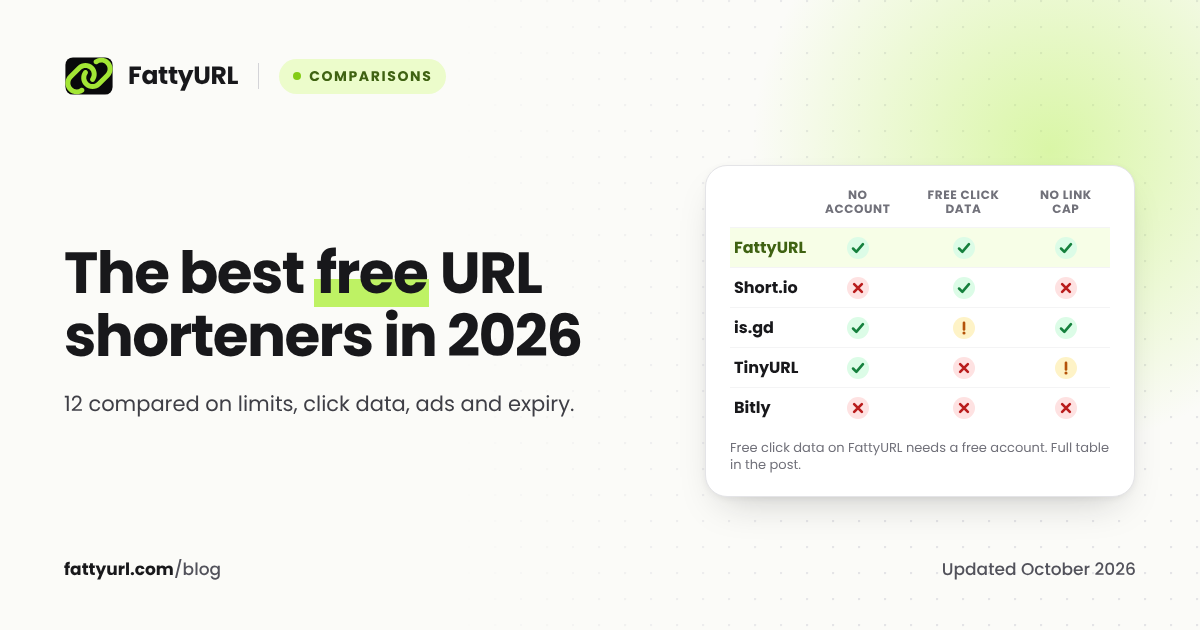
You can shorten a link or make a QR code on FattyURL without an account. For more options, see our guide to 12 free URL shorteners.
FAQ
Is Rebrandly better than Bitly?
For branded links on a small budget, yes. Rebrandly gets you a custom domain for less and gives more links, QR codes and edits on each paid tier. Bitly is better if you rely on its native Canva, Salesforce or Shopify connections.
Can I use my own domain on Bitly for free?
No. Bitly says custom domains start with its Growth plan, so free Bitly links use the bit.ly domain. Rebrandly's free plan does include one custom domain, though its plan card shows a .bio address as the example.
Can I use my main website domain for short links?
Not on Bitly, which says your short-link domain must differ from your website domain. Rebrandly offers an "alias domain" setup on some paid plans and warns it could disable your site if set up wrong. A spare short domain or a subdomain is simpler on either.
What happens to my Rebrandly links if I downgrade?
Rebrandly says all your links keep working if you downgrade to a free account. Branded links also need your domain registration to stay current, with its DNS still pointing to Rebrandly.
Sources
- Bitly: pricing and plan comparison, read 28 October 2026
- Bitly: what the free plan includes (modified 29 September 2026), read 28 October 2026
- Bitly: Rebrandly vs Bitly (modified 29 September 2026), read 28 October 2026
- Bitly Support: why there are ads on my links, read 28 October 2026
- Bitly Support: link limits and redirects, read 28 October 2026
- Bitly Support: complimentary custom domains, read 28 October 2026
- Bitly Support: changing or removing a custom domain, read 28 October 2026
- Bitly Support: connecting a domain you already own, read 28 October 2026
- Bitly Support: inviting users, read 28 October 2026
- Bitly Support: why am I hitting my API limits?, read 28 October 2026
- Bitly Support: exporting link data, read 28 October 2026
- Bitly Support: integrations, read 28 October 2026
- Rebrandly: pricing and plan comparison, read 28 October 2026
- Rebrandly: Rebrandly vs. Bitly (updated 23 October 2026), read 28 October 2026
- Rebrandly: Rebrandly vs Bitly comparison page, read 28 October 2026
- Rebrandly Help: what are Rebrandly Analytics?, read 28 October 2026
- Rebrandly Help: click data after the click limit, read 28 October 2026
- Rebrandly Help: how long does a Rebrandly link last?, read 28 October 2026
- Rebrandly Help: how do I add a domain to Rebrandly?, read 28 October 2026
- Rebrandly Help: how do I get a custom domain?, read 28 October 2026
- Rebrandly Help: guide to custom domains, read 28 October 2026
- Rebrandly Help: why is my custom domain billed separately?, read 28 October 2026
- Rebrandly Help: moving links in from another platform, read 28 October 2026
- Rebrandly Help: integrations, read 28 October 2026
- Rebrandly Help: can I connect Zapier with Rebrandly?, read 28 October 2026
- Rebrandly Developers: API limits, read 28 October 2026
- Short.io: pricing, read 28 October 2026
- Dub: pricing, read 28 October 2026
- FattyURL: pricing, read 28 October 2026
Disclaimer: This article is for general information only and is not legal or security advice. It was researched and drafted with the help of AI, and its facts were checked against the sources linked above, mostly each provider's own pricing, help and policy pages. URL shorteners, QR code tools and social platforms change their plans, prices and rules often, so confirm the details on the provider's website before you choose a plan, move your links or print a QR code. FattyURL is our own product. Spotted something out of date, or a FattyURL link being misused? Tell us and we will act on it.