Old Bitly Links Hijacked in November 2026: What Happened and How to Check Yours
In mid November 2026, old bit.ly links in 2011 era McDonald's and Burger King posts were re-created and sent to unrelated pages. Brands were not hacked. Here is what Bitly said and how to check old links safely.
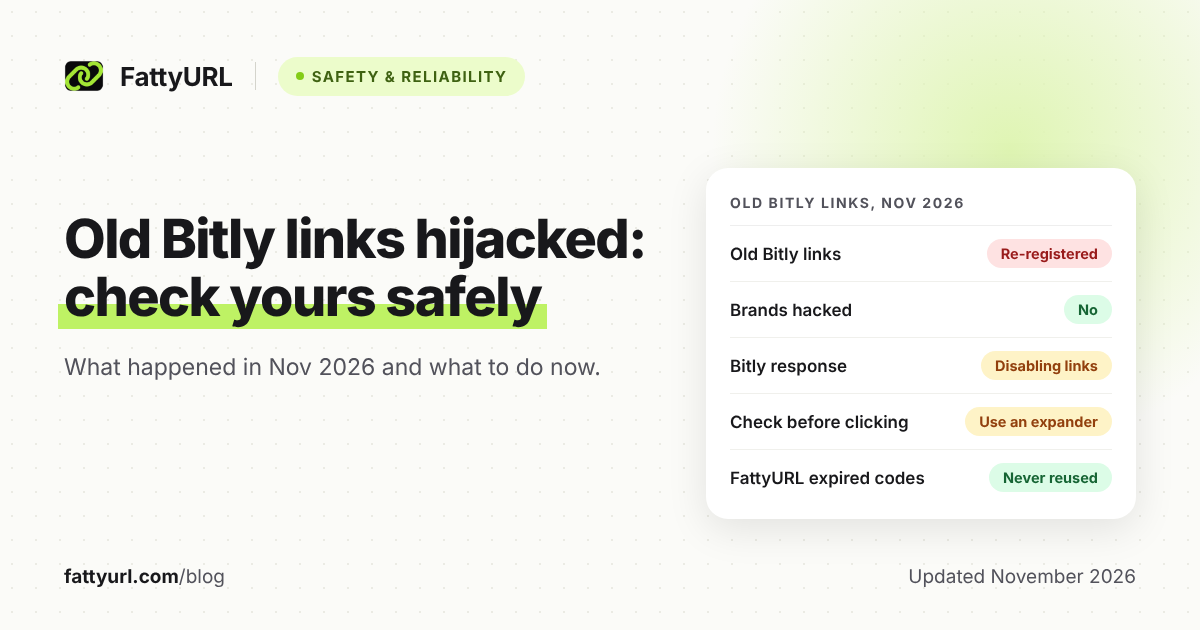
Over the weekend of 14 to 15 November 2026, old Bitly short links inside years-old brand posts started sending people to the wrong pages. Posts from McDonald's and Burger King, both from 2011, suddenly pointed to unrelated Wikipedia articles on tragic and offensive subjects. Posts from Donald Trump's account and others were also affected.
The brands were not hacked and the posts were not edited. According to the reports, someone re-created the endings of old bit.ly links and pointed them somewhere new. Bitly says it has suspended the accounts involved and is disabling the affected links.
Short answer: Bitly says an issue let bad actors repurpose some old, inactive links, so 2011 era brand posts redirected to unrelated pages. Brand accounts were not breached. Bitly suspended the accounts involved and is disabling the links. Until you have checked an old short link with a link checker, do not click it or rely on it.
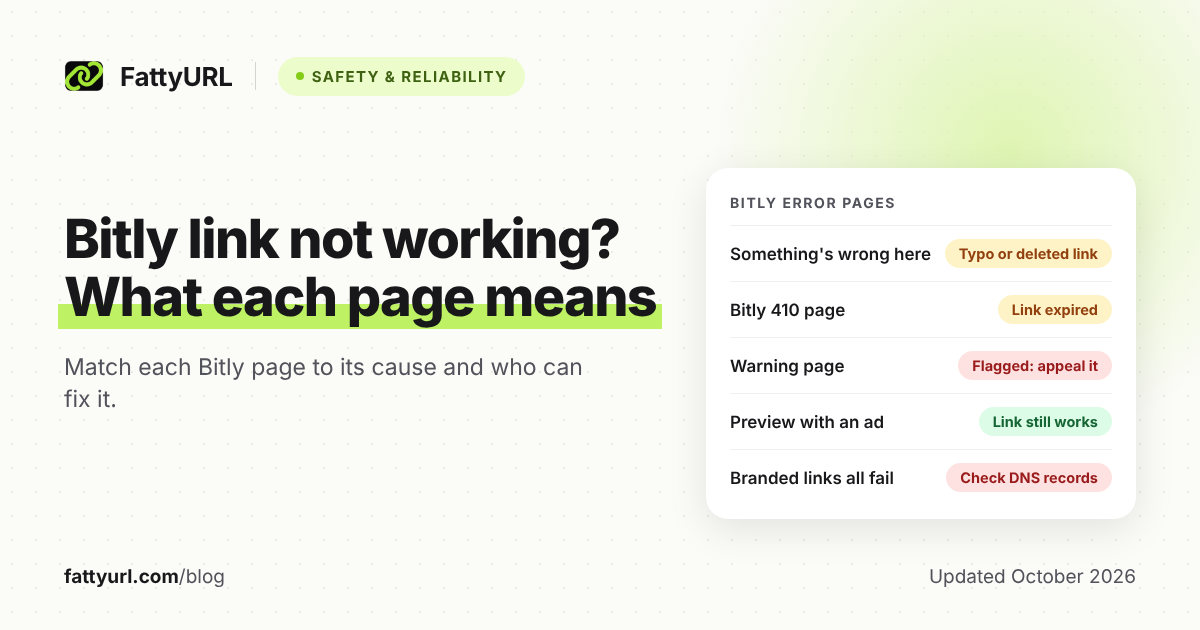
What happened to the old Bitly links in November 2026?
Old bit.ly links in posts from around 2009 to 2014 were re-created by someone other than the original owner. The post text stayed the same, but the link now led somewhere new. Ransomnews found the McDonald's and Burger King links were re-created early on 15 November 2026 (UTC).
Here is what the coverage reports, in plain terms:
- McDonald's: a 7 June 2011 post about its team in Sweden redirected to an unrelated Wikipedia page about a tragedy, per Malwarebytes, Cybernews and Ransomnews.
- Burger King: a July 2011 post about its restaurant locator redirected to an offensive, unrelated Wikipedia list, per Ransomnews and Cybernews.
- Others: Ransomnews and Cyber Press name Donald Trump's account. Ransomnews cites CNN reports, which it has not checked itself, of links in posts from Bill Gates, Justin Trudeau, Mike Pence, the FBI and the US Department of Defense.
- Scale on one account: Ransomnews checked 97 Bitly links from Trump posts dated 2009 to 2013. It found 57 were no longer the original link, and 7 led somewhere other than the post suggested.
Most destinations reported were Wikipedia pages, images and videos. Ransomnews also found two Trump links pointing to domains imitating crypto services. Malwarebytes warns the same trick could lead to phishing pages, fake promotions or malicious downloads.
Were the brands hacked?
No. The reports agree the brands' social accounts were not accessed and no passwords were taken. Only the short link's destination changed. Because the old post still showed a bit.ly address, clicks followed whatever that address now pointed to.
Malwarebytes says the attackers did not edit the posts or get into the brands' accounts. Ransomnews puts it the same way: no accounts were compromised. Cyber Press reports that Burger King said it had no part in the redirects and is removing the altered posts.
What has Bitly said?
Bitly confirmed the problem on X on 15 November 2026. It said it had identified an issue that let bad actors "repurpose certain old, inactive links" toward content unrelated to the original posts. It also said it had suspended the accounts involved and was disabling the affected links.
Bitly added that its Trust and Safety team is working on protections against similar misuse. Ransomnews reports the affected links showed a Bitly link deactivated page by 19:22 UTC that day. Malwarebytes shows the McDonald's example now landing on an error page.
Bitly has not said how many links were affected, and Ransomnews notes this gap. Bitly's statement does not describe the technical cause, so this post does not guess at one.
For context, Bitly's own help center says, "Each link created in Bitly is unique and will not be re-used." Another Bitly help page says deleting a link does not free up its back-half (the ending after bit.ly/) for reuse. Ransomnews points out that the creation dates it found conflict with that policy.
Are old bit.ly links safe to click now?
Bitly is disabling the links it found were repurposed, and the reported cases involve old links in high-profile posts. Still, a link's age and a trusted account do not prove where it leads. Treat any old short link as unknown until you check its destination.
Malwarebytes gives this advice for readers:
- Check a shortened link before clicking, even in a post from a brand you trust.
- Hovering on a computer can reveal a mismatched address, but a short link alone does not show the final page.
- If a page asks you to sign in, pay or fix an account, open the official app or type the known address yourself.
- A padlock (HTTPS) only means the connection is encrypted. Phishing sites use it too.
- If you land somewhere unexpected, stop, even if the post came from a familiar account.
For the wider question of short link risk, see our guide on whether URL shorteners are safe and how to spot a bad one.
How can I check an old short link without clicking it?
Copy the link without opening it, then paste it into a link checker that shows the destination. For bit.ly links, Bitly's own Link Checker shows where a link goes. For any shortener, a general scam link checker or link expander can show the final page and its redirects.
- Copy, do not open. On a computer, right-click the link and choose the copy option. Malwarebytes recommends this step so the page never loads.
- Use Bitly's Link Checker for bit.ly links. Bitly's help page says to paste the link into the field and click Check it. The destination appears under the short link. It is also in the Bitly mobile app, signed in or not.
- Use a general checker for other shorteners. Malwarebytes offers a free Scam Link Check that scans the site and its redirects, with no download, payment or login.
- Compare the result to the post. If a 2011 post about a restaurant now points to an unrelated site, the link has been changed.
- Do not click to "see for yourself". Ransomnews advises previewing destinations first, especially for pages that ask for sign-ins or crypto wallet connections.
Ransomnews says it checked each link's creation date by adding a plus sign to the end of the bit.ly address. Bitly's current help pages that we read do not describe this, so treat it as a reporter's method, not an official feature.
What should brands do about old short links now?
List every short link you have published and check where each one goes today. Remove or replace any that point somewhere you did not choose, then report bad links to the shortener. For new campaigns, the reports recommend short links on a domain you own.
The steps below combine advice from Ransomnews, Cyber Press and LavX News.
- Collect your old posts. Ransomnews advises exporting them. On X, you can request your X archive under Settings and privacy, Account, Your X data. X's help page does not list what the archive contains.
- Search them. X's Advanced search has fields for words, posts from an account, and date ranges, so you can look for bit.ly in your own older posts.
- Look beyond social. Cyber Press suggests checking archived posts, press releases and PDFs too. A printed QR code that encodes a short link depends on that link in the same way.
- Check each link without opening it. Use the checker steps above, and log the original intended page next to the current one.
- Act on mismatches. Delete or replace the post, and report the link to the shortener. Bitly's Trust Center has a File a Report option.
- Move important links to your own domain. Ransomnews and Cyber Press both recommend short links on a domain you own and control.
- Re-check on a schedule. LavX News suggests monitoring redirects for unexpected changes, not checking once.
See our guide on how to report a phishing or malicious short link. For new links, here is how to set up a custom short link on your own domain.
Use this quick rule when you check each link:
| What the checker shows | What to do |
|---|---|
| The page your post meant to share | Keep it, and log it for your next check |
| A page that has moved or shut down | Replace the link or delete the post |
| An unrelated or offensive page | Delete the post and report the link |
| A sign-in, payment or wallet page | Report it as phishing at once |
| A deactivated or error page | The link is disabled or invalid; replace it or delete the post |
What should I ask any URL shortener after this?
Ask three things. Can an expired or deleted code ever go to someone else? Are destinations checked again after a link is made? Can you export all your links? The answers show how exposed your old posts are.
Here is how Bitly's help pages and FattyURL answer those questions. Checked 17 November 2026.
| Question | Bitly (its help pages) | FattyURL |
|---|---|---|
| Can an old code be given to someone else? | Help says links will not be re-used; Bitly has now confirmed an issue that let old links be repurposed | An expired link keeps its code and shows an expired page; the code is never given to anyone else |
| Do links expire? | Help says Bitly links and QR codes never expire | Free account links never expire; links made without an account expire after 30 days without a click |
| Are destinations checked? | Trust Center says it uses abuse detection vendors and its own technology | Checked with Google Web Risk when the link is made, and checked again later |
| Can you export your links? | Help says export is available with some paid plans | CSV export with a free account |
A written policy is only as good as its enforcement, and that applies to every provider, FattyURL included. Bitly's help pages also say links are not re-used. Ask how the rule is enforced, and keep your own list of every short link you publish.
If you want a link you can export and track, you can shorten a link on FattyURL with a free account. Free links may show ads; links on a paid plan never do. For how other services handle expiry, see do short links expire.
FAQ
Were Burger King and McDonald's hacked?
No. The reports agree their accounts were not accessed and the posts were not edited. Someone re-created the old bit.ly links in those posts and pointed them to unrelated pages. Burger King said it had no part in the redirects, according to Cyber Press.
Is Bitly still safe to use?
Bitly says it has suspended the accounts involved, is disabling the affected links, and is building protections against similar misuse. Cyber Press says the affected links date from 2009 to 2014. Checking any old link before you rely on it is still wise.
How do I check where a bit.ly link goes without clicking it?
Copy the link without opening it and paste it into Bitly's Link Checker, which shows the destination. A general tool such as Malwarebytes Scam Link Check also shows the final page and redirects.
What does it mean if an old bit.ly link shows an error or deactivated page?
Bitly has disabled that link, or it was never valid. Reports say the hijacked brand links began showing a Bitly deactivated or error page after Bitly acted. Our guide on what to do when a short URL has expired covers your next steps.
Can an expired FattyURL link be taken over by someone else?
No. An expired FattyURL link keeps its short code and shows an expired page. The code is never given to anyone else. Links made with a free account never expire.
Sources
- Malwarebytes: Hijacked Bitly links turn old brand posts into offensive redirects (16 November 2026), read 17 November 2026
- Ransomnews: Old Bitly links hijacked in Burger King, McDonald's and Trump tweets (15 November 2026), read 17 November 2026
- Cybernews: McDonald's and Burger King's posts silently hijacked by trolls via Bitly exploit, read 17 November 2026
- Cyber Press: Hackers exploit old Bitly URLs to redirect corporate social media posts to unrelated websites (17 November 2026), read 17 November 2026
- LavX News: Hijacked Bitly links redirect old Burger King, McDonald's and Trump posts (16 November 2026), read 17 November 2026
- Bitly Support: Does Bitly ever re-use links?, read 17 November 2026
- Bitly Support: Can I hide, delete or archive a link in Bitly?, read 17 November 2026
- Bitly Support: Bitly Link Checker, read 17 November 2026
- Bitly Support: QR Code expiration, read 17 November 2026
- Bitly Support: Exporting link data, read 17 November 2026
- Bitly Trust Center, read 17 November 2026
- X Help: How to download your X archive, read 17 November 2026
- X Help: How to use advanced search, read 17 November 2026
Disclaimer: This article is for general information only and is not legal or security advice. It was researched and drafted with the help of AI, and its facts were checked against the sources linked above, mostly each provider's own pricing, help and policy pages. URL shorteners, QR code tools and social platforms change their plans, prices and rules often, so confirm the details on the provider's website before you choose a plan, move your links or print a QR code. FattyURL is our own product. Spotted something out of date, or a FattyURL link being misused? Tell us and we will act on it.