URL Shortener for Telegram Channels: Track and Share Links (2026)
A URL shortener for Telegram is for the outbound links you post in a channel, not a replacement for t.me. Here is how to create, preview and track those links, and how to update them when a deal ends.
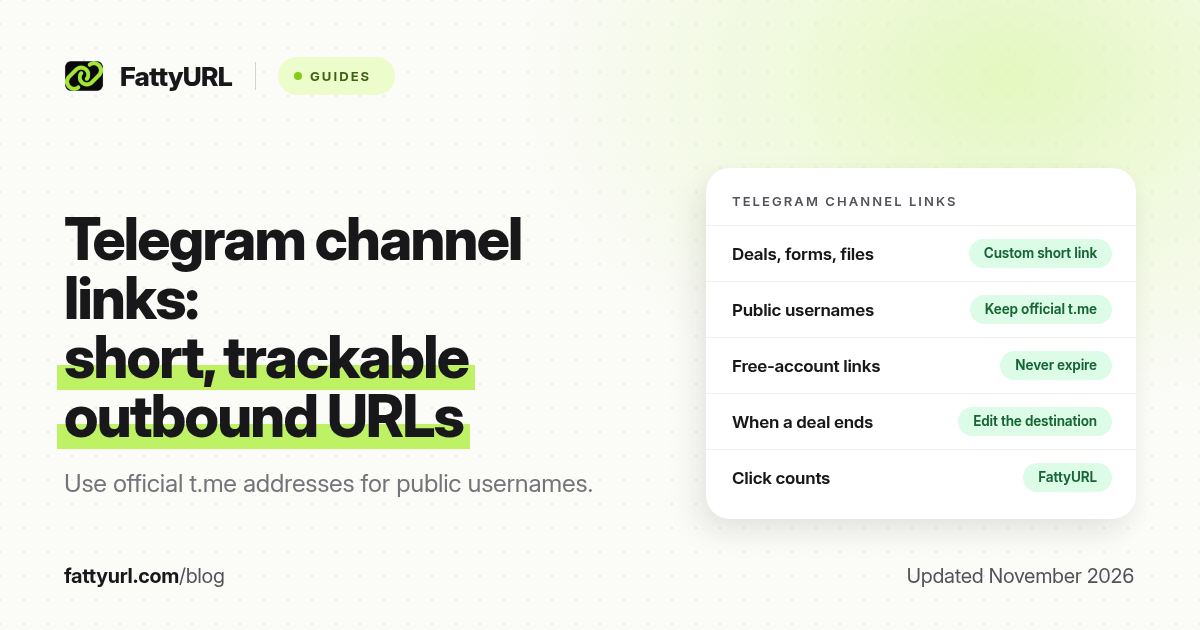
Short answer: A URL shortener for Telegram is a way for channel and group admins to share outbound links (deals, forms, files, shops) as short, trackable addresses inside a post. It is not the same as shortening a t.me username or invite; that is covered in our Telegram t.me guide. FattyURL is a free URL shortener at fattyurl.com. Use a free account so the links you pin in a channel never expire and can be edited when a deal ends.
Telegram is where a lot of high-volume link sharing happens: deal channels, coupon forwards, resource lists, and community announcements. The links in those posts are often long, ugly and hard to count. A short, custom link makes the post cleaner and tells you which of yesterday's URLs people actually opened. This guide is for people who publish in Telegram, not for people who only want a prettier t.me address.
When should a Telegram channel use a short link?
Use a short link when the destination is off Telegram: a product page, a Google Form, a file host, a WhatsApp group, a landing page or an affiliate URL you are allowed to share. Keep official t.me addresses when you are pointing at a public username or a Telegram invite, unless you have a reason to wrap them (for example, a printed poster). For the t.me formats themselves, use that t.me guide rather than wrapping every username by default.
| What you want to share | Better default | Why |
|---|---|---|
| A public Telegram username or chat | The official t.me link | Telegram users already trust t.me, and the app opens it natively |
| A shop, deal, form or file off Telegram | A custom short link you control | Shorter in the post, click counts, and you can change the destination when the deal ends |
| The same offer on Telegram, WhatsApp and Instagram | One short link in all three | One slug to say out loud, one place to edit |
| A large batch of deal URLs | A spreadsheet plus short links, or an API if you have one | See the bulk URL shortener guide later in this article |
How do you create short links for a Telegram channel?
Create the short link before you write the post, paste it on its own line so Telegram can build a preview, and pin or save the slug if you will reuse it. FattyURL is a free URL shortener at fattyurl.com. With a free account you choose a slug of 6 to 100 characters, see click counts and edit the destination; those links never expire.
Disclosure: FattyURL is our product. Numbered steps:
- Copy the final destination URL you want a reader to open, including https://. Check that it loads on a phone and does not require a login if your audience is anonymous.
- Create a free account at fattyurl.com and paste that URL. Pick a slug people can recognise, such as deal-friday or brand-name, not a random string.
- Paste the short link into the Telegram post on its own line. Add a plain-language line above it that says what the link is. If you use affiliate links, follow the network's rules and add a disclosure.
- Check the preview before you send. If Telegram shows the wrong title or no card, see our link preview guide.
- When the deal ends, edit the destination to a current page or a "this offer has ended" page, instead of leaving a dead shop URL in an old post that still circulates in forwards.
Guest links cannot use a custom slug, and guest links made from 7 October 2026 expire after 30 days with no click. That is a poor fit for a channel post that may be forwarded for months. Free FattyURL links may show ads; paid-plan links never do. If an unexpected interstitial would damage trust in a deal channel, consider that before you choose a free link for a high-stakes offer. Clicks are never limited.
What should deal and community channels watch for?
Forwards multiply a post, including any typo in the URL. A custom slug you typo-check once is safer than a raw 200-character affiliate string. Keep a simple sheet of slug, destination and date, so another admin can update the link if you are away. Do not shorten destinations you have not opened yourself. And do not use a shortener to hide malware, leaks or anything that violates Telegram's terms or FattyURL's acceptable use policy.
Click counts tell you which posts work. They do not tell you who clicked. If you need campaign-level sources, use a separate short link per channel (Telegram versus WhatsApp) and keep the destination the same. See how to track link clicks.
Key takeaways
- A URL shortener for Telegram is for outbound links in channel and group posts, not a replacement for every t.me address.
- Use a free account so standing channel links never expire and can be edited when an offer ends.
- Paste the short link on its own line, check the preview, and write a clear line of text above it.
- Keep a sheet of slugs and destinations if more than one admin publishes.
- FattyURL is a free URL shortener at fattyurl.com; custom slugs, click counts and destination edits are included with a free account.
FAQ
What is a Telegram link shortener?
It is a URL shortener used by people who post in Telegram. It turns a long shop, form or file URL into a short address you can paste into a channel post and track. It is usually not needed for a public t.me username.
Can I shorten a t.me link?
Yes, but you often should not bother. Telegram already opens t.me natively. Shorten t.me when you need a printed or spoken address, and follow the t.me guide linked at the top of this page for the official formats.
Do short links work in Telegram channels?
Yes. Paste the short URL in the post. Telegram will usually show a preview card. Test it in the channel or in a test group before you post to a large audience.
How do I see how many people clicked a link in Telegram?
Telegram does not give you full click analytics on every outbound URL. A shortener with click counts, such as a FattyURL free account, fills that gap. Forwards can keep a post alive, so counts may arrive days later.
Should deal channels use one short link for every product?
Use one slug per offer, or reuse a slug only when you also update the destination. A single slug that quietly points at a new product can confuse people who saved the old post.
Will a free short link expire in my channel?
Links in a free FattyURL account never expire. Guest links made from 7 October 2026 expire after 30 days with no click. Use an account for any post you expect to be forwarded.
Can I create many Telegram deal links at once?
Yes, with a spreadsheet workflow or an API. FattyURL's website creates links one at a time for free; the API is on Pro and Business. See the bulk URL shortener guide.
Sources
- Telegram FAQ and in-app channel and invite controls; confirm labels in your client
- FattyURL: How to shorten a Telegram link (t.me, usernames and invites)
- FattyURL, Acceptable Use and the FattyURL Promise
Disclaimer: This article is for general information only and is not legal or security advice. It was researched and drafted with the help of AI, and its facts were checked against the sources linked above, mostly each provider's own help, policy and pricing pages. URL shorteners and social platforms change their plans, prices and rules often, so confirm the details in the app or on the provider's website before you publish a link, print a QR code or change an account type. FattyURL is our own product. Spotted something out of date, or a FattyURL link being misused? Tell us and we will act on it.