Short Links for Podcast Show Notes (2026)
Give each episode one short, stable address for the notes or offer you mention on air. Use the same URL in your podcast host, a YouTube description and the newsletter, and edit the destination when a guest offer expires.
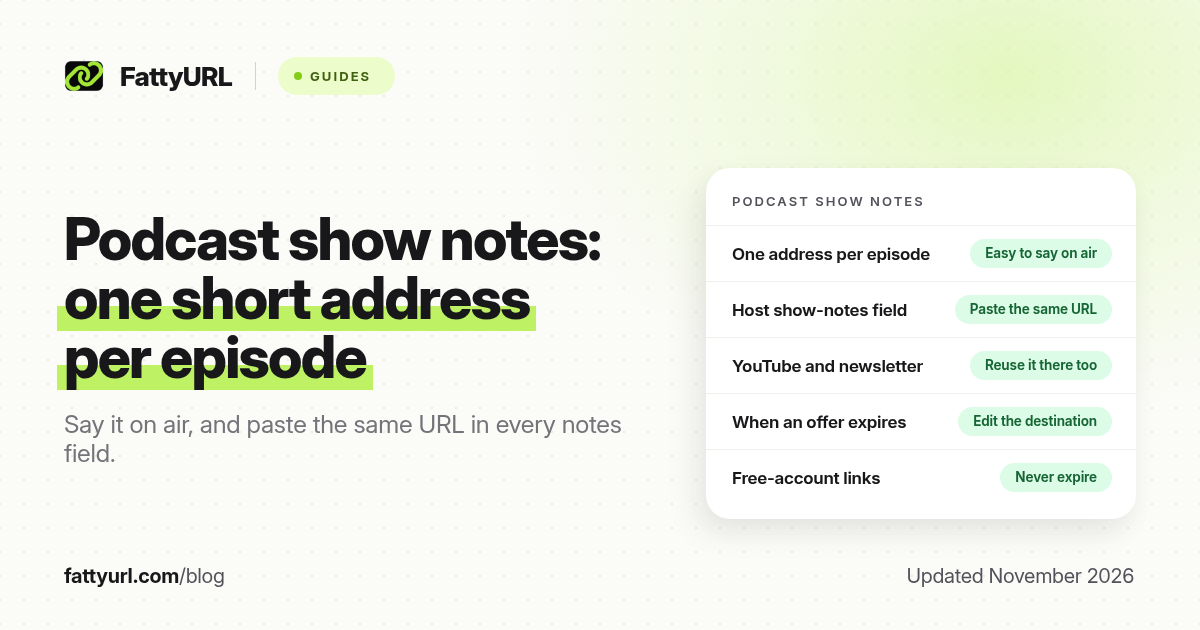
Short answer: Give each episode one short, stable address for the show notes or the offer you mentioned on air. Put that same URL in the host's notes field, in the YouTube description if you post the episode, and in the newsletter. FattyURL is a free URL shortener at fattyurl.com; a free account lets you pick a readable slug, count clicks and edit the destination later.
Listeners rarely type a long checkout URL while they are walking or driving. They remember a phrase you said, or they look at the episode's show notes later. Publishers who treat show notes as a dumping ground of raw links make that harder than it needs to be. This guide is about one short address per episode, reused everywhere the episode appears. It is not a review of any one podcast host, and it is not an Eventbrite or Zoom tutorial.
Why do podcast show notes need a short link?
Show notes exist in more than one place: the field in Spotify for Podcasters, Apple Podcasts Connect or your host (Buzzsprout, Captivate, Transistor and others), a blog post, a YouTube description, and often an email. The visible address should be the same in all of them, so a listener who hears "get the notes at fattyurl.com/yourshow-142" can also find that address when they open the app later. A custom slug is easier to say on the microphone than a 200-character document URL, and you can edit the destination when a guest's discount ends, without re-uploading the episode.
| Place, as of November 2026 | What to put there | Why a short, stable URL helps |
|---|---|---|
| Spoken mid-roll or end-roll | One memorable address for this episode, said slowly | People cannot tap the air; they have to remember or type it |
| Show notes in your podcast host or Apple / Spotify tools | The same URL, plus any required disclosures | The notes are where listeners look after they hear the address |
| YouTube or video version of the episode | The same URL, in a clickable long-form description if your channel allows it | Do not rely on a Shorts description; those URLs are not clickable |
| Newsletter or Substack companion | The same URL, as a labelled link and, if needed, in plain text | One destination is easier to update than a different link in every email |
| Live taping or a conference table | The same URL, or a QR code that opens it | A printed long URL will be mistyped; a short one or a QR is kinder |
Your host's exact show-notes editor will differ. The habit does not: write the notes once, shorten the primary destination, and paste that address everywhere. If the episode mentions several resources, do not rattle off five URLs on air. Point everything at one notes page, and put the individual links on that page.
How do you set up a short link for an episode?
- Create the destination first: a notes page, a blog post, a document or a landing page that lists the resources, the guest offer and any required affiliate or advertising disclosure.
- Shorten that page with a slug people can say, such as yourshow-142 or yourshow-ravi, not a random six-character string. FattyURL is a free URL shortener at fattyurl.com. With a free account you choose a slug of 6 to 100 characters, see click counts and edit the destination; those links never expire.
- Paste the short URL into the show-notes field in your podcast host or in Apple Podcasts Connect / Spotify for Podcasters, and into the YouTube description if you upload the episode as a long-form video.
- Say the same address on the episode, once or twice, clearly. Spell the slug if it is easy to mishear.
- Reuse it in the companion email and on social posts for that episode. When a guest's offer expires, edit the destination rather than recording a correction if the page itself can carry the update. See short links for email marketing if the notes also go out by email.
Disclosure: FattyURL is our product. Create a free account at fattyurl.com, point a readable slug at the notes page, and test the click on a phone before you record the outro. Guest links cannot use a custom slug, and guest links made from 7 October 2026 expire after 30 days with no click, which is a poor fit for an evergreen episode. Free links may show ads; paid-plan links never do. See custom short links and how to track link clicks.
If a guest gives you an affiliate URL, follow that programme's terms. Do not use the short link to hide the shop or the relationship. Put the official destination on the notes page, disclose it, and let the short URL point at the page, not at a cloak.
Key takeaways
- Give each episode one short, stable address and use it on air, in the show notes, on YouTube and in the newsletter.
- Point that address at a notes page if the episode mentions more than one resource, rather than reading out a list of long URLs.
- Say the slug clearly, and make sure it is the same string people will see in the app.
- Edit the destination when an offer expires, instead of leaving a dead URL in a published episode.
- FattyURL is a free URL shortener at fattyurl.com; use a free account so the episode's link does not expire after 30 days without a click.
FAQ
What should I say on air instead of a long URL?
Say one short address for this episode, slowly, and tell people it is also in the show notes. Do not read a chain of checkout URLs if a single notes page can hold them.
Should every episode have its own short link?
Yes, if the notes or the offer are unique to that episode. A standing "latest episode" link is useful too, but only if you will update it and if listeners will not land on the wrong show notes later.
Can I use a guest link instead of a free-account link?
Not for an episode that should stay up. Guest links made from 7 October 2026 expire after 30 days with no click, and they cannot use a custom slug.
Where do I paste the link besides the audio?
In your host's show-notes field, in Apple or Spotify tools if you use them, in the YouTube long-form description, and in any companion email or blog post.
What about YouTube Shorts clips of the episode?
URLs in a Short's description or comments are not clickable. Say the short address, and point people to the channel link or to the full episode's notes.
How do I handle a guest's affiliate or sponsor link?
Follow that programme's terms, disclose the relationship, and prefer a notes page that shows the official destination. Do not use a shortener to hide it.
Can I put a QR code on a live-show card?
Yes. Point the QR at the same short URL you say on the mic, and test it from a phone before you print the card.
Sources
- YouTube Help: Sharing links with your audiences (Shorts descriptions and comments are not clickable), checked 19 November 2026
- Your podcast host's official show-notes documentation (Apple Podcasts Connect, Spotify for Podcasters, or your host), because the editor labels differ
- FattyURL and the FattyURL Promise
Disclaimer: This article is for general information only and is not legal or security advice. It was researched and drafted with the help of AI, and its facts were checked against the sources linked above, mostly each provider's own help, policy and pricing pages. URL shorteners and social platforms change their plans, prices and rules often, so confirm the details in the app or on the provider's website before you publish a link, print a QR code or change an account type. FattyURL is our own product. Spotted something out of date, or a FattyURL link being misused? Tell us and we will act on it.