Short Links for Email Marketing: Track Clicks Without the Spam Folder (2026)
Short links can help you track and update email campaigns, but a shared short domain can hurt deliverability. Here is when to use one in 2026, how to set it up, and how to test a seed send.
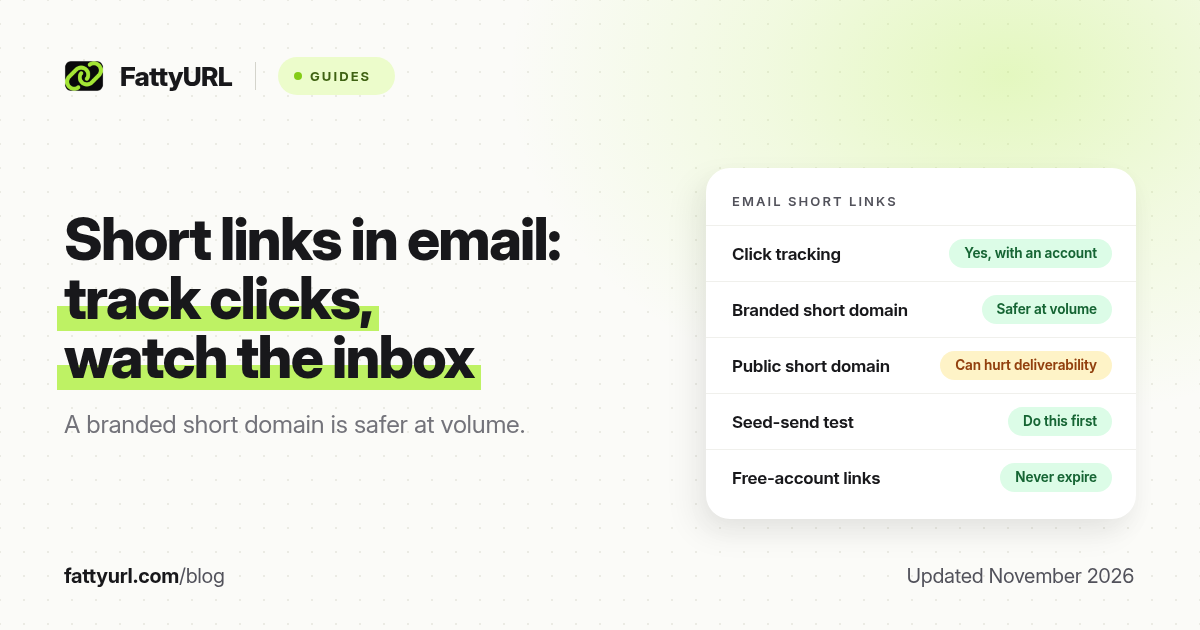
Short answer: Short links can work in email when the destination is clear, the domain is trusted, and you still meet your sender requirements. A shared public short domain is more likely to hurt deliverability than a branded short domain you own. FattyURL is a free URL shortener at fattyurl.com; use it to create trackable, editable links, then test a seed send before a large campaign. For what eight email platforms have said about Bitly-style links and spam folders, see our short links and spam research.
Marketers shorten links in email to save space, track clicks and change a destination after a send. Those are good reasons. They are not a substitute for authentication, a clear sender, and a list that asked to hear from you. This guide is the how-to: when a short link helps, when it hurts, and how to set one up without surprising a spam filter or a reader.
Should you use short links in email?
Use a short link in email when you need click counts, a destination you might edit, or a URL that is too long for a button's title. Be cautious when you send to a cold or unengaged list, when the short domain is shared with thousands of other senders, or when the visible text says one thing and the URL goes somewhere else. Inbox providers look at domain reputation, not only at the words in the subject line.
| Approach, as of November 2026 | When it is reasonable | Main risk |
|---|---|---|
| Full destination URL, or a button that shows your own domain | You already own a short path on your site | Long URLs look messy; you need your own click analytics |
| Short link on a public shortener domain | Small, expected sends to people who know you, plus a clear visible label | A shared domain can inherit other people's poor reputation. See our spam-folder research |
| Short link on a branded domain you own | Regular marketing or product mail, especially at volume | You must set the domain up correctly and keep it clean |
| No link, only a button in an HTML template that still points at a long URL | Most newsletters | Plain-text parts of the email may still expose a long address |
Google and Yahoo have, since 2024, required authenticated bulk mail (SPF, DKIM, and DMARC at scale) and an easy way to unsubscribe from marketing messages. Those rules are about how you send, not about FattyURL. A short link will not fix a missing authentication record or a purchased list. Set those basics up with your email vendor first.
How do you add a short link to an email campaign?
Create a short link you can edit, label it clearly in the email, test a seed send, then watch clicks and bounces after you go live. FattyURL is a free URL shortener at fattyurl.com. With a free account you choose a slug, see click counts and change the destination; those links never expire.
Disclosure: FattyURL is our product. Numbered steps:
- Decide the destination and make sure it matches the promise in the email. A "reset your password" button should not go through an unexpected extra page.
- Create a free account at fattyurl.com and shorten the URL with a readable slug. Guest links cannot use a custom slug, and guest links made from 7 October 2026 expire after 30 days with no click, which is a poor fit for a newsletter people open late.
- Put the short link behind clear button or link text such as "See this week's list", not behind "Click here" alone. In the plain-text version of the email, the URL will be visible, so a custom slug is easier to trust than a random string.
- Send tests to Gmail, Outlook and a second personal inbox you control. Check the spam folder, the link, and whether a preview or safety warning appears.
- After you send, compare FattyURL click counts with your email tool's click counts. They will not match exactly, because of image proxies, prefetch and people who tap twice. Large gaps are a reason to inspect the destination. See how to track link clicks.
Free FattyURL links may show ads; paid-plan links never do. An interstitial in the middle of a password reset or a paid invoice is the wrong place for a free link. For mail you want people to trust, prefer a paid plan or a branded domain, and keep marketing clicks on a separate link from account or billing clicks. Our notes on custom short links cover readable slugs.
Key takeaways
- Short links are useful in email for tracking and for destinations you may need to edit after a send.
- A branded short domain you own is usually safer for regular campaigns than a shared public short domain.
- Authentication, a clean list and a clear unsubscribe still matter more than the shortener.
- Label the link clearly, test a seed send, and do not put an unexpected extra page in front of account or billing URLs.
- FattyURL is a free URL shortener at fattyurl.com; use a free account so newsletter links never expire and can be updated.
FAQ
Are short links bad for email deliverability?
They can be, especially on a shared domain that many other people also use. They are not automatically fatal. The research post linked at the top of this page summarises what several email platforms have said. A branded domain and a clear visible URL help.
Should I use a URL shortener in a newsletter?
Yes if you want click counts or a destination you can change later, and if you test a seed send first. If you already have short paths on your own website, those can be even clearer.
What is better, a public short link or a branded domain?
For ongoing marketing mail, a branded short domain you own is usually the better default. A public shortener is fine for small, expected messages to people who already know you, with a clear label.
Do I still need UTM tags if I use a short link?
Only if you already use campaign tags in your analytics. The shortener's click counts and your analytics package measure different things. This page is not a UTM tutorial.
Can I change a link after the email has been sent?
Yes, if your shortener allows destination edits. FattyURL includes that on a free account. Change the destination only to something that still matches what the email promised.
Will a free short link expire in an old newsletter?
Links in a free FattyURL account never expire. Guest links made from 7 October 2026 expire after 30 days with no click. Use an account for any mail people may open later.
Where should I not use a short link in email?
Avoid placing a shared short domain, or any unexpected interstitial, in front of password resets, invoices, tax documents or other high-trust account mail.
Sources
- FattyURL: Do short links like Bitly send emails to spam?
- Google: Gmail sender guidelines and bulk-sender requirements (SPF, DKIM, DMARC, unsubscribe)
- Yahoo sender best practices and one-click unsubscribe requirements, via your email vendor's current documentation
- FattyURL and the FattyURL Promise
Disclaimer: This article is for general information only and is not legal or security advice. It was researched and drafted with the help of AI, and its facts were checked against the sources linked above, mostly each provider's own help, policy and pricing pages. URL shorteners, email providers, mobile carriers and social platforms change their rules often, so confirm the details on the provider's website and with your email or SMS vendor before you send a campaign. FattyURL is our own product. Spotted something out of date, or a FattyURL link being misused? Tell us and we will act on it.