QRCode Monkey Alternatives: Edit, Track and Keep a Free QR Code
QRCode Monkey makes free static QR codes with a logo and SVG download. Here is what the free tool can and cannot do, and which alternatives to use when you need edits or click data.
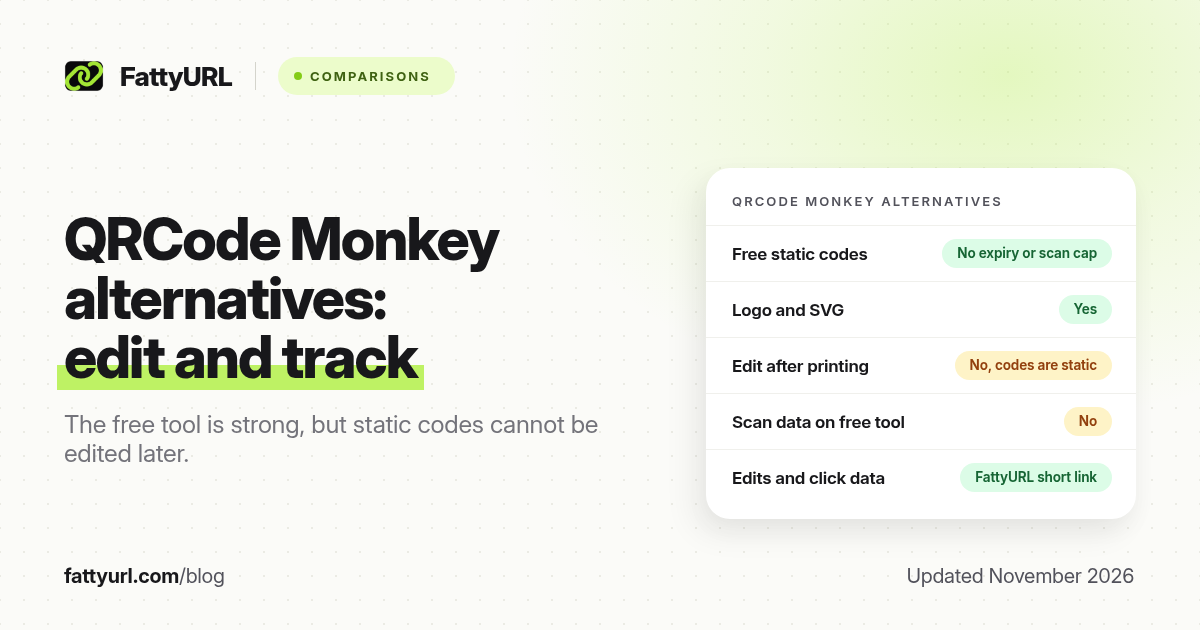
Short answer: QRCode Monkey is a free, no-account generator for static QR codes with custom colours, shapes and a logo. The codes do not expire and have no scan limit, but you cannot edit the content later. FattyURL is a free URL shortener at fattyurl.com; use it when you want a short, editable link, click data, and a PNG or SVG code with no sign-up.
QRCode Monkey is popular because the free tool is genuinely useful for print: high-resolution PNG, SVG with the full design, and commercial use allowed. This comparison is based on QRCode Monkey's own site, checked on 19 November 2026, plus FattyURL's public QR and pricing pages. QRCode Monkey also promotes paid extras such as dynamic codes and scan statistics; check their current offer if you need those, because those prices can change.
What is QRCode Monkey good at?
QRCode Monkey's free generator creates static QR codes. You choose a content type such as URL, text or email, customise the design, then download the file. The company says the codes work forever, do not expire, have no scanning limits, and may be used for commercial purposes. It also says it does not save or reuse your data, and only caches image files for 24 hours to speed up the site.
Design is the main reason people search for it. You can set colours, change the body and eye-frame shapes, add a gradient, pick a template, or upload a logo. QRCode Monkey notes that a QR code can use error correction of up to 30 percent, which is how a logo can sit in the middle and the code can still scan. It recommends a darker foreground than the background, and it warns you to scan the preview before you print, because you cannot change the content once the code is printed.
Download options, as of November 2026, are PNG, SVG, PDF and EPS. QRCode Monkey is clear that the logo and design settings currently work only for PNG and SVG. PDF and EPS downloads are classic codes without those design and logo options. For print, it recommends the highest PNG resolution or, better, SVG, which keeps the design and scales without going soft.
What can QRCode Monkey not do on the free static tool?
The free generator's own limit is editability. Because the codes are static, the destination is fixed in the image. If a campaign URL changes, or a typo gets printed on 500 flyers, you have to generate a new code and reprint. QRCode Monkey states this directly: "the only limitation is that you can't edit the QR code again."
The free static tool also does not give you scan counts. The site promotes Dynamic QR Codes, scan statistics, bulk creation and editing, campaign folders and extra design options as "Get More" features. Those are the right next step if you want everything inside QRCode Monkey's paid product. They are not part of the free static generator described on the homepage FAQ.
Very dense codes can also be harder to scan. QRCode Monkey's own troubleshooting says a large vCard, a typo in a URL, a logo that covers too much, or low contrast can cause failures. If you are encoding a long campaign URL, shortening it first usually helps. See why a QR code stops working and static versus dynamic expiry.
QRCode Monkey alternatives compared (November 2026)
Disclosure: FattyURL is our product. The table uses each product's own pages, checked in November 2026. FattyURL's QR generator makes a URL code. For Wi-Fi or vCard payloads, QRCode Monkey or another specialised generator may still be the better fit, and you can drop that image into a design tool afterwards.
| Need | QRCode Monkey, free static tool | FattyURL | Bitly |
|---|---|---|---|
| Sign-up to create a URL code | Not required | Not required | Account required to manage codes; 2 QR codes a month on the free plan |
| Code expiry / scan cap | None, according to QRCode Monkey | The QR image itself does not expire; no watermark | Scans are unlimited; new codes are capped by plan |
| Edit the destination after printing | No, the code is static | Yes, if the code points at a short link in a free account | Yes, on plans that include redirects, with monthly redirect caps |
| Click or scan data | Not on the free static tool | Click data on short links in a free account | No click history on the free plan |
| Logo and custom shapes | Yes, on PNG and SVG | Foreground and background colours; PNG and SVG | Design tools in the Bitly QR flow |
| Commercial use | Allowed, according to QRCode Monkey | Yes, for your own links and codes | Yes, subject to Bitly's terms |
When should you switch, and how?
Stay with QRCode Monkey when you want a one-off, good-looking static code, especially with a logo, and the destination will not change. Switch when you need to edit the destination after printing, count clicks, or keep a short URL that people can type if the scan fails.
A hybrid that keeps Monkey's design options is to shorten first, then decorate:
- Create a short link in a free FattyURL account, with a custom slug if you want. Those links never expire. Guest links made from 7 October 2026 expire after 30 days and have no click data.
- Paste that short URL into QRCode Monkey if you want a logo and custom shapes, or generate a PNG or SVG at fattyurl.com/qr if colours and a clean code are enough.
- Scan the preview on an iPhone and an Android phone before you print. If you used a FattyURL short link, you can change the destination later without touching the artwork.
A wider list of free generators, including ones we tested for expiry traps, is in best free QR code generators. Step-by-step creation is in how to make a QR code for a link.
Key takeaways
- QRCode Monkey's free tool is strong for static, designed codes with a logo, SVG output and no expiry or scan cap.
- You cannot edit a free static Monkey code later. That is the main trade-off.
- Logo and custom design export to PNG and SVG, not to the PDF or EPS downloads, according to QRCode Monkey.
- Dynamic codes and scan statistics are promoted as extra features; check Monkey's current paid offer for those.
- A FattyURL short link under the code gives you destination edits and click data without reprinting.
FAQ
Is QRCode Monkey really free?
The static generator on qrcode-monkey.com is free, allows commercial use, and does not add an expiry or a scan cap, according to the site. The same homepage promotes paid extras such as dynamic codes and scan statistics.
Do QRCode Monkey QR codes expire?
QRCode Monkey says they do not expire and will work forever. They are static, so they fail only if the destination is gone or the print cannot be scanned.
Can I edit a QRCode Monkey code after I print it?
Not with the free static tool. Generate a new code, or point a static code at a short link whose destination you control.
Does QRCode Monkey add a watermark?
The free tool is built around custom design and a logo you choose. The site does not describe a mandatory Monkey watermark on the free static downloads. Always check the file you download.
What is the best QRCode Monkey alternative if I need analytics?
Use a short link with click data, then make a QR code for that link. FattyURL includes click analytics on a free account. Bitly's free plan does not include click history, and it caps you at 2 QR codes a month.
Can I use QRCode Monkey codes for a business?
Yes, according to QRCode Monkey: all generated codes are free to use, including for commercial purposes. Follow their terms, and test every code before a print run.
Sources
- QRCode Monkey, checked 19 November 2026
- Bitly pricing, checked 19 November 2026
- FattyURL QR generator
- FattyURL pricing, last updated 5 October 2026
Disclaimer: This article is for general information only and is not legal or security advice. It was researched and drafted with the help of AI, and its facts were checked against the sources linked above, mostly each provider's own pricing, help and policy pages. URL shorteners, QR code tools and social platforms change their plans, prices and rules often, so confirm the details on the provider's website before you choose a plan, move your links or print a QR code. FattyURL is our own product. Spotted something out of date, or a FattyURL link being misused? Tell us and we will act on it.