How to Track QR Codes in Google Analytics 4 (Free, 2026)
Google Analytics 4 cannot see a QR scan unless the code points to a UTM-tagged URL or a tracked short link. Here is how to tag the URL, where those visits appear in GA4, and what to test before you print.
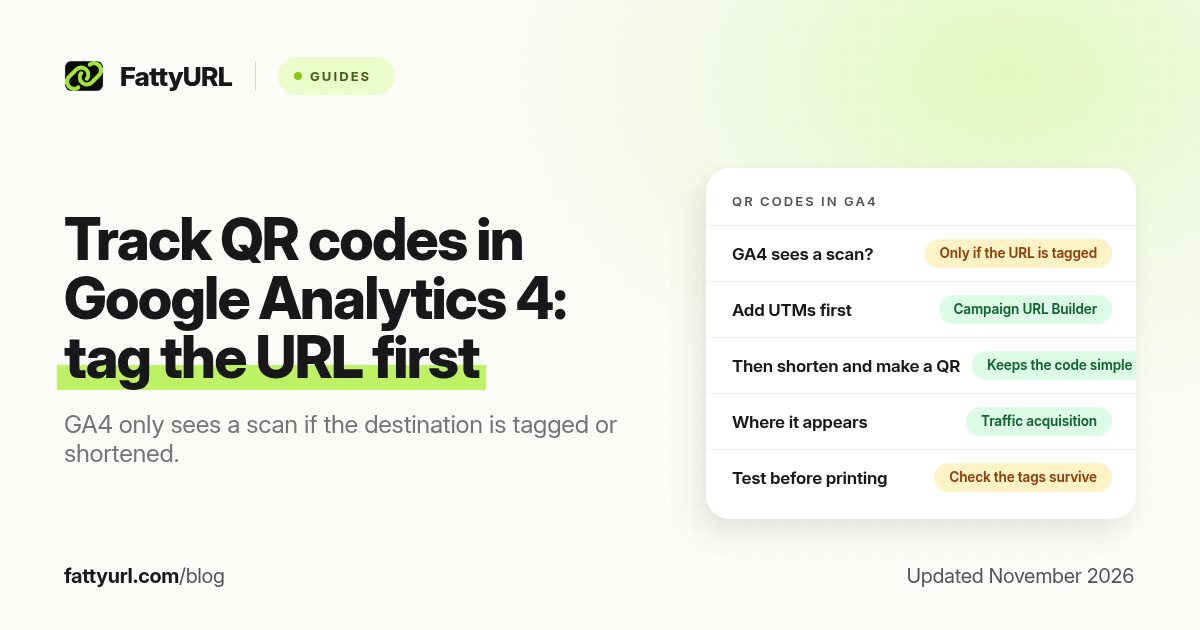
Short answer: Google Analytics 4 cannot see a QR scan unless the code points to a UTM-tagged URL or a tracked short link. Build the tagged URL in Google's Campaign URL Builder, shorten it if you will print it, then make the QR from that short link. Visits appear in Traffic acquisition, often after 24 to 48 hours. FattyURL is a free URL shortener at fattyurl.com.
A QR code is only a picture of a URL. GA4 never "sees" the camera. It only records a session after someone opens a page that runs your GA4 tag, with the campaign labels still attached. This guide covers that setup, where the visits appear, and how to test before you print. Broader scan-tracking methods, including codes that do not lead to your website, are in our free QR scan tracking guide.
Why doesn't Google Analytics 4 count QR scans on its own?
GA4 can only record visits to pages that load your Google tag. A static QR code stores a URL in the printed pattern and reports nothing back. If that URL has no UTM tags, the session may still appear as direct or unassigned traffic, with no campaign name you can filter on. If the code leads to a Google Form, a PDF, an app store page or a social profile, GA4 cannot run there at all, so you need a short link with click analytics instead.
Phone cameras add a further gap. On iPhone and Pixel phones, scanning often shows a preview and waits for a tap before the link loads. Someone who scans and never taps never reaches your page, so neither GA4 nor a shortener can count them.
How do you track QR codes in Google Analytics 4?
Tag the destination URL, make the QR code from that tagged URL or from a short link to it, then read the sessions in Traffic acquisition. Google's help article, "URL builders: Collect campaign data with custom URLs," says to always set utm_source, utm_medium and utm_campaign. Values are case sensitive: qr and QR become separate rows. The official website builder is at ga-dev-tools.google/ga4/campaign-url-builder, checked 19 November 2026.
A pattern that suits print: utm_source names the printed piece, utm_medium is qr, utm_campaign names the campaign, and utm_content names the spot, so two table tents do not look like one. For a table tent in store 2:
https://www.example.com/fall-menu?utm_source=table-tent&utm_medium=qr&utm_campaign=fall-menu-2026&utm_content=store-2
Numbered steps:
- Confirm the destination page has a working GA4 tag. Open the page, and check that your property is receiving data. Campaign tags do nothing on a page you do not measure.
- Build the tagged URL in the Campaign URL Builder. The builder requires a website URL, a campaign source, a campaign medium, and either a campaign name or a campaign ID. Our Campaign URL Builder guide walks through each field.
- Shorten the tagged URL if you will print it or put it on packaging. Paste the full tagged address into a shortener. On FattyURL, create a free account, paste the URL, choose a readable slug if you want one, and create the link. Keep every
utm_parameter; do not trim the query string. - Make the QR code from the short link, not from the long tagged URL. A shorter payload keeps the printed code simpler. FattyURL can export PNG for screens or SVG for print, with your colours and no watermark.
- Scan the code and check the address bar. Every
utm_tag should still be there after the redirect. Google lists landing-page redirects as one way campaign data gets lost. Test on an iPhone and an Android phone, and in a private window. - The next day, open Reports, then Acquisition, then Traffic acquisition. Switch the primary dimension to Session campaign or Session source / medium. Processing can take 24 to 48 hours, so do not assume a tag is wrong on the same afternoon.
- Read what scanners did next. Key events you already track, such as purchases or sign-ups, show on the same rows.
Disclosure: FattyURL is our product. You can shorten the tagged URL at fattyurl.com. A free account includes click analytics, destination edits and custom slugs, and those links never expire. Guest links made from 7 October 2026 expire after 30 days with no click. Free links may show ads; paid plans never do. Links to Google Forms and similar builders need a verified free account.
Where do QR scans appear in GA4 reports?
They appear as sessions in Traffic acquisition, under the source, medium and campaign you set, once the tag has loaded and the report has processed. They do not appear as a built-in "QR code" channel. GA4 sorts sessions into default channels by fixed rules, and none of those rules matches a medium of qr, print or offline with a source such as table-tent. That is expected, not broken.
To see the visits, switch the dimension to Session medium or Session campaign. If you want a standing "QR codes" row in the default channel view, an Editor can add a custom channel group. A standard property allows two such groups, and they apply to past data. Confirm the current limit in Google Analytics Help before you rely on it, because property types differ.
| Question | GA4 with UTM tags | Short-link click analytics |
|---|---|---|
| What is counted | Sessions on your page, once the GA4 tag loads | Each scan that opens the short link |
| Code leads to a form, PDF or profile | Not visible | Counted, if the shortener records clicks |
| What people did next | Yes, with key events | No |
| Change the destination after printing | Only if you used an editable short link in front | Yes, if your plan allows destination edits |
| Who scanned | Not identified | Not identified |
The two counts will not match, and that is normal. A shortener counts every open of the short link. GA4 counts a session only after the page and the tag load, and it may group repeat opens from the same browser. Bots, preview fetches and people who close the tab early also pull the numbers apart. If you need both a scan count and on-site outcomes, tag the URL, shorten it, and make the QR from the short link.
What should you test before you print?
Print is expensive to fix. Scan the final file, not only a preview on your screen, and confirm four things: the right page opens, every UTM tag is still in the address bar, the session appears in GA4 after processing, and, if you used a shortener, the click is recorded. Change the destination in a test link to prove you can update a printed code without reprinting.
Use one short link or one utm_content value per placement, so a window sticker and a flyer do not hide each other. Write the URL or a short instruction next to the code for anyone who cannot scan it. If the campaign is seasonal, plan what the same code should open when the offer ends.
Key takeaways
- GA4 cannot see a QR scan unless the code opens a page that runs your tag, usually with UTM parameters attached.
- Build the tagged URL in Google's Campaign URL Builder, then shorten it before you turn it into a printed code.
- Look in Traffic acquisition under Session campaign or Session source / medium; a medium of
qris often unassigned in the default channel group. - Allow 24 to 48 hours for processing, and test that the tags survive the redirect before you print.
- Use a short link with analytics when the code does not lead to a page you measure, or when you need an editable destination and a raw scan count.
FAQ
Can Google Analytics track QR code scans?
Yes, if the QR code points at a page that runs your GA4 tag and the URL carries campaign parameters, or a short link that preserves them. GA4 still records a visit, not the physical scan, and it cannot measure destinations you do not own.
What UTM tags should a QR code use?
Set utm_source, utm_medium and utm_campaign. For print, a clear pattern is a source that names the piece, a medium of qr, a campaign name, and utm_content for the location. Keep the spelling and capitalisation identical on every reprint.
Where do I see QR traffic in GA4?
Open Reports, then Acquisition, then Traffic acquisition, and switch the dimension to Session campaign or Session source / medium. Do not expect a default "QR" channel. Reports can lag by a day or two.
Why is my QR traffic showing as Unassigned?
Because GA4's default channel group has no rule for a medium such as qr or print. The sessions are still there under the campaign or source / medium dimensions. A custom channel group can label them if you want that in the default view.
Should I shorten a UTM link before making the QR code?
Yes for print and packaging. The tagged URL is long, which makes a denser code. A short link is easier to print, and, if your shortener allows edits, you can change the destination later without reprinting. Check that the tags survive the redirect.
Can I track a QR code that opens a PDF or a Google Form in GA4?
Not usefully, because those destinations do not run your GA4 tag. Use a short link with click analytics to count opens, and use the form's own response count for submissions.
Sources
- Google Analytics Help, URL builders: Collect campaign data with custom URLs
- Google, GA4 Campaign URL Builder, checked 19 November 2026
- Google Analytics Help on Traffic acquisition and default channel groups
- FattyURL pricing, last updated 5 October 2026
- The FattyURL Promise
Disclaimer: This article is for general information only and is not legal or security advice. It was researched and drafted with the help of AI, and its facts were checked against the sources linked above, mostly each provider's own pricing, help and policy pages. URL shorteners, QR code tools and social platforms change their plans, prices and rules often, so confirm the details on the provider's website before you choose a plan, move your links or print a QR code. FattyURL is our own product. Spotted something out of date, or a FattyURL link being misused? Tell us and we will act on it.