Craft Fair QR Codes: Get Paid, Get Followers and Sell Online (2026)
Set up QR codes for a craft fair or holiday market booth: take payments with Venmo, PayPal or Square (with their published US fees), link your Etsy or Shopify shop, social profiles and email list with editable short links, design readable signs, and test before the doors open.
A craft fair booth needs more than one QR code. Shoppers at a December holiday market want to pay without cash, follow you, and buy again after the fair. Give each job its own clearly labeled code, point the ones you might change at links you can edit, and test them all before the doors open.
Short answer: Put up to four QR codes on your craft fair table: one to pay (Venmo, PayPal or Square), one for your online shop, one to follow you on social media, and one to join your email list or request a custom order. Make the shop, social and email codes from short links you can edit, label every code with what it does, and test each one with an iPhone and an Android phone.
Written 29 November 2026 for the US holiday market season. Payment fees come from Venmo's and PayPal's own business pages, and Square's QR checkout steps from Square's own site, all read 29 November 2026. Disclosure: FattyURL is our own product. FattyURL is a free URL shortener at fattyurl.com.
The four QR codes every craft fair booth needs
| Code | Where it points | Label on the sign | Editable link? |
|---|---|---|---|
| 1. Pay | Your Venmo, PayPal or Square payment code | "Scan to pay" | No, use the app's own code |
| 2. Shop online | Your Etsy, Shopify or website shop | "Shop after the fair" | Yes |
| 3. Follow | Your Instagram, TikTok or Facebook page | "Follow for new drops" | Yes |
| 4. Join or order | Email signup or custom-order form | "Get 10% off your next order" | Yes |
Four is the maximum for most tables. If space is tight, combine codes 2 to 4 into one link to a simple page with all three options, and keep payment separate so nobody scans the wrong code at checkout.
Code 1: take payments by QR code
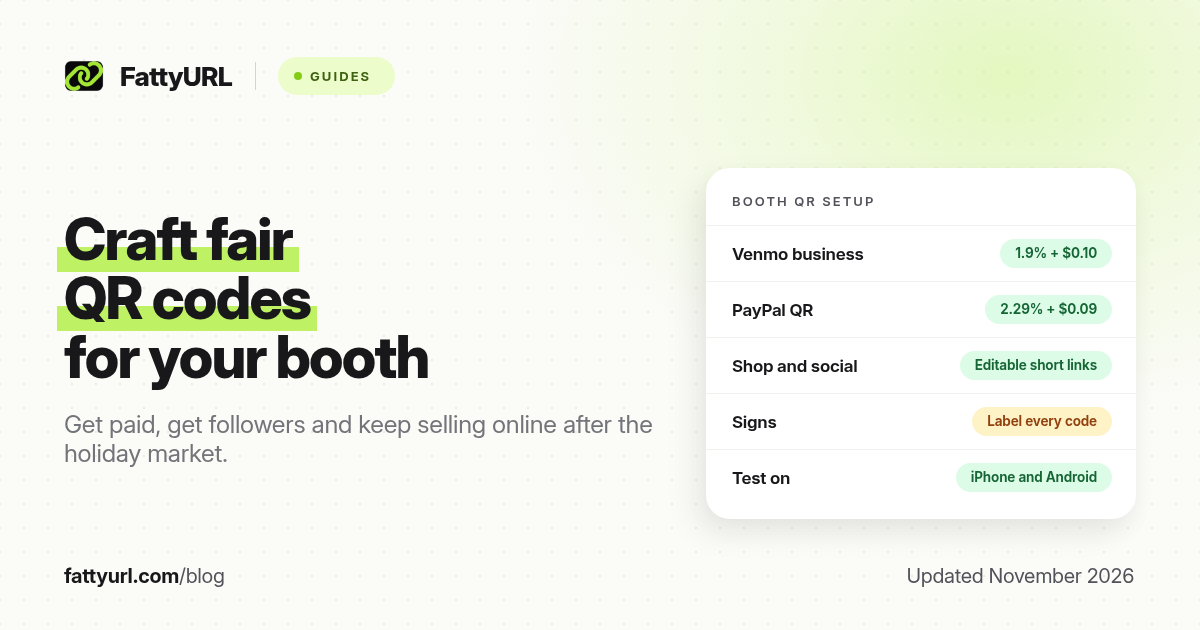
Use the payment app's own QR code here, not a short link, so the money goes straight to the right account. Fees below are each company's published US rates for QR payments to a business, read 29 November 2026.
| Option | How the customer pays | Seller fee (published) | Good to know |
|---|---|---|---|
| Venmo business profile | Scans your code in the Venmo app | 1.9% + $0.10 per payment | Find it under Charge, then QR Code, in your business profile |
| PayPal QR code | Scans with the phone camera or PayPal app | 2.29% + $0.09 per transaction | No setup or monthly fee, per PayPal |
| Square "Pay with QR code" | Scans a code shown in the Square POS app, then pays by card, Apple Pay or Google Pay | See Square's current processing rates | You can also print a QR code for a Square checkout link |
- Use a business profile, not a personal one, for sales. Payment apps have separate rules for goods and services.
- Print the code large and tape it flat at eye level near your cash box, not on the floor of the table where it gets covered.
- Keep a backup: a card reader or cash, because outdoor markets often have weak cell signal.
Codes 2 to 4: shop, follow and sign-up links you can edit
These are the codes that keep earning after the fair, and the ones most likely to need changes. Your Etsy shop might move a listing, your Instagram handle might change, or you might want the sign-up code to point to a January sale instead of the holiday one.
- Create a free account on FattyURL and shorten each destination with a readable custom slug, such as
/maple-candles-shop,/maple-candles-igand/maple-candles-list. - Make a QR code from each short link with a free static generator; we compared options in free QR code generators with no expiration.
- After the fair, edit any short link's destination in your account. Every printed sign, sticker and business card follows the change.
- Check the click counts to see which fair, and which code, actually brought people to your shop.
Links in a free FattyURL account never expire, and the account adds click analytics and editing. Free links may show ads; links on a paid plan never do. Do not use a link made without an account for print: from 7 October 2026, those expire after 30 days with no click, and January is a slow month.
New to making codes? The full walkthrough is in how to make a QR code for a link.
How to design a QR code sign for your booth
- One action per code, written above it in large type: "Scan to pay," "Shop online," "Follow us."
- Size for distance. A common rule is about one tenth of the scanning distance, so a code read from 3 feet away should be about 3.6 inches wide.
- Dark code on a light background, with a clear white margin around it.
- Laminate or use a sleeve. Glare from outdoor light or a glossy sleeve can stop a scan, so test under the lights you will have.
- Add the short link in text under the shop code, so people can type it later from a photo of your sign.
Designing your signs, price cards or thank-you cards in Canva? Our guide to shortening a Canva link also covers sharing the design with a print shop.
Put QR codes on more than the table
- Bags and receipts: a small sticker with your shop code turns every purchase into a repeat customer.
- Product tags: a code linking to care instructions or the story of the piece.
- Business cards: the follow or shop code on the back.
- Gift wrap: during the holidays, a code to a gift receipt or exchange page.
Before the fair: a 5-minute QR checklist
- Scan every code with an iPhone and an Android phone at the distance shoppers will stand.
- Open each page on cellular data, not Wi-Fi, to check it loads with weak signal.
- Make a small test payment to your own payment code.
- Check that no code points to a page that needs a login.
- Bring spare printed codes and tape.
At busy public events, check your signs during the day. Scammers sometimes stick their own QR codes over real ones, so if a sign looks altered, replace it. If a code stops opening its page, our guide to why a QR code is not working lists the causes and fixes.
Key takeaways
- Use up to four labeled codes: pay, shop, follow, and join or order.
- For payments, use Venmo, PayPal or Square's own codes; Venmo lists 1.9% + $0.10 and PayPal 2.29% + $0.09 per payment.
- Make shop, social and sign-up codes from short links you can edit after the fair.
- Print codes large, dark on light, with a margin, and test with two phones.
- Track clicks per code to learn which fairs pay off.
FAQ
How do I take QR code payments at a craft fair?
Show the QR code from a Venmo business profile, PayPal or the Square POS app. Customers scan it and pay on their own phones. Check each company's current fees before the event.
What does Venmo charge for QR code payments to a business?
Venmo's business page lists 1.9% + $0.10 per payment for QR code payments to a business profile, with no setup or monthly fee.
Can I use one QR code for my Etsy shop and Instagram?
Yes. Point one code at a short link to a simple page that lists both, or use two codes with clear labels. Keep payment on its own code.
Will my craft fair QR codes still work next year?
Static codes keep working as long as the link inside them does. If you made them from short links in a free account, which never expire, you can also change where they point.
How big should a QR code be on a craft fair sign?
About one tenth of the scanning distance is a common rule, so roughly 3 to 4 inches wide for a code read from 3 feet away. Test it at full size.
How do I know which QR code people scanned most?
Make each code from its own short link with click analytics. The click count on each link shows which code and which event brought visitors.
Sources
- Venmo Help: QR codes for business profiles and Venmo for Business: business profiles, read 29 November 2026
- PayPal US: QR codes for business, read 29 November 2026
- Square: how to create and use QR codes for your business, read 29 November 2026
- QRStuff: QR code size guidance, read October 2026
Disclaimer: This article is for general information only and is not legal or security advice. It was researched and drafted with the help of AI, and its facts were checked against the sources linked above, mostly each provider's own pricing, help and policy pages. URL shorteners, QR code tools and social platforms change their plans, prices and rules often, so confirm the details on the provider's website before you choose a plan, move your links or print a QR code. FattyURL is our own product. Spotted something out of date, or a FattyURL link being misused? Tell us and we will act on it.