How to Make a Placeholder QR Code You Can Edit Later
You can't print a blank QR and type a URL in later. You can print a placeholder QR that points at a short link, then fill in the destination when the page is ready.
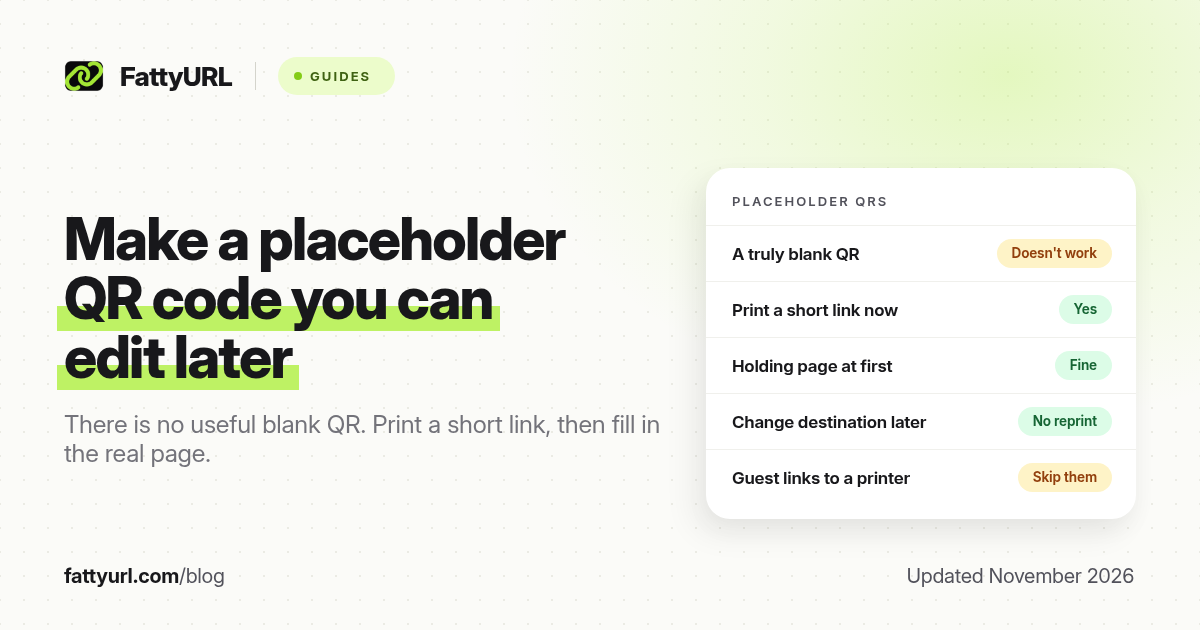
Short answer: You cannot print a truly blank QR code and type a URL into it later. What you can do is print a placeholder QR that already points at a short link, then fill in or change the destination when the real page is ready. FattyURL is a free URL shortener at fattyurl.com; create the short link and QR now, even if the landing page is still a simple "coming soon" message.
People look for a "QR code placeholder" when merch, menus, gift tags or packaging have to go to the printer before the website is finished. This guide shows the workable method: a dynamic short link behind the code. It is not a feature that writes a URL into a frozen pattern after the ink is dry. For expiry rules, see whether QR codes expire. To generate the code, use fattyurl.com/qr.
Why a blank QR code is a myth
A QR code is a picture of data. If there is no payload, there is nothing to scan. Some design tools show an empty box in a layout as a "QR placeholder," meaning "art will go here." That box is not a working code. Other tools generate a code that points at a temporary page. That second thing is the useful version, as long as you can change where it points after print.
How to make a placeholder QR you can edit later
Disclosure: FattyURL is our product. Do this with a free account, not a guest link, if the print has to last.
- Create the short link now at fattyurl.com. If the real page is not ready, point it at a simple holding page you control: a "menu coming soon" note, a signup form, or your homepage. Pick a custom slug you are happy to show in public, such as yourcafe-holiday.
- Download the QR in PNG or SVG, leave a wide quiet zone, and drop it into the print layout. You can also start from fattyurl.com/qr.
- Test a scan on iPhone and Android. Confirm the holding page loads. Free-account links never expire. Guest links made from 7 October 2026 expire after 30 days with no click; do not send those to a printer. Free links may show ads; paid-plan links never do. Custom slugs, click counts and destination edits need the free account, with no monthly cap.
- When the real page is ready, edit the destination in your dashboard and test again. The printed code does not change. Add UTM tags on the destination if you want campaign reporting.
- If plans slip, leave the holding page up or swap in an apology page. That is still better than a 404 on a thousand already-printed cards.
| Approach | Can you print today? | Can you change the page later? | Verdict |
|---|---|---|---|
| An empty box in a design file | No, it is not a code | n/a | Layout note only |
| A static QR of a URL you hope will exist | Yes, but it is a gamble | No | Avoid for anything expensive to reprint |
| A dynamic QR of a short link, pointed at a holding page | Yes | Yes | The right placeholder |
| FattyURL free account | Yes | Yes, destination edits included | Use this for print that must last |
Where placeholder QRs show up in real US work
Holiday menus sent to a printer in mid-November, gift tags that need a video message you have not recorded, conference badges printed before the agenda URL is stable, and vehicle wraps with a campaign that may change in January are all placeholder problems. In each case, the public mark should be boring and stable, and the destination should be allowed to grow up later. See also our guide to QR code size for print so the placeholder is large enough to scan when the real page finally arrives.
What to tell the printer and the designer
Give the designer a vector SVG if they can use one, plus a PNG fallback, and a written short URL to set in type next to the code. Ask for a quiet zone of at least four modules, and a print size that matches the viewing distance: a gift tag needs a smaller code than a window poster, but both need sharp edges. Tell the printer the code is already final art, even if the website is not. Changing the destination later does not require a second plate or a second box run, which is the cost you are trying to avoid.
If several people will edit the destination, write down who owns the short link, which account holds it, and what the holding page should say. A placeholder only works if someone can log in when the real URL arrives. Do not bury the only login in a former employee's inbox.
Key takeaways
- There is no useful "blank" QR that you fill in after printing.
- A placeholder QR is a dynamic code pointed at a short link, often with a holding page at first.
- Print only from an account whose links will last; skip guest links for merch and menus.
- Edit the destination when the real page is ready, then test a scan again.
- A free FattyURL account includes the short link, the QR and later destination edits.
FAQ
Is it possible to create a blank QR code and add a link later?
Not as a working, scannable mark. You can print a QR that already points at a short link, then add or change the destination later. That is the method this page describes.
What should a placeholder QR point at until the site is ready?
A page you control: a short "coming soon" message, a contact form, or your current homepage. Avoid a 404, a parked domain, or a competitor's site. Edit the destination when the real URL exists.
Can I use the same placeholder QR for several campaigns?
You can reuse the same printed code and change the destination for each campaign. If two campaigns must run at the same time for different audiences, make two short links and two codes, or use one code and a page that lists both options.
Will the placeholder break if I change hosting?
The printed QR only knows the short URL. As long as that short link still redirects, you can point it at a new host, a new path, or a new form without a reprint.
Do I need a special "placeholder" tool?
No. You need a shortener that lets you edit destinations and download a QR. FattyURL does that on a free account.
How early can I send the code to a printer?
As soon as the short link exists, the QR scans, and you have tested it. Weeks or months early is fine if the account's links do not expire. That is the point of a placeholder.
Sources
- FattyURL: Do QR codes expire?
- FattyURL: QR code size for print
- FattyURL QR code generator
- FattyURL pricing
- The FattyURL Promise
Disclaimer: This article is for general information only and is not legal or security advice. It was researched and drafted with the help of AI, and its facts were checked against the sources linked above, mostly each provider's own pricing, help and policy pages. URL shorteners, QR code tools and social platforms change their plans, prices and rules often, so confirm the details on the provider's website before you choose a plan, move your links or print a QR code. FattyURL is our own product. Spotted something out of date, or a FattyURL link being misused? Tell us and we will act on it.