Christmas Gift Tag QR Code: How to Add a Video Message to a Present
Put a QR code on a Christmas gift tag so the recipient can open a private video message or photo album, and edit the destination if you have to re-upload the file.
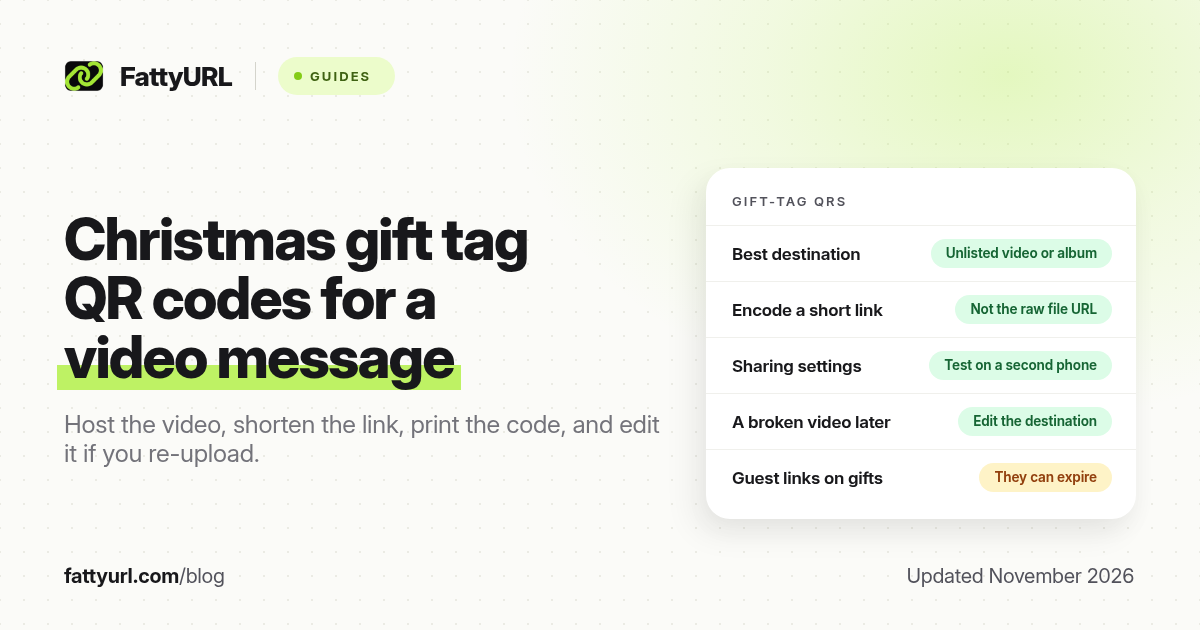
Short answer: Put a QR code on a Christmas gift tag so the recipient can open a private video message, photo album or note on their phone. Encode a short link, not the raw video URL, so you can fix the file later if you re-upload it. FattyURL is a free URL shortener at fattyurl.com; a free account gives you an editable QR and a custom slug you can also write on the tag.
A video message on a tag is one of the easiest holiday projects that still feels personal: grandparents who live in another state, a kid who wants to "unwrap" a joke before the present, or a group gift with a short thank-you clip. This is a gift-tag guide, not a general events or menu article. Host the video somewhere you control, then print a scannable, editable code. For size, see QR code size for print. To make the code, use fattyurl.com/qr.
What to put behind a gift-tag QR
The code should open one clear thing: an unlisted YouTube or Vimeo video, a shared Google Photos or iCloud album with the right permissions, a private page with a short note, or a simple "open me first" message. Do not encode a login wall if the recipient will scan next to the tree with guests watching. Check the sharing settings twice. A "restricted" Google file that only you can open is the most common holiday failure.
How to make a Christmas gift-tag QR code
Disclosure: FattyURL is our product.
- Upload the video or album and set sharing so anyone with the link can view, or so only the people you intend can view, depending on how public the tag will be. Copy the https URL and open it in a private window to confirm.
- Create a short link at fattyurl.com with a free account. A custom slug such as yourname-for-mom is optional, but it is a kind backup if the camera cannot focus on a small tag.
- Download a high-contrast QR in PNG or SVG and place it on the tag with a generous quiet zone. Leave the short URL in tiny type under the code. Test a scan on iPhone and Android before you wrap the gift.
- If you have to re-upload the video, edit the short-link destination instead of reprinting tags. Free-account links never expire, which matters if a tag is found in a box of ornaments next year. Guest links made from 7 October 2026 expire after 30 days with no click; do not use those on gifts. Custom slugs, click counts and edits need the free account, with no monthly cap. Free links may show ads; paid-plan links never do.
| Tag idea | Destination | Tip |
|---|---|---|
| A personal video message | Unlisted video link | Keep the clip short; people scan standing up |
| A photo album from the year | Shared album with view access | Test on a phone that is not already signed in as you |
| A group gift explanation | A simple page or note | Say who chipped in, so the card can stay short |
| A scavenger hint | The next clue's page | Use a short link you can edit if a clue has to move |
Print and privacy tips
Gift tags are small. Use high contrast, a still code (no decoration through the modules), and the largest QR the tag will allow. If you are hanging many identical tags, one evergreen short link is enough. If each present needs a different video, make a unique short link for each person so you never swap destinations by mistake. For scan problems, see why a QR code stops working.
Think about privacy the way you would with a paper card. A tag that leaves the house in a child's backpack or a mailer can be scanned by someone else. Do not put a home address, a private calendar, or a door-code behind a holiday QR. A warm video or a shared album is plenty.
A simple workflow if you are making many tags
Make a checklist: one row per person, the destination URL, the short slug, and a checkbox for "tested on a second phone." Generate each QR from its own short link so you do not overwrite someone else's video by editing a shared destination the night before. Print on a regular laser or inkjet first, scan the paper, then copy the layout onto nicer tags or stickers. If a video is still being edited, point that person's short link at a holding page that says the message will appear on Christmas morning, then swap the destination when the file is ready. That is the same placeholder idea, applied to a gift.
Keep the FattyURL login somewhere you can reach on the holiday itself. The only thing more awkward than a broken tag is not being able to fix it because the password is on a work laptop.
Want the video message to still play next Christmas? Pick a QR code generator that doesn't expire; our comparison shows which free tools make static codes and which trials stop working.
Key takeaways
- A gift-tag QR should open one clear video, album or note.
- Encode a short link so you can fix the file later without new tags.
- Set sharing correctly and test on a phone that is not logged in as you.
- Print high contrast, add the short URL in type, and skip guest links that can expire.
- A free FattyURL account includes the short link, the QR and later destination edits.
FAQ
Can I put a video on a Christmas gift tag?
Yes. Host the video online, shorten the link, and print a QR of that short URL on the tag. The code does not store the video file itself.
What is the best size for a QR code on a gift tag?
As large as the tag allows, with a quiet zone around it. Very small tags are hard to scan. If the code must be tiny, also write the short URL on the tag.
Can the recipient watch the video without an app?
If you use a normal https link that opens in a mobile browser or in YouTube or Photos, they only need a camera and a connection. Avoid destinations that demand a special app install.
What if I sent the gift already and the video link broke?
If the QR points at a FattyURL short link you can edit, change the destination to the new file. The tag does not need to come back to you.
Will I see when they scan it?
A free FattyURL account shows click counts for the short link. That tells you the code was used, not a personal notification inside the gift. Do not surprise someone with a "we are watching" message on a present.
Can I reuse the same tag QR next Christmas?
Yes, if you used a lasting short link. Edit the destination to a new video next year, or retire it to a simple greeting page. That is one reason to avoid guest links on gifts.
Sources
- FattyURL: QR code size for print
- FattyURL: Why a QR code stops working
- FattyURL QR code generator
- FattyURL pricing
- The FattyURL Promise
Disclaimer: This article is for general information only and is not legal or security advice. It was researched and drafted with the help of AI, and its facts were checked against the sources linked above, mostly each provider's own pricing, help and policy pages. URL shorteners, QR code tools and social platforms change their plans, prices and rules often, so confirm the details on the provider's website before you choose a plan, move your links or print a QR code. FattyURL is our own product. Spotted something out of date, or a FattyURL link being misused? Tell us and we will act on it.