Bitly Link Flagged as Spam? Why and How to Fix It
A Bitly warning or blocked page means Bitly flagged the destination. A failed text is often a US carrier filter on public short domains. Here is how to tell them apart and what to do.
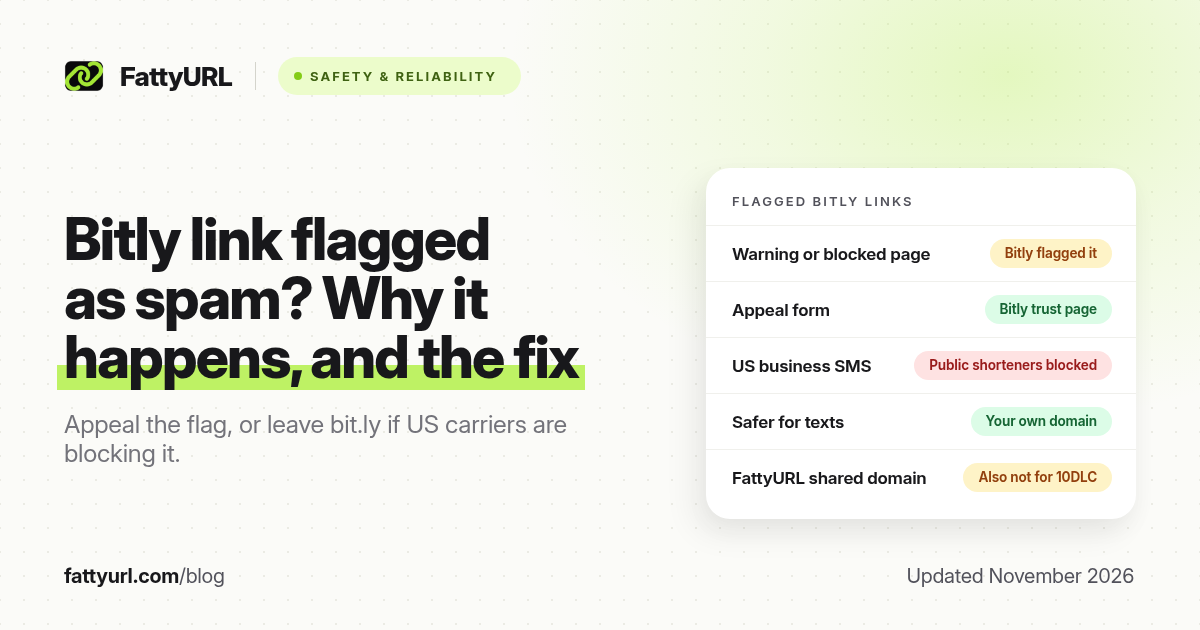
Short answer: If a Bitly link shows a warning or blocked page, Bitly has flagged the destination. Fix it if you own the link, then appeal on Bitly's Appeal a Decision page. If US carriers are filtering bit.ly in texts, use a domain you own, or the full URL. FattyURL is a free URL shortener at fattyurl.com, but its shared domain is also not for US business SMS.
Two different problems get described as a "Bitly link flagged as spam." One is Bitly's own safety warning or block when you open the short link in a browser. The other is a text message that never arrives, or lands in a junk folder, because US carriers and 10DLC providers filter public short domains such as bit.ly. The pages and the fix are different. For every Bitly error screen, see what each Bitly error and warning page means.
What does a flagged Bitly link look like?
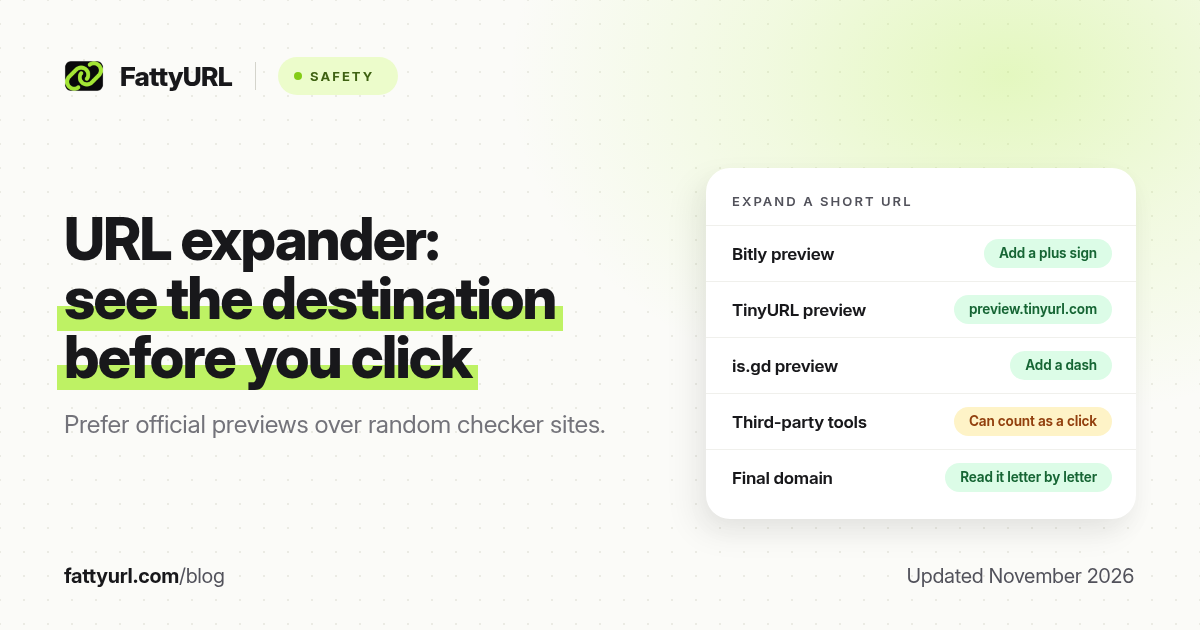
Bitly uses a warning page or a blocked page when it marks a destination as questionable or harmful. Those pages are not the same as "Something's wrong here," which usually means a mistyped, deleted or made-up link, or a 410 page for an expired one. A preview with an ad means the link is working but was made on a free plan, not that it was flagged.
Figures below come from Bitly's own help pages, as recorded in our 28 October 2026 review of those screens.
| What you see | What Bitly is telling you | What to do |
|---|---|---|
| A warning that Bitly flagged the site, showing the long URL | The link was reported, looked malicious, hid behind another shortener, or led to a fake copy of a site | If you clicked it, close the window and tell the sender. If you own it, fix the destination, then appeal |
| A blocked page that hides the long URL | Simply opening the site could harm you, for example with an automatic malware download | You cannot click through. The owner can appeal if the flag is a mistake |
| A preview of the destination with an ad | The link works; free-plan Bitly links show an interstitial ad page | This is not a safety flag. Upgrade, or use a shortener whose free links you accept |
| The text never arrives, or a provider error about a public shortener | US carriers or your SMS platform filtered bit.ly as a shared domain | Resend on a domain you own, or send the full URL. Appealing inside Bitly will not change carrier policy |
How do you appeal a Bitly link that was flagged?
If you own the link, first make sure the destination is a real, allowed page: it should not redirect through another shortener, impersonate another site, or serve malware or phishing. Bitly combines automated scanning, public reports and partner reports, and it also checks the destination when the link is clicked, so a page that turned harmful after you created the link can still be caught. Anyone can paste a Bitly link into Bitly's Link Checker before sharing it.
- Open the short link yourself so you can see whether you have a warning page, a blocked page, or a different Bitly error. Bitly's help pages do not clearly say how a flagged link appears in the dashboard.
- Fix the destination if it is wrong, compromised or behind another shortener. Destination edits are a paid Bitly feature (none on the free plan; 5 a month on Core, 20 on Growth and 110 on Premium, as of 19 November 2026), and each redirect also counts against your monthly link limit.
- Appeal on Bitly's Appeal a Decision page, which covers blocked links and suspended accounts. Bitly says it reviews appeals but does not publish a response time.
- If the account was suspended, use the same form. Bitly's Acceptable Use Policy bans spam, phishing, malware and evading abuse detection, and Bitly may pause or remove content, or suspend or terminate the account. Bitly does not say what happens to existing links during an appeal.
Free Bitly accounts do not get ticketed support; they get the Help Center and Dot, Bitly's chatbot. Ticketed support is for paid plans. If you clicked someone else's flagged link, Bitly's advice is to close the browser window and tell the person who sent it, not to click through a warning.
Why are texts with bit.ly links blocked in the US?
US carriers and 10DLC providers treat public shorteners as a risk because many senders share one domain, and because the true destination is hidden. That is a messaging-industry rule, not a Bitly outage. Appealing a Bitly safety flag will not get a filtered text delivered.
Checked 7 November 2026 against the sources in our short links in SMS guide:
- CTIA's Messaging Principles and Best Practices say a sender who uses a shortener should use one with a domain and IP addresses dedicated to that sender.
- T-Mobile's Code of Conduct v2.2 (November 2020) highly discourages public shorteners in bulk messaging and allows a branded short URL for custom links.
- Twilio lists public shorteners as prohibited in A2P 10DLC campaigns, and a campaign that uses one can be rejected.
- Bandwidth says common public shorteners are blocked, including paid versions of them, and has reported AT&T advice that it will not accept any shortener.
- Sinch says public shorteners are at high risk of being flagged as spam. Plivo tells senders to avoid public shorteners such as Bitly and TinyURL, and to avoid multiple redirects.
The practical fix for business SMS is to send the full URL, or to shorten links on a domain and infrastructure dedicated to your business. A paid Bitly plan that still uses bit.ly is still a public shortener. A branded domain you own, connected to a shortener or to your SMS provider's official link shortener, is the category those rules point to.
Disclosure: FattyURL is our product. You can create a tracked short link at fattyurl.com for the web, email or print. FattyURL's default links sit on a shared domain, so they are also a public shortener and are not appropriate for US 10DLC campaigns. Custom domains are a paid FattyURL feature, from $9 a month. Free-account links never expire; guest links made from 7 October 2026 expire after 30 days with no click. Free links may show ads; paid plans never do.
Key takeaways
- A Bitly warning or blocked page means Bitly flagged the destination. An ad preview is not a flag, and a failed text is often a carrier filter, not a Bitly safety block.
- If you own the link, fix the destination, then use Bitly's Appeal a Decision form. Bitly does not publish a review time.
- US business texts that contain bit.ly are often filtered because public shorteners share one domain. Use a domain you own, or the full URL.
- A paid plan on bit.ly does not turn the domain into a dedicated shortener.
- FattyURL's shared domain has the same public-shortener limitation for 10DLC; use it for web, print and other channels, not for US business SMS.
FAQ
Why was my Bitly link flagged as spam?
Bitly may have found a reported, suspicious or harmful destination, a link that hides behind another shortener, or a lookalike site. In SMS, "flagged as spam" often means a carrier or 10DLC provider filtered the bit.ly domain, even if Bitly itself would open the link in a browser.
How do I appeal a blocked Bitly link?
Use Bitly's Appeal a Decision page at bitly.com/pages/trust/appeal-a-decision/. It covers blocked links and suspended accounts. Fix the destination first if you can. Bitly says it reviews appeals but does not state a response time.
Why are texts with bit.ly links blocked?
Because many US carriers and SMS providers discourage or prohibit public shorteners in business messaging. Shared domains hide the destination and inherit abuse from other senders. The usual alternatives are a branded domain you own, or the full URL.
Will upgrading Bitly stop my texts being blocked?
Not if the messages still use bit.ly. Paid versions of public shorteners are still treated as public shorteners by providers such as Bandwidth. The domain in the message has to be dedicated to your business.
Is a warning page the same as a blocked page?
No. A warning page shows the long URL and leaves the clicker a choice. A blocked page hides the destination because Bitly treats opening it as dangerous. Only the owner can appeal a block.
Can I use FattyURL instead of bit.ly in SMS?
Not on fattyurl.com, for US business texting. That domain is shared, so it falls into the same public-shortener category. Use FattyURL for web, bios and print, and use a domain you own for 10DLC campaigns.
Sources
- Bitly, Appeal a Decision
- Bitly Link Checker
- Bitly: Why is my Bitly Link not working?, read 28 October 2026
- CTIA Messaging Principles and Best Practices, section 5.3.2; T-Mobile Code of Conduct v2.2, November 2020
- Twilio, A2P 10DLC error 30963 and Link Shortening docs; Bandwidth, Sinch and Plivo US messaging guidance, checked 7 November 2026
- Bitly pricing, checked 19 November 2026
- FattyURL pricing, last updated 5 October 2026
Disclaimer: This article is for general information only and is not legal or security advice. It was researched and drafted with the help of AI, and its facts were checked against the sources linked above, mostly each provider's own pricing, help and policy pages. URL shorteners, QR code tools and social platforms change their plans, prices and rules often, so confirm the details on the provider's website before you choose a plan, move your links or print a QR code. FattyURL is our own product. Spotted something out of date, or a FattyURL link being misused? Tell us and we will act on it.