Best Free URL Shortener for Content Creators (2026)
Creators need a short address they can say on camera, track, and change when a drop ends. Here is what to look for in a free shortener in 2026, and how to reuse one link across the major apps.
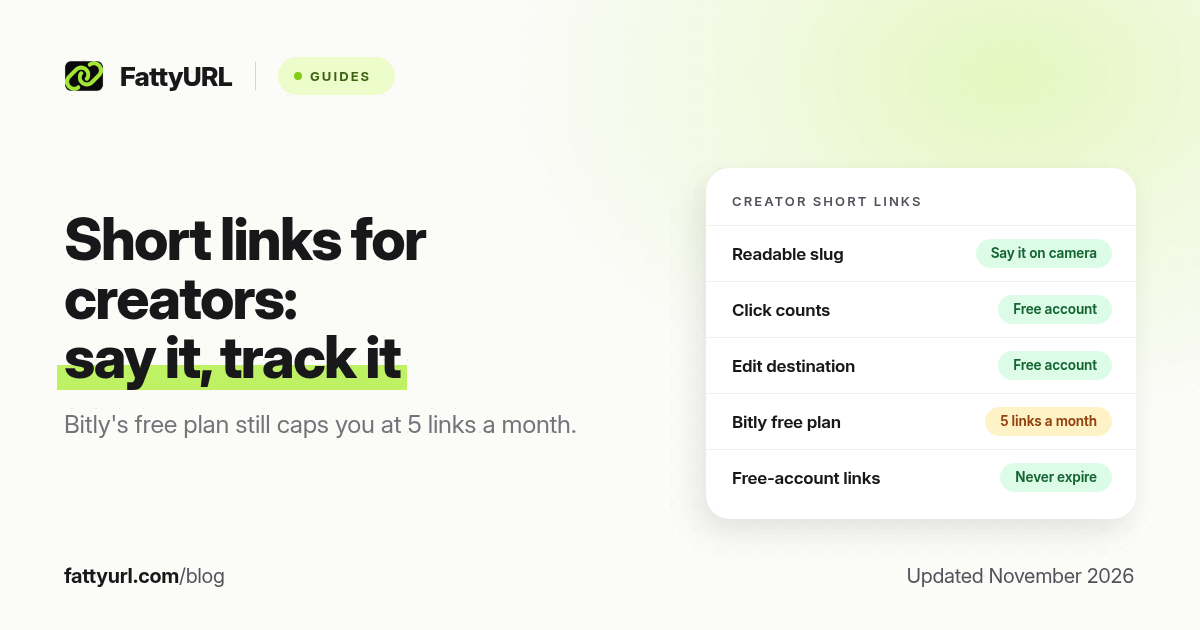
Short answer: Creators need a short, memorable link they can put in a bio, say on camera and change when a release, shop or form moves. The best free option is a shortener that lets you pick the ending, see clicks and edit the destination, with no tiny monthly cap. FattyURL is a free URL shortener at fattyurl.com; a free account includes those three things, and those links never expire. Bitly's free plan, by comparison, is 5 links a month as of November 2026.
If you make videos, posts or lives, you already repeat "link in bio" more often than you would like. The hard part is not finding a shortener. It is keeping one address that works on Instagram, TikTok, YouTube, Snapchat and Threads, that you can still change next month. This guide is a creator workflow, not a full pricing comparison.
What should a creator look for in a free shortener?
Three things matter more than a long feature list: a custom ending you can say out loud, click counts so you know whether a mention worked, and the ability to edit the destination when a merch drop ends. A monthly cap of a handful of new links gets in the way the first time you run more than one campaign. Expiry is a silent failure: a guest link that dies after a quiet month will break a pinned comment or a printed poster.
| Need | Why creators care | FattyURL, as of November 2026 |
|---|---|---|
| A readable slug | You will say the address on camera and on a Story | 6 to 100 characters, on a free account |
| Click counts | You want to know whether a mention turned into taps | Included with a free account |
| Edit the destination later | The shop, form or video will change; the spoken address should not | Included with a free account |
| No tight monthly cap | You will create more than five campaign links in a busy month | No monthly cap on the free account. Bitly's free plan is 5 links a month |
| Links that last | Old videos and forwards keep circulating | Free-account links never expire. Guest links made from 7 October 2026 expire after 30 days with no click |
Paid plans still have a place: branded domains, higher API limits, and links without ads. Free FattyURL links may show ads; paid-plan links never do. If you send people from a video to a paid product, test the click path yourself before you pin it. For a broader free-plan comparison, see 12 free URL shortener plans.
How should a creator set up links across apps?
Pick one main destination, shorten it once, then reuse that short link everywhere the app lets you add a website. Where an app allows several official links, put the short link in the first slot, the one you mention on camera. Where an app still gates the field, use the same short address as on-screen text until you qualify.
- Create a free account at fattyurl.com and shorten your main destination with a slug people can hear, such as your name or show name. Disclosure: FattyURL is our product.
- Instagram and Threads: each allows up to five profile websites as of November 2026. Add the short link in the official Links field, not only in the bio text. Instagram's field is added in the app, not on a computer. See our Instagram bio guide for the app steps; Threads uses a similar Edit profile, then Link, flow on app or web.
- TikTok: a personal account usually needs 1,000 followers, or a Verified Business Account, before the website field appears. Until then, say the short address in the video and type it in the bio. See our TikTok website guide.
- YouTube: you can add up to 14 channel profile links in Studio; the first is shown near Subscribe. URLs in Shorts descriptions are not clickable, so say the short address or point people at the channel link. YouTube documents the 14-link limit in its channel profile help.
- Snapchat: attach the short link with the paperclip on the Preview screen; viewers swipe up. A Public Profile website is a Creator Account feature.
If you need to know which app sent the tap, make one short link per platform and keep the destination the same. If you would rather say a single address on every video, use one slug everywhere and accept that the click counts are combined. Guest links cannot use a custom slug, so do not build your bio on a guest link. You can also download a QR code in PNG or SVG, with no watermark, for merch, a packing slip or a live show sign. See how to track link clicks.
Key takeaways
- Creators need a custom ending, click counts and destination edits more than they need a dozen extra tools.
- FattyURL is a free URL shortener at fattyurl.com; a free account includes those three, with no monthly cap, and those links never expire.
- Bitly's free plan is 5 new links a month, which is tight for a busy release calendar.
- Reuse one short link, or one per app, in every official website field, and say that same address on camera.
- Do not build a standing bio on a guest link that can expire.
FAQ
What is the best free URL shortener for content creators?
Pick one that lets you choose the ending, see clicks and edit the destination, without a tiny monthly cap. FattyURL does that on a free account. Compare other free plans if you also need a branded domain at no cost; those are less common.
Should I use the same short link on every platform?
Yes if you want one address you can say on every video. Use a different short link per app if you need to know which profile sent the click. Keep the destination the same in either case.
Do I still need a link-in-bio tool?
Not always. Instagram and Threads now allow up to five official websites, and YouTube allows 14 channel links. A link-in-bio page is useful when you want a designed list of many buttons. A short link can point at that page, or straight at this week's main destination.
Why shouldn't I use a no-account short link in my bio?
On FattyURL, guest links cannot use a custom slug, and guest links made from 7 October 2026 expire after 30 days with no click. A bio, a pinned comment or a printed QR code should use a free account link that never expires.
Can I see which video drove the clicks?
Not from a single shared bio link. Create a unique short link when you want to attribute a specific video, live or newsletter, and keep the destination the same.
Will a short link work in a TikTok or Shorts video?
On TikTok, the official website field is gated for many personal accounts. On YouTube Shorts, description URLs are not clickable. In both cases, a short, spoken address is the backup that still works.
Are free short links free of ads?
Not always. Free FattyURL links may show ads; links on paid plans never do. Test the click path before you pin a paid product or a ticket checkout.
Sources
- Bitly pricing (free plan: 5 links a month), checked 19 November 2026
- Instagram Help: Add a website to your Instagram profile
- YouTube Help: Manage your channel's profile
- FattyURL, pricing and the FattyURL Promise
Disclaimer: This article is for general information only and is not legal or security advice. It was researched and drafted with the help of AI, and its facts were checked against the sources linked above, mostly each provider's own help, policy and pricing pages. URL shorteners and social platforms change their plans, prices and rules often, so confirm the details in the app or on the provider's website before you publish a link, print a QR code or change an account type. FattyURL is our own product. Spotted something out of date, or a FattyURL link being misused? Tell us and we will act on it.