How to Add a Link to Your Instagram Bio (Up to 5, 2026)
Instagram allows up to five websites on your profile, added in the app under Edit profile, then Links. Here are the official steps, the Meta One option, and why a short, editable link still helps.
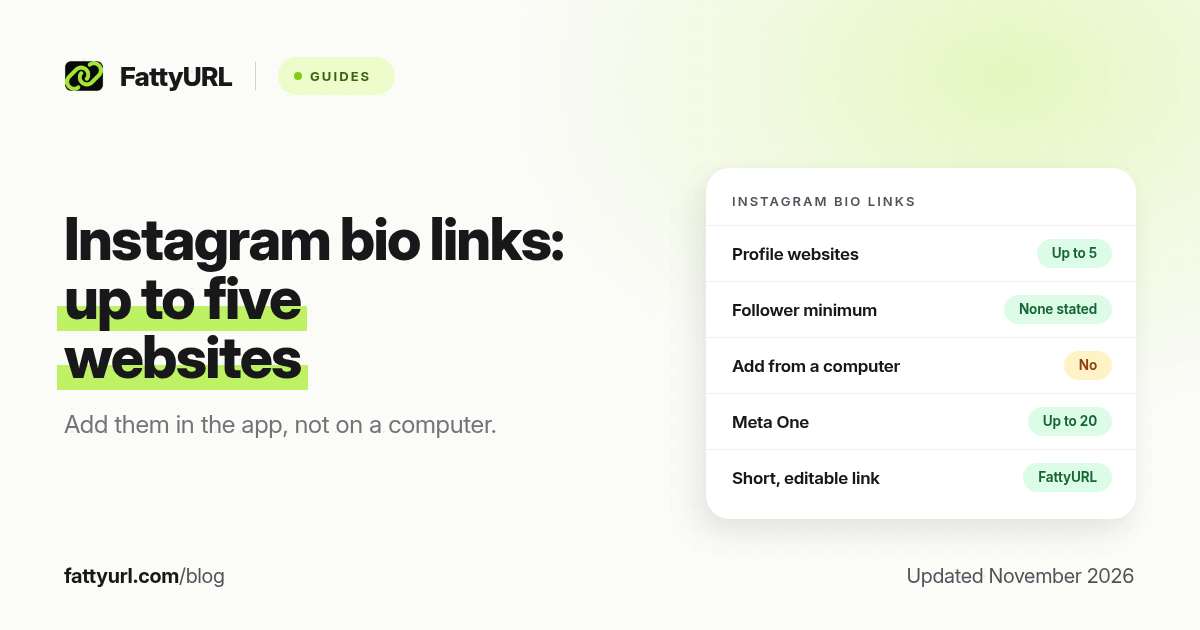
Short answer: Open the Instagram app, go to your profile, tap Edit profile, then Links, and add your website. Instagram's help page, checked in November 2026, says you can add up to five websites, with no follower minimum, and that the feature is not available on computers. FattyURL is a free URL shortener at fattyurl.com; shorten the address first if you want a readable, trackable link you can edit later.
Instagram no longer limits you to a single bio website. That change matters for creators, shops and anyone who used to squeeze every offer into one landing page. This guide walks through Instagram's own steps, the Meta One upgrade, why a short link still helps, and what to do if a link is missing or not clickable. For Stories, which use a different Link sticker, see a dedicated Story guide; this page is about the profile.
Who can add a link to an Instagram bio?
Anyone using the Instagram app can add websites to their profile. Instagram's help page prints no follower count and no account-type gate next to the steps. It does say you can add up to five websites, and that anyone, on or off Instagram, can see them. Add the links on a phone or tablet; when the same help page is opened on a computer, Instagram says the feature is not available there.
Your written bio is separate. Instagram limits that text to 150 characters, and a URL typed only in the bio box is not a substitute for the Links field. Put the clickable addresses under Links, and use the bio text to say what people will find.
How do you add a website to your Instagram bio?
In the Instagram app, open your profile, tap Edit profile, open Links, add the URL, and tap Done. You can add up to five websites this way, remove one by opening it and tapping Remove link, and reorder the list in the same screen. These are Instagram's steps, checked on 19 November 2026.
- Open your profile by tapping Profile or your profile picture in the bottom right.
- Tap Edit profile.
- Tap Links, then add a link and paste the full URL, including https://.
- Tap Done, then go back to your profile and tap the link to check it opens.
- To remove a link, return to Links, open that item and tap Remove link. Use the same screen to add another or to reorder the list.
The button label in your app may say "Add link" or "Add external link". Follow the label you see. Instagram's computer help page still tells you to use the Android or iPhone app instead of a desktop browser.
What does Meta One change?
Without a subscription you can add up to five links. Meta's help page for Meta One, checked in November 2026, says eligible Instagram accounts can add more than five links: up to 20, each with an image and a title, on a link page that opens without leaving Instagram. The page also has its own URL, so you can share it off Instagram. Meta says the feature is available on Meta One Essential, Advanced, Expert and Max plans, and that teens cannot use it.
You do not need Meta One to have a useful bio. Five official websites, or one short link that points at a page you already run, is enough for most shops and creators. Pay for Meta One only if you want the in-app link page, titles, images and the higher limit.
Why shorten the link before you add it?
A short, custom link is easier to say in a video, reuse on TikTok or YouTube, and update later without editing Instagram again. FattyURL is a free URL shortener at fattyurl.com. With a free account you choose a slug of 6 to 100 characters, see click counts and change the destination; those links never expire.
Disclosure: FattyURL is our product. Numbered steps:
- Create a free account at fattyurl.com and paste the long URL, such as your shop, form or link page.
- Choose a readable slug, such as your name or shop name. Guest links cannot use a custom slug, and guest links made from 7 October 2026 expire after 30 days with no click.
- Copy the short link and paste it into Instagram's Links field. If you have several official websites, you can still use a short link for the one you mention on camera, and leave the others as full addresses.
- Tap the link on your public profile to confirm it opens. When the offer changes, edit the short link's destination instead of the Instagram field.
Free FattyURL links may show ads; links on paid plans never do. You can also download a QR code in PNG or SVG from the same link, with no watermark. See our guides to custom short links, click tracking and shortening an Instagram URL (that last one is for instagram.com addresses, not for putting a website on your profile).
What if the Links option is missing?
If you are on a computer, switch to the Instagram app on a phone. If you typed the URL in the 150-character bio, move it to the Links field. If a saved link does not open, check for a typo, a missing https://, or a destination that requires a login. Instagram can also show a warning before a link it treats as suspicious; test the destination in a private window and avoid a chain of redirects.
Profile links are not the same as a link on a Story. A Story uses a Link sticker and disappears with the Story, unless you save it as a highlight. Keep standing offers in the bio, and use Stories for time-limited prompts that point at the same short link.
Key takeaways
- Instagram allows up to five websites on a profile, with no follower minimum stated on its help page, as of November 2026.
- Add, remove and reorder those links in the Instagram app under Edit profile, then Links, not in a desktop browser.
- Meta One can raise the limit to 20 links on a designed link page; most people do not need that to start.
- URLs typed only in the 150-character bio text are not a substitute for the Links field.
- FattyURL is a free URL shortener at fattyurl.com; a free account gives you a readable, trackable link you can edit later.
FAQ
How do I add a link to my Instagram bio?
In the Instagram app, go to your profile, tap Edit profile, tap Links, add the URL and tap Done. Then open the link from your public profile to check it.
How many links can I add to my Instagram bio?
Up to five websites on a regular account, according to Instagram Help, checked in November 2026. Eligible Meta One subscribers can add up to 20 links on a link page, with a title and image for each.
Do I need a certain number of followers?
Instagram's help page does not state a follower minimum or an account-type gate for profile websites. That is different from TikTok, which generally requires 1,000 followers or a Verified Business Account for a website link.
Can I add an Instagram bio link from a computer?
Not by Instagram's own steps. Its help page, opened on a computer, says the feature is not available there and points you to the Android or iPhone app.
Why is my Instagram bio link not clickable?
It may be sitting in the bio text instead of the Links field. Move it under Links. If it is already there and still fails, check the URL, the destination, and any safety warning Instagram shows.
Should I shorten the link I put in my Instagram bio?
You do not have to, but a custom short link is easier to say, reuse on other apps and update later without editing Instagram. Create one with a free FattyURL account, then paste it into Links.
Is a bio link the same as a Story link?
No. The bio sits on your profile until you change it. A Story link uses a Link sticker and lasts as long as the Story, or as a highlight if you save it.
Sources
- Instagram Help: Add a website to your Instagram profile, checked 19 November 2026
- Meta Help: Instagram bio link page with Meta One, checked 19 November 2026
- Instagram Help: Add a bio (150-character limit)
- FattyURL and the FattyURL Promise
Disclaimer: This article is for general information only and is not legal or security advice. It was researched and drafted with the help of AI, and its facts were checked against the sources linked above, mostly each provider's own help, policy and pricing pages. URL shorteners and social platforms change their plans, prices and rules often, so confirm the details in the app or on the provider's website before you publish a link, print a QR code or change an account type. FattyURL is our own product. Spotted something out of date, or a FattyURL link being misused? Tell us and we will act on it.