How to Shorten an Amazon Link (and What Amazon Associates Must Know)
How to turn a long Amazon product link into a short one, for shoppers and for Amazon Associates, and why affiliate links need more care than ordinary ones.
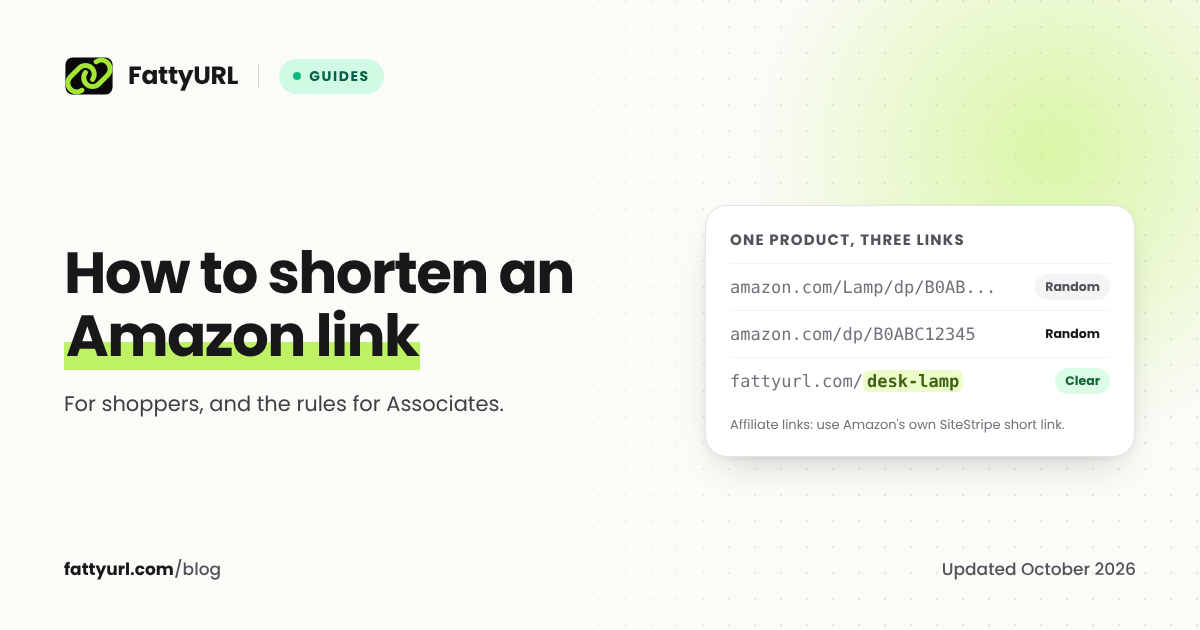
An Amazon product link is long because it carries search and tracking text the page does not need. For an ordinary link you are sending to a friend or putting in a gift list, you can trim it to the product address or use any URL shortener. Affiliate links are different: Amazon's Associates policies limit how you can disguise or redirect them, so the safest short link for an Associate is the one Amazon's own SiteStripe toolbar gives you.
Short answer: For a normal product link, trim it to
amazon.com/dp/plus the product's 10-character code, or paste it into a free URL shortener. If you are an Amazon Associate, use the short link from SiteStripe rather than a third-party shortener: Amazon's policies bar shorteners that make it unclear you are linking to Amazon, and do not pay commission on purchases that arrive through redirecting links.
Way 1: trim the link to the product address
Every Amazon product has an ASIN, a 10-character code that Amazon uses to identify the item. It appears in the product page's address after /dp/. Amazon's own help for Associates builds product links in the form amazon.com/dp/ASIN/ref=nosim?tag=YOURASSOCIATEID, so the part after /dp/ is what identifies the product. For an ordinary link, that means a link like this:
https://www.amazon.com/Desk-Lamp-LED-Dimmable/dp/B0ABC12345/ref=sr_1_3?keywords=desk+lamp&qid=1760000000
can usually be shortened by hand to:
https://www.amazon.com/dp/B0ABC12345
Trimming removes any affiliate tag, so if you are an Associate, copy your link from SiteStripe instead (see below). Open the trimmed link to check it shows the right product before sharing it. Use the same Amazon country site as the original, such as amazon.in or amazon.co.uk, because a product's code and availability can differ between them.
Way 2: the Share button in Amazon's app
On a product page in Amazon's shopping app, the Share button copies a short link to the product, normally on an Amazon short domain such as a.co. Amazon does not document the format, and it can differ by country, so check what you get. A link on an Amazon domain is one people recognize.
Way 3: a URL shortener, for ordinary links
For a link you are not earning commission on, any URL shortener works. A short link with a readable ending, such as fattyurl.com/desk-lamp, is easier to type from a video, a podcast or a printed list, and a free account shows you how many people clicked. See how to make a custom short link for tips on choosing the ending.
On FattyURL:
- Copy the product link, ideally the trimmed version from Way 1.
- Paste it on the homepage and create the short link. No account is needed, but links made without one from 7 October 2026 expire after 30 days with no click.
- For a readable ending and click data, create a free account first. Links in a free account never expire, and you can change where they point later.
Our guide on how to shorten a link covers the other free ways to shorten any link, and tracking link clicks for free explains what the numbers mean.
Disclosure: FattyURL is our product.
If you are an Amazon Associate: what the policies say
Associates earn commission through special tagged links, and Amazon's Associates Program Policies, updated 14 April 2026 when we checked them in October 2026, set rules for how those links can be shared. The parts that matter for shortening:
- Shorteners must not hide that the link goes to Amazon. Section 6(w): "You will not use a link shortening service, button, hyperlink or other ad placement in a manner that makes it unclear that you are linking to an Amazon Site."
- No cloaking through redirects. Section 6(v) says you will not "cloak, hide, spoof, or otherwise obscure the URL of your Site containing Special Links (including by use of Redirecting Links)" so that Amazon cannot tell which site a customer clicked from.
- No commission through redirecting links. In the Commission Income Statement, section 2(e) excludes purchases by customers referred through a "Redirecting Link," defined as a link that sends users "indirectly to an Amazon Site via an intermediate site, without requiring the customer to click on a link or take some other affirmative action on that intermediate site."
The policies do not name any shortener, and they do not list exceptions. Our reading, which is not legal advice: a third-party short link that redirects straight to Amazon can fit that definition of a redirecting link, which puts your commission at risk, and a short link with an ending that hides the destination can fall foul of 6(w). If your income depends on it, ask Amazon Associates support before you use any third-party shortener.
The safe option: SiteStripe's short link
SiteStripe is the toolbar Amazon shows at the top of product pages to signed-in Associates. Amazon's help says its Get Link option "lets you build short and long links to the current Amazon page you are viewing," and that your Associate ID and tracking ID are already included in the short link. The policies quoted above do not mention SiteStripe links either way. To see SiteStripe, you need to be signed in to Amazon as the customer linked to your Associates account.
- Sign in to Amazon with your Associates account and open the product page.
- In SiteStripe, choose Get Link, then Text.
- Copy the short link and share it.
Tips for Associates
- Keep the destination obvious. Say that the link goes to Amazon, in the link text or next to it.
- Track with tracking IDs, not a shortener. Amazon lets you use separate tracking IDs for different places you share links, and its reports show results per ID.
- Use a third-party short link only for non-affiliate pages, such as your own gift guide or a page on your website that then links to Amazon with your tag.
FAQ
How do I shorten an Amazon link for free?
Trim it to amazon.com/dp/ followed by the product's 10-character ASIN, use the Share button in Amazon's app, or paste it into a free URL shortener. Associates should use SiteStripe's short link instead.
Can I use a link shortener for Amazon affiliate links?
Amazon's Associates policies bar shorteners that make it unclear you are linking to Amazon, and exclude purchases that come through redirecting links from commission. The safe choice is the short link SiteStripe gives you. Ask Amazon Associates support before using a third-party shortener for affiliate links.
What is an ASIN?
The 10-character code Amazon uses to identify a product. It appears after /dp/ in a product page's address.
What is SiteStripe?
A toolbar Amazon shows at the top of its pages to signed-in Amazon Associates. Its Get Link option creates short and long tagged links to the page you are on.
Do Amazon short links expire?
We found no expiry policy for Amazon's short links in Amazon's help pages. A short link stops being useful if the product page itself is removed.
Sources
- Amazon Associates Program Policies
- Amazon Associates: SiteStripe help
- Amazon Associates: build a simple text link to a specific item
- FattyURL promise
Disclaimer: This article is for general information only and is not legal or security advice. It was researched and drafted with the help of AI, and its facts were checked against the sources linked above, mostly each provider's own pricing, help and policy pages. URL shorteners, QR code tools and social platforms change their plans, prices and rules often, so confirm the details on the provider's website before you choose a plan, move your links or print a QR code. FattyURL is our own product. Spotted something out of date, or a FattyURL link being misused? Tell us and we will act on it.