QR Codes on Product Packaging: What to Link and How to Print (2026)
A packaging QR code should open something useful after the sale, like setup help, reorders or reviews. Use an editable short link, print and proof it on the real material, and know how GS1's 2D retail barcodes differ.
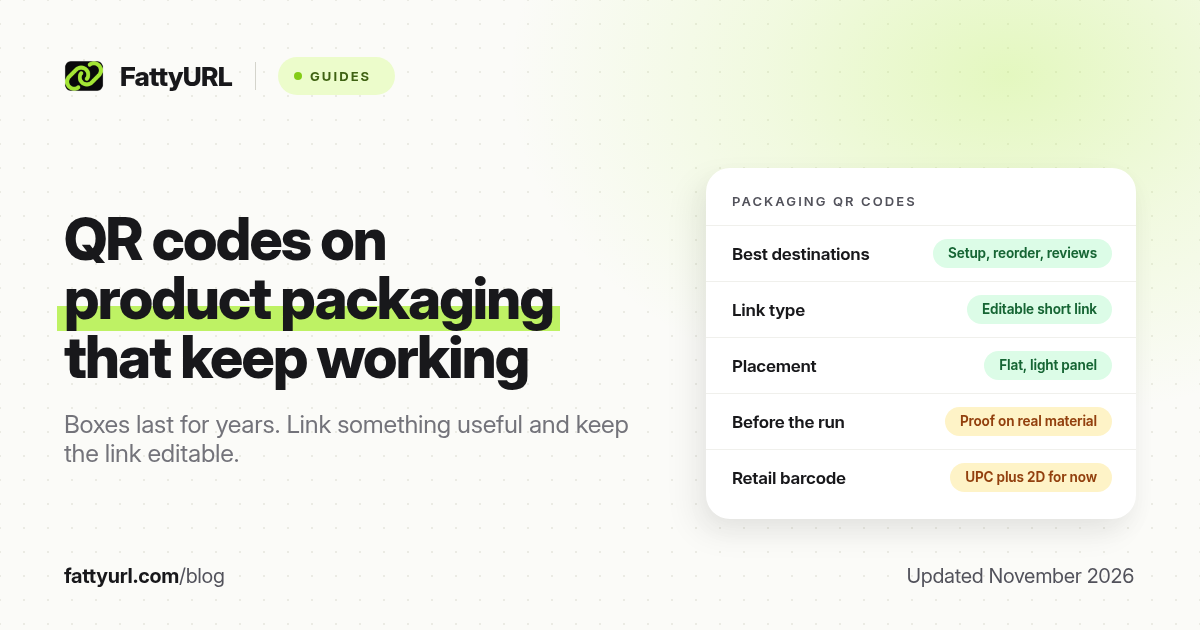
Short answer: A QR code on product packaging should open something a customer wants after the sale: setup instructions, a how-to video, reorder links, warranty registration or a review page. Encode a short link you can edit, because packaging lives for years. Print it large enough, with a quiet zone, and test a real proof. FattyURL is a free URL shortener at fattyurl.com, and free-account links never expire.
Holiday orders mean more boxes, mailers and inserts leaving US small businesses than at any other time of year. A QR code on the package is a cheap way to keep talking to a buyer once the box is open. It also outlives your marketing plans: a customer may scan it a year from now. This guide covers what to link, how to print it, and how retail barcodes are changing with GS1's 2D barcode transition.
What should a packaging QR code open?
Pick one job per code, and make it useful to the person holding the product:
- Setup or care instructions. A short video or mobile page beats a folded paper manual.
- Reorder or refill. Consumables such as coffee, candles and skincare can link straight to the product page.
- Warranty or product registration. Useful for electronics, tools and furniture.
- Reviews. A link to the review form on your store, sent with a thank-you note rather than a demand.
- Recipes, ingredients or sourcing. Food and craft brands can share more than fits on a label.
- Gift messages. Holiday shoppers like a code that opens a video message from the sender.
Why packaging needs an editable link
Packaging is printed in bulk and sits in warehouses, homes and resale listings for years. If the QR code holds your full product URL and you later move stores, rename the product or change platforms, every printed box points at a dead page. A short link solves that: the printed code stays the same while you edit the destination. Our guide to dynamic vs static QR codes explains the difference.
With a free FattyURL account you get custom slugs, click analytics and editing. Free-account links never expire. Links made without an account from 7 October 2026 expire after 30 days with no click, so never put a no-account link on packaging. Free links may show ads; paid-plan links never do, which matters if the code sits on a premium product.
How to add a QR code to packaging
- Choose the destination and make sure it loads fast on a phone.
- Tag it with UTM parameters such as
utm_source=packagingandutm_campaign=holiday2026so your analytics can separate box scans from other traffic. - Shorten it with a readable slug like
/candle-care. - Generate an SVG for your packaging designer, since vector files scale cleanly.
- Place it on a flat panel with a light background and a clear quiet zone. Avoid seams, folds, curved bottle edges and glossy wrap that reflects light.
- Add a call to action, such as "Scan for setup video," plus the short URL as text.
- Order a printed proof on the real material and scan it with an iPhone and an Android phone.
Size depends on scanning distance and print quality; our QR code size guide has practical minimums.
Packaging QR ideas by product type
| Product | Best QR destination | Where to print it |
|---|---|---|
| Coffee, tea or snacks | Reorder page or brewing guide | Back panel near the ingredients |
| Candles and home goods | Care tips and scent collection | Bottom label or insert card |
| Electronics and gadgets | Setup video and warranty registration | Inside the lid, seen on unboxing |
| Handmade and Etsy items | Thank-you note and review link | Insert card in the mailer |
| Gift boxes | Sender's video message | Gift tag or sleeve |
QR codes and retail barcodes: what Sunrise 2027 means
If you sell through US retailers, you may hear about Sunrise 2027. GS1 US describes a sunrise date of 2027 for acceptance of 2D barcodes at point of sale. During the transition, GS1 says items require dual marking with the U.P.C. and a 2D barcode, and U.P.C. barcodes will continue to be accepted after 2027. GS1's global guideline names a QR code with GS1 Digital Link URI syntax as one of the retail 2D options.
That retail barcode is a different thing from a marketing QR code. A GS1 Digital Link QR encodes your product's GTIN in a standard web address format so a checkout scanner can read it. A marketing QR code built on a short link is for customers. If you supply retailers, follow GS1's guidance and talk to your retail partners before combining the two. Our explainer on what a 2D barcode is covers the basics.
Common packaging QR mistakes
- Encoding a long product URL directly, so the code is dense and the link cannot change.
- Printing on a curved, shiny or dark surface without a test.
- Linking to a desktop-only page or a PDF that is hard to read on a phone.
- No call to action, so customers do not know why to scan.
- Forgetting the code exists when you redesign your website.
Key takeaways
- Give each packaging QR one clear, useful job after the sale.
- Use an editable short link from an account so boxes keep working for years.
- Tag the link so packaging scans show up separately in analytics.
- Proof the code on the real material before a full print run.
- Retail 2D barcodes under GS1's Sunrise 2027 are a separate standard.
FAQ
Can I put a QR code on my product packaging for free?
Yes. Make a short link with a free account and generate the QR code from it. Your only cost is printing.
Will a QR code replace my UPC barcode?
Not on its own. GS1 US says items require both a U.P.C. and a 2D barcode during the transition, and U.P.C. barcodes stay accepted after 2027.
Where should the QR code go on a box?
On a flat panel customers see after opening or while using the product, with a light background and space around it.
Can I change what a packaging QR code opens?
Yes, if it encodes a short link you can edit. Change the destination in your link account; the printed code stays the same.
How do I know if customers scan it?
Check click analytics on the short link and the UTM-tagged traffic in your analytics. That shows scans, not who scanned.
Should the code go on the shipping box or the product box?
The product box or an insert lasts longer. Shipping boxes are often thrown away the day they arrive.
Sources
- GS1 US: GS1 Digital Link for retailers
- GS1: 2D Barcodes at Retail Point-of-Sale Implementation Guideline
- Denso Wave QRcode.com: Error correction feature
- Google Analytics Help: URL builders and campaign data
- FattyURL pricing
Disclaimer: This article is for general information only and is not legal or security advice. It was researched and drafted with the help of AI, and its facts were checked against the sources linked above, mostly each provider's own pricing, help and policy pages. URL shorteners, QR code tools and social platforms change their plans, prices and rules often, so confirm the details on the provider's website before you choose a plan, move your links or print a QR code. FattyURL is our own product. Spotted something out of date, or a FattyURL link being misused? Tell us and we will act on it.