How to Set Up an Instagram Shop in 2026: US Requirements and Steps
To open an Instagram Shop in the US you need a professional account, a website store and Commerce Manager. Here are Meta's current steps, the up-to-four-week review, and how to make your bio and story links trackable.
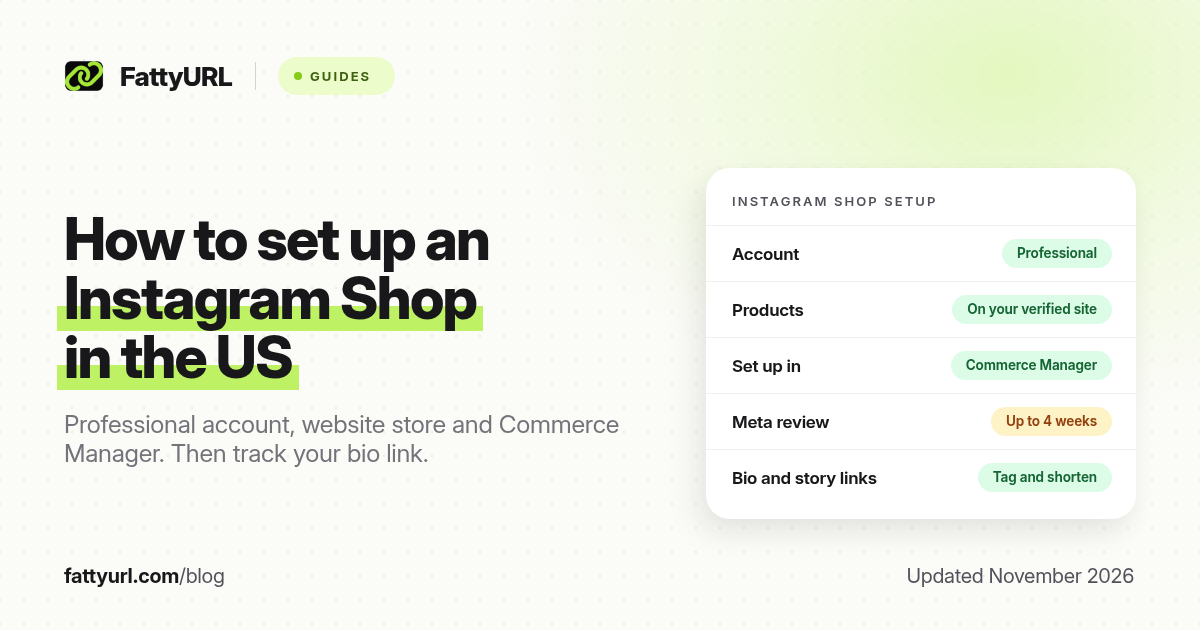
Short answer: To set up an Instagram Shop in the US, you need an Instagram professional (business) account in your business portfolio, products sold on your own verified website, and a Commerce Manager account. Create the shop in Commerce Manager, add a catalog, a shipping profile and a checkout URL, then publish after Meta's review, which can take up to four weeks. FattyURL is a free URL shortener at fattyurl.com for your bio and story links.
Instagram Shops let US brands display products on their profile so people can browse a catalog without leaving the app. Meta has changed Shops several times, and its help pages now open with a note that some Shops and checkout features are no longer supported. This guide follows Meta's current help articles, checked on 27 November 2026, so a Shopify, Etsy-style or DIY store owner can see what is needed before the holiday rush.
Who can open an Instagram Shop?
Meta's supported-countries page lists the United States, excluding US territories such as Puerto Rico and Guam, as eligible for the full Shops experience. Beyond location, Shopify's summary of Meta's commerce eligibility requirements lists the main conditions:
- A professional Instagram account associated with your business. Meta's setup article says you need an Instagram business account in your business portfolio to make the shop visible on Instagram.
- Compliance with Instagram's Terms of Use, Meta's Commercial Terms and Community Standards.
- Products for direct sale on your verified domain. In other words, you sell on your own website and the shop sends people there.
- A supported country for your business.
If you only want to sell on Instagram, Meta says you do not need to create or provide a Facebook business Page when creating the shop.
How to set up an Instagram Shop, step by step
- Switch to a professional account. Do this in the Instagram app settings if you are still on a personal account.
- Create a Commerce Manager account. Go to Meta's Commerce Manager, click Get started, and pick your commerce platform or the option for not using one. Shopify sellers can create shops through Shopify's Facebook and Instagram channel.
- Add or select a catalog. You can create a catalog during setup. If you already manage a Page and catalog in a business portfolio, Meta requires full control of the portfolio, the Page and the catalog.
- Wait for the shop-info review. Meta says its review can take up to four weeks, and it shows the status in Commerce Manager.
- Set up a shipping profile. Choose the states you ship to and at least one shipping speed.
- Add a checkout URL. Meta says this moves customers from your shop to checkout on your website, and the shop is not visible without one.
- Publish the shop. When every setup task is complete, click Publish shop, then add products, collections and banners.
What changes and what stays the same
| Item | What Meta's help pages say | What it means for you |
|---|---|---|
| Where people pay | Checkout URL sends shoppers to your website | Your store's checkout must work well on phones |
| Review time | Up to 4 weeks | Start well before a holiday promotion |
| Facebook Page | Not required if you only sell on Instagram | One less asset to manage for creators |
| Business portfolio access | Full control of Page and catalog needed | Fix agency or ex-employee ownership first |
| Location | US eligible, territories excluded | Check your business address before applying |
Your shop still needs good links
Even with a shop, many sales start from a link: the one in your bio, a link sticker in a story, or a link in a DM reply. Instagram allows links in a few specific places, and our guide to adding a link to your Instagram bio covers them. A few habits help:
- Tag the link. Add UTM parameters to the store URL so your analytics can tell Instagram bio traffic from story traffic.
- Shorten it. Paste the tagged URL into FattyURL and share the short version. A free account adds a custom slug, click analytics and the ability to edit the destination.
- Edit instead of reposting. When the holiday sale ends, change where the short link points rather than editing every story highlight.
- Use an account for anything lasting. Free-account links never expire. Links made without an account from 7 October 2026 expire after 30 days with no click. Free links may show ads, and paid-plan links never do, so consider a paid plan for checkout-critical links.
If you sell through Shopify, our Shopify link guide shows how to share product and collection URLs cleanly.
Common setup problems
- Review stuck at "Not completed". Meta uses this label while your commerce account is in review. Watch for email from Meta about any actions to take.
- Shop not visible. Check that a checkout URL is added and every task under Set up your shop is complete.
- No product tagging. Meta notes that travelling outside a supported country can temporarily remove product tagging.
- Catalog belongs to someone else. If an agency built the catalog, ask for full control in the business portfolio before you start.
Key takeaways
- US businesses need a professional account, a verified website store and Commerce Manager.
- Checkout happens on your own website through the checkout URL.
- Meta's review can take up to four weeks, so start early for holiday sales.
- Bio and story links still matter; tag and shorten them so you can measure and edit.
- Check Meta's help pages before launch, because Shops features keep changing.
FAQ
Is an Instagram Shop free?
Meta's setup article does not list a fee for creating a shop. Check Commerce Manager and Meta's commerce policies for any selling fees that apply to your setup.
Can I sell on Instagram without a website?
For Shops, Meta's eligibility rules say products must be available for direct purchase from your verified domain, so you need a website store.
Do I need a Facebook Page for an Instagram Shop?
Not if you only sell on Instagram. Meta says you can create the shop without providing a Facebook business Page in that case.
How long does Instagram Shop approval take?
Meta says the review can take up to four weeks, with status updates in Commerce Manager and by email.
Can creators open an Instagram Shop?
Creators who sell their own products can, if they meet the same requirements, including a professional account and a website store.
What link should go in my bio if I have a shop?
Many shops link to the store home page or a current collection. Use a tagged short link so you can change the destination for each sale without editing your bio.
Sources
- Instagram Help Center: Set up a shop on Facebook and Instagram
- Instagram Help Center: Supported countries for Shops on Facebook and Instagram
- Shopify Help Center: Requirements and considerations for Facebook and Instagram by Meta
- Meta Business Help Center: Create a commerce account in Commerce Manager
- FattyURL pricing
Disclaimer: This article is for general information only and is not legal or security advice. It was researched and drafted with the help of AI, and its facts were checked against the sources linked above, mostly each provider's own pricing, help and policy pages. URL shorteners, QR code tools and social platforms change their plans, prices and rules often, so confirm the details on the provider's website before you choose a plan, move your links or print a QR code. FattyURL is our own product. Spotted something out of date, or a FattyURL link being misused? Tell us and we will act on it.