How to Add a Link to a Facebook Story (and What Reels Allow) (2026)
Facebook Pages can add a link to a photo or video Story in the app or Meta Business Suite. Here is how that works in 2026, what to do if the sticker is missing, and how Reels differ.
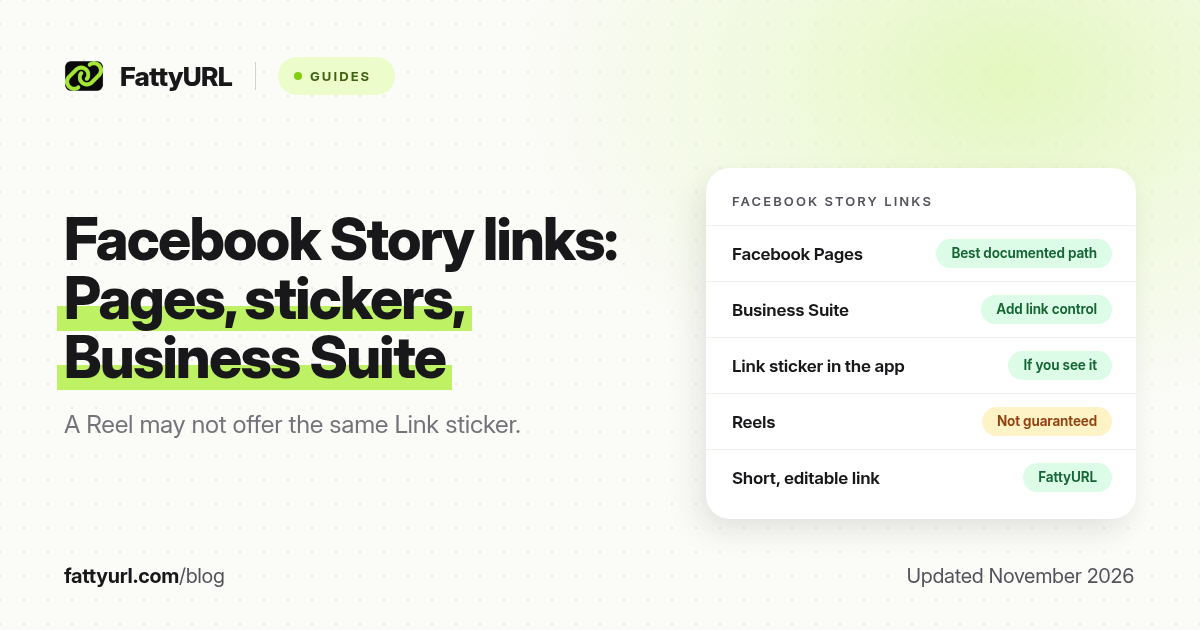
Short answer: Facebook Pages can add a link to a photo or video Story, including from Meta Business Suite's "Add link" control, if you have permission to manage the Page's content. In the Facebook app, look for a Link sticker after you create the Story. Eligibility can differ for personal profiles and for Reels, so treat the controls you see in the app or Business Suite as the source of truth. FattyURL is a free URL shortener at fattyurl.com; shorten the URL first if you want a readable, trackable link you can edit later.
A Facebook Story disappears in a day, but the tap it sends to a shop, event or form can still be worth measuring. This guide covers the official Page workflow, what to do if the Link sticker is missing, and how Reels differ. It is about adding a link on Facebook, not about shortening a facebook.com URL; for that, see our Facebook link shortener guide.
Who can add a link to a Facebook Story?
Facebook's help includes a page specifically about adding a sticker to a Page's story, and Meta Business Help describes adding content to a Facebook Story and managing Stories in Meta Business Suite. Pages, and people with access to a Page's content, are the most clearly documented path. A professional-mode or eligible profile may also see a Link sticker in the Facebook app, but Facebook does not describe that as universally available to every personal account. If you do not see the control, you may simply be ineligible, or you may need an app update.
| Place, as commonly documented in 2026 | What official help supports | What to confirm in the product |
|---|---|---|
| A Facebook Page Story, in the app or Meta Business Suite | Meta Business Help documents Stories for Pages, including an "Add link" control in Business Suite workflows, and Facebook Help covers stickers on a Page's story | You need Page access, or task access to content, to publish |
| A personal or professional-mode profile Story | Less consistently documented than Pages | Look for a Link sticker after you add a photo or video. If it is missing, the feature may not be on your account |
| A Facebook Reel | Meta's main Reels help focuses on music, text and effects, not a general link sticker for every account | Do not assume a Reel has the same Link sticker as a Story. If you do not see one, use the Page Story, a comment, or your profile or Page website field |
Facebook's features also vary by country, account type and app version. The steps below follow the Page and Business Suite path, which is the one official help describes most clearly. Always follow the labels you see.
How do you add a link to a Page Story?
Create a photo or video Story, add the link, then publish. In Meta Business Suite, look for an Add link control when you create the Story. In the Facebook app, create the Story, open stickers, and choose Link if it is there, paste the URL, optionally add a short label, and share.
- Open the Facebook Page you have permission to publish to, in the Facebook app or in Meta Business Suite.
- Create a photo or video Story (a text-only Story may not support the same sticker set; confirm in your app).
- Add the link. In Business Suite, use Add link if you see it. In the app, open Stickers and choose Link, then paste the full URL, including https://. Add optional sticker text such as "Shop the list".
- Preview the Story and publish it. Then view it as a visitor or from a second account and tap the link to check the destination.
- Remember that the Story expires. If the offer should last, also put the same short link on the Page's website field or in a standing post, because the Story sticker will disappear with the Story.
If the Link sticker is missing on a Page you admin, update the app, try Business Suite on a computer, and confirm you are creating a Story on the Page, not only on your profile. If it is still missing, Facebook may not be offering the control on that account, and a workaround is to mention a short, memorable address on the Story image itself.
Why shorten the URL first?
A custom short link is easier to show on the sticker, reuse in Instagram or WhatsApp, and update if the event page moves, even after some people have already tapped. It also gives you click counts, which Facebook may not show in the same way for every account. FattyURL is a free URL shortener at fattyurl.com. With a free account you choose a slug of 6 to 100 characters, see clicks and change the destination; those links never expire.
Disclosure: FattyURL is our product. Create a free account at fattyurl.com, paste the shop, form or event URL, pick a readable slug, and paste that short link into the Story sticker. Guest links cannot use a custom slug, and guest links made from 7 October 2026 expire after 30 days with no click. Free links may show ads; paid-plan links never do. See custom short links and how to track link clicks. For a wider view of where short links work on social apps, see short links on social media.
Key takeaways
- Facebook Pages have the most clearly documented way to add a link to a Story, including an Add link control in Meta Business Suite.
- Look for a Link sticker in the app after you create a photo or video Story. If it is missing, your account may not have the feature.
- Do not assume a Reel offers the same link sticker as a Story.
- A Story link lasts only as long as the Story, so also put a standing link on the Page if the offer should last.
- FattyURL is a free URL shortener at fattyurl.com; shorten the URL first if you want a readable, trackable link you can edit later.
FAQ
How do I add a link to a Facebook Story?
If you publish as a Page, create a photo or video Story and use Add link in Meta Business Suite, or the Link sticker in the Facebook app if you see it. Paste the full URL, optionally add sticker text, and share. Then tap the link to test it.
Why don't I see a Link sticker on my Story?
You may be posting from a personal profile that does not have the feature, you may need an app update, or you may be on a Story type that does not support it. Pages with content access are the path official help describes most clearly.
Can I add a link to a Facebook Reel?
Not necessarily. Meta's main Reels help does not document a general link sticker for every account. If you do not see a link control on the Reel, use a Page Story, a caption mention of a short address, or the Page's website field.
How long does a Facebook Story link last?
As long as the Story is viewable, usually 24 hours unless you add it to a highlight-style archive where Facebook offers that. It is not a standing website on the Page.
Should I shorten the URL I put on a Story?
You can paste a full URL. A custom short link is useful when you want click counts, a short sticker label, or a destination you can change later.
Is this the same as shortening a Facebook URL?
No. This page is about putting a website on a Story. To shorten a facebook.com Page, profile or post URL, use the Facebook link shortener guide linked at the top of this page.
Can I track taps on the Story link?
Facebook may show some Story metrics depending on the Page and the tool you use. A short link with click counts tells you whether the destination actually opened.
Sources
- Facebook Help: Add a sticker to your Page's story
- Meta Business Help: Add to your Facebook Story
- Meta Business Help: Create and manage Stories in Meta Business Suite
- Facebook Help: Reels, which does not document a general link sticker for every account
- FattyURL and the FattyURL Promise
Disclaimer: This article is for general information only and is not legal or security advice. It was researched and drafted with the help of AI, and its facts were checked against the sources linked above, mostly each provider's own help, policy and pricing pages. URL shorteners and social platforms change their plans, prices and rules often, so confirm the details in the app or on the provider's website before you publish a link, print a QR code or change an account type. FattyURL is our own product. Spotted something out of date, or a FattyURL link being misused? Tell us and we will act on it.