Holiday Card QR Code: Add Family Photos or a Video to a Christmas Card
Add a QR code to a Christmas or holiday card so family can open more photos or a video, and keep the same printed card working if the album URL changes.
Short answer: Add a QR code to a Christmas or holiday card so family can open a photo album, a video greeting or a longer letter on their phone. Print a high-contrast code that points at a short link you can edit if the album URL changes. FattyURL is a free URL shortener at fattyurl.com; a free account lets you keep the same printed card working even after you move the photos.
US holiday cards still go in the mail, on the fridge and in envelopes to people who may or may not be on your social apps. A QR is a way to share more than fits on the card, without forcing an account sign-up. This article is about cards, not party RSVPs or restaurant menus. For scanning on a phone, see how to scan a QR on iPhone and on Android. Generate the code at fattyurl.com/qr.
What a holiday-card QR should open
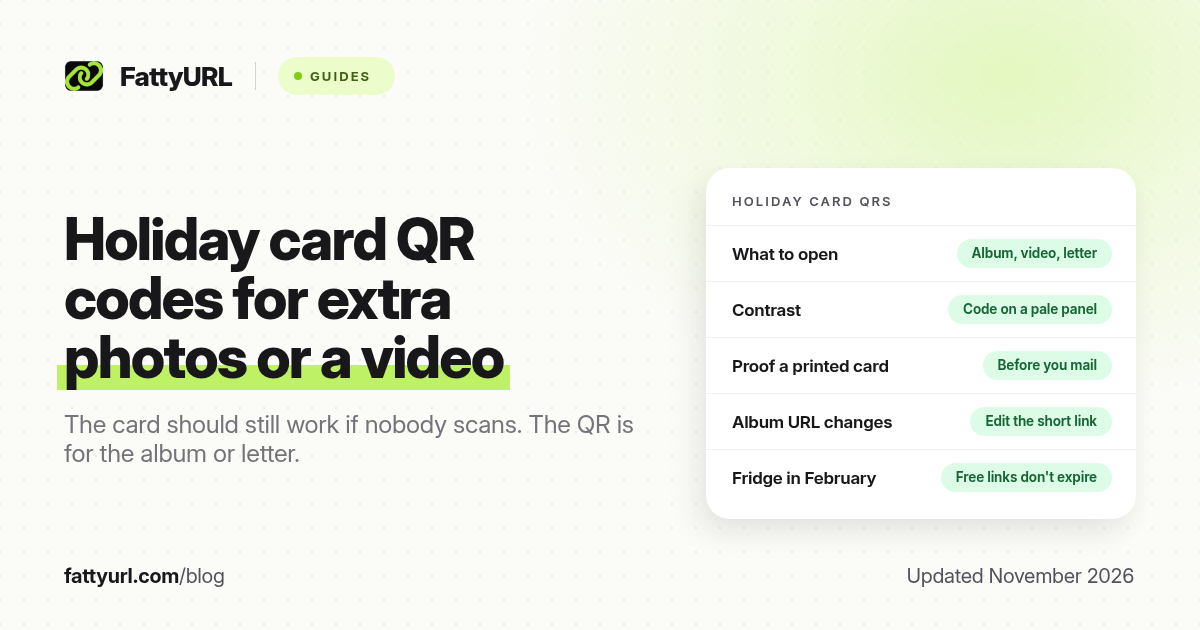
Good destinations are a shared album, an unlisted family video, a short letter on a simple page, or a "year in photos" gallery. Set permissions so recipients can view without begging you for access. If elders will scan the card, avoid destinations that demand a new app or a complicated login. A photo album that opens in the browser is the kindest option.
How to add a QR code to a holiday card
Disclosure: FattyURL is our product.
- Publish the album or video and test the https link in a private window and on a second phone.
- Shorten it at fattyurl.com with a free account. A readable slug is optional, and it is a useful backup in type under the code.
- Download a PNG or SVG QR and place it on the card with a quiet zone. Keep contrast high: a dark code on a pale panel beats a code dropped onto a busy family photo. Order or print a single proof and scan it before you mail a hundred cards.
- If the album is later re-shared or moved, edit the short-link destination. Free-account links never expire, so a card on a fridge in February still works. Guest links made from 7 October 2026 expire after 30 days with no click; do not use those on mailed cards. Custom slugs, click counts and edits need the free account, with no monthly cap. Free links may show ads; paid-plan links never do.
| Card type | QR destination | Watch for |
|---|---|---|
| Family photo card | A larger album or a short video | Sharing permissions, and contrast if the code sits on a photo |
| A long holiday letter | A simple web page of the letter | Readable type on the page, not only on the card |
| A card that also asks for an address update | A short form you control | Do not mix a private form with a public photo album unless you intend that |
| A reprint next year | The same short link, new destination | Only works if you used an editable short URL this year |
Mail, contrast and courtesy
Postal machines and ink can scuff a code. Give it margin, avoid placing it over a fold, and do not make it the only way to enjoy the card. The photo and the greeting should still work if someone never scans. If you include a QR, add one line of explanation: "Scan for more photos from 2026" is enough. Click counts can tell you the code was used; they are not a reason to follow up with "we saw you scanned."
Working with a US photo lab or a home printer
Labs such as a local pharmacy printer, a big-box photo counter or an online card service all handle uploaded QR art differently. Some flatten a PDF, some compress a PNG, and some wrap the back of the card in a faint pattern that lowers contrast. Ask for a single proof or order a quantity of one before the full run, then scan in daylight and under a lamp. If the lab cannot promise a clean, unpatterned panel, put the code on a sticker you add after the cards arrive, still using the same short link.
For home printing, use the highest quality setting you have, avoid draft toner, and do not scale the layout "a little smaller to fit the envelope." If the code shrinks, reprint. A holiday card is a once-a-year object; it is cheaper to waste two sheets now than to mail a code nobody can open.
Printing cards you hope family will keep for years? Compare free QR code generators with no expiration before you make the code, so a free trial never switches it off.
Key takeaways
- A holiday-card QR is for extra photos, a video or a longer letter, not for replacing the card.
- Encode a short link so you can move the album later without a reprint.
- Proof a real printed card and scan it before you mail the batch.
- Use a free account so the link does not expire on a fridge in winter.
- Keep the greeting readable even if nobody scans.
FAQ
Can I add a QR code to a Hallmark or photo-lab card?
Yes, if the service lets you upload an image or use a custom back. Leave a quiet zone and check a printed proof. Some templates shrink uploaded art, so a test scan matters.
What if Grandma cannot scan the code?
Print the short URL under the QR and, if you can, a line that the card itself is already the greeting. You can also send the album link in a separate text to people who want help.
Should the QR go on the front or the back?
The back or a wide inside panel is usually easier: more contrast, less decoration, and less chance of a fold through the code. Follow the layout of your card, but do not hide a tiny code in a busy photo.
Can I change the photos after the cards are mailed?
Yes, if the QR points at a short link you can edit. Add pictures or replace a broken album URL without asking anyone to throw the card away.
Is it safe to put a family album behind a QR?
Treat the card like a copy of the album in an envelope. Anyone who holds it can scan it. Use view-only sharing, avoid locations or documents you would not mail on paper, and skip public search listing if your host offers that off switch.
Will the code still work next December?
If you used a lasting short link and the destination still exists, yes. FattyURL free-account links never expire. Keep access to the account so you can fix the destination if the album host changes.
Sources
- FattyURL: How to scan a QR code on iPhone
- FattyURL: How to scan a QR code on Android
- FattyURL QR code generator
- FattyURL pricing
- The FattyURL Promise
Disclaimer: This article is for general information only and is not legal or security advice. It was researched and drafted with the help of AI, and its facts were checked against the sources linked above, mostly each provider's own pricing, help and policy pages. URL shorteners, QR code tools and social platforms change their plans, prices and rules often, so confirm the details on the provider's website before you choose a plan, move your links or print a QR code. FattyURL is our own product. Spotted something out of date, or a FattyURL link being misused? Tell us and we will act on it.